
Amazon Listing Optimization
& Draft Creation
Build a listing from verified product facts and relevant keywords, then review accuracy, quality and compliance before publication.
What Are You Writing?
Draft an Amazon listing from your verified facts and keywords. Use your agent for research and review.
What You Can Do With
Amazon Listing Optimization & Draft Creation
Collect Product Evidence
Illustrative ExampleCollect a product reference, verified specifications and relevant keywords before drafting.
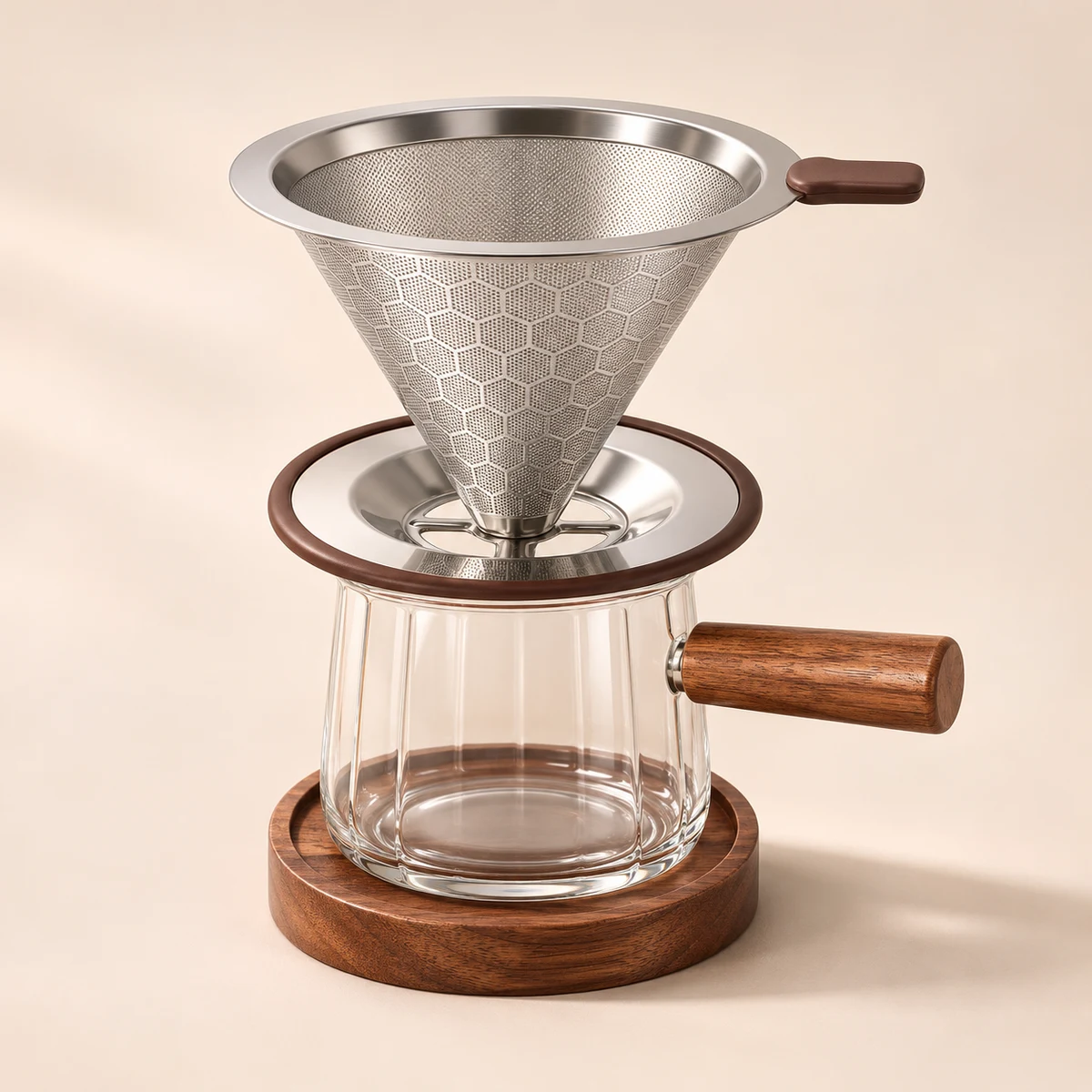
What The Reference Supports
- Visible
- Metal filter, glass cup, wooden handle
- Still Needed
- Capacity, dimensions and care instructions
- Keyword Direction
- Relevant product terms only
Draft A Complete Listing
Illustrative ExampleThis listing-style preview combines a title, product image and bullet points. It is an illustrative draft, not a live Amazon listing.
Pour-Over Coffee Dripper With Glass Cup And Wooden Handle
Specifications To Be Confirmed- Product Components: Metal filter paired with a glass cup.
- Handle Detail: Wooden handle shown in the supplied reference.
- Before Publication: Add verified dimensions, capacity and care information.
Review Quality And Compliance
Illustrative ExampleReview the actual wording rather than just a score. Replace unsupported performance promises with specific, evidenced statements.
“Glass cup with a wooden handle.”
Consistent with the reference; confirm materials from product records.“Guaranteed to make better coffee.”
Capacity and care instructions
Add only after checking your product documentation.How It Works
Prepare Your Listing Brief
Choose create, rewrite, benchmark, or batch. Provide verified product facts, the target marketplace, brand rules, and any reference ASIN or image.
Research References And Draft
Review relevant products, customer reviews, and search terms. Use that evidence with your verified facts to draft the listing.
Data Sources & APIs
Required
Product Description Generator API →Optional
Amazon Product Detail API →Amazon Search By Image API →Amazon Search API →Product Image Similarity Groups API →Amazon Reviews List API →Amazon Product Price Series API →Amazon ASIN Keywords API →This page runs the generation shown above. Use your agent for the full workflow and additional inputs.
Check Quality And Compliance
Review the final title, bullets, description, and search terms with a fact and keyword mapping, quality findings, and compliance flags.
Frequently Asked Questions
What Do I Need For Amazon Listing Optimization & Draft Creation?
Provide verified product facts, target marketplace, brand constraints, and an optional reference ASIN, image, or search term. Start with verified product facts and the audience, marketplace, and tone for the listing.
Does A Listing Quality Score Mean The Copy Is Ready To Publish?
No. Confirm facts, keyword relevance, brand constraints and compliance findings in the final draft. A score does not guarantee marketplace approval, search ranking or conversion.
What Does Listing Draft & Quality Review Include?
Complete Listing draft as structured JSON and readable Markdown, with fact/keyword mapping and compliance review.
Can I Run The Complete Workflow On This Page?
Run Here, where available, executes one selected step only. Your agent coordinates the remaining supported tools and carries intermediate results between them; it asks you for missing business inputs. Use In Your Agent carries your supplied inputs and the business workflow for multi-step work. Generation and other task-based tools require the documented completion flow; a submitted task is not a finished output.
What Does This Workflow Cost?
Creating an account is free. Individual data, processing and generation calls use the current tool pricing and your account access. Review the supporting documentation before running; multi-step workflows can make several chargeable calls. This page does not promise free queries or a fixed total.
What Happens When Evidence Or An Optional Tool Is Missing?
Keep the missing source or failed step visible in the listing draft & quality review. Skip optional enrichment when it is unavailable, but stop any conclusion that depends on missing primary evidence. Review accuracy, marketplace policy, duplicate claims, and readability before publishing.
Start Your Listing Creation & Optimization
Build a listing from verified product facts and relevant keywords, then review accuracy, quality and compliance before publication.