

3 Steps to Fix Ecommerce CRO with AI Before Changing Pages

Ecommerce CRO (Conversion Rate Optimization) with AI starts with finding the right problem, not the right button color. Most store owners and DTC operators jump straight into redesigning pages the moment they see a high bounce rate or a low conversion number. They swap hero images, rewrite headlines, move CTAs around. Weeks pass. The numbers barely move.
The issue is not execution. It is diagnosis. Teams spend their optimization energy on pages that look broken based on surface-level metrics, while the actual conversion killers sit untouched on a different URL entirely.
This article covers a 3-step framework that uses AI to identify which pages actually need fixing, understand why visitors leave those pages, and build testable optimization plans. No guessing, no "gut feeling" redesigns. Just structured diagnosis before any changes go live.
Why Most CRO Efforts Fail Before They Start
The "Fix Everything" Trap
Most ecommerce teams look at CRO through site-wide averages. The overall bounce rate is 65%, so the homepage must be broken. The overall conversion rate dropped 0.3%, so the entire checkout flow needs a redesign.
This approach burns time and budget on the wrong targets. Site-wide metrics mask local problems. A store might have perfectly fine product pages while one specific landing page leaks 80% of paid traffic. But because the homepage gets the most visits, it gets all the attention.
What the Data Actually Shows
Breaking down performance by individual page reveals a different picture:
- Homepage bounce rate: 45% (normal range)
- Product pages bounce rate: 38% (healthy)
- Specific landing page bounce rate: 82% (far above average)
- Blog pages bounce rate: 70% (expected for content)
The real conversion problem lives on that one landing page, not the homepage. Without page-level analysis, teams waste weeks optimizing pages that were never broken.
The 3-Step AI-Powered CRO Framework
Before diving into each step, here is the complete framework at a glance.
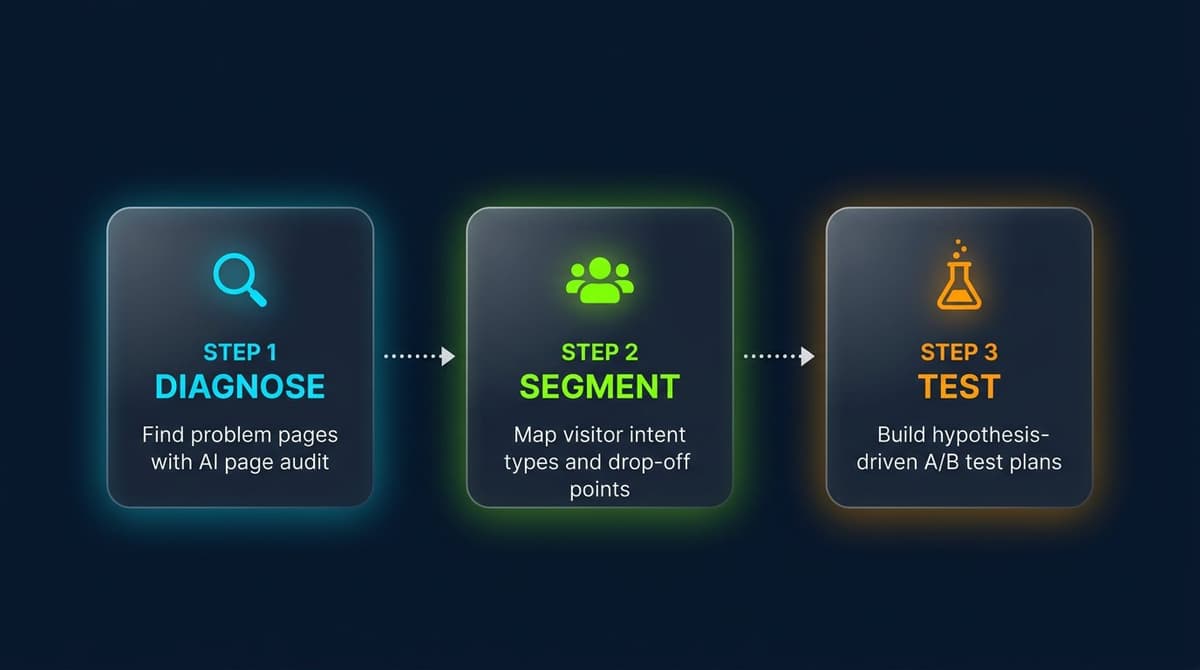
| Step | Goal | AI Role | Output |
|---|---|---|---|
| 1. Diagnose | Find which pages need fixing | Scan all page data, rank by severity | Top 3 priority pages |
| 2. Segment | Understand why visitors leave | Classify visitor intent types per page | Intent map with drop-off points |
| 3. Test | Build optimization plans | Generate testable hypotheses | Prioritized A/B test roadmap |
Each step feeds into the next. Skipping Step 1 means optimizing random pages. Skipping Step 2 means guessing why people leave. Skipping Step 3 means making changes that cannot be measured.
Step 1: Use AI to Diagnose — Find the Pages That Actually Need Fixing
Why Site-Wide Metrics Hide the Real Problems
Aggregate numbers average out extremes. A store with 50 pages might have 47 performing within normal ranges and 3 with severe issues. The site-wide average still looks acceptable, so nobody investigates the outliers.
AI can process page-level data across hundreds of URLs in seconds and flag anomalies that manual review would miss. This is the same principle behind AI-powered automation for ecommerce, applied specifically to conversion analysis.
How to Run an AI-Powered Page Audit
The process takes three steps:
- Export page-level data from Google Analytics or any analytics tool (pageviews, bounce rate, average time on page, CTA click rate, form submission rate)
- Feed the data to an AI tool and ask it to rank pages by problem severity
- Review the AI output to confirm the top 3 pages worth optimizing
The goal is not to fix everything. It is to put limited optimization resources on the pages where improvement will have the biggest impact on revenue.
Diagnostic Prompt Template (Copy-Paste Ready)
Analyze the following ecommerce page performance data.
Rank pages by problem severity (worst first):

Page URL | Pageviews | Bounce Rate | Avg Time on Page | CTA Click Rate | Form/Cart Submit Rate
[paste your data here]

Output:
1. Top 3 pages that need immediate optimization
2. The most likely problem type for each page
3. One hypothesis to confirm before making any changes
Step 2: Use AI to Segment — Understand Why Visitors Leave
Three Visitor Intent Types Every Store Has
After identifying the problem pages, the next question is: why are visitors leaving?
CRO often fails not because the page is bad, but because the traffic hitting that page has mismatched expectations. Different visitors arrive with different intent levels, and a single page layout cannot serve all of them equally.
Most ecommerce stores have three main visitor segments:
- High-intent buyers: Arrived through product searches or retargeting ads. They know what they want. They need product specs, social proof, and a fast path to checkout. Sellers who have already invested in listing optimization often see higher conversion from this segment.
- Education-stage visitors: Arrived through blog content or social media. They are still learning about the problem. They need educational content that builds trust before any sales pitch.
- Comparison shoppers: Return visitors or visitors from review sites. They are evaluating alternatives. They need differentiation, pricing clarity, and competitive advantages.
How to Match Page Content to Visitor Intent
A high bounce rate on a product page might mean the page lacks trust signals for comparison shoppers. The same bounce rate on a landing page might mean educational visitors are hitting a hard sell too early.
AI can analyze the traffic sources feeding into problem pages and map each source to an intent type. This turns vague "people are leaving" into specific "comparison shoppers from Google are leaving because the page has no pricing info above the fold."
Segmentation Prompt Template (Copy-Paste Ready)
I run an ecommerce store selling [your product category].
Page [URL] has an abnormally high bounce rate and low conversion rate.

Analyze:
1. What visitor intent types likely reach this page? (list at least 3)
2. For each intent type, where on the page do they most likely drop off?
3. What information does each intent type need to see to stay and convert?

Output format:
| Intent Type | Typical Source | Core Need | Likely Drop-off Point |
Step 3: Use AI to Build Test Plans — Hypotheses Over Gut Feelings
Turning Diagnosis Into Testable Hypotheses
Many teams jump from "the page has a problem" to "let's make the button bigger." That is a guess, not a hypothesis.
A testable hypothesis follows this structure:
- Hypothesis 1: Visitors leave because they cannot tell if the product solves their specific problem. Test: Rewrite the first screen to match the top 3 customer pain points. Expected result: Bounce rate drops by 10%+.
- Hypothesis 2: Comparison shoppers leave because there is no pricing information visible without scrolling. Test: Add a pricing summary card above the fold. Expected result: Time on page increases, cart additions go up.
- Hypothesis 3: The form has too many fields for education-stage visitors. Test: Reduce form fields from 7 to 3. Expected result: Form start rate increases by 20%+.
Each hypothesis connects a diagnosed problem (from Step 1), a visitor segment (from Step 2), and a specific, measurable change.
Prioritizing What to Test First
Not all tests are equal. Prioritize by:
- Traffic volume: Higher traffic pages produce statistically significant results faster
- Revenue impact: Pages closer to the purchase decision affect the bottom line more directly
- Implementation effort: Quick wins build momentum and justify further optimization investment
Test Plan Prompt Template (Copy-Paste Ready)
Based on this CRO diagnosis, generate testable optimization plans:

Problem pages: [list from Step 1]
Visitor segments:
- Intent Type A (estimated 40%): [description]
- Intent Type B (estimated 35%): [description]
- Intent Type C (estimated 25%): [description]

Output:
1. One optimization hypothesis per visitor segment
   (format: Hypothesis / Specific Change / Expected Metric Improvement)
2. Priority ranking (which test to run first and why)
3. Success criteria for each test (what metric change = "this worked")
Quick Reference: CRO Priority Formula and Checklist
The Priority Formula
High Traffic x High Drop-off x High Business Value = Fix This First
Pages that get significant traffic, lose a disproportionate number of visitors, and sit close to a revenue event (add to cart, checkout, form submission) should always be optimized first.
3-Step Checklist
Step 1: Diagnose - [ ] Export page-level analytics data (not just site-wide averages) - [ ] Use AI to rank pages by problem severity, identify top 3 - [ ] Confirm: fixing these 3 pages would meaningfully impact overall conversion
Step 2: Segment - [ ] Analyze traffic sources hitting each problem page - [ ] Use AI to identify at least 3 visitor intent types - [ ] Confirm: for each intent type, where exactly do visitors drop off?
Step 3: Test - [ ] Write one testable hypothesis per visitor segment - [ ] Translate each hypothesis into a specific page change - [ ] Define success criteria before launching any test
Common Mistakes to Avoid
- Optimizing the highest-traffic page instead of the highest-loss page. Traffic volume alone does not indicate a problem. A page with 10,000 visits and a 45% bounce rate is healthier than a page with 500 visits and a 90% bounce rate.
- Treating all visitors the same. A single CTA or layout cannot serve buyers, researchers, and comparison shoppers simultaneously. Segment first, then optimize per segment.
- Running tests without success criteria. "We'll know it when we see it" is not a test plan. Define the target metric and threshold before launching any A/B test.
- Changing multiple elements at once. When three things change and the conversion rate moves, there is no way to attribute the improvement. Test one variable at a time.
- Skipping diagnosis and going straight to redesign. The most common and most expensive mistake. A full-page redesign based on gut feeling has the same odds as a coin flip.
Conclusion
Most ecommerce CRO failures are not execution problems. They are diagnosis problems. Teams spend weeks redesigning pages that were never the real bottleneck, while the actual conversion killers remain untouched.
The fix is a structured 3-step process: use AI to find the pages that matter, understand the visitors who leave those pages, and build test plans grounded in hypotheses instead of hunches. Getting these three steps right often produces better results from changing one page than months of unfocused site-wide tweaks.
Nexscope provides structured ecommerce data that teams can use in focused web tools or connect to their existing Agent through API, MCP, or Skills. Ready workflows include Keyword to Ads, Video Clone, and Buy Box Repricer.
Teams can reuse the same governed capability across focused web tools, internal systems, and their Agent environment.
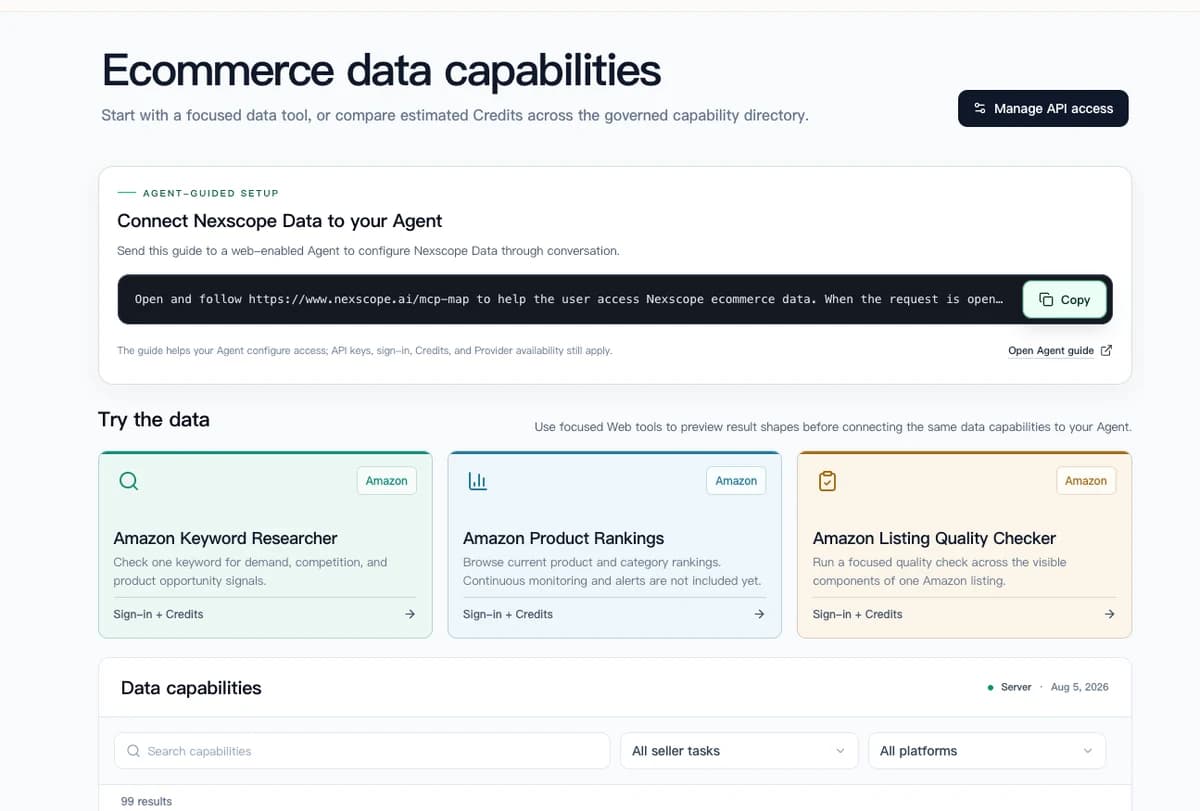
Connect Ecommerce Data to Your Agent
Use Nexscope through API, MCP, or Skills, or open a ready seller workflow.
Explore Ecommerce Data →1,000 free credits • API, MCP & Skills
Frequently Asked Questions
What is ecommerce CRO with AI?
Ecommerce CRO with AI uses artificial intelligence tools to diagnose conversion problems, segment visitor behavior, and generate testable optimization plans. Instead of guessing which page elements to change, AI processes analytics data at scale to identify the specific pages and visitor types causing conversion losses. This approach replaces gut-feeling redesigns with structured, data-driven improvements.
Do I need expensive AI tools to run a CRO audit?
No. The framework works with any AI assistant that can process structured data, including free tools like ChatGPT, Claude, or Gemini. Export page-level analytics data from Google Analytics, paste it into an AI chat with the diagnostic prompt, and the AI will rank pages by problem severity. Premium analytics platforms add convenience but are not required to start.
How many pages should I optimize at once?
Focus on the top 3 problem pages identified in the diagnosis step. Spreading optimization across too many pages dilutes effort and makes it harder to measure impact. Once the first 3 pages show measurable improvement, move to the next set. A focused approach produces faster, more attributable results.
How long does AI-powered CRO analysis take?
The diagnosis phase takes 30 to 60 minutes, including data export and AI analysis. Visitor segmentation adds another 30 minutes. Building test plans takes about an hour. Total time from raw data to a prioritized test roadmap is roughly half a day, compared to weeks of manual analysis and stakeholder debates.
What metrics should I track for CRO success?
Track page-level bounce rate, average time on page, CTA click-through rate, form or cart submission rate, and revenue per visitor. Avoid tracking only site-wide conversion rate, as it averages out page-specific problems. Each A/B test should have a predefined success metric and a minimum threshold for statistical significance.
Can this framework work for Shopify and DTC stores?
Yes. The 3-step framework is platform-agnostic. It works for Shopify stores, custom DTC sites, Amazon storefronts, and any ecommerce platform that provides page-level analytics. The AI prompts adapt to any product category or business model. Simply replace the placeholder fields with store-specific data.
What if my AI diagnosis points to a traffic problem, not a page problem?
If AI analysis shows that a page performs well for organic visitors but poorly for paid traffic, the issue may be ad targeting rather than page design. The segmentation step (Step 2) helps distinguish between page problems and traffic-source problems. Fix the traffic source first. Optimizing a page for the wrong audience will not improve conversions.
How often should I repeat the CRO diagnosis?
Run a full diagnosis quarterly, or whenever a significant change occurs (new product launch, seasonal campaign, major site update). Between full audits, monitor the key metrics for previously optimized pages to catch regressions early. AI makes re-running the analysis fast enough to do monthly without significant time investment.
Sources
- VWO. (2025). The Complete Guide to Conversion Rate Optimization. Retrieved from vwo.com
- Google. (2026). Google Analytics 4 Documentation: Page-Level Reporting. Retrieved from support.google.com
- Baymard Institute. (2025). Cart Abandonment Rate Statistics. Retrieved from baymard.com
- Princeton University. (2024). GEO: Generative Engine Optimization. Retrieved from arxiv.org
- Nielsen Norman Group. (2025). How Users Read on the Web: Eye Tracking Evidence. Retrieved from nngroup.com