

GPT Image 2 for Amazon Sellers: 7 AI Product Photo Rules

AI product photography is entering a new stage for Amazon sellers. GPT Image 2 can create cleaner layouts, stronger text rendering, more realistic lighting, and more polished commercial scenes than earlier image models. That creates a tempting idea: upload a product photo, write one sentence, and get a full Amazon image set.
That approach rarely works.
The model can generate impressive images, yet impressive images do not automatically create better clicks or conversions. Amazon listing visuals have jobs to do. The main image must win attention in search while staying compliant. The second and third images must make the product value obvious. Lifestyle and feature images must answer questions before shoppers leave. Brand images must build trust. Variant images must guide the right click.
This guide turns GPT Image 2 into a practical AI product photography workflow for Amazon sellers. It is based on one simple idea: the quality of an AI image is limited by the quality of the brief. Better prompts start with business context, image priority, and listing strategy.
Why Stronger Image Models Still Produce Weak Amazon Images
GPT Image 2 improves the model side of image generation. It follows instructions better, understands more commercial layouts, handles text more cleanly, and can produce high-resolution images across many sizes. Those upgrades matter.
The problem is that many sellers still use AI like a random design generator.
They ask for a "premium Amazon product image" or a "high-converting product photo" without defining the shopper, the purchase hesitation, the competitive difference, the platform rules, or the role of that image in the listing. The output may look better than a low-cost design mockup, yet it may still fail to help the listing.
Amazon images are part of a sales system. A good image should help a shopper answer one of these questions quickly:
- What is this product?
- Is it different from the products around it?
- Does it solve my exact problem?
- Can I trust the product quality?
- Which version should I choose?
If those questions are missing from the brief, AI product photography turns into visual decoration. A stronger model only makes the decoration look more professional.
The Formula for Better AI Product Photography
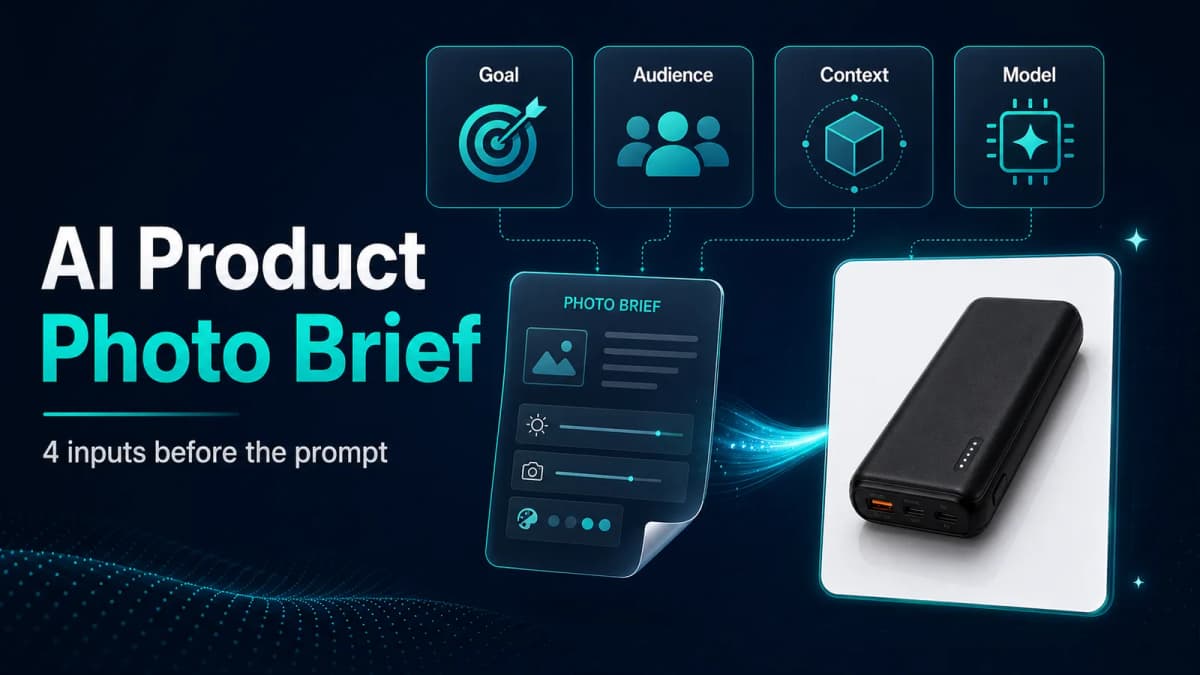
The output quality of AI product photography depends on four variables:
AI output = clarity x taste x context x model capability
- Clarity: Define the business goal before writing the prompt. "Make it beautiful" is too vague. "Improve mobile search-result click-through by making the product silhouette easier to recognize" gives the model a useful target.
- Taste: Match the image style to the category, price point, and U.S. shopper expectation. A low-ticket impulse product often needs direct, benefit-heavy visuals. A premium home product usually needs cleaner lighting, more whitespace, and more restrained copy.
- Context: Give GPT Image 2 the audience, use case, objection, and product difference. A Bluetooth speaker for camping should emphasize battery life, weather resistance, and portability. The same speaker for a home-office buyer should emphasize sound clarity, desk fit, and connection simplicity.
- Model capability: GPT Image 2 raises the ceiling. It can interpret real-world scenes, generate readable labels, improve lighting, and produce layouts that feel closer to commercial design.
When these four variables work together, GPT Image 2 becomes more than an image generator. It becomes a production tool for testing listing communication.
What GPT Image 2 Changes for Sellers
OpenAI's image generation documentation lists GPT Image models, including gpt-image-2, and supports generation and editing workflows through the Image API and image generation tools. Sellers should understand the practical impact rather than treating the model name as magic.
Better World Knowledge
GPT Image 2 has a stronger sense of how real products, rooms, materials, interfaces, and commercial layouts should look. That matters for e-commerce because product images live in a familiar visual language. A customer can tell when a scene feels fake, even if the image is technically polished.
For Amazon sellers, better world knowledge helps with lifestyle scenes, usage demonstrations, ingredient layouts, accessory spreads, and brand-story visuals.
Better Intent Understanding
Earlier image workflows often required extremely long prompts. GPT Image 2 can infer more from a clean brief. If you explain the user, scene, benefit, and hierarchy, the model can fill in many layout details.
This does not remove the need for structure. It shifts the work from prompt tricks to strategic briefing.
Better Commercial Taste
Many AI images fail because they overdo everything: too much gloss, too much symmetry, too much dramatic lighting, too many labels. GPT Image 2 can produce more natural spacing, better hierarchy, and more credible visual rhythm.
That is especially useful for Amazon secondary images, A+ content concepts, and comparison visuals where the design needs to explain without overwhelming the shopper.
Better Text Rendering, With Limits
Text rendering has improved, but OpenAI still lists text placement and clarity as limitations for GPT Image models. That means sellers should treat generated copy as a draft. Always inspect spelling, hierarchy, alignment, and legal claims before using an image in a listing.
For final commercial assets, keep on-image text short. Use three to seven words per label whenever possible. Longer explanations belong in the product description, bullets, A+ content, or an editable design file.
Amazon Image Set Strategy: What Each Image Should Do
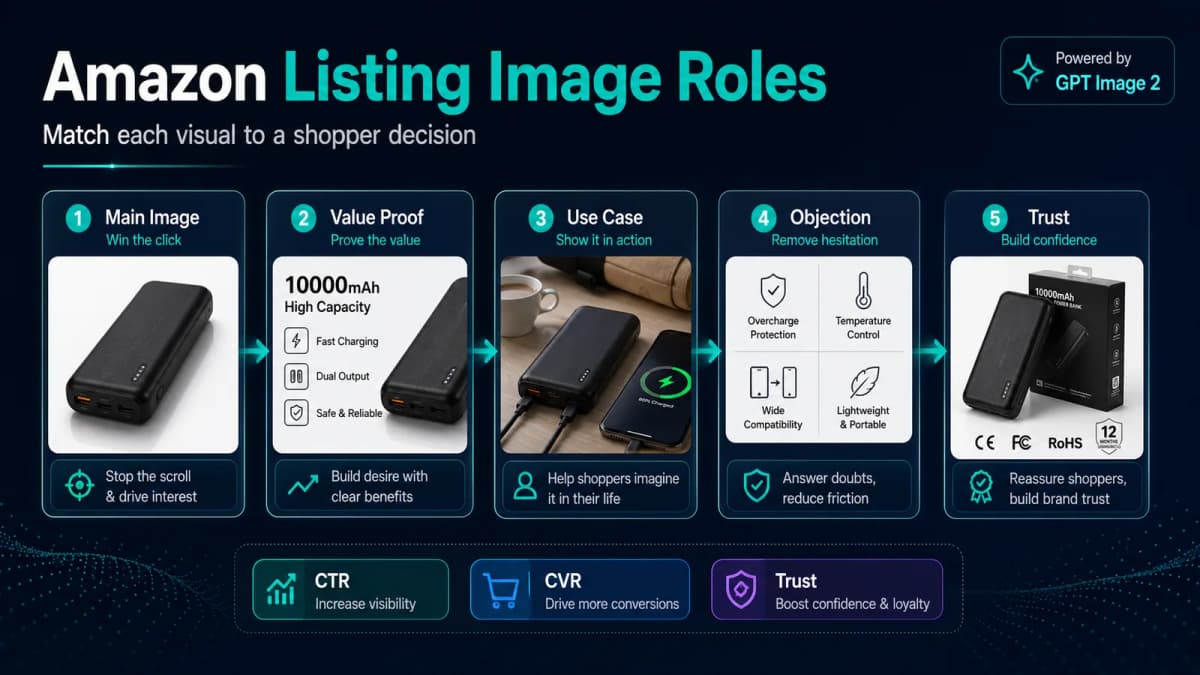
The mind-map approach from the source article is the most useful part to turn into a seller workflow. Instead of asking AI to create "a set of Amazon images," assign a job to every listing image slot.
Main Image Slot: Win the Click
The main image carries click-through rate. It appears in search, where the shopper compares your product against many similar options.
For Amazon, the main image must follow platform rules: the product should be accurately represented, shown on a pure white background, and free from extra text, logos, borders, watermarks, or graphics that are not part of the product. Amazon also recommends that the product fill most of the frame.
Within those rules, differentiation still matters. The source mind map points to four useful levers:
- Use a more distinctive angle when it helps the shopper understand the product.
- Show included accessories only when they are part of the purchase and allowed by the category rules.
- Make the product silhouette clear on mobile.
- Use rendering or retouching carefully when it improves clarity without misrepresenting the product.
The goal is simple: the shopper should understand the product before reading the title.
Value-Proof and Use-Case Slots: Improve Conversion
The first two secondary images should turn attention into interest. The source mind map frames these images as conversion assets. If they fail to hold attention, the shopper may leave within seconds.
The value-proof slot should usually explain the core selling point and differentiation. Do not show every feature. Pick the one benefit that most directly affects buying intent.
The use-case slot can show multifunction use, usage scenarios, or a broader product-in-action scene. This is where AI product photography is especially useful because sellers can test different contexts quickly.
For example:
- A pet supplement can show ingredient benefit, feeding moment, and pet vitality.
- A projector can show portable entertainment, room-size comparison, and accessory setup.
- A storage organizer can show before-and-after clarity, shelf fit, and daily use.
Objection-Handling Slots: Answer Needs and Doubts
The middle secondary images should handle demand signals and shopper hesitation. The source mind map recommends designing these images around search terms, selling-point terms, and buyer needs.
This is where listing data becomes useful. Look at:
- Search terms that already convert.
- Review language that repeats often.
- Questions from buyers.
- Competitor images that shoppers may already understand.
- Keyword clusters such as "gift," "travel," "small space," "waterproof," or "easy install."
If a product is gaining traction for a precise keyword, use supporting images to reinforce that use case. If the listing is expanding into broader terms such as gift, holiday, or home upgrade, use these images to add seasonal or gifting scenes.
The role of these images is to reduce uncertainty. The shopper should feel, "Yes, this fits my situation."
Brand Trust Slot: Build Confidence
The final brand-focused image can carry trust when the product already has enough functional explanation. The source mind map suggests three trust angles: logistics and after-sales, price or value, and environmental responsibility.
For most Amazon sellers, this slot can show:
- Warranty or support promise.
- Brand story and quality-control process.
- Sustainable materials or packaging if accurate.
- What is included in the box.
- Why the brand exists for this customer group.
If your listing already has video, six static images may be enough. If you use seven images, make the last one earn its place.
Variant Images: Guide Selection
Variant images are often overlooked. They should help shoppers choose color, size, bundle, or model quickly.
Use color to represent color choices. Use numerals or scale cues to represent size, such as 1M, 2M, or 3M. If one variant is tied to a promotion or a main campaign, add a clear visual cue where Amazon rules allow it.
The goal is fewer wrong clicks and fewer confused buyers.
Build the Brief Before You Write the Prompt
Most weak AI product images fail before the prompt is written. The brief is missing.
Create a one-page image brief with these fields:
| Brief Field | What to Write |
|---|---|
| Business goal | Increase CTR, improve CVR, explain size, reduce returns, build trust |
| Image slot | Main image, benefit image, lifestyle image, comparison image, brand image, variant image |
| Target shopper | Who is buying and what situation they are in |
| Core problem | The pain point, hesitation, or decision trigger |
| Key message | The one thing the image must communicate |
| Visual priority | What the shopper should notice first, second, and third |
| Platform rule | Amazon main image rules, mobile readability, category-specific constraints |
| Fixed facts | Product shape, color, package, included accessories, claims, dimensions |
| Flexible elements | Background, props, scene, lighting, camera angle, model presence |
This brief gives GPT Image 2 the context it needs. It also gives your team a way to review the output without arguing about personal taste.
A Practical GPT Image 2 Workflow for Amazon Product Images
Step 1: Start With Real Product References
Use real product photos as reference images whenever accuracy matters. Include front, side, back, packaging, key details, and accessories. AI should not invent product structure.
For main images, use AI for cleanup, angle exploration, background consistency, and lighting improvement only when the final image still accurately represents the actual product.
Step 2: Define the Image Job
Write one sentence that defines the job of the image.
Examples:
- "This main image should make the product shape and included accessories instantly clear in mobile search results."
- "This second image should explain the core benefit in under three seconds."
- "This lifestyle image should show the product solving a real problem in a small apartment."
This sentence prevents the prompt from drifting into generic design language.
Step 3: Lock the Facts
Separate fixed facts from flexible creative choices.
Fixed facts include product color, label text, dimensions, material, accessory count, claim language, package design, and what is included in the purchase.
Flexible choices include scene, camera angle, lighting, props, background tone, composition, and model presence.
When facts and creative choices are mixed together, the model may change things you needed to preserve.
Step 4: Generate a Draft at Low Cost
Use lower quality or faster settings for exploration when available. The goal is to test concepts, not create the final asset immediately.
Generate several directions:
- Search-result clarity direction.
- Benefit-led infographic direction.
- Lifestyle scene direction.
- Comparison or objection-handling direction.
- Brand trust direction.
Then choose the direction with the strongest business logic.
Step 5: Run a Self-Review Pass
Ask the model or your team to review the image against the brief:
- Does the product remain accurate?
- Is the first visual priority obvious?
- Is the text readable on mobile?
- Are any claims risky or unsupported?
- Does the image fit the Amazon slot?
- Does it look different enough from competitor images?
This step catches many issues before a designer or listing manager spends time polishing.
Step 6: Finalize in an Editable Tool
AI output should become part of the production workflow, not the only production step. For final Amazon assets, use a design tool to confirm typography, crop, compression, spelling, claim compliance, and export settings.
Keep prompts, winning images, and performance data together. Over time, this becomes a repeatable image system.
Prompt Templates for Amazon Sellers
Use these templates as starting points. Replace the bracketed fields with real product details.
Main Image Exploration Prompt
Using the uploaded product photos as the only product reference, create a clean Amazon main-image concept for [product type]. Preserve the exact product shape, color, label, and included accessories. Pure white background. Product fills most of the frame. No added text, badges, icons, watermarks, props, or extra objects. Prioritize mobile search clarity and a distinctive product angle while staying accurate.
Core Benefit Image Prompt
Using the uploaded product as the fixed reference, create an Amazon secondary image that explains the core benefit: [benefit]. Target shopper: [audience]. Main hesitation: [objection]. Visual priority: first show [priority 1], then [priority 2], then [priority 3]. Use clean commercial lighting, short readable labels, and a layout that works on mobile. Do not change product facts or invent unsupported claims.
Lifestyle Scene Prompt
Create a realistic lifestyle image for [product type] in [scene]. The shopper is [target user] using the product to solve [need]. Preserve product appearance from the reference image. Show the product in use, with natural lighting and realistic scale. Keep the scene commercially polished but believable. Avoid clutter. Include only short on-image text if needed.
Objection-Handling Image Prompt
Create an Amazon product image that answers this buyer objection: [objection]. Use the uploaded product as the only product reference. Show [evidence or feature] clearly. Include a simple visual comparison or callout if useful. Keep text short, readable, and factual. Do not make medical, safety, performance, or certification claims unless provided in the brief.
How to Judge Whether an AI Image Is Actually Good
Do not judge AI product photography only by aesthetics. Judge it by the job it was supposed to do.
Use this review checklist:
- CTR potential: Would this image stand out in a search grid?
- CVR support: Does it make the value easier to understand?
- Dwell support: Does it invite the shopper to keep exploring?
- Trust: Does it make the product feel more credible?
- Accuracy: Does it preserve product facts?
- Compliance: Does it respect Amazon image rules?
- Mobile readability: Can a shopper understand it on a small screen?
- Brand fit: Does the visual style match the price and category?
For a small seller, the biggest win is speed. AI lets you test more angles, scenes, and messages without producing a full photoshoot every time.
For a brand or multi-SKU team, the bigger win is system building. Build a brand asset library, a product-scene-benefit matrix, prompt templates, review standards, and a feedback loop from advertising and listing data.
What Is Nexscope?
Nexscope provides structured ecommerce data and focused seller workflows. Teams can use Nexscope's web tools directly or connect governed capabilities to their existing Agent through API, MCP, or Skills. Ready workflows include Keyword to Ads, Video Clone, and Buy Box Repricer.
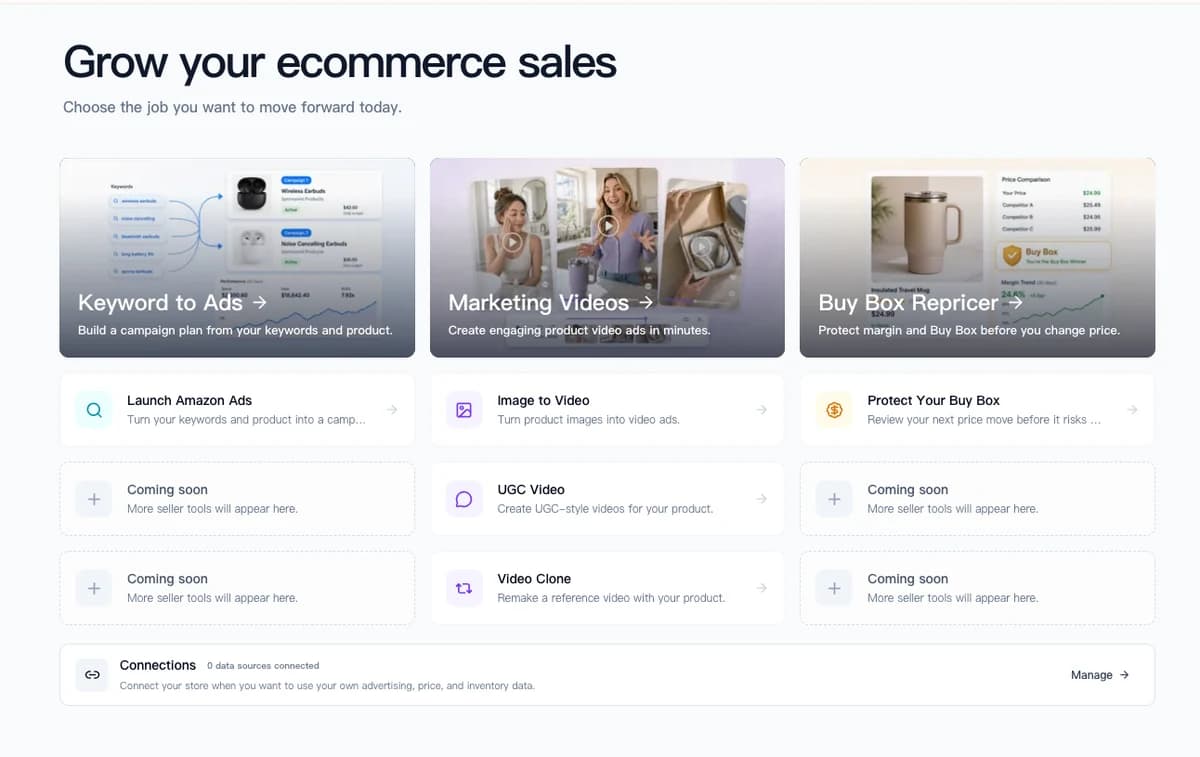
Nexscope does not replace a product photographer today. It helps sellers build the commercial context that makes GPT Image 2 outputs more useful: product positioning, competitor gaps, keyword intent, review language, market demand, and risk checks.
Key features include:
- Agent-ready data access: Connect ecommerce capabilities through API, MCP, or Skills.
- Live data integration: Real-time access to Jungle Scout, Google Trends, Amazon Search, TikTok Echotik, and PatSnap data.
- Ready seller workflows: Use Keyword to Ads, Video Clone, and Buy Box Repricer for defined operational jobs.
- Professional reports: Turns research into downloadable PDF and Excel reports with charts, tables, and action recommendations.
For Amazon image planning, that means sellers can use Nexscope to identify what the visual brief should say before opening GPT Image 2:
- Product research: Estimate opportunity, growth rate, competition density, and patent risk for a category or product idea.
- Competitor analysis: Review competitor keywords, listing structure, pricing strategy, image angles, and positioning gaps.
- Market validation: Cross-check demand across Amazon, TikTok Shop, and Google Trends before investing in creative or inventory.
- Patent risk scanning: Check design patents, utility patents, and trademarks across CN, U.S., and EU databases before building product visuals around a risky design.
Nexscope connects to professional e-commerce data sources that often cost hundreds of dollars per month when purchased separately. The value is not just the data. The value is turning that data into a clearer seller brief, which is exactly what GPT Image 2 needs to create stronger listing visuals.
Conclusion
GPT Image 2 makes AI product photography faster, cleaner, and more commercially useful. That gives Amazon sellers a real advantage, especially when they need to test image concepts before investing in full production.
The winning workflow is not longer prompting. It is better briefing.
Start with the shopper, the image slot, the business goal, and the exact product facts. Then use GPT Image 2 to explore visual directions, review them against Amazon rules and performance goals, and refine the best concepts into final listing assets.
The sellers who get the most from AI images will not be the ones generating the flashiest posters. They will be the ones who connect every image to a clearer buying decision.
Connect Ecommerce Data to Your Agent
Use Nexscope through API, MCP, or Skills, or open a ready seller workflow.
Explore Ecommerce Data →1,000 free credits • API, MCP & Skills
FAQ
Can GPT Image 2 create Amazon-compliant main images?
It can help create clean main-image concepts, but sellers must still verify compliance. Amazon main images generally need a pure white background, accurate product representation, no extra text or graphics, and no props that mislead the buyer. Always review category-specific rules before uploading.
Is AI product photography enough to replace a designer?
For simple concept testing, AI can replace many early design drafts. For final commercial assets, a designer or listing specialist should still check typography, claims, layout, product accuracy, export quality, and brand consistency.
What is the best prompt length for Amazon product images?
The best prompt is clear rather than long. A useful prompt includes the image slot, business goal, target shopper, key message, fixed product facts, flexible creative choices, and platform constraints.
Should sellers use AI-generated lifestyle images?
Yes, when they are realistic, accurate, and properly reviewed. Lifestyle images are useful for showing use cases, scale, buyer scenarios, and emotional context. Avoid scenes that exaggerate product performance or imply unsupported claims.
How many images should an Amazon listing have?
Amazon requires at least one product image and recommends multiple images. A practical seller workflow often uses a main image, benefit images, lifestyle images, objection-handling visuals, brand trust visuals, and variant images where relevant.
How do I know if an AI image improved my listing?
Measure before and after performance. Track CTR, CVR, ad conversion rate, session percentage, time on page, review questions, return reasons, and variant selection behavior. Creative quality should be judged by business results, not only by visual polish.
Sources
- OpenAI. (2026). Image generation. Retrieved from platform.openai.com
- Amazon Seller Central. (2026). Quick Tip: Product Images. Retrieved from sellercentral.amazon.com
- Amazon Seller Central. (2026). Product Image Requirements and Best Practices. Retrieved from sellercentral.amazon.com