

Amazon Prime Day 2026: 7 Seller Prep Moves to Finish Now

Amazon Prime Day 2026 is scheduled for June 23-26, giving sellers a four-day sales window earlier than the traditional July timing. That shift matters. A June event pulls demand into early summer, overlaps with seasonal shopping behavior, and gives prepared sellers a chance to capture traffic before competitors finish their usual July playbooks.
The opportunity is real, but so is the operational risk. Deals can be submitted and still fail later because of pricing, inventory, offer eligibility, or discount issues. Coupons can miss the event window. Ads can run out of budget before high-intent traffic peaks. Listings can receive more visits while the main image, title, or offer stack still needs work. This Amazon Prime Day 2026 seller checklist focuses on the final prep moves that help sellers protect visibility, keep promotions live, and convert more of the traffic already heading toward Amazon.
Amazon Prime Day 2026 Dates and Market Schedule
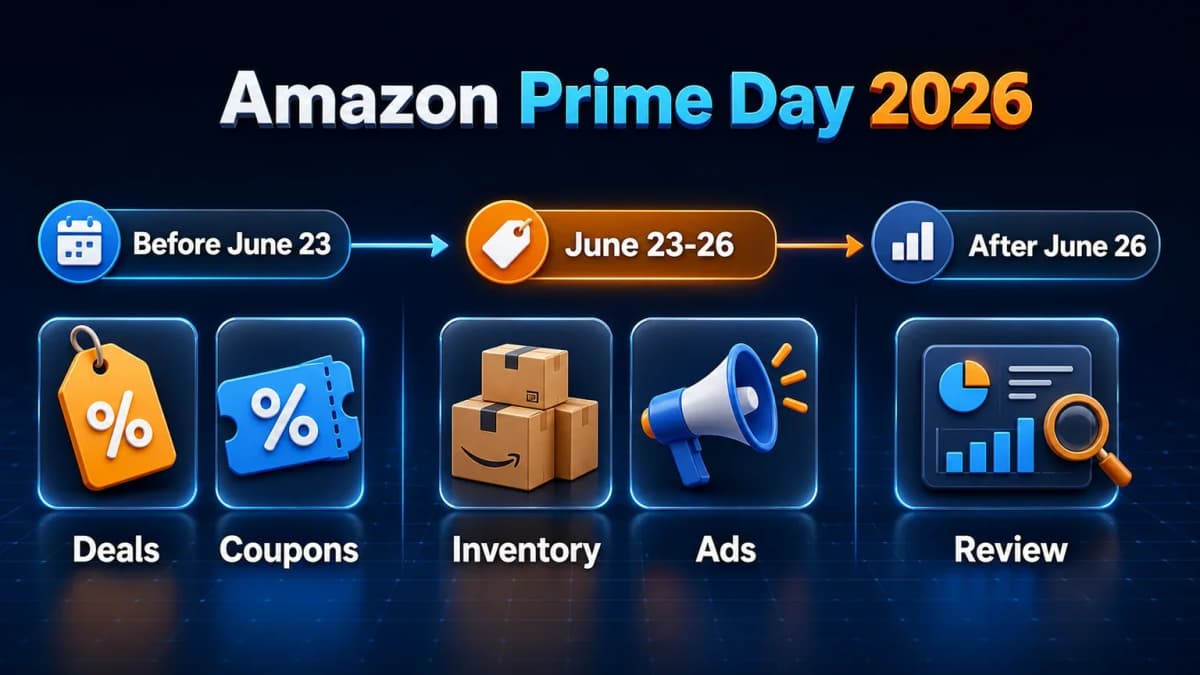
Amazon Prime Day 2026 runs from June 23 through June 26 in major markets including the United States, United Kingdom, Canada, Mexico, Germany, France, Italy, Spain, the Netherlands, Poland, Saudi Arabia, Singapore, the United Arab Emirates, and other participating countries. Japan is expected to run its Prime Day event in July, while Australia, Brazil, and India are scheduled for later summer timing.
For global sellers, the key takeaway is simple: Prime Day planning should not be treated as one universal calendar. The June event is the first wave. Other markets may require separate inventory, coupon, ad, and localization checks.
Main Event Dates: June 23-26
In the United States and many European and North American markets, the 2026 event spans four days. A longer event creates more chances to convert, but it also stretches budgets, inventory, customer service capacity, and promotional monitoring.
Sellers should think in three windows:
- Before June 23: Confirm promotions, inventory, coupons, listing quality, and ad readiness.
- June 23-26: Monitor promotion status, ad budget pacing, Buy Box health, and inventory availability.
- After June 26: Review results, retarget new shoppers, clear remaining seasonal inventory, and capture learnings for the next major sales event.
Markets Included in June, July, and Later Summer
The June window gives sellers in the U.S., Canada, Mexico, the U.K., and many European markets the earliest operational deadline. Japan, Australia, Brazil, and India require later-market planning.
Sellers with multi-market ASINs should avoid copying the same discount plan everywhere. Each marketplace may have different demand timing, delivery cutoffs, ad costs, tax considerations, and category dynamics. A product that deserves aggressive coupons in the U.S. may need a more cautious test in a later market.
Why the Earlier Timing Changes Seller Prep
June timing can pull together summer shopping, early back-to-school demand, outdoor categories, travel needs, home upgrades, beauty replenishment, electronics, and seasonal gifts. Tinuiti's 2026 Prime Day research found that 88% of surveyed Prime members expected to make purchases during the event, and 39% said they would be more excited for a June Prime Day than a July one.
That does not mean every product should discount heavily. It means sellers should prepare the offer, creative, inventory, and advertising system early enough to benefit from the attention.
Why This Prime Day Matters for Sellers
Prime Day is one of Amazon's highest-intent shopping moments because the audience is already trained to search for deals. For sellers, the event is valuable for three reasons: concentrated demand, Prime member urgency, and broader category discovery.
Prime Members Are Still Highly Likely to Shop
Prime Day traffic is not limited to bargain hunters looking for electronics. Shoppers also use the event to restock daily essentials, upgrade home items, purchase beauty products, compare kitchen goods, buy school supplies, and test brands they might not discover during normal weeks.
This creates a wider opportunity for marketplace sellers. A strong promotion can lift conversion, but the listing still has to answer buyer questions quickly. A good deal on a weak listing often wastes traffic. A good deal on a strong listing can improve sales velocity, ranking signals, and post-event retargeting pools.
The Four-Day Window Creates More Exposure, But More Risk
A longer event gives shoppers more time to compare options. It also gives sellers more time to lose momentum if promotions break, inventory runs low, or ad budgets are exhausted too early.
The four-day structure changes how sellers should pace:
- Do not spend the entire ad budget in the first morning.
- Do not assume a coupon is live because it was submitted.
- Do not wait until Day 3 to check whether a Prime Exclusive Discount is suppressed.
- Do not let high-converting ASINs run out of inventory while lower-priority products keep receiving traffic.
The best Prime Day plan is operational. It is not only a discount calendar.
Early Deals Can Pull Traffic Forward Before the Event Starts
Amazon and other retailers often start early deal messaging before the main event. This can shift shopper research earlier. Sellers should use the days before June 23 to stabilize keyword rank, confirm listing quality, prepare budgets, and identify which ASINs deserve attention.
For sellers still refining product pages, Amazon listing optimization becomes more urgent before peak traffic arrives. Titles, bullets, images, A+ Content, and offer clarity all affect whether Prime Day traffic becomes revenue.
1. Confirm Every Deal Submission Before the Deadline
Deals are useful only when they are eligible, approved, correctly timed, and connected to products that can stay in stock. Sellers should use the final prep window to confirm each submitted deal instead of relying on memory or an old spreadsheet.
Lightning Deals and Best Deals
Lightning Deals and Best Deals can create concentrated visibility, but they also carry stricter requirements around inventory, pricing, discount depth, product quality, and seller eligibility. A deal that looked fine at submission can later move into a warning state if the reference price changes, the available offer changes, or inventory drops.
Before Prime Day, sellers should review:
- Deal start and end times
- Eligible ASINs and variations
- Discount depth and reference price
- Minimum committed quantity
- Inventory available for the deal period
- Suppression warnings or status changes
If there is limited time, sellers should prioritize ASINs with proven demand, stable ratings, strong conversion, and enough inventory. Prime Day is a poor moment to force visibility onto weak products just because a deal slot is available.
Prime Exclusive Discounts
Prime Exclusive Discounts can help products stand out to Prime members. They are especially useful for sellers who want flexibility without relying only on deal events. The discount must be configured correctly for the Prime Day event window and should be checked after setup.
Sellers should confirm:
- The discount is attached to the intended Prime Day event.
- The start and end dates cover the event.
- The advertised discount is still compliant.
- The offer remains active and eligible.
- The product does not have pricing or Buy Box problems.
For sellers running many ASINs, the goal is not to discount everything. The goal is to identify the products where a Prime member badge or offer can change conversion enough to justify margin pressure.
Coupons for Prime Members
Coupons can support both pre-event warmup and Prime Day conversion. They also need a few hours to activate, so last-minute coupon setup can miss the traffic window.
Coupon checks should include:
- Start date and end date
- Target audience
- Budget limit
- ASIN selection
- Coupon title and customer-facing value
- Whether the coupon covers all four event days
Coupons work best when they are easy to understand. A clean offer can outperform a complicated stack that makes shoppers hesitate.
2. Check Promotion Status Daily
Submitting a promotion does not guarantee that it will run. Amazon can flag promotions because of reference price issues, minimum discount rules, inventory problems, offer changes, suppressed listings, or eligibility changes.
"Needs Attention" Warnings
The most important habit in the final week is daily status review. Sellers should look for warnings across deals, coupons, and Prime Exclusive Discounts. Any "needs attention" or similar warning should be resolved quickly because support queues and internal review delays can become harder to manage as Prime Day approaches.
Common warning areas include:
- Missing or invalid reference price
- Discount no longer meeting requirements
- No active offer
- Inventory below the required level
- Product detail page suppression
- Variation or parent-child listing issues
- Coupon timing mismatch
The warning itself is not the problem. The problem is discovering it too late.
Reference Price, Discount, Eligibility, and Offer Issues
Reference price issues are especially painful because they affect how customers see savings. If Amazon cannot validate the comparison price, the promotion may lose visibility or fail to display as expected.
Sellers should review pricing history and avoid sudden pre-event price changes that can make discounts look unstable. They should also confirm Buy Box eligibility. A promotion attached to a product that loses the featured offer can underperform even if the discount technically exists.
Why Submitted Does Not Mean Approved
Prime Day systems are dynamic. A submitted promotion can move backward if an ASIN changes, inventory moves, price shifts, or a listing becomes ineligible.
That is why sellers need a live checklist, not a one-time submission record. The checklist should include each ASIN, promotion type, status, warning, owner, next action, and final confirmation date.
3. Protect Inventory Before Peak Traffic Starts
Inventory is the simplest thing to overlook and the hardest thing to fix during peak traffic. A strong Prime Day campaign can create a bad outcome if it drives shoppers to an offer that runs out of stock too early.
Available Inventory and Inbound Stock
Sellers should separate inventory into three buckets:
- Ready to sell: Available inventory that can support traffic immediately.
- Inbound but uncertain: Inventory that might arrive, but should not be treated as guaranteed.
- Not useful for Prime Day: Stock arriving after the event window or with uncertain receiving status.
Prime Day planning should be based on inventory that is actually available or highly likely to be available. Overcommitting promotions based on optimistic inbound timelines increases suppression risk.
Promotion Suppression Risk
Inventory problems can suppress deals, weaken conversion, or force sellers to pause ads at the worst time. If inventory is low, sellers should prioritize the highest-margin and highest-conversion products rather than trying to support every submitted promotion equally.
Products with limited inventory need a different plan:
- Lower coupon budgets
- Tighter ad budgets
- Conservative bids
- No aggressive broad-match expansion
- Daily stock monitoring
If an ASIN sells out, sellers should document which campaign, coupon, or external traffic source contributed. That learning matters for future Prime events.
What to Prioritize if Inventory Is Tight
When there is not enough inventory to support every plan, prioritize:
- Products with strong conversion and review quality
- Products with healthy margins after discount and ad cost
- Products that support repeat purchases
- Products with enough stock to remain live through multiple event days
- Products that can help rank for important seasonal keywords
Sellers should avoid pushing traffic to products that cannot stay live. A short spike followed by stockout can damage the broader campaign plan.
4. Set Coupons and Discounts to Cover the Full Event
Coupons and discounts need timing discipline. A coupon that starts late can miss early shoppers. A coupon that ends early can damage conversion during the last day. A coupon that uses too much budget before Prime Day can disappear when the main traffic arrives.
Coupon Activation Timing
Coupons may require processing time before they become visible. Sellers should set them early enough to avoid activation delays. This is especially important for Prime Day because shoppers often compare deals before the event begins.
For pre-event warmup, a coupon can help a product collect traffic and improve click-through before the main sales period. The seller still needs to watch budget. A warmup coupon that exhausts its budget before June 23 can create confusion and weaken event-day performance.
Prime-Only Targeting
Prime Day is a Prime member event, so Prime-focused targeting can make sense for event offers. Sellers should check whether coupon targeting, Prime Exclusive Discounts, and deal messaging align with the expected audience.
The product detail page should make the offer easy to understand. If shoppers see a price discount, coupon, and promotion message, each element should support the same buying decision.
Pre-Event Warmup Strategy
Pre-event warmup should be controlled. Sellers can use light discounts, coupons, and ad learning to prepare traffic, but the strongest budget should be reserved for the event window unless data shows earlier demand converting profitably.
Warmup is useful for:
- Testing ad creative and search terms
- Improving visibility for stable products
- Identifying products that receive early interest
- Confirming coupon display and customer-facing offer quality
Warmup should not drain inventory, coupon budget, or margin before Prime Day begins.
5. Prepare Ads Around Proven Products, Not New Guesses
Prime Day is a high-traffic event, but it is not the ideal moment to launch a completely untested ad structure. Sellers should build the main plan around campaigns, keywords, ASIN targets, and products that already have evidence.
Sponsored Products for Stable Keywords
Sponsored Products campaigns should prioritize proven converting search terms. Sellers can raise bids on stable keywords before the event, but the adjustment should be controlled. A 15-20% bid lift on profitable, high-intent keywords is often safer than a broad expansion into untested terms.
Amazon PPC campaigns can waste money quickly when keyword intent is weak. During Prime Day, waste becomes more expensive because click volume rises and budgets can run out faster.
Recommended checks:
- Identify top converting exact-match keywords.
- Separate brand, category, competitor, and product-specific campaigns.
- Review negative keywords from the last 30-60 days.
- Confirm daily budgets can survive the full event window.
- Watch placement performance instead of raising all bids equally.
Sponsored Brands for Brand Search Demand
Sponsored Brands can help when shoppers search for the brand or compare products within a category. This is useful if a seller has multiple discounted ASINs and wants to guide traffic to a Store or product collection.
Sellers should check that the Store page or landing page is updated before sending Prime Day traffic. A generic Store page can underperform if it does not highlight the promoted products, event-relevant categories, or best-value bundles.
Budget Pacing Across Four Days
Four days require pacing. Sellers should avoid the common pattern of overspending early, panicking on Day 2, then underfunding campaigns when conversion improves later.
A simple pacing model:
- Day 1: Watch click volume, conversion, CPC, and budget burn.
- Day 2: Shift budget to campaigns with real sales signals.
- Day 3: Protect high-converting terms and reduce weak exploration.
- Day 4: Keep budget available for late buyers and retargeting.
6. Update Listing Content Before Traffic Arrives
Prime Day traffic magnifies listing quality. If a product page is confusing, the event sends more shoppers into the same friction. Sellers should fix listing fundamentals before raising bids or adding coupons.
Main Image and Title Checks
The main image should be clean, compliant, and easy to understand on mobile. The title should include the core product terms buyers use while staying readable. Sellers should avoid stuffing seasonal phrases into titles if they weaken clarity or violate category norms.
For Prime Day, the listing should answer:
- What is the product?
- Who is it for?
- What size, count, material, or compatibility matters?
- Why is the deal attractive?
- What objections might stop the purchase?
The first image and first bullet point often carry more weight than sellers expect because many shoppers compare quickly.
Bullet Points and Deal-Message Alignment
Bullets should support the buying reason behind the deal. For example, a kitchen product discounted for Prime Day should emphasize capacity, cleaning, durability, materials, and use cases. A beauty product should clarify ingredients, skin type, usage, and expected routine fit.
Sellers should remove vague claims and make the value specific. "Great quality" is weaker than a measurable feature, material, compatibility detail, or outcome.
A+ Content and Seasonal Buying Intent
A+ Content can support shoppers who scroll before buying. During Prime Day, it should help buyers compare and trust the product quickly.
Good A+ updates include:
- Comparison charts for related models
- Use-case modules
- Size or compatibility guides
- Lifestyle images that match seasonal demand
- Warranty, care, or setup guidance
Sellers using AI-generated content should still review the final copy for accuracy, compliance, and brand voice. AI content for Amazon listings can speed up iteration, but weak source inputs create weak listing copy.
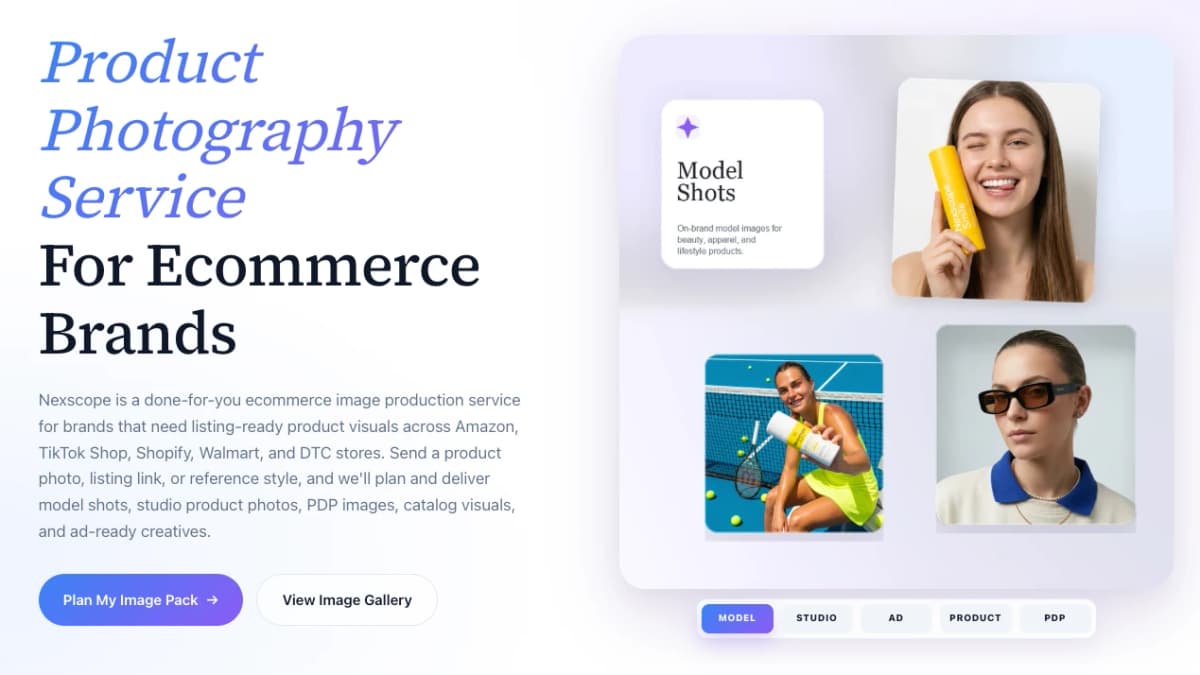
Sellers that need fresh Prime Day visuals can use Nexscope's Product Photography Service to prepare listing-ready studio shots, model shots, lifestyle scenes, PDP images, catalog visuals, and ad-ready creatives for Amazon, TikTok Shop, Shopify, Walmart, and DTC stores.
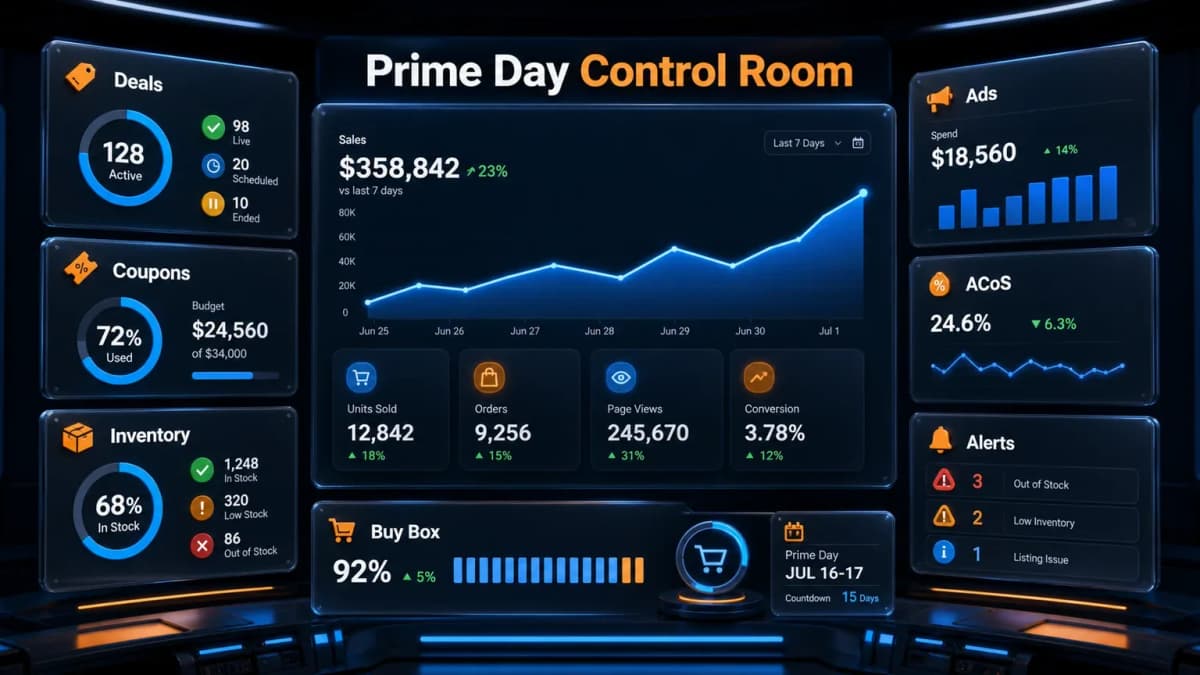
7. Build a Last-Week Prime Day Control Room
The final week needs one operating view. Sellers do not need a complicated dashboard, but they do need one place to track what is live, what is broken, and who owns each fix.
Daily Checks
The daily control room should include:
- Deal status
- Prime Exclusive Discount status
- Coupon status and remaining budget
- Available inventory
- Buy Box status
- Listing suppression warnings
- Sponsored Products spend and sales
- Sponsored Brands spend and sales
- Top keyword rank or visibility
- Customer questions and review changes
The point is not to watch every metric all day. The point is to notice the few problems that can interrupt revenue.
Bid, Budget, Coupon, and Inventory Monitoring
Sellers should define thresholds before the event starts. Without thresholds, Prime Day decisions become emotional.
Example thresholds:
- Pause or reduce bids if ACoS exceeds the target for two consecutive review windows.
- Increase budget only on campaigns with confirmed conversion.
- Reduce coupon exposure if inventory falls below a defined level.
- Shift spend away from ASINs that lose the featured offer.
- Check suppressed listings immediately.
The control room should be reviewed at least twice per day during the event. High-volume sellers may need more frequent checks.
What to Review After Prime Day Ends
Post-event analysis should start while the data is still fresh. Sellers should capture:
- Which promotions stayed live for the full event
- Which ASINs sold out or nearly sold out
- Which keywords gained efficiency
- Which campaigns spent without sales
- Which coupons converted profitably
- Which products earned new customer exposure
- Which reviews, questions, or returns changed after the event
This review should feed the next sales event, including fall promotions, Prime Big Deal Days, Black Friday, Cyber Monday, or category-specific campaigns.
Sellers using Nexscope can turn this post-event work into a repeatable workflow using structured ecommerce data and focused tools for keyword research, advertising, creative production, and pricing decisions.
Turn the Checklist Into an AI-Assisted Workflow
Connect Ecommerce Data to Your Agent
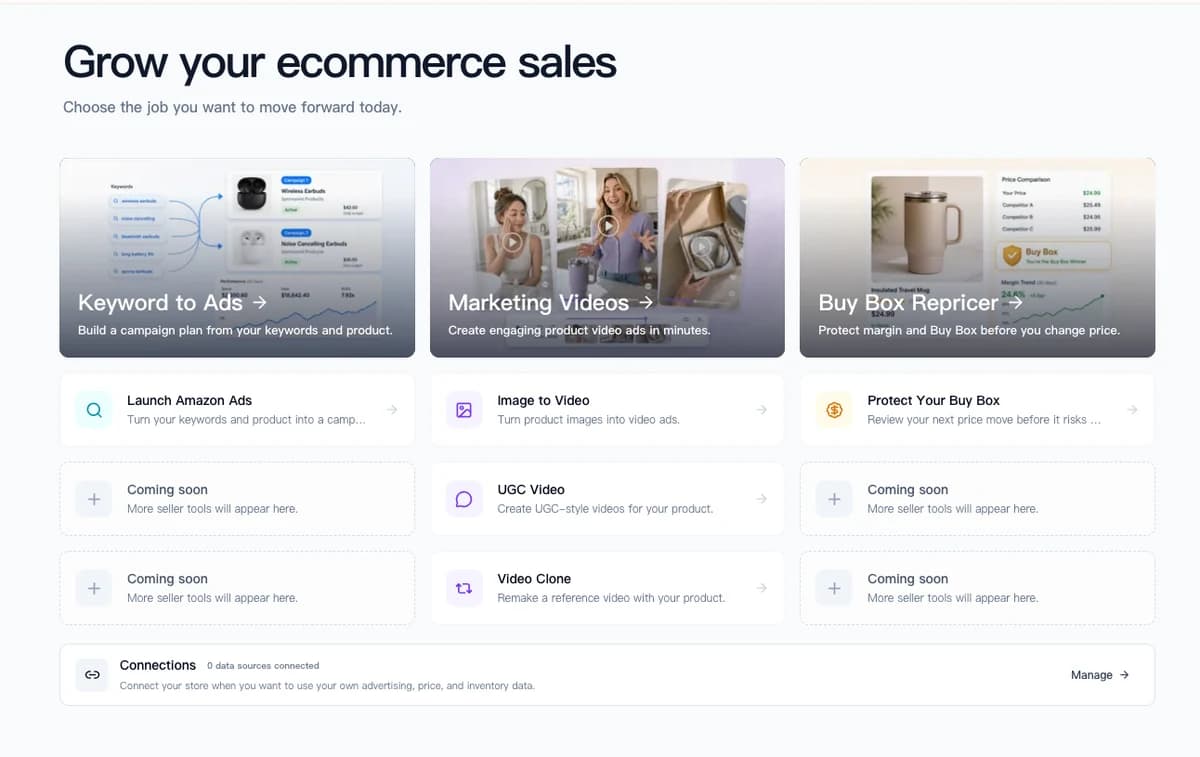
Nexscope provides structured ecommerce data and focused seller workflows. Teams can use Nexscope's web tools directly or connect governed capabilities to their existing Agent through API, MCP, or Skills. Ready workflows include Keyword to Ads, Video Clone, and Buy Box Repricer.
Key features:
- Agent-ready ecommerce capabilities available through API, MCP, or Skills
- Live data from major e-commerce sources
- Image generation for product visuals and marketing assets
- Ready workflows for Keyword to Ads, Video Clone, and Buy Box Repricer
Common Mistakes to Avoid
- Waiting until the event starts to check promotion status: A submitted deal can still fail. Status checks should happen before traffic peaks.
- Discounting products without margin review: A high sales day can still lose money if fees, ad spend, and coupon cost are ignored.
- Running broad ad expansion too late: Prime Day rewards proven keywords more reliably than rushed experiments.
- Letting coupon budgets run out before peak traffic: Warmup offers should not consume the budget needed for event days.
- Ignoring inventory by variation: A parent ASIN can look healthy while the best-selling color, size, or pack count is almost gone.
- Sending paid traffic to weak listings: More traffic does not fix unclear images, vague bullets, or missing comparison information.
- Stopping analysis when the event ends: Prime Day creates useful data for retargeting, product planning, and future campaign structure.
Conclusion
Amazon Prime Day 2026 gives sellers a four-day window from June 23-26 in many major markets, with additional marketplace timing later in the summer. The sellers most likely to benefit are not simply the ones with the biggest discounts. They are the ones that keep promotions live, protect inventory, pace ad budgets, and make listings easy to buy from.
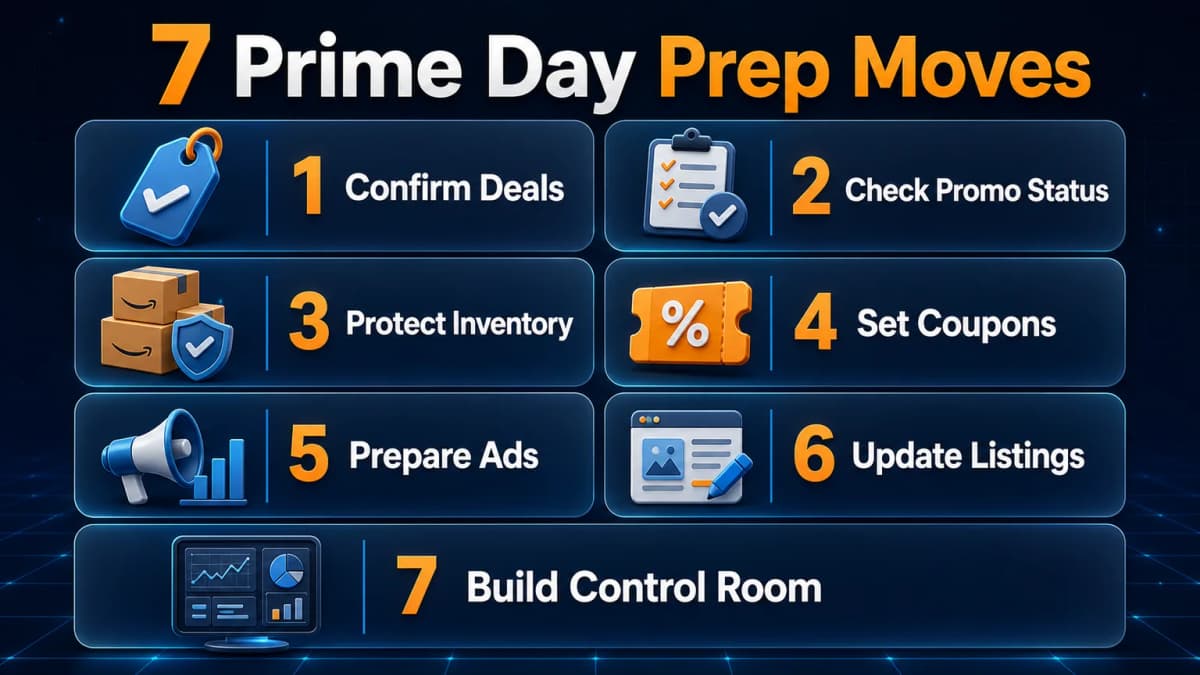
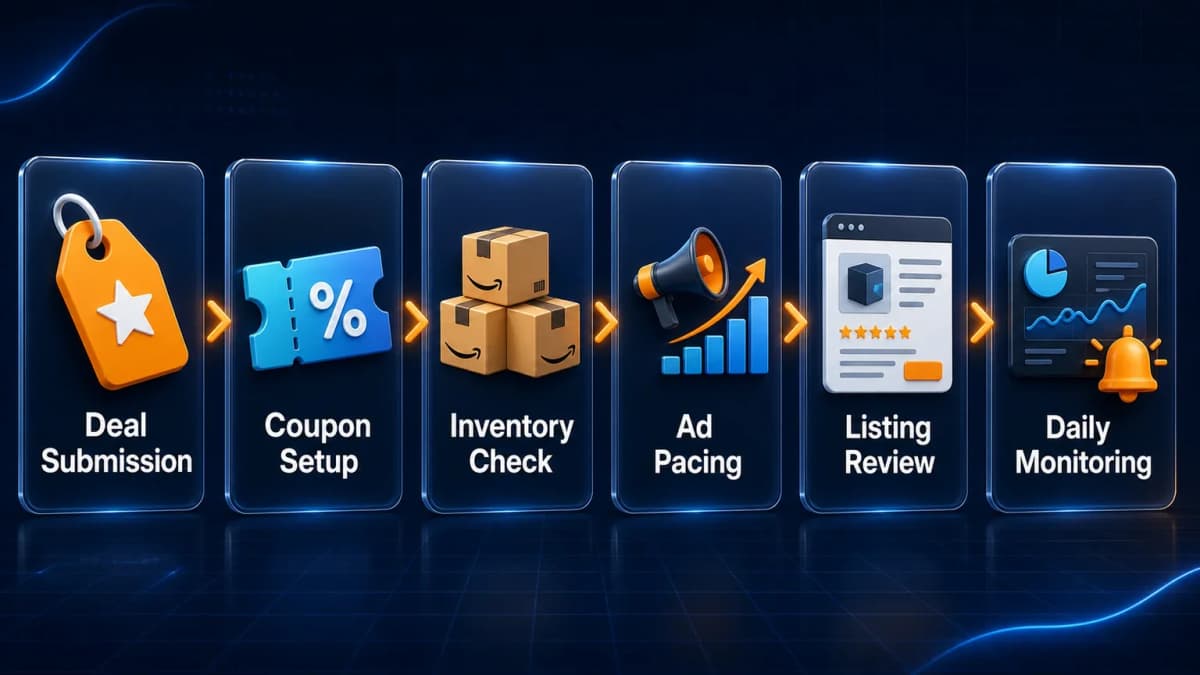
The final prep work should be practical: confirm deals, check coupons, review promotion warnings, protect inventory, tighten ad campaigns, update listings, and run a daily control room. These steps reduce avoidable problems and help sellers convert the traffic Prime Day already brings.
For sellers that want support beyond a checklist, Nexscope can help in two ways:
- AI Agent — Audit Prime Day prep, review product research, check PPC priorities, and turn post-event analysis into a repeatable workflow.
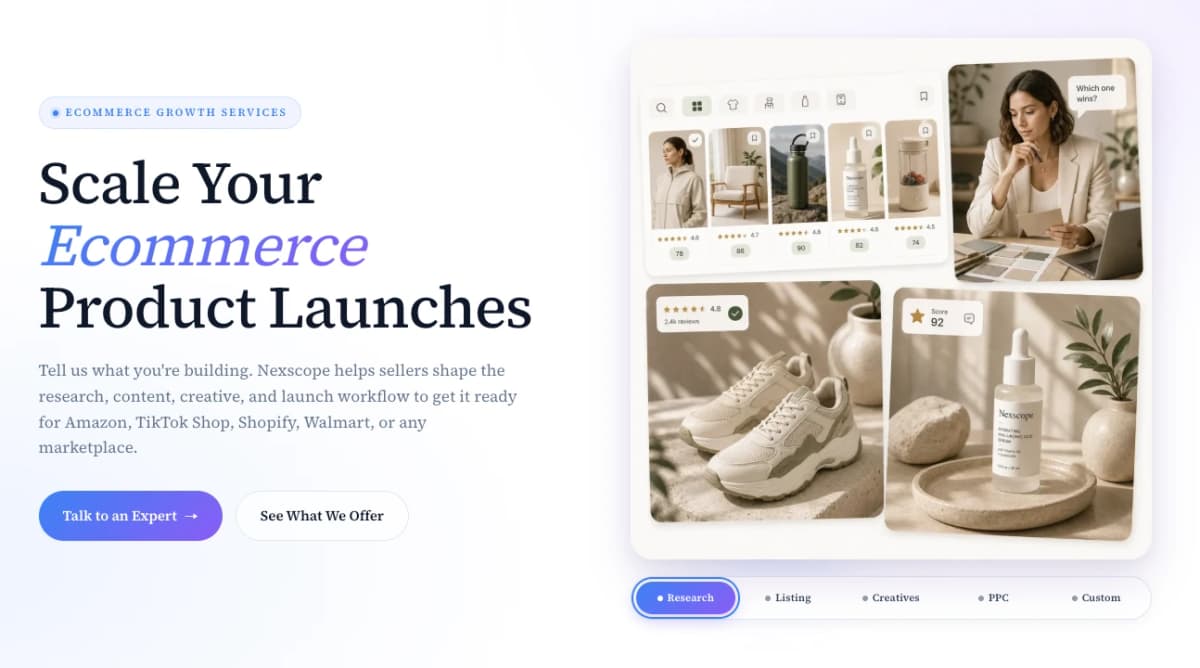
- E-commerce Growth Services — Get hands-on support for product research, listing optimization, creative direction, PPC, and marketplace launch planning.
Start with the workflow that fits the biggest Prime Day bottleneck, then use Nexscope to turn the next sales event into a more repeatable launch system.
Connect Ecommerce Data to Your Agent
Use Nexscope through API, MCP, or Skills, or open a ready seller workflow.
Explore Ecommerce Data →Frequently Asked Questions
When is Amazon Prime Day 2026?
Amazon Prime Day 2026 runs from June 23 through June 26 in the United States and many other major markets. Some markets are scheduled differently. Japan is expected in July, while Australia, Brazil, and India are scheduled for later in the summer. Sellers operating across multiple marketplaces should confirm local event timing inside Seller Central before finalizing coupons, deal dates, inventory allocation, and advertising budgets.
What should Amazon sellers check before Prime Day 2026?
Sellers should confirm deal status, Prime Exclusive Discounts, coupons, inventory, Buy Box health, listing quality, and ad budgets before the event starts. Promotion submission alone is not enough because deals can later show warnings for pricing, discount, eligibility, inventory, or offer issues. A daily control room helps sellers find problems before they interrupt Prime Day visibility.
Are coupons useful for Prime Day?
Coupons can be useful when they are timed correctly, funded properly, and connected to products with enough inventory. Sellers should make sure coupons activate before the relevant traffic window, cover the full Prime Day period if intended, and do not run out of budget too early. Prime-focused targeting can help align the offer with the event audience.
Should sellers increase ad bids before Prime Day?
Sellers can increase bids on proven, profitable keywords before Prime Day, but broad last-minute expansion is risky. The safer approach is to prioritize campaigns with conversion history, clear ACoS targets, enough budget, and inventory support. New campaigns may still be tested, but the main Prime Day budget should favor products and keywords with evidence.
What inventory risks matter most during Prime Day?
The biggest inventory risks are stockouts, low variation-level availability, inbound inventory delays, and promotion suppression caused by insufficient quantity. Sellers should plan using inventory that is actually available or very likely to be available. If stock is tight, ad budgets and coupon exposure should be reduced before the product sells out.
How should sellers use Prime Day results after the event?
Prime Day results should be reviewed by ASIN, promotion type, keyword, campaign, coupon, and inventory outcome. Sellers should identify which products converted profitably, which campaigns overspent, which listings attracted new customers, and which operational issues caused lost sales. Those learnings can improve fall events, Black Friday, Cyber Monday, and future launch planning.
Can AI tools help with Prime Day seller prep?
AI tools can help sellers audit listings, calculate margins, build PPC structures, summarize reviews, monitor competitors, and generate creative briefs. The best use is workflow support, not blind automation. Sellers should still verify numbers, check Seller Central status directly, and review final copy or campaign changes before launch.
Sources
- Tinuiti. (2026). 2026 Amazon Prime Day Study. Retrieved from tinuiti.com
- Kiplinger. (2026). Amazon Prime Day 2026: When It Starts and What to Know Before You Shop. Retrieved from kiplinger.com
- The Verge. (2026). Everything you need to know about Prime Day 2026. Retrieved from theverge.com
- TechRadar. (2026). Amazon Australia Prime Day 2026 dates. Retrieved from techradar.com