

OpenClaw for Amazon Sellers: 12 Automation Skills That Save Hours Daily

Amazon sellers spend countless hours on repetitive tasks. Product research requires analyzing dozens of data points. Writing listings means juggling keywords, competitor analysis, and brand messaging. Catalog audits involve checking thousands of rows manually. These tasks drain time that could be spent on strategy and growth.
OpenClaw changes this equation. As an open-source AI agent, it learns your standard operating procedures and executes them autonomously. Unlike traditional automation tools that require complex workflow builders, OpenClaw understands natural language instructions and adapts to your specific processes.
This guide covers 12 practical automation skills that Amazon sellers are using with OpenClaw today. From product research to advertising management, each skill replaces hours of manual work with a simple conversation.
What Is OpenClaw and Why Amazon Sellers Use It
OpenClaw is an open-source AI agent framework that runs locally on your computer. Unlike cloud-based AI assistants that only respond to questions, OpenClaw takes action. It can browse websites, execute scripts, manage files, and integrate with business tools through APIs.
For Amazon sellers, this means an AI that can actually do the work, not just suggest what to do.
OpenClaw vs Claude Code: Key Differences
Both OpenClaw and Claude Code (Anthropic's coding assistant) use advanced AI models. However, they serve different purposes for Amazon sellers.
Claude Code strengths
- Excellent for writing and debugging code
- Strong reasoning for complex problems
- Clean interface for development tasks
OpenClaw advantages for Amazon sellers
- Controls your computer directly (browser automation, file management)
- Executes multi-step workflows autonomously
- Integrates with team chat platforms (Slack, Discord, Microsoft Teams)
- Learns and packages your SOPs into reusable Skills
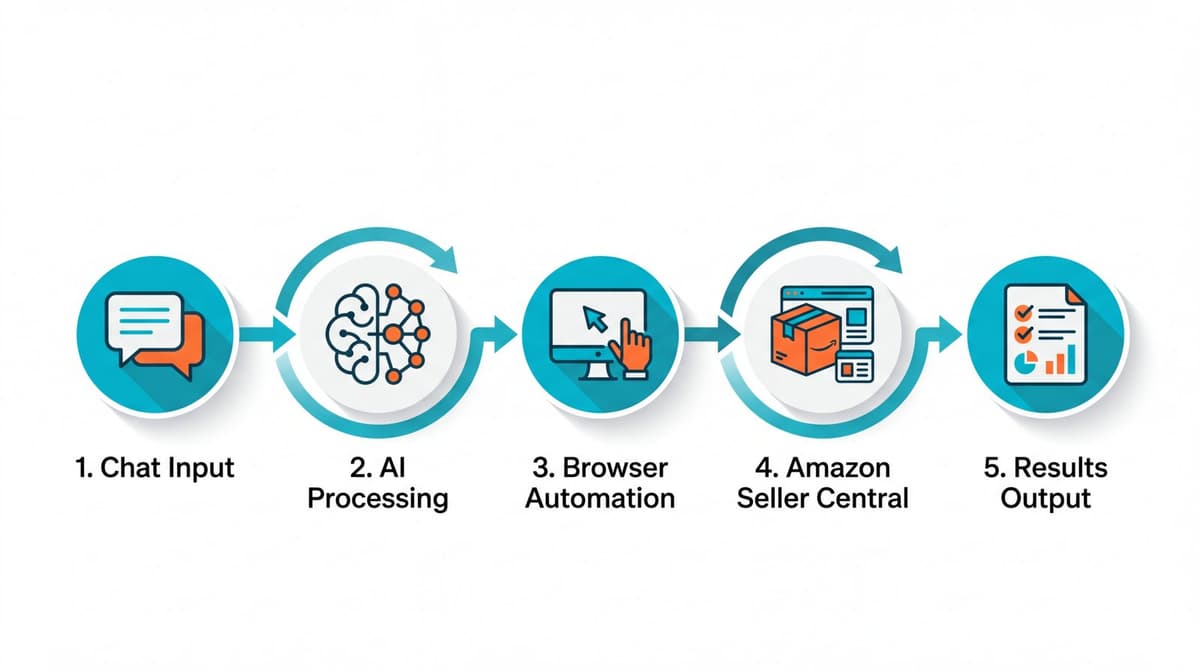
The critical difference: Claude Code cannot control your browser or execute tasks in Amazon Seller Central. OpenClaw can. When you need to bulk-create influencer campaigns in your Amazon backend, Claude Code cannot help. OpenClaw handles it while you focus on other work.
Why OpenClaw Beats Traditional Workflow Tools
Many sellers have tried automation through tools like n8n, Zapier, or Make. These platforms work well for simple integrations but struggle with Amazon's complexity.
Traditional workflow tool limitations
- Require technical knowledge to build workflows
- Break when Amazon updates their interface
- Cannot handle nuanced decisions
- Debugging failures requires manual investigation
OpenClaw approach
- Understands natural language instructions
- Adapts when interfaces change
- Makes context-aware decisions
- Self-diagnoses and fixes errors
One seller described the difference simply: building n8n workflows felt like programming. Using OpenClaw feels like delegating to a capable assistant who figures out the details.
Setting Up OpenClaw for Amazon Operations
Getting OpenClaw running requires some initial setup, but the investment pays off quickly.
Installation Requirements (Mac vs Windows)
Follow the official OpenClaw installation guide for step-by-step instructions.
Mac installation
The Unix-based system aligns well with OpenClaw's architecture. Most sellers report successful installation within 30 minutes following the official documentation.
Windows installation
Requires additional steps. Common issues include: - Node.js version conflicts - Path configuration problems - Permission restrictions
For Windows users, the community troubleshooting guide documents solutions to most common errors. Expect 1-2 hours for initial setup with troubleshooting.
Linux installation
Works smoothly for technically inclined sellers, particularly those running cloud servers for 24/7 automation. See the Linux setup guide for details.
Connecting OpenClaw to Team Chat (Slack/Discord)
Running OpenClaw through a local terminal works but creates friction. The most effective setup connects OpenClaw to your team's existing communication platform.
Benefits of chat integration
- No new interface to learn
- Team members can trigger automations
- Conversation history provides documentation
- Mobile access to AI capabilities
Setup process
- Create a bot application in your chat platform
- Configure OpenClaw with the bot credentials
- Set up channel permissions for the bot
- Test with simple commands before complex workflows
Once connected, team members interact with OpenClaw like messaging a colleague. Ask a question, receive a detailed analysis. Request a task, get notified when complete.
Want an easier option?
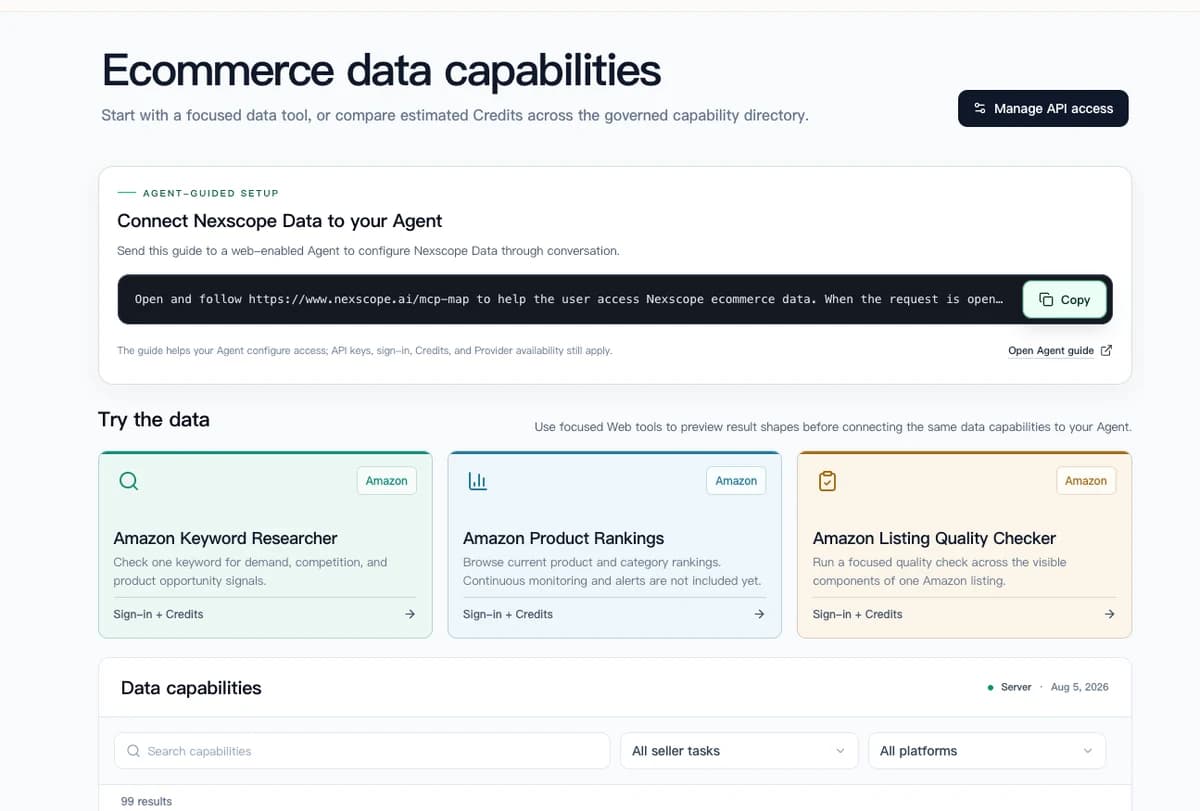
Nexscope provides structured ecommerce data that teams can use in focused web tools or connect to their existing Agent through API, MCP, or Skills. Ready workflows include Keyword to Ads, Video Clone, and Buy Box Repricer.
12 Ways Amazon Sellers Use OpenClaw Daily
These skills represent tested automations running in production Amazon businesses. Each replaces hours of manual work with minutes of AI-assisted execution. For more real-world examples, see our detailed guide: OpenClaw for Amazon Sellers: 10 Use Cases.
Product Research Automation (6 Skills)
Product research traditionally requires analyzing search volume, competition levels, market trends, and profit potential across dozens of data points. OpenClaw skills compress this process dramatically.
- Skill 1: Keyword Opportunity Analysis — Input a seed keyword. OpenClaw analyzes long-tail variations, search volume trends, competition density, and seasonal patterns. Output: a prioritized list of keyword opportunities with market size estimates. Install with
npx skills add nexscope-ai/Amazon-Skills --skill amazon-keyword-research -g - Skill 2: Market Capacity Assessment — Provide a product category. OpenClaw evaluates total addressable market, growth trajectory, price point distribution, and major player market share. Output: a market opportunity scorecard with entry recommendations.
- Skill 3: Competitor Deep Dive — Submit competitor ASINs. OpenClaw extracts pricing history, review sentiment, listing changes over time, and advertising strategies. Output: competitive intelligence report with differentiation opportunities.
- Skill 4: Product Lifecycle Analysis — Enter a product niche. OpenClaw tracks BSR trends, new entrant velocity, and market maturation indicators. Output: lifecycle stage assessment with strategic implications.
- Skill 5: Demand Validation — Provide a product concept. OpenClaw cross-references search data, social mentions, forum discussions, and review complaints in adjacent products. Output: demand validation report with confidence scoring.
- Skill 6: Supplier Discovery — Describe product requirements. OpenClaw searches supplier databases, compares pricing tiers, and evaluates manufacturer credibility. Output: shortlist of verified suppliers with contact information.
💡 Pro Tip: Combine multiple research skills in sequence. Start with keyword opportunity, narrow to market capacity, then validate demand. OpenClaw maintains context across the research chain.
Listing Creation and Optimization (3 Skills)
Writing Amazon listings that rank and convert requires balancing keyword optimization, benefit communication, and brand voice. OpenClaw skills handle all three simultaneously.
- Skill 7: Customer Avatar Generation — Provide your product and target market. OpenClaw analyzes reviews in your category, identifies buyer personas, maps purchase motivations, and documents common objections. Output: detailed customer avatar with messaging recommendations.
- Skill 8: Full Listing Creation — Submit product details, competitor links, and customer avatar. OpenClaw generates optimized titles, bullet points, product descriptions, backend keywords, and A+ Content outlines. Every element follows Amazon's style guidelines and incorporates strategic keywords.
- Skill 9: Listing Audit and Optimization — Provide existing ASIN. OpenClaw evaluates keyword coverage, benefit clarity, competitive positioning, and conversion elements. Output: specific improvement recommendations with rewritten copy options. Install with
npx skills add nexscope-ai/Amazon-Skills --skill amazon-listing-optimization -g
Catalog Auditing (2 Skills)
Amazon's Category Listing Reports (CLR) contain thousands of rows requiring compliance checks and optimization identification. Manual review takes days. OpenClaw completes it in minutes.
- Skill 10: CLR Compliance Audit — Upload your Category Listing Report. OpenClaw checks every row for policy compliance, data completeness, and attribute accuracy. Output: flagged issues with specific correction instructions.
- Skill 11: Catalog Optimization Scan — Provide CLR file. OpenClaw identifies listings with optimization opportunities: missing keywords, weak titles, incomplete attributes, image issues. Output: prioritized optimization queue with effort-impact scoring.
Advertising and Creative Management (1 Skill)
- Skill 12: Campaign Creation Automation — Specify ASINs, budget parameters, and commission ranges. OpenClaw accesses your Amazon backend (through browser automation) and creates campaigns according to your specifications. No manual clicking through dozens of setup screens. Install with
npx skills add nexscope-ai/Amazon-Skills --skill amazon-ppc-campaign -g
This skill demonstrates OpenClaw's unique capability: it can operate your browser and complete tasks in interfaces that lack APIs.
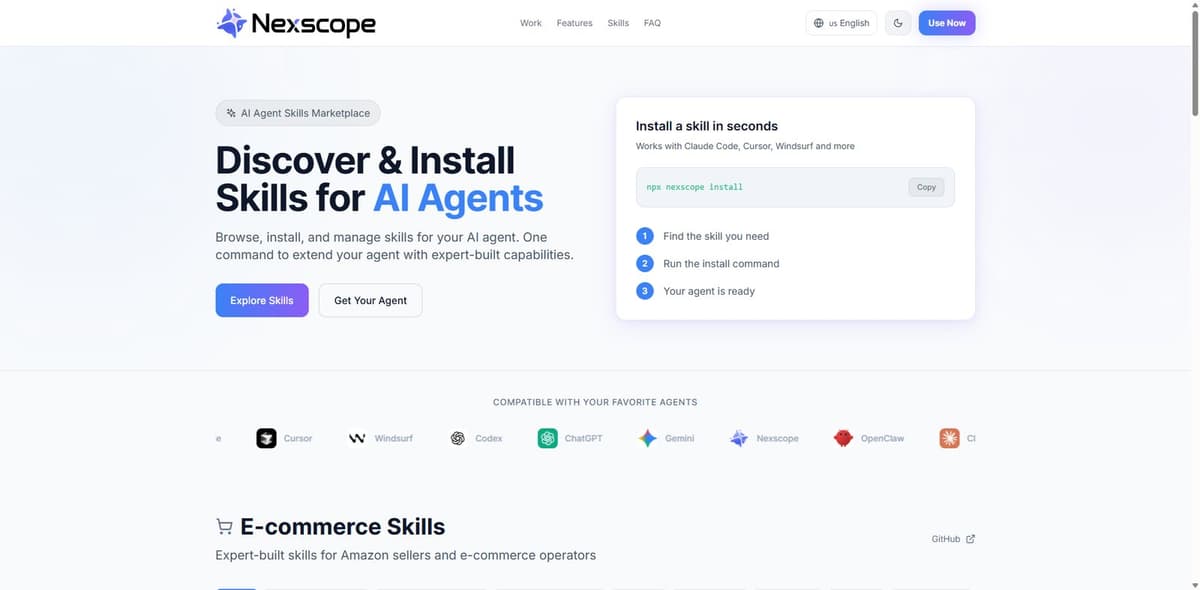
Nexscope provides structured ecommerce data that teams can use in focused web tools or connect to their existing Agent through API, MCP, or Skills. Ready workflows include Keyword to Ads, Video Clone, and Buy Box Repricer.
Managing OpenClaw Costs: Token Optimization
AI models charge per token (roughly per word processed). Without optimization, costs accumulate quickly. Smart architecture reduces expenses by 70% or more.
The Layered Agent Architecture
Not every task requires the most powerful AI model. The layered approach matches model capability to task complexity.
Layer 1: Orchestrator (Premium Model) - Model: Claude Opus or equivalent - Role: Understands complex requests, plans execution, coordinates sub-tasks - Usage: Only for initial interpretation and final synthesis
Layer 2: Executors (Varied Models) - Simple tasks (data validation, format checking): Lightweight models at 1/60th the cost - Medium tasks (keyword analysis, data organization): Mid-tier models at 1/5th the cost - Complex tasks (creative writing, strategic analysis): Premium models only when necessary
Real Cost Comparison: Before vs After
Scenario: 100 daily tasks across product research, listing work, and catalog management
Without optimization: All tasks use premium model Daily cost: ~$15.00
With layered architecture: Tasks distributed by complexity Daily cost: ~$4.25 Savings: 72%
The optimization delivers a bonus benefit: simpler tasks complete faster on lightweight models, improving overall responsiveness.
Common OpenClaw Challenges and Solutions
Running AI automation introduces new categories of issues. Understanding common problems accelerates troubleshooting.
Terminal Errors and How to Fix Them
OpenClaw runs through a terminal interface. When errors occur, the terminal provides diagnostic information.
Common error patterns:
Authentication failures
Symptom: "Agent Failed" in chat interface
Solution: Return to terminal, run openclaw auth to refresh credentials
Connection timeouts
Symptom: Tasks hang without completion
Solution: Check openclaw log for connection issues, verify API keys
Memory limits Symptom: Complex tasks fail partway through Solution: Break into smaller sub-tasks, increase system memory allocation
Essential terminal commands:
- openclaw status — Check system health
- openclaw log — View recent activity and errors
- openclaw restart — Reset connections
Sellers without terminal experience find this initially uncomfortable. However, most issues resolve with these basic commands. The investment in learning basic terminal navigation pays dividends in operational reliability.
Data Source Limitations
OpenClaw's capabilities depend on accessible data. Some limitations exist:
Amazon Brand Analytics restrictions Third-party APIs often limit access to top 50,000 search terms. Queries beyond this range return incomplete data.
Workaround: Build local databases from historical data exports. OpenClaw can query these directly without API limitations.
Rate limiting Aggressive automation can trigger rate limits from data providers.
Workaround: Implement delays between requests, distribute queries across time, use multiple data source providers.
Interface changes Amazon periodically updates Seller Central interfaces, breaking browser automation.
Workaround: OpenClaw can often self-adapt to minor changes. Major updates require skill modifications, typically handled by the community within days.
Conclusion
OpenClaw transforms Amazon operations by converting repetitive tasks into conversational requests. The 12 skills covered here represent a starting point. As sellers document more SOPs, OpenClaw learns and automates additional workflows.
The setup requires initial investment: installation, chat integration, and learning basic troubleshooting. However, sellers consistently report that time savings exceed setup costs within the first week of active use.
The sellers gaining the most from OpenClaw share a common approach: they start with one high-value skill, master it, then expand. Product research automation alone can save 10+ hours weekly. Adding listing creation multiplies the impact.
AI agents are not replacing Amazon sellers. They are amplifying what capable sellers can accomplish. The question is no longer whether to adopt AI automation, but how quickly you can integrate it into your operations.
For sellers who want the power of AI automation without the technical setup, Nexscope provides a ready-to-use solution built specifically for Amazon sellers. All the skills mentioned above come pre-installed and optimized—no terminal commands required.
Connect Ecommerce Data to Your Agent
Use Nexscope through API, MCP, or Skills, or open a ready seller workflow.
Explore Ecommerce Data →1,000 free credits • API, MCP & Skills
Frequently Asked Questions
How much does OpenClaw cost to run? OpenClaw itself is free and open-source. Costs come from AI model API usage. With optimized architecture, most Amazon sellers spend $4-8 daily for comprehensive automation. Without optimization, costs can reach $15-20 daily.
Do I need coding experience to use OpenClaw? No coding required for using existing skills. Basic terminal familiarity helps with troubleshooting. Creating new custom skills benefits from technical understanding but can be done through natural language instructions.
Can OpenClaw access my Amazon Seller Central account? Yes, through browser automation. OpenClaw can navigate Seller Central, click buttons, fill forms, and complete tasks just as you would manually. This enables automation of workflows that lack API access.
How long does OpenClaw setup take? Mac users typically complete setup in 30-60 minutes. Windows users should expect 1-2 hours including troubleshooting. Chat platform integration adds 30-60 minutes depending on the platform.
Is my Amazon data secure with OpenClaw? OpenClaw runs locally on your computer. Data does not pass through third-party servers beyond the AI model APIs. You control what information OpenClaw can access and what actions it can take.
What happens when Amazon updates their interface? Browser automation skills may need adjustment after major Amazon updates. The OpenClaw community typically publishes fixes within days. Minor interface changes often require no modification due to OpenClaw's adaptive capabilities.
Sources
- OpenClaw Documentation. (2026). Installation guide and getting started. Retrieved from docs.openclaw.ai
- OpenClaw Community. (2026). Troubleshooting guide. Retrieved from docs.openclaw.ai/troubleshooting
- Amazon Seller Central. (2026). Automation and API policies. Retrieved from sellercentral.amazon.com
- Anthropic. (2026). Claude Code documentation. Retrieved from docs.anthropic.com
- OpenClaw GitHub. (2026). Amazon seller skill repository. Retrieved from github.com/openclaw