

5 Ways AI Image Tools Are Changing Ecommerce Product Photos

AI image tools for ecommerce have moved past the novelty phase. In early 2025, most sellers treated AI-generated visuals as experiments. By mid-2026, sellers who skip these tools face a real cost disadvantage.
Google Gemini now offers full commercial licensing for generated images. Midjourney's reference-based style transfer can place any product into photorealistic scenes. Batch processing tools handle 1,000 background swaps in under two hours. The production cost of a professional product image is approaching zero, while the quality bar keeps rising.
This article breaks down 5 specific ways ecommerce sellers are using AI image tools right now, with practical guidance on where to start and what to watch out for.
What Changed in AI Image Generation
The past few months brought three shifts that matter for ecommerce sellers:
- Commercial licensing clarity. Google Gemini's image module now grants full commercial rights to generated images. The copyright gray zone that held back enterprise adoption is shrinking.
- Reference-based generation. Tools like Midjourney can take an existing product photo and place it into any scene (outdoor, kitchen, beach) with lighting and shadow accuracy approaching professional studio quality.
- Batch processing speed. Background removal, color variant generation, and resolution upscaling can now run at scale. One seller reported processing 1,000 SKU images in about two hours.
These changes mean image production cost is dropping fast, but image quality expectations from buyers are rising just as quickly. Sellers who still rely on basic factory photos are falling behind.
5 Practical Use Cases for Ecommerce Sellers
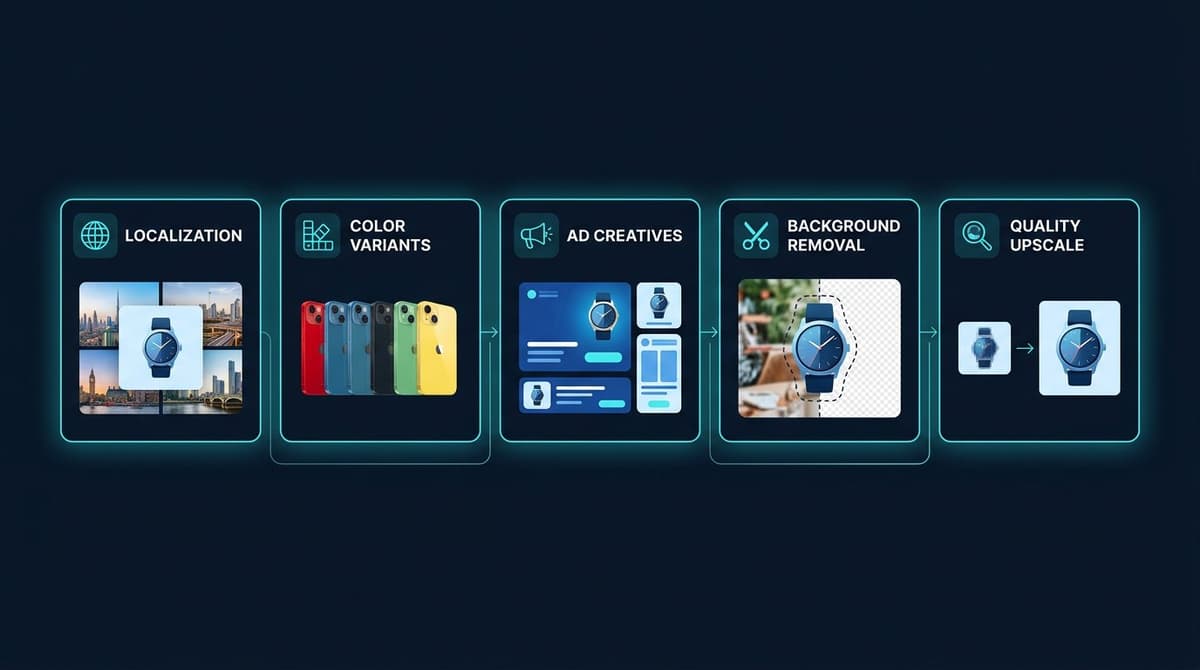
1. Localized Product Images for Different Markets
Selling across multiple countries creates an image problem: product photos shot in a Chinese factory look out of place on Southeast Asian or European marketplaces. The background, model appearance, and usage context do not match local buyer expectations.
AI image tools solve this by embedding the original product into locally relevant scenes. A kitchen gadget can appear in a Southeast Asian home interior. A fashion item can be shown on models that match the target market's demographics. Each localized image takes roughly 30 seconds to generate, at near-zero marginal cost.
For sellers targeting multiple regions through platforms like Shopify or TikTok Shop, this eliminates the need for separate photo shoots per market.
2. Color and SKU Variant Generation
A single product with 20 color options traditionally requires 20 separate photo sessions. Each session means studio time, photographer fees, and post-production work. The result: new product launches get delayed by weeks.
AI tools generate color variants from a single base image. The output meets marketplace image standards, and the entire set can be produced in minutes instead of weeks.
Real-world result: a luggage brand used AI-generated color variants to cut their launch timeline from 3 weeks to 3 days. First-month sales for the new SKUs increased by 190%.
3. Rapid Ad Creative Iteration
TikTok and Meta ad algorithms penalize creative fatigue. The same image running for more than 5 days typically sees declining click-through and conversion rates. Refreshing ad visuals used to require new photo shoots, taking 3 to 5 days minimum.
AI image tools compress this to hours. A single product can generate 20 different creative directions in one day, giving the ad platform fresh material to test continuously. Sellers running paid advertising campaigns benefit directly from faster creative cycles.
4. Background Removal and Scene Replacement
Clean white backgrounds are required on most marketplaces, but lifestyle images drive higher engagement. Sellers need both, and traditionally that means two separate shoots.
AI handles both from a single source photo. Background removal takes seconds. Scene replacement puts the product into contextual environments (desk setup, living room, outdoor trail) without any physical staging.
For sellers managing hundreds of SKUs, this alone saves dozens of hours per product launch cycle.
5. Resolution Upscaling and Quality Enhancement
Supplier-provided images are often low resolution, poorly lit, or shot at awkward angles. These images cannot be used as hero images on a listing page.
AI upscaling tools increase resolution without introducing artifacts. Lighting correction evens out shadows. Minor defects (dust, reflections, background clutter) get cleaned automatically.
This is particularly useful for dropshipping sellers who receive product images from suppliers and need to bring them up to marketplace standards without access to the physical product.
Common Mistakes to Avoid
- Ignoring platform policies on AI-generated images. Shopee and Lazada currently allow AI-generated product images without restrictions. Amazon and Temu have review mechanisms for AI-composed model images. Check the current policy before uploading at scale.
- Skipping quality review. AI-generated images commonly produce artifacts: distorted fingers, garbled text, inconsistent shadows. Running a manual quality check before publishing prevents listing takedowns and buyer complaints.
- Using AI output without any human editing. AI gets the image 80-90% right. The final 10% (color accuracy matching the physical product, text overlay adjustments, brand consistency) still needs a human eye.
Where to Start
Not every use case needs to be adopted at once. The highest-impact starting point for most sellers:
- Pick one product line with the most SKU variants or the weakest current images.
- Run a localization or background swap test on 10-20 images.
- Measure the impact by comparing click-through rates on the AI-generated images versus the originals.
- Scale based on data, not assumptions. If click-through improves, expand to the full catalog.
The tools are accessible and mostly free or low-cost to start. The barrier is not technology. It is taking the first step.
Conclusion
AI image tools have crossed from "interesting demo" to "operational necessity" for ecommerce sellers. The five use cases covered here (localization, variant generation, ad creative iteration, background replacement, and quality upscaling) each solve a specific bottleneck that used to require professional photography, design staff, or outsourced agencies.
The sellers gaining an edge right now are not the ones with the biggest budgets. They are the ones who started testing these tools first.
Nexscope provides structured ecommerce data that teams can use in focused web tools or connect to their existing Agent through API, MCP, or Skills. Ready workflows include Keyword to Ads, Video Clone, and Buy Box Repricer.
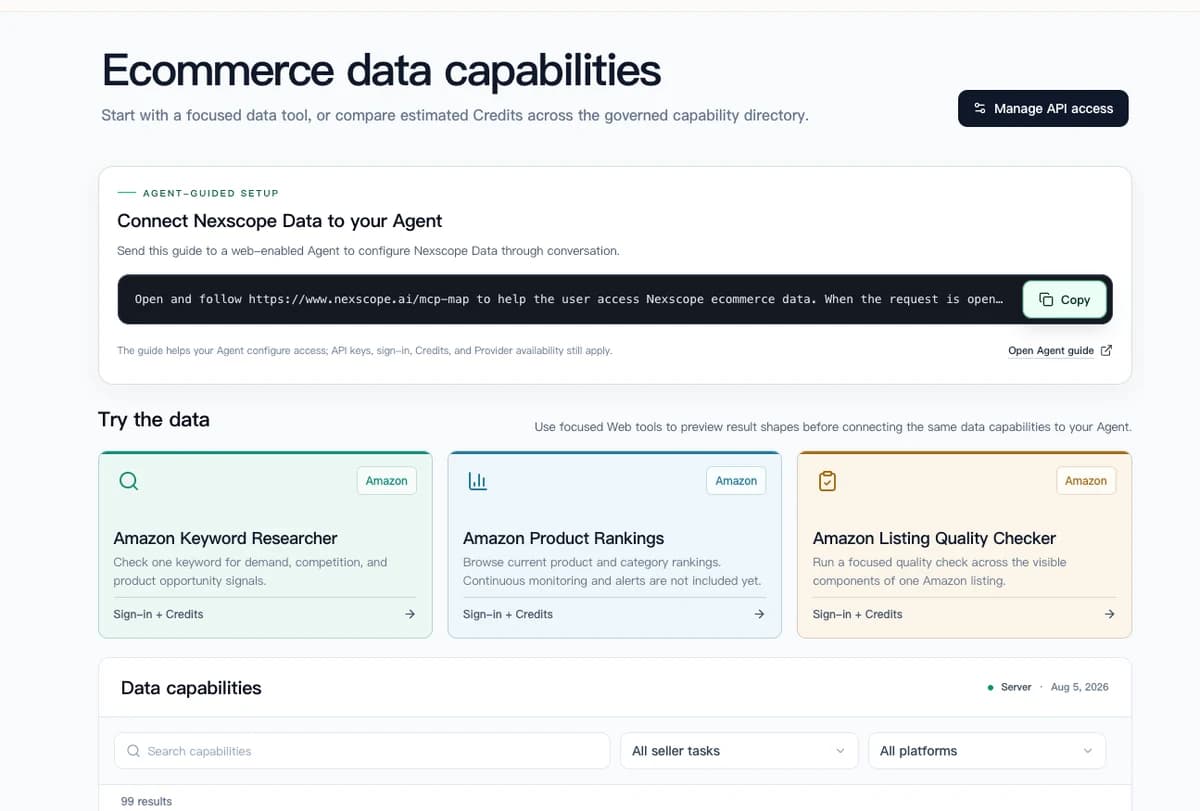
Connect Ecommerce Data to Your Agent
Use Nexscope through API, MCP, or Skills, or open a ready seller workflow.
Explore Ecommerce Data →1,000 free credits • API, MCP & Skills
Frequently Asked Questions
Are AI-generated product images allowed on Amazon?
Amazon permits AI-enhanced images but has specific guidelines for AI-composed model photos. Standard product images (white background, no lifestyle elements) can use AI for background removal and quality enhancement. Lifestyle images with AI-generated models may undergo additional review. Always check Amazon's current image policy before uploading.
What is the best AI tool for ecommerce product photos?
There is no single best tool. For background removal and batch processing, Pixelcut and removal.ai handle high volumes efficiently. For scene placement and lifestyle images, Midjourney and Google Gemini offer the highest quality. For color variant generation, most tools with inpainting capabilities work well. Choose based on the specific use case.
How much do AI image tools cost?
Most tools offer free tiers sufficient for testing. Paid plans typically range from $10 to $50 per month for individual sellers. At scale (thousands of images), costs remain far below traditional photography. A professional product shoot costs $500 to $2,000 per session. AI tools process equivalent output for under $50.
Can AI-generated images replace professional photography entirely?
For most ecommerce listings, AI handles 80-90% of image needs. Hero images for premium brands, complex product arrangements, and images requiring exact color fidelity still benefit from professional photography. The practical approach is using AI for volume and speed, reserving professional shoots for flagship products.
How do I check if an AI-generated image meets marketplace standards?
Upload a test batch to the platform and monitor for rejection notices. Common rejection reasons include unnatural lighting, visible artifacts, and policy violations (AI-generated human faces on some platforms). Start with 10-20 images, confirm they pass review, then scale.
Will AI-generated images hurt my brand perception?
Quality AI-generated images are indistinguishable from professionally shot photos for most product categories. The risk comes from using low-quality outputs without review. With proper quality control, AI images maintain or improve brand perception while dramatically reducing production time.
Sources
- Google. (2026). Gemini Image Generation: Commercial Use Guidelines. Retrieved from ai.google.dev
- Statista. (2025). E-commerce Product Photography Market Size and Trends. Retrieved from statista.com
- Marketplace Pulse. (2026). AI-Generated Content Policies Across Major Marketplaces. Retrieved from marketplacepulse.com
- BigCommerce. (2025). The Impact of Product Image Quality on Conversion Rates. Retrieved from bigcommerce.com