

7 Amazon Prime Day Advertising Strategy Moves for Sellers

Amazon Prime Day 2026 is scheduled for June 23-26, giving sellers a four-day event window to capture deal-driven traffic, defend profitable placements, and recover shoppers after the sale. An Amazon Prime Day advertising strategy should do more than raise bids for a few busy days. It needs to decide which ASINs deserve traffic, how much budget each campaign can safely absorb, when to defend ranking, when to push for discovery, and how to turn event shoppers into post-event sales.
For the operational checklist behind amazon prime day 2026, sellers should confirm deals, coupons, inventory, listing content, and promotion status before scaling spend. Advertising works best when the retail foundation is already stable. Prime Day ad spend should follow inventory, margin, promotion status, and conversion readiness, not traffic hype.
This guide breaks down seven advertising moves sellers can use before, during, and after Prime Day to protect budget, improve conversion, and avoid wasting peak demand.
Why Prime Day Ads Need a Different Plan
Prime Day changes the normal advertising environment. Search volume rises, competitors adjust bids, shoppers compare more products, and promotional badges can change conversion rate quickly. A campaign that performs well in a quiet week may become too limited, too expensive, or too broad during the event.
The goal is not simply to spend more. The goal is to spend where the extra traffic has the best chance of becoming profitable sales or useful remarketing data.
On Prime Day, sellers should treat ads as a control system with three jobs:
- Capture high-intent shoppers who are already searching for the product.
- Defend profitable placements from competitors.
- Build retargeting audiences and post-event momentum from new traffic.
Do not increase bids on products that cannot stay in stock, hold the Buy Box, or convert profitably after discount and ad cost. If a product has weak images, low review confidence, unstable inventory, or unclear deal economics, pushing more traffic can expose the weakness faster.
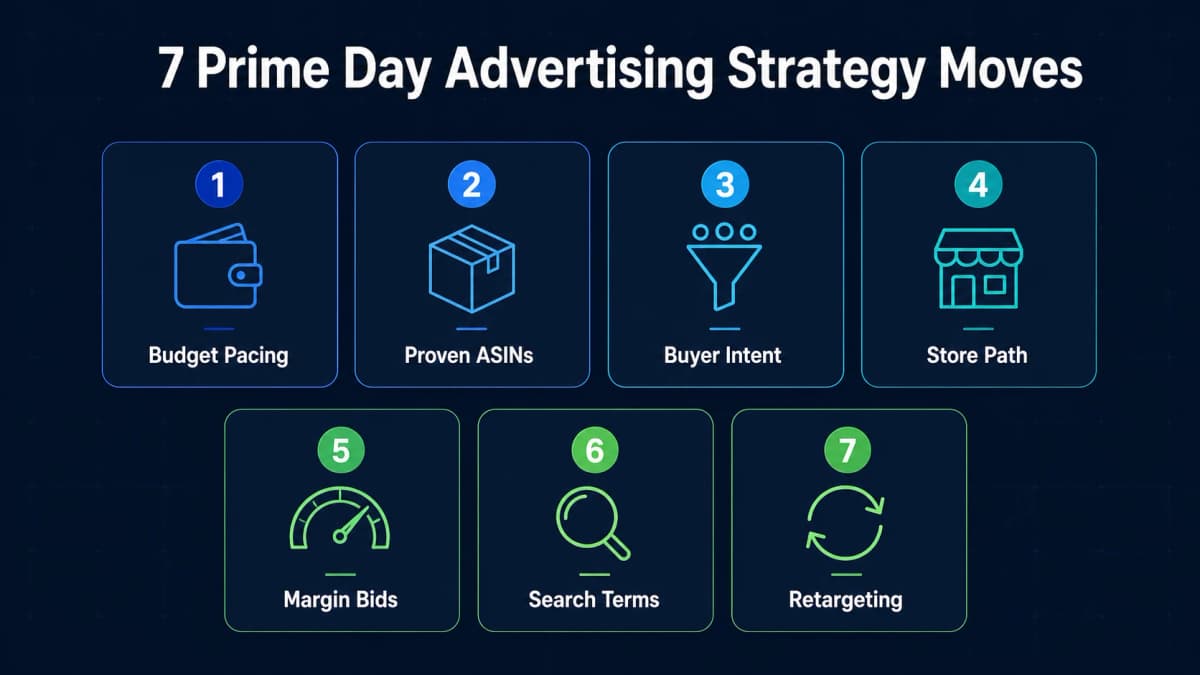
1. Separate Warmup, Event, and Retargeting Budgets
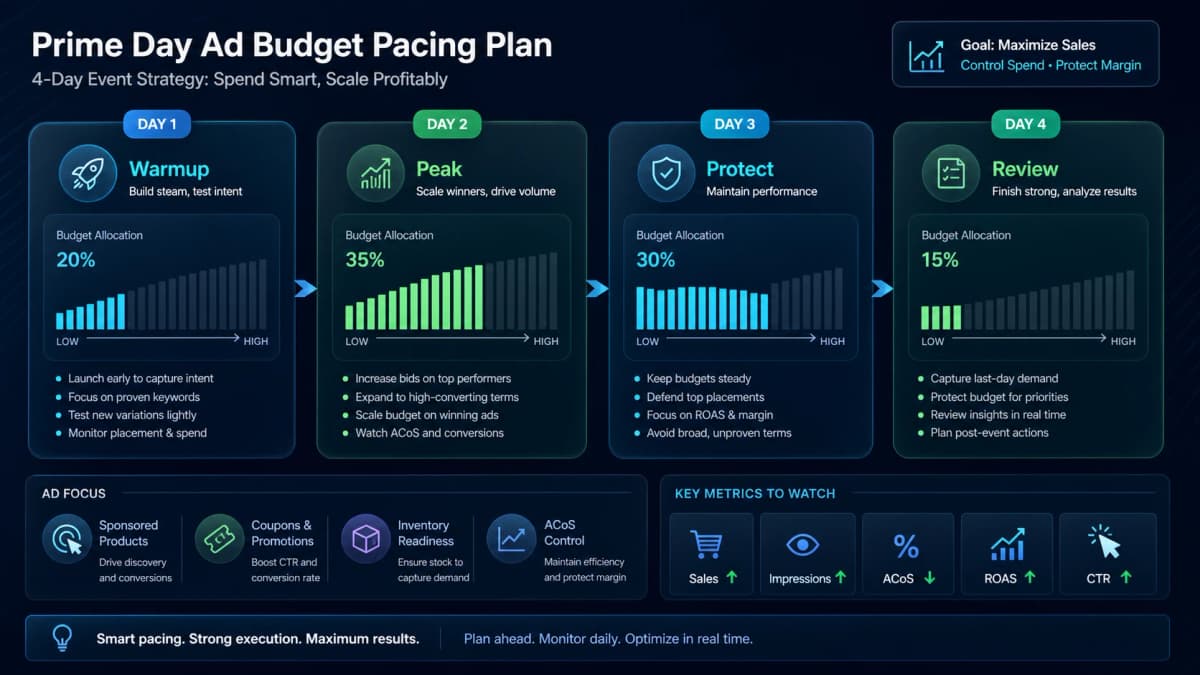
A strong Prime Day PPC strategy starts with budget separation. Sellers often make the mistake of putting all event spend into the same campaigns they use year-round. That makes it harder to see which budget is driving pre-event discovery, event-day conversion, or post-event remarketing.
Use three budget groups:
- Warmup budget: campaigns that build keyword signals, product page views, and brand familiarity before Prime Day starts.
- Event budget: campaigns built for high-intent keywords, proven ASINs, deal traffic, and category demand during the event.
- Retargeting budget: campaigns that follow shoppers who viewed, clicked, added to cart, or visited the Store but did not buy.
Warmup does not need to be aggressive. It should test messaging, confirm search term quality, and make sure proven campaigns are not constrained before traffic rises.
Event budget should be reserved for the products most likely to convert. If an ASIN has a strong deal, enough inventory, good reviews, clear images, and acceptable margin after discount, it deserves more protection.
Retargeting budget should not be an afterthought. Prime Day brings shoppers who may compare multiple products before buying. Some will purchase after the event once urgency fades, prices normalize, or they receive another reminder.
Budget should be protected for the full event window, not exhausted during the first traffic spike. If spend is gone by early afternoon on Day 1, the campaign misses evening shoppers, Day 2 comparison behavior, and late-event urgency.
2. Put Proven ASINs Ahead of Experimental Products
Prime Day is not the best moment to force traffic into unproven listings. A new product can be included if the listing is ready and the economics make sense, but most sellers should lead with products that already have conversion evidence.
Prioritize ASINs with:
- Stable inventory coverage for the full event.
- Competitive pricing or a clear promotional offer.
- Strong review volume and recent review quality.
- A main image and title that can win fast comparison clicks.
- Historical conversion from Sponsored Products or organic search.
- A margin model that can absorb CPC pressure.
The question is simple: if this product receives twice the usual traffic, will it convert or leak spend?
Products with proven demand deserve dedicated campaigns, clean budget caps, and close monitoring. Products with uncertain demand can stay in test campaigns with smaller budgets and narrower targeting.
This is also where promotion structure matters. A product with a Lightning Deal, Prime Exclusive Discount, or compelling coupon may justify higher bids than a product with no event-specific offer. But a discount alone is not enough. Conversion depends on the full offer stack: image, price, reviews, delivery promise, content, and trust.
3. Build Campaigns Around Buyer Intent
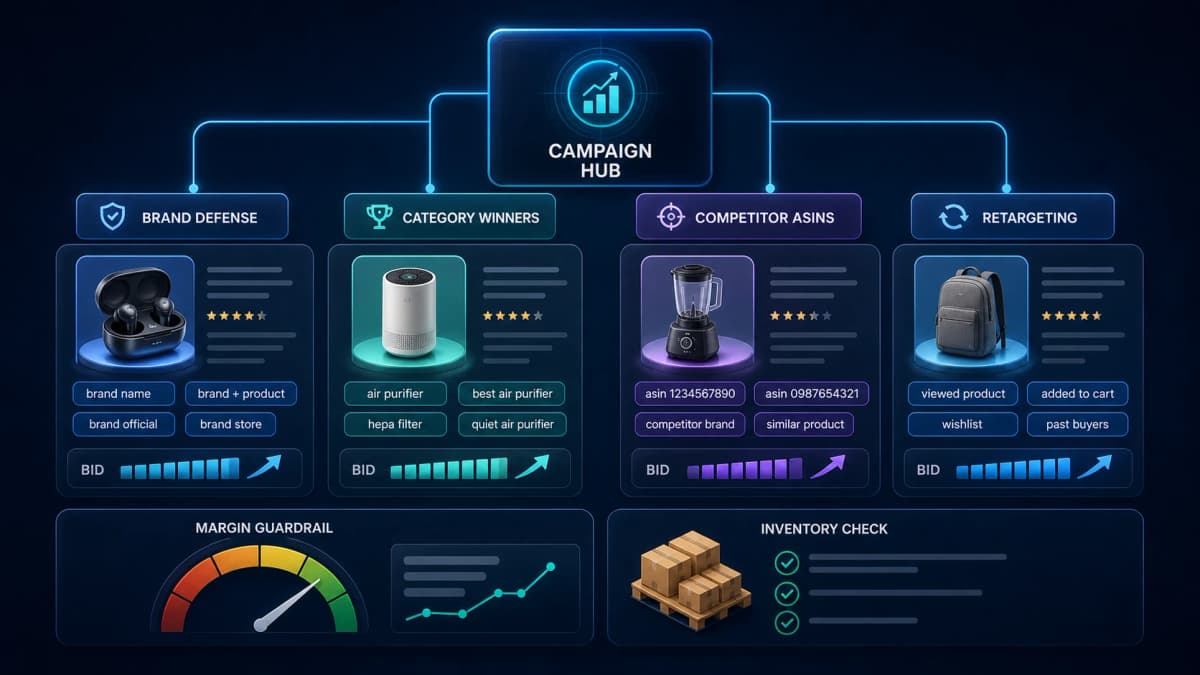
Prime Day keyword planning should be built around intent levels, not only keyword lists. During the event, shoppers move through different behaviors: deal browsing, category comparison, brand search, product-specific search, and competitor research.
Separate campaigns by intent so bids and budgets can be managed cleanly.
Brand Defense
Brand defense campaigns protect branded keywords, branded product terms, and your Store path. These clicks often have higher conversion potential because the shopper already knows the brand or product.
The risk during Prime Day is that competitors may bid on your brand terms while shoppers are actively comparing deals. Brand defense keeps your offer visible when buyers are closest to purchase.
Category Winners
Category campaigns target the terms that connect directly to product demand: "wireless earbuds deal," "air purifier for bedroom," "protein powder prime day," or similar purchase-intent phrases. These campaigns need tighter control because CPC can rise quickly.
Use exact and phrase match for high-confidence terms. Keep broad match limited unless the campaign has strong historical data and a negative keyword system.
Competitor ASINs
Product targeting campaigns can help sellers appear on competitor detail pages, especially when their offer is stronger on price, reviews, bundle, shipping speed, or promotion.
Competitor targeting should be selective. Target ASINs where your product has a real reason to win. Avoid paying to appear against products that are cheaper, more reviewed, better rated, or more visually persuasive.
Retargeting
Retargeting campaigns help recover shoppers who visited a product detail page, viewed related products, engaged with a Store, or considered the brand during the event.
For many sellers, Prime Day retargeting is where the event continues after the official sale ends. Keep budget available for the days immediately after the event because some shoppers delay purchase decisions.
4. Use Sponsored Brands and Store Pages to Control the Path
Sponsored Products are often the conversion engine, but Sponsored Brands and Store pages can help organize Prime Day traffic when shoppers are comparing multiple products.
Use Sponsored Brands when:
- You have a clear hero product or Prime Day collection.
- You want to introduce shoppers to a product line rather than one ASIN.
- Your Store page has a clean Prime Day section.
- You need to route traffic toward bundles, best sellers, or category-specific collections.
A Prime Day Store page should be simple. Do not make shoppers work through a full brand story when they are trying to compare deals. Lead with promoted products, best sellers, seasonal categories, and clear navigation.
The Store can also support post-event analysis. Sellers can compare which collections received visits, which products pulled attention, and which paths led to sales. That data can inform Sponsored Brands, Sponsored Products, and creative planning for the next major event.
5. Pace Bids by Margin, Inventory, and Daypart Signals
Prime Day bidding should not be a flat "increase everything" move. CPCs can rise, conversion rates can shift by hour, and inventory can become a constraint. Bid pacing needs to reflect what the product can actually support.
Use these guardrails:
- Margin: Know the break-even ACoS after discount, coupon, FBA fees, referral fees, and any deal fees.
- Inventory: Reduce or pause campaigns if stock cannot support demand.
- Buy Box: Watch whether promoted ASINs are still winning the offer.
- Time of day: Monitor whether spend is disappearing before high-converting periods.
- Conversion rate: Scale only when traffic is turning into orders.
A high bid is only useful when the ASIN can convert the click and protect profit after the promotion. If the campaign is spending but conversion rate falls, investigate before adding budget.
For some sellers, the best move is to raise bids on exact-match winners and reduce spend on broad discovery. For others, the best move is to protect budgets until afternoon or evening traffic. The right pacing depends on category, average order value, discount depth, review strength, and inventory coverage.
6. Watch Search Terms and Negative Keywords Daily
Prime Day can expose new search terms quickly. Some terms reveal profitable demand. Others drain budget because shoppers are looking for a different product, a lower price point, a replacement part, a manual, an app, or a product type you do not sell.
During the event, review search terms at least daily. For larger budgets, check more often.
Look for:
- Search terms with strong clicks and sales that deserve higher bids.
- Search terms with spend but no sales that need lower bids or negatives.
- Irrelevant deal-seeking terms such as "free," "used," "replacement," or "manual" when they do not match the offer.
- Product-specific terms that reveal new customer language.
- Competitor terms that convert better than expected.
Negative keywords are not only a cost control tool. They also protect good campaigns from turning into messy catch-all campaigns during a traffic surge.
Do not overreact to tiny samples. A term with two clicks and no orders is not automatically bad. But a term that spends meaningful budget without conversion should be handled quickly, especially during a compressed event window.
7. Retarget Prime Day Traffic After the Event
Many sellers stop thinking about Prime Day advertising as soon as the event ends. That leaves value on the table.
Prime Day can create a large pool of shoppers who viewed products, compared offers, visited a Store, clicked a Sponsored Brands ad, or added an item to cart without buying. Those shoppers already showed interest. Retargeting can help bring them back with a different message after the event.
Post-event campaigns can focus on:
- Shoppers who viewed but did not purchase.
- Cart abandoners.
- Store visitors who explored a category page.
- Buyers who may need accessories, refills, bundles, or complementary products.
- Customers who purchased one product and may respond to a cross-sell.
The message should change after Prime Day. Instead of repeating event urgency, use product proof, use-case creative, review strength, bundles, or limited follow-up offers.
This is also a good time to compare new-to-brand customers, repeat buyers, and category discovery. The best Prime Day campaigns produce learning, not only sales.
Prime Day Ad Control Room
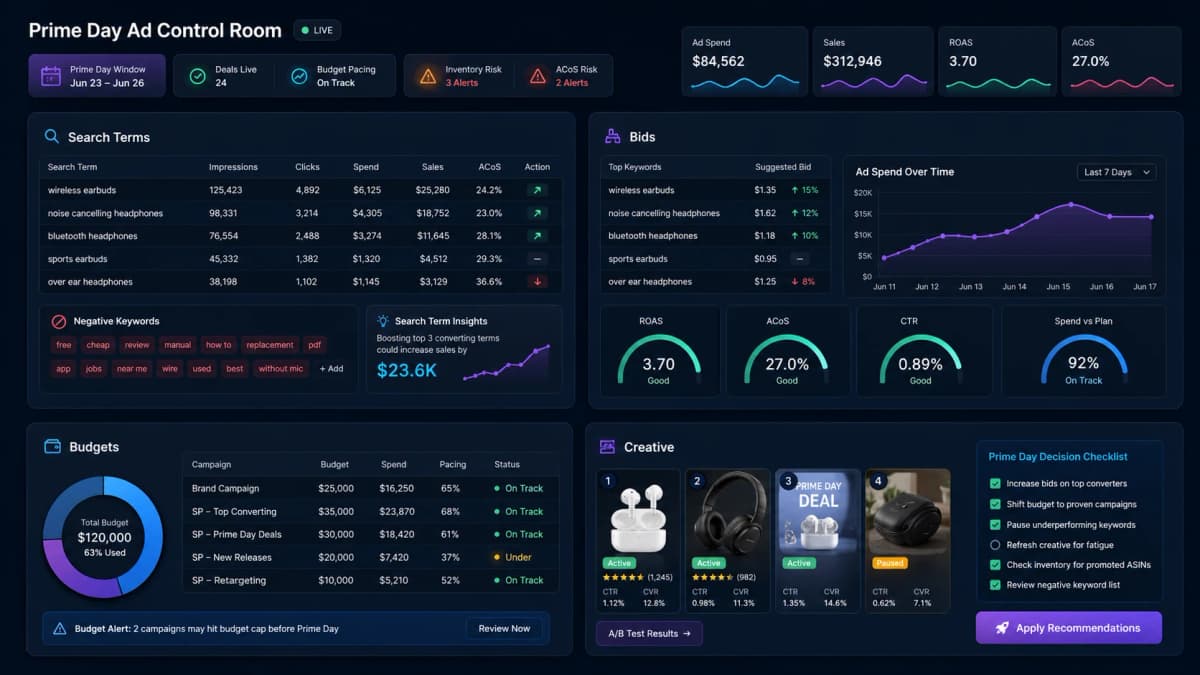
Prime Day advertising should be monitored from a short, practical control room. Sellers do not need every metric on one screen. They need the metrics that change decisions.
Track these daily:
- Spend by campaign and ASIN.
- Sales, orders, ACoS, ROAS, CTR, and CVR.
- Budget utilization and campaigns at risk of running out.
- Search terms with rising spend.
- Sponsored Products performance by match type.
- Sponsored Brands traffic to Store pages.
- Product targeting performance by ASIN group.
- Buy Box status, inventory risk, and promotion status.
- Creative performance when testing multiple ad or Store placements.
Decision rules matter more than dashboards. Before Prime Day starts, decide what actions will trigger a bid increase, a budget shift, a pause, or a negative keyword. The team should not debate every move from scratch while traffic is peaking.
Where Nexscope Fits Into the Workflow
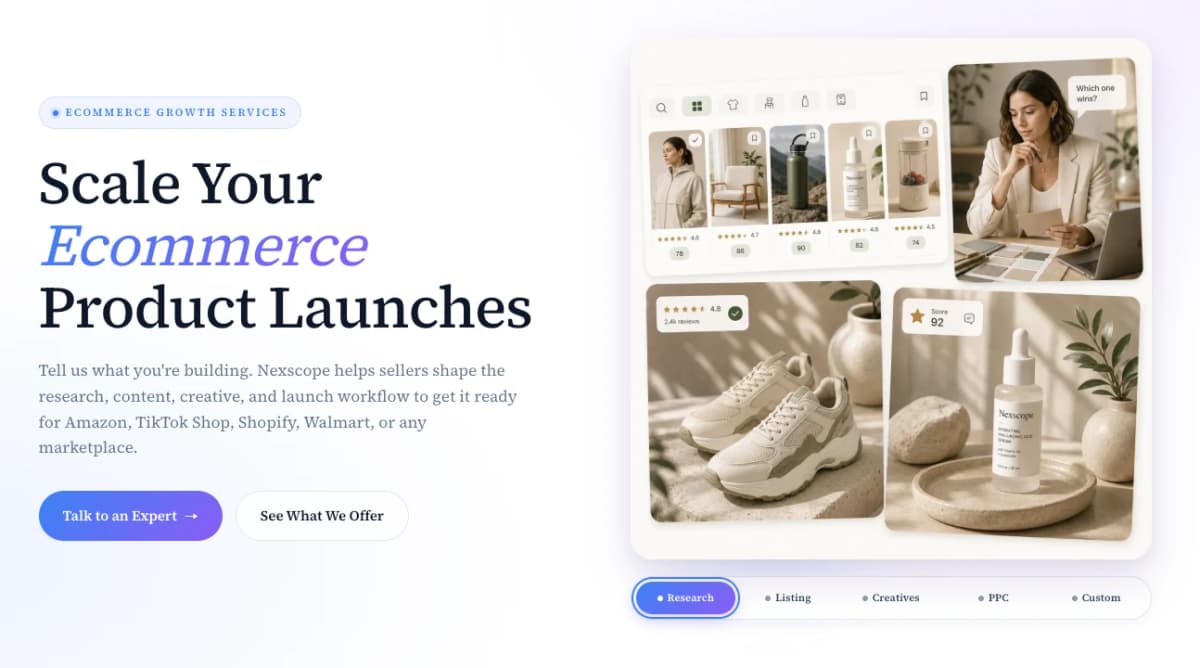
Prime Day advertising is hard because ads, listings, pricing, creative, inventory, and margin all move together. Nexscope helps sellers connect those pieces instead of treating PPC as an isolated dashboard.
Sellers can use Nexscope in three practical ways:
- Use the Nexscope ecommerce data to check product research, competitor signals, listing gaps, review insights, pricing, and ad planning questions in one workflow.
- Work with Nexscope Ecommerce Growth Services when the Prime Day plan needs hands-on help across research, listing, creative, PPC, and launch execution.
- Use Nexscope Product Photography Service when ads and listings need stronger product visuals, PDP images, model shots, or campaign-ready creative.
For Prime Day, the most useful setup is a repeatable loop: choose priority ASINs, confirm margin, prepare creative, launch campaigns, watch search terms, adjust bids, and turn event traffic into follow-up actions.
Common Mistakes to Avoid
- Raising bids before confirming promotion status: If the deal is suppressed or the coupon is not active, higher ad spend may send shoppers to a weaker offer.
- Treating every ASIN equally: Prime Day budget should favor products with stronger conversion readiness and healthier economics.
- Running out of budget too early: Morning traffic is not the whole event. Preserve budget for later comparison and urgency windows.
- Ignoring inventory during ad scaling: Ads can accelerate stockouts and ranking loss if inventory is thin.
- Using broad match without guardrails: Broad campaigns can find new demand, but they need negatives and budget caps.
- Forgetting branded defense: Competitors may become more aggressive during high-intent shopping periods.
- Ending all activity after Prime Day: Retargeting and post-event learning can extend the value of the traffic.
Conclusion
A good Amazon Prime Day advertising strategy is built before the event starts. Sellers need clean campaign structure, budget pacing, margin-aware bids, product-level prioritization, search term monitoring, and retargeting plans that continue after the sale window closes.
The best approach is simple: promote the products that are ready, protect the budget that matters, and use the traffic to learn what shoppers actually want. Nexscope can help sellers turn that process into a repeatable growth workflow through AI-assisted research, PPC planning, creative production, and ecommerce growth support.
Connect Ecommerce Data to Your Agent
Use Nexscope through API, MCP, or Skills, or open a ready seller workflow.
Explore Ecommerce Data →Frequently Asked Questions
How early should sellers prepare Amazon Prime Day ads?
Sellers should prepare campaigns before the event begins, ideally after deal status, inventory, listing content, and discount economics are confirmed. Warmup campaigns can help validate search terms and campaign structure before peak traffic arrives.
Should sellers increase all Prime Day bids?
No. Sellers should increase bids selectively on proven keywords, profitable ASINs, brand defense campaigns, and high-intent product targets. Broad, unproven, or low-margin campaigns should use tighter controls.
What is the biggest Prime Day advertising risk?
The biggest risk is spending aggressively on products that are not operationally ready. A product with weak inventory, unstable Buy Box status, unclear margin, or poor listing conversion can waste event traffic quickly.
Should Prime Day campaigns continue after the event?
Yes. Post-event retargeting can recover shoppers who viewed products, visited Stores, added to cart, or compared offers during the event. Sellers should also use post-event data to improve future promotions.
How should sellers budget for Prime Day advertising?
Sellers should separate warmup, event, and retargeting budgets instead of putting all spend into one campaign pool. The main event budget should favor proven ASINs, profitable keywords, and products with enough inventory. A smaller test budget can still explore new terms, but core spend should be protected for high-intent traffic and post-event follow-up.
Sources
- Amazon Ads. (2026). Sponsored Products. Retrieved from advertising.amazon.com
- Amazon Ads. (2026). Sponsored Brands. Retrieved from advertising.amazon.com
- Amazon Ads. (2026). Stores. Retrieved from advertising.amazon.com
- Amazon Ads. (2026). Measurement and Analytics. Retrieved from advertising.amazon.com