

How to Use GPT Image-2 for Ecommerce Product Photography

Product photography used to follow a fixed process: hire a photographer, shoot the product, edit the images, build out scenes. Teams with bigger budgets might add 3D rendering. The whole thing took days and cost hundreds per SKU.
That workflow is compressing. More teams now generate product images directly with AI—and the quality has reached a point where outputs can go straight into ads and product listings.
GPT Image-2 is behind much of this shift. Over the past few weeks, real tests across multiple scenarios—main images, ad creatives, localized versions—show what actually works and where the limits are.
How GPT Image-2 Changes Product Photography Workflows
Traditional product photography has a fixed pipeline. Even a simple white background shot requires shooting, background removal, lighting adjustment, and detail retouching. These steps are hard to skip.
Lifestyle images add models, set design, and lighting setups. Costs and timelines grow fast.
With GPT Image-2, the process becomes more like writing a brief.
Describe the product clearly. Specify where it's being used. Define the style. The model returns something close to a finished result. First generations rarely hit perfection, but two or three iterations typically reach usable quality.
What Actually Changes
The shift isn't just convenience—it's time compression.
Where a team once produced 5 images per day, they can now explore 50 different visual directions. That changes what's possible for testing, iteration, and creative experimentation.
Structured Prompts Matter More Than You Think
Many sellers try AI image generation once, get inconsistent results, and conclude the technology isn't ready.
The problem usually isn't the model. It's the prompt.
GPT Image-2 shows clear improvement in understanding structured descriptions. Instead of writing "a product image," break the request into layers:
- Subject: The product itself
- Environment: Where it's being used
- Lighting: Time of day, light source, shadow direction
- Style: Aesthetic direction (minimalist, lifestyle, premium)
- Purpose: Hero shot, ad creative, detail page module
Example: Storage Box
Basic prompt:
"Generate an image of a storage box"
Result: Generic white background, flat lighting, forgettable.
Structured prompt:
"A fabric storage box on a mid-century modern nightstand. Morning light from a window on the left, soft shadows. A book and phone sit nearby. Warm, minimal, lived-in feel."
Result: Contextual, emotionally resonant, ready for A+ content.

The Pattern That Works
Product + Scene + Action + Atmosphere
Treat prompts like design briefs, not casual descriptions. The more specific the input, the more stable and usable the output.
Ecommerce Product Photography Use Cases
These aren't theoretical—they're running in real workflows today.
Main Image Variations
For products that can't be reshoot, AI generates alternative main image styles. This includes versions optimized for different aesthetics or adjusted based on regional visual preferences.
One product photo becomes the basis for five variations: clean studio, lifestyle context, warm tones, cool tones, detail focus.
Important: Don't completely replace real product photos. AI-generated images work best as supplementary test materials alongside authentic shots.

Ad Creative Testing
This is where the impact shows up fastest.
Traditional ad image creation requires designers to produce version after version. With GPT Image-2, the workflow shifts:
- Generate 15-20 visual directions with AI
- Run CTR tests across variations
- Identify top performers
- Send winning directions to designers for polish
Instead of waiting days for design rounds, teams validate concepts within hours. The feedback loop compresses dramatically.

Localized Versions
The same product needs different visual expression for US, EU, and Japan markets. Kitchen layouts differ. Model appearances vary. Color preferences shift.
AI enables rapid generation of culturally appropriate variations:
- US: Open floor plan, stainless steel appliances, bright and airy
- Germany: Clean lines, functional arrangement, neutral colors
- Japan: Compact spaces, warm wood tones, careful organization
Producing these variations manually costs significantly more than generating them with AI.

What GPT Image-2 Can't Do (Yet)
Expecting it to replace professional photography entirely leads to disappointment. Know these constraints before committing.
Detail-Critical Categories
Products requiring precise detail rendering still challenge AI:
- Jewelry: Gemstone facets, metal reflections, fine engraving
- Electronics: Ports, buttons, screen displays, material textures
- Textiles: Fabric weave, stitching quality, drape behavior
For these categories, use AI for concept exploration. Rely on real photography for final assets.
Style Consistency Across Sets
Single images work well. Maintaining consistent style across an entire image set takes more effort:
- Lock prompt structure across generations
- Iterate multiple times to match your established look
- Plan for manual post-processing to unify results
AI handles exploration well. Consistency requires extra work.
The Real Takeaway for Sellers
This shift doesn't mean everyone needs to learn AI image generation. It means content production capacity is being redistributed.
Previously, a team's content output depended heavily on design resources. That bottleneck is breaking. Small teams can now produce large volumes of testable creative—which matters for Meta ads, TikTok, and DTC sites.
But content will homogenize faster. Everyone can generate images, so differentiation shifts from "having content" to "using content effectively."
The Teams That Win
They're not generating the most images. They're running the best testing, selection, and iteration processes.
AI lowers the production barrier but doesn't make decisions for you.
How to Start
GPT Image-2 has pushed product image generation forward significantly. It works especially well for high-frequency testing and multi-scenario expansion.
If your team still produces all images manually, you're operating at a speed disadvantage. If you rely entirely on AI without selection and optimization, you won't build sustainable differentiation.
The value comes from integrating AI as a stable production stage—not an occasional experiment.
Practical First Steps
- Pick one product — Start with something you already have real photos of
- Write a structured prompt — Use the Product + Scene + Action + Atmosphere pattern
- Generate 10 variations — Don't stop at the first result
- Test against existing creative — Run actual performance comparisons
- Iterate on winners — Refine what works, drop what doesn't
Run Your Ecommerce Business with an AI Agent
GPT Image-2 handles product visuals. But running an ecommerce business involves a lot more—product research, competitor analysis, listing optimization, keyword tracking, PPC campaigns, review monitoring, and pricing strategy.
Nexscope provides structured ecommerce data and focused seller workflows. Teams can use Nexscope's web tools directly or connect governed capabilities to their existing Agent through API, MCP, or Skills. Ready workflows include Keyword to Ads, Video Clone, and Buy Box Repricer.
- "What's selling well in the home organization category right now?"
- "Analyze my top competitor's listing and tell me what they're doing better"
- "Which of my keywords dropped in ranking this week?"
- "Generate A+ content copy for this product"
- "What's my profit margin if I lower the price by 10%?"
The agent pulls real-time data, runs analysis, and gives you actionable answers—like having a research analyst and operations manager available 24/7.
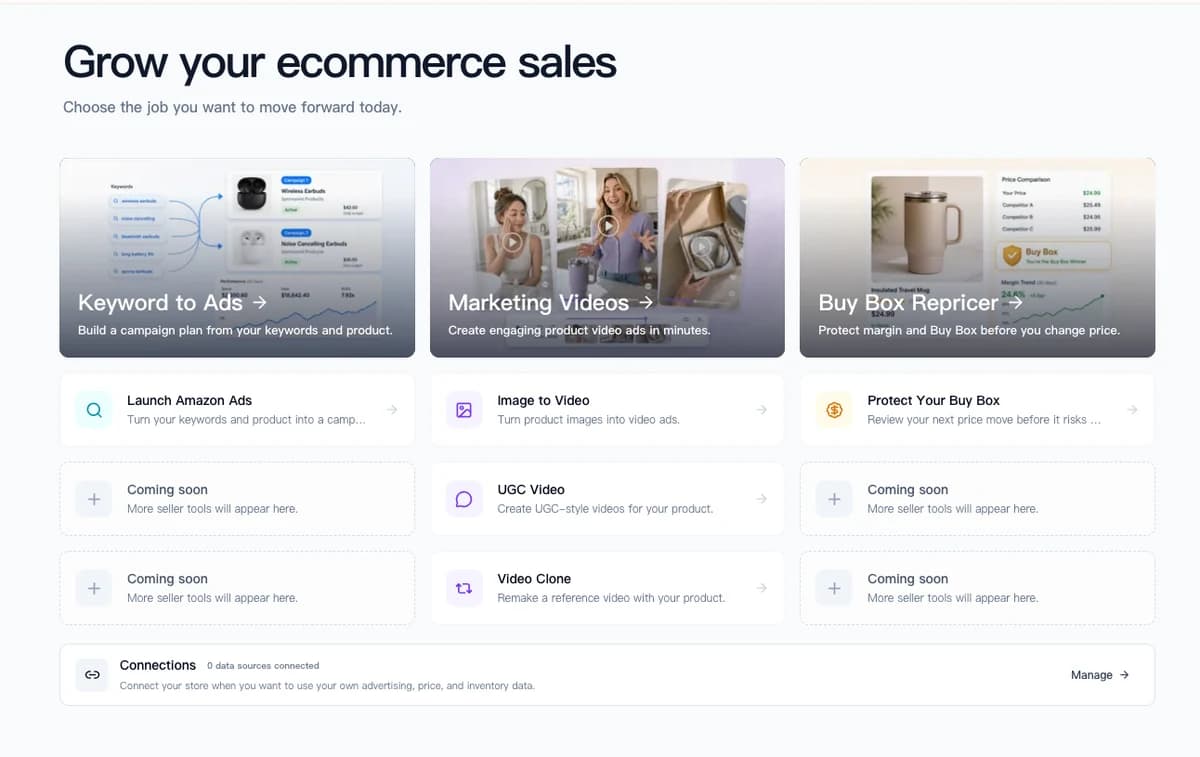
If you're using GPT Image-2 to speed up creative work, Nexscope helps you run everything else faster too.
Connect Ecommerce Data to Your Agent
Use Nexscope through API, MCP, or Skills, or open a ready seller workflow.
Explore Ecommerce Data →Frequently Asked Questions
Can AI-generated images be used as Amazon main images?
Yes, if they meet Amazon's image requirements. Main images must show the product on a pure white background, accurately represent the product, and contain no additional graphics. AI-generated images that meet these standards are acceptable.
How does GPT Image-2 compare to Midjourney for product photos?
GPT Image-2 excels at text rendering and structured layouts—better for images needing text overlays or specific compositions. Midjourney often produces more artistic results but struggles with text accuracy and precise product representation.
What does GPT Image-2 cost for product images?
Pricing varies by resolution and usage. Typical costs range from $0.02-0.10 per image. Compared to professional photography ($50-500+ per product), AI generation offers significant cost reduction for testing and iteration.
Do I need design skills to use AI image generation?
Basic understanding of composition helps, but design expertise isn't required. The key skill is writing structured prompts that clearly specify subject, context, lighting, and style.
How do I keep brand consistency across AI images?
Create a prompt template with your brand's visual elements—color palette, lighting style, background preferences. Use this template as a base for all generations, adjusting only scenario-specific details.
Sources
- OpenAI. (2026). GPT Image-2 Documentation. Retrieved from openai.com
- Amazon. (2026). Product Image Requirements. Retrieved from sellercentral.amazon.com
- Shopify. (2026). Product Photography Best Practices. Retrieved from shopify.com