

Shopify Official AI Toolkit: 7 Key Features Explained

Shopify AI Toolkit is one of the clearest signs that ecommerce platforms are starting to treat AI agents as real operators instead of coding assistants that only generate snippets. The Chinese source article behind this rewrite opened with a simple but striking example: Shopify published a calm product update, but the demo showed an AI agent receiving a plain-language instruction to optimize products for SEO and then completing a batch workflow without manual clicking.
That framing matters. Shopify developers and operators have already used AI for code suggestions, copy drafts, and quick documentation lookup. The real change here is execution. Shopify AI Toolkit gives supported AI tools access to current documentation, API schemas, validation resources, and in some cases real store actions through the CLI. In practice, that moves the agent from suggesting work to carrying out store-related tasks.
This article rewrites the original Chinese piece into an English, merchant-friendly version while preserving its core structure and conclusions. It also cross-checks the key product details with Shopify's official English documentation.
What Shopify AI Toolkit Actually Is
At its core, Shopify AI Toolkit is an MCP-based integration layer for Shopify development and store workflows. According to Shopify's official documentation, the toolkit connects AI tools to Shopify documentation, API schemas, validation resources, and store management capabilities.
That matters for one practical reason: ecommerce teams no longer need to rely on stale model memory when working with Shopify APIs. Instead of guessing whether a GraphQL field still exists or whether a mutation is valid, the agent can work against current Shopify resources.
The original source article described the product in direct terms: after setup, an AI tool such as Claude Code or Cursor can read live Shopify documentation, access API schemas, and perform real admin operations when execution permissions are enabled. That description matches Shopify's official changelog from April 9, 2026.
Which AI Tools Shopify Officially Supports
The original article listed Claude Code, Cursor, Gemini CLI, VS Code, and Codex among the supported tools. Shopify's official docs confirm that support, with one important nuance: Codex CLI is supported through skills and MCP, not the same plugin path used by some other tools.
As of April 13, 2026, the supported tooling called out in Shopify's English documentation includes:
- Claude Code
- Cursor
- Gemini CLI
- Visual Studio Code
- Codex CLI, via skills and MCP only
Shopify also notes that Node.js 18 or higher is required before installation.
How the Toolkit Is Structured
One of the most useful parts of the original source article was its explanation that the toolkit is not one vague AI feature. It is a collection of focused capabilities. The source grouped those capabilities around admin access, storefront development, customer data, custom data, payments, partner workflows, POS, and the Polaris design system.
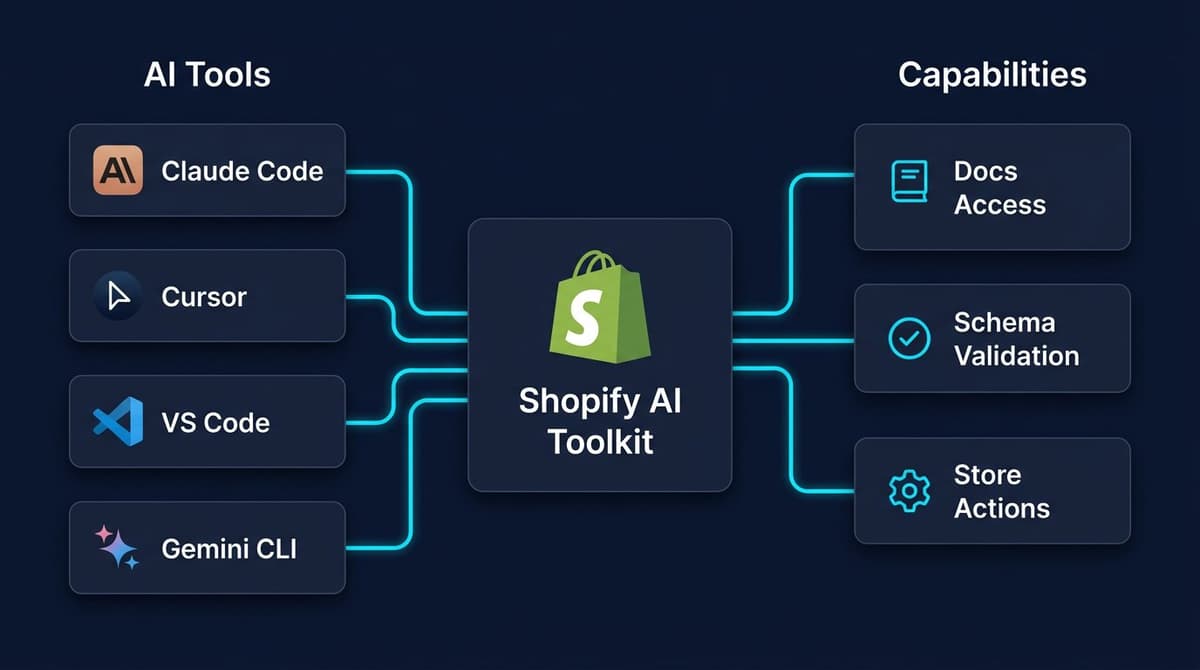
The original article highlighted these areas as especially important:
shopify-adminfor Admin API documentation and schema accessshopify-admin-executionfor real write actions against a storeshopify-storefront-graphqlfor Storefront API workshopify-functionsfor server-side commerce logicshopify-liquidfor theme and template developmentshopify-hydrogenfor headless storefront workshopify-customerfor customer account operationsshopify-custom-datafor metafields and metaobjectsshopify-payments-appsfor payments integrationsshopify-partnerfor partner workflow supportshopify-pos-uifor POS extensions- Polaris-related skills for design system guidance
The structure is important because it shows Shopify is not positioning this as a simple chatbot layered over the admin. It is building a controlled way for AI tools to work across real platform surfaces.
Three Ways To Install Shopify AI Toolkit
The source article broke setup into three approaches, and Shopify's official docs support the same general paths.
1. Plugin Installation
This is Shopify's recommended path. The plugin updates automatically, which reduces maintenance and helps keep AI tools aligned with platform changes.
For Claude Code, Shopify documents a marketplace setup flow followed by plugin installation. Cursor, Gemini CLI, and VS Code each have their own plugin or source-based path as documented on Shopify.dev.
2. Agent Skills
If a team only needs specific capabilities, it can manually install selected skills instead of the full plugin. The tradeoff is maintenance. Manually added skills do not auto-update, so teams need to refresh them when Shopify changes APIs or capabilities.
3. Dev MCP Server
The Dev MCP server is the lightest path for connecting an AI tool to Shopify development resources. Shopify describes this mode as local and unauthenticated for development resources, which makes it useful for documentation lookup, schema exploration, and implementation guidance. It is not the same as granting an agent authority to mutate production store data.
The Real Problem This Solves
The original Chinese article focused on a very real developer pain point: AI tools often hallucinate outdated Shopify fields, deprecated patterns, or invalid GraphQL mutations because model training data lags behind the platform itself.
That problem is easy to underestimate until it hits a real workflow. A model generates what looks like a valid query. The syntax appears clean. Then the request fails because the field has changed, the mutation no longer exists, or the schema is different from what the model assumed.
The promise of Shopify AI Toolkit is not just convenience. It is accuracy. By giving an agent direct access to live docs, schemas, and validation resources, Shopify reduces the gap between generated code and executable code. For teams building apps, themes, or automation flows, that can remove a large amount of repetitive debugging work.
Where This Becomes Powerful For Merchants
Although the toolkit is primarily a developer tool, the original source article linked it to merchant workflows in a way that matters for ecommerce teams.
The article described several practical scenarios:
- batch SEO optimization for products
- image alt text updates
- inventory adjustments
- GraphQL generation for repeated admin tasks
- Liquid validation during theme work
- Storefront API query generation for Hydrogen builds
These are not abstract technical wins. They affect daily store operations. A small team already using Claude Code or Cursor could move faster on merchandising, catalog maintenance, content updates, and store-side development work.
This does not mean every merchant should let an agent act freely on a live store. It means technically capable teams now have a much shorter path between prompts and store actions.
The Biggest Risk: Write Access Is Real
This is where the original source article was strongest, and it is the warning that should not be softened.
Read access is relatively safe. Looking up docs, reading schemas, or querying development resources does not change live store data. The real risk begins with shopify-admin-execution.
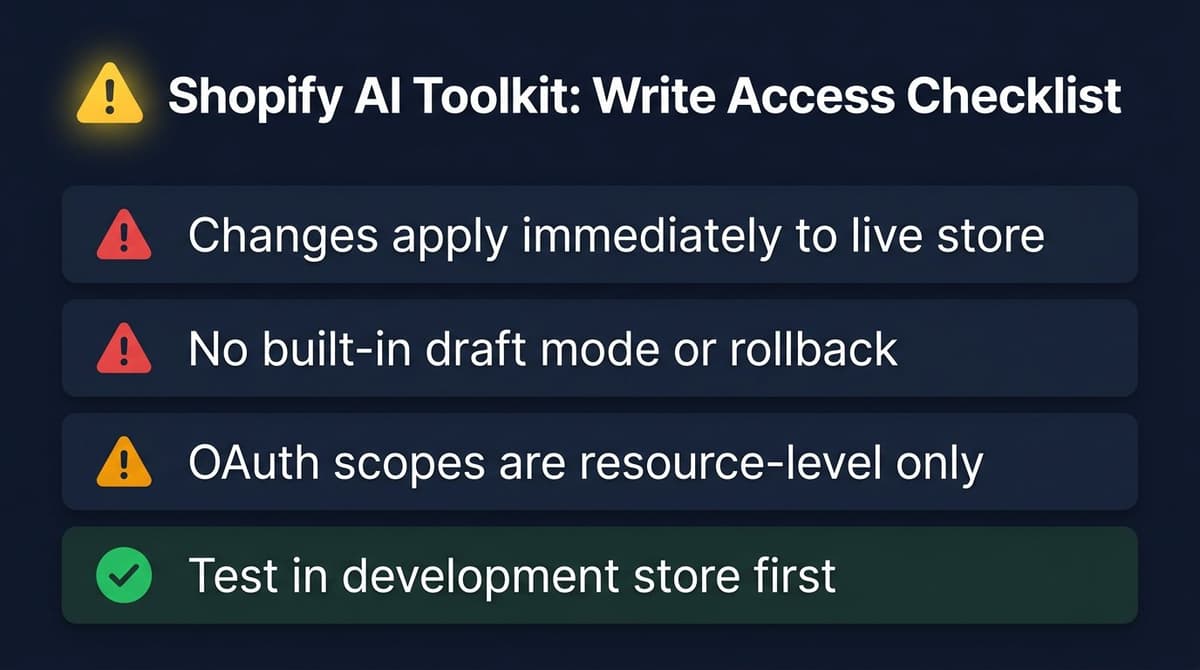
The source article emphasized three boundaries:
- Once write execution is enabled and authenticated, the agent's changes take effect immediately on the live store.
- There is no built-in draft mode, preview layer, or automatic rollback inside the toolkit itself.
- Shopify OAuth scopes are resource-level permissions, not fine-grained action-level controls.
That third point deserves extra attention. If a store grants a write scope for products, the toolkit does not add a second, more granular safety layer that limits the agent to one field or one product. Governance still depends on how the merchant or developer configured access in the first place.
For that reason, the original article recommended a cautious rollout path, and that recommendation still makes sense: test the setup in a development store first, validate behavior carefully, and avoid enabling live write actions until the workflow is predictable.
What This Means for Shopify Developers
For Shopify developers, the value proposition is straightforward.
If a team already works with Shopify GraphQL, Liquid, Hydrogen, or Polaris, the toolkit lowers the friction between intent and execution. It can:
- reduce documentation lookup time
- improve GraphQL accuracy
- validate platform-specific patterns earlier
- speed up repeated store maintenance tasks
- make AI-assisted development more reliable
The original article also made a broader point that is worth keeping: Shopify is starting to build infrastructure for AI agents as first-class participants in its ecosystem. That does not just improve the developer experience. It signals where the platform is headed.
Current Positioning and Who Should Use It
The original source did not frame Shopify AI Toolkit as a mainstream merchant feature, and that remains the correct interpretation.
The toolkit is currently best suited for:
- Shopify app developers
- theme developers
- technical operators inside ecommerce teams
- agencies managing store workflows
- merchants with a strong in-house technical setup
It is less suitable for non-technical users who expect a no-code control layer with strict safety rails. The setup still involves MCP concepts, authentication choices, and permission management. Even if the interface feels simple inside an AI tool, the underlying power is real.
Common Mistakes to Avoid
- Turning on write permissions before validating behavior in a development store
- Assuming OAuth scopes are fine-grained enough to control every individual action
- Letting an agent run product-wide changes without a rollback plan
- Treating AI-generated GraphQL as correct without schema-aware validation
- Assuming all supported AI tools use the same installation flow
Conclusion
The original Chinese article was right about the main point: Shopify AI Toolkit is not just another AI announcement with a flashy demo. It is a practical infrastructure release that lets supported AI tools work against live Shopify resources and, when configured, execute store operations.
The most important takeaway is not that AI can now help with Shopify. That has been true for a while. The real shift is that Shopify is formalizing how agents connect to platform truth and, in controlled cases, to platform execution.
For teams already building on Shopify, this is worth testing now. The safest starting point is to use the read-oriented parts first: docs, schema lookup, validation, and development assistance. Then, if the results are strong, move write-enabled workflows into a development store before considering production use.
That path preserves the upside described in the source article without ignoring the operational risk it also flagged.
Not a Developer? There's a Simpler Path.
Shopify AI Toolkit is powerful, but it requires MCP setup, OAuth configuration, and developer-level understanding to use safely. For most ecommerce sellers, that's a barrier.
Nexscope provides structured ecommerce data that Shopify teams can connect to an existing Agent through API, MCP, or Skills. Focused web tools let teams preview the same capabilities before integration.
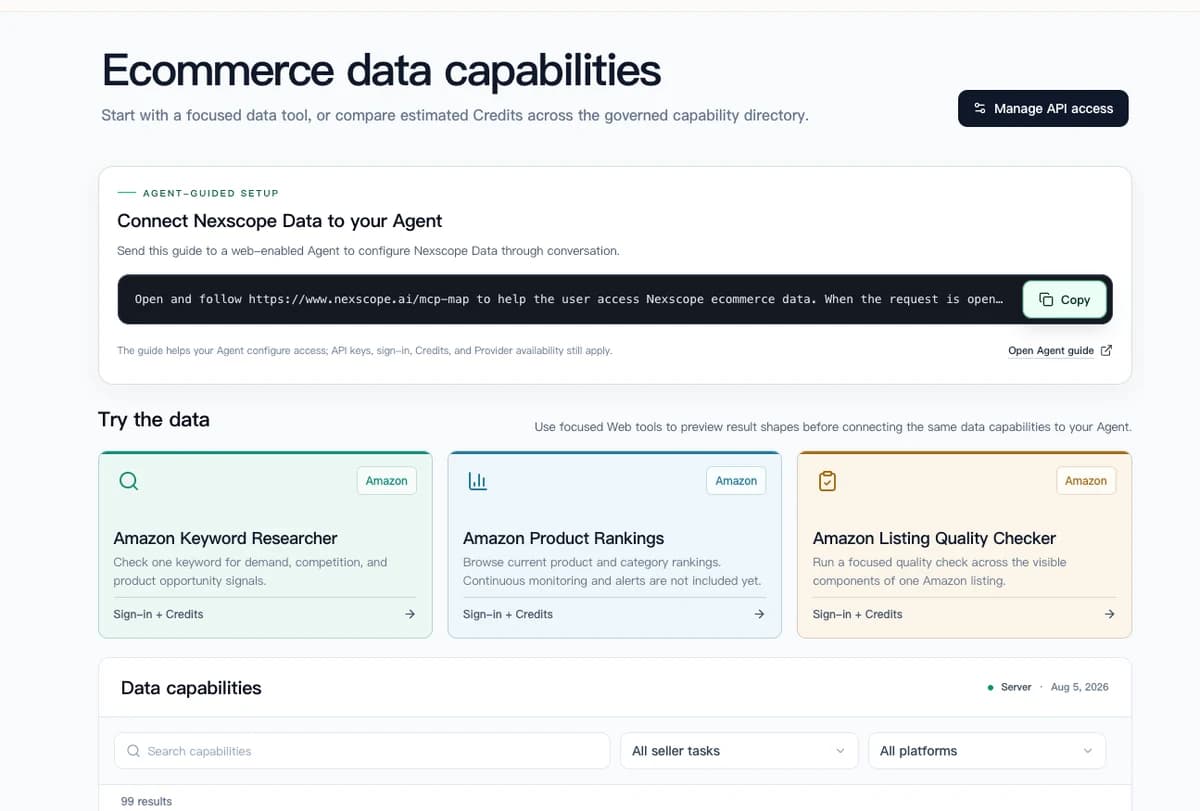
Connect Ecommerce Data to Your Agent
Use Nexscope through API, MCP, or Skills, or open a ready seller workflow.
Explore Ecommerce Data →1,000 free credits • API, MCP & Skills
Frequently Asked Questions
What is Shopify AI Toolkit in simple terms?
Shopify AI Toolkit is a set of integrations that connects AI tools like Claude Code, Cursor, Gemini CLI, VS Code, and Codex CLI to Shopify's developer resources. Instead of guessing how Shopify works, the agent can use live docs, API schemas, and validation tools. In some setups, it can also perform real store actions through Shopify CLI execution features.
Can Shopify AI Toolkit make changes to a live store?
Yes, but only when execution-related capabilities are enabled and properly authenticated. That is the main risk area. Once write access is granted, changes can apply directly to live store data. Teams should test these workflows in a development store before using them in production.
Does Shopify AI Toolkit replace Shopify developers?
No. It reduces repetitive work and improves AI-assisted development accuracy, but it does not replace developer judgment. Teams still need to decide which permissions to grant, how to validate outputs, and whether an agent should be allowed to execute changes.
Which Shopify AI Toolkit setup path is best for most teams?
For most teams, Shopify recommends the plugin path because it updates automatically as new capabilities are released. Teams that only need selected functions may prefer manually installed skills, and teams that only want development resources may choose the Dev MCP server.
Why is real-time schema access important for AI tools?
Without live schema access, AI tools often produce outdated or invalid GraphQL patterns. Shopify APIs evolve, and model memory can lag behind the current platform state. The toolkit gives the agent access to current Shopify documentation, schemas, and validation resources to reduce those errors.
Is Codex fully supported by the Shopify AI Toolkit plugin?
Not exactly. Shopify's official documentation says Codex CLI is supported through skills and MCP only. Teams using Codex should follow Shopify's skills or MCP setup instructions instead of assuming the full plugin flow applies in the same way as Claude Code or Cursor.
Sources
- Shopify developer docs: Shopify AI Toolkit
- Shopify developer changelog: Shopify AI Toolkit: Connect your AI tools to the Shopify platform
- Shopify developer docs: Shopify Dev MCP server
- Shopify GitHub repository: Shopify/shopify-ai-toolkit