

Amazon Rufus FAQ: Everything You Need to Know

Table of Contents
Amazon Rufus is Amazon's AI shopping assistant, now called Alexa for Shopping. It helps you ask product questions, compare options, and narrow down what to buy. If you are looking for the old Rufus button, the new name may explain why it looks different.
This Amazon Rufus FAQ has two sections: 15 questions for buyers about using the assistant, privacy, and purchasing, and 15 questions for sellers about getting products recommended, improving listings, advertising, and measuring sales impact. Jump to the section that matches your goal.
This guide focuses on Amazon's US shopping experience; availability and controls can differ by marketplace and app version.
15 Questions for Buyers
Find answers about using the shopping assistant, controlling conversations, and checking recommendations before you buy.
1. What Is Amazon Rufus?
Rufus is the former name of Amazon's conversational shopping assistant. You ask a question in everyday language, and it responds with shopping guidance or product suggestions.
The Amazon Rufus AI shopping assistant draws on product information, reviews, community questions and answers, and information from the web. That makes it useful for questions that are awkward to express as a short search phrase: finding equipment for a particular activity, understanding a specification, or comparing two products.
This guide covers the assistant inside Amazon. The unrelated Rufus utility used to create bootable USB drives is a different product.
2. How Do You Turn Off Rufus on Amazon?
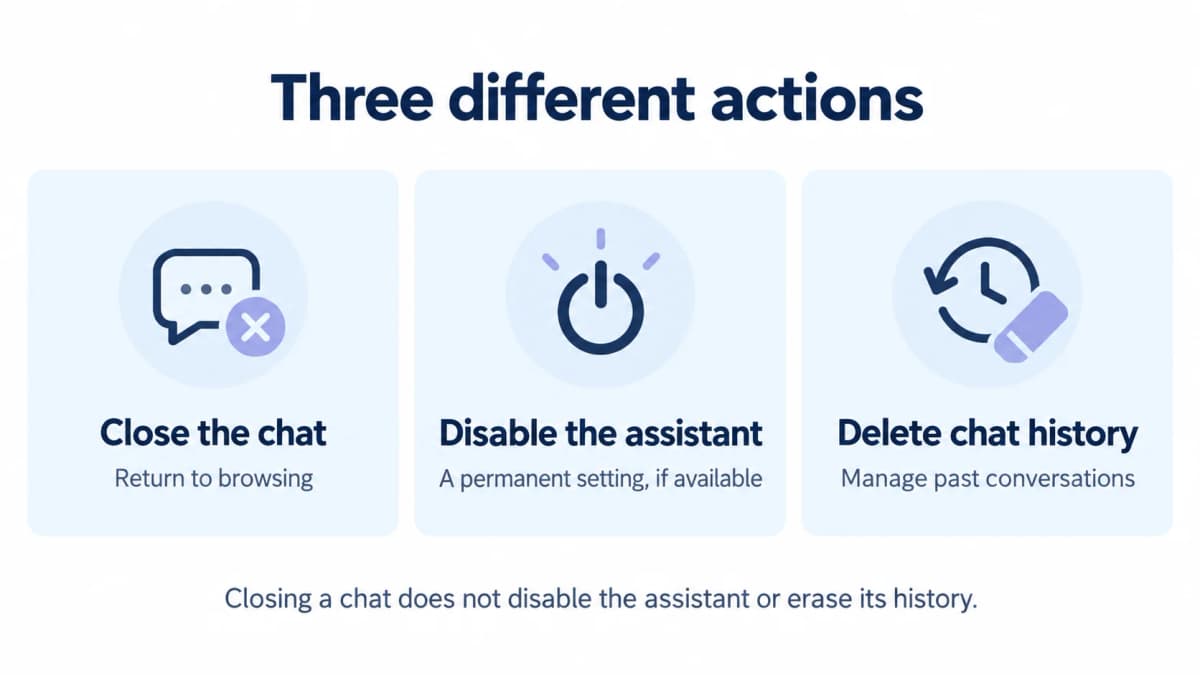
You can dismiss the chat and return to shopping. As of October 12, 2026, we could not verify a universal Amazon setting that permanently disables Rufus or Alexa for Shopping. Closing the panel, disabling the assistant, and deleting conversations are separate actions.
To get the chat out of your way:
- Use the close or back control if your chat panel displays one.
- In the older Rufus mobile interface, Amazon documented swiping down on the chat window to dismiss it. Newer layouts may use different controls.
- Continue through ordinary search results or product pages. Dismissing the panel does not mean its entry point has been removed.
If you are searching for how to disable Rufus on Amazon, be careful with instructions that promise a permanent off switch without showing which app version or marketplace they apply to. We have not verified such a switch for all customers.
Browser filters may hide a visible element, but that is a local display change. It does not establish that Amazon has disabled the service or deleted account data. An extension also adds another party to your browsing environment, so it is not our default recommendation.
3. Is Rufus Now Called Alexa for Shopping?
Yes. Amazon renamed Rufus Alexa for Shopping on May 13, 2026. Older articles and screenshots still use Rufus, while current interfaces may show Alexa.
The shopping experience brings together Rufus's product expertise and Alexa's personalized context. “Alexa for Shopping” describes the shopping assistant; “Alexa+” also refers to Amazon's broader assistant experience. Do not assume every feature or subscription condition is identical across them.
For sellers, Alexa for Shopping makes the clarity of product information relevant to conversational discovery as well as ordinary product-page browsing.
4. Where Can You Find Rufus or Alexa for Shopping?
Look for the Alexa icon at the bottom of the Amazon Shopping app or near the top of Amazon's desktop website. Sign in to your Amazon account first.
If an older guide tells you to select “Rufus,” look for the newer Alexa name instead. A missing old label does not necessarily mean the feature disappeared. The position can vary with the interface you receive; check the troubleshooting answer below if neither name appears.
5. How Do You Use Amazon Rufus?
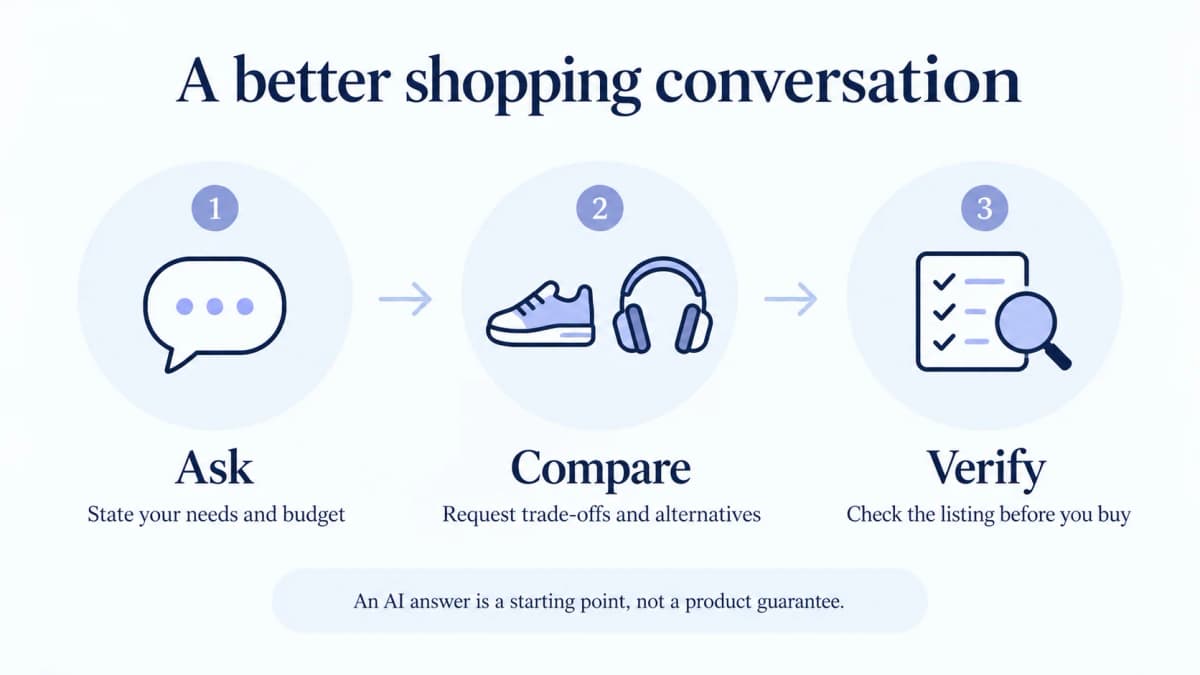
Open the shopping assistant, describe what you need, and refine the answer with follow-up questions. A useful request includes your intended use, budget, and any requirement that would rule a product out.
Try this process:
- State the task. “I need a reading lamp for a small desk under $45.”
- Add constraints. “Prioritize an adjustable arm and a compact base.”
- Ask for trade-offs. “Compare these two options for desk space and brightness controls.”
- Check the product page. Confirm the selected model, dimensions, included accessories, current price, seller, and delivery details.
If the answer is too broad, change one requirement at a time. For example, ask for a smaller base before changing the budget. This makes it easier to understand why the suggestions changed.
These are example prompts, not results from a product test. Always judge the returned products against your own requirements.
6. What Questions Can You Ask Rufus?
Ask about product features, comparisons, suitability, and purchase considerations. Specific questions are easier to evaluate than a request for the “best” product with no context.
| What you need | Example question to try |
|---|---|
| Understand a specification | “What does the packed size of this camping chair mean for carrying it?” |
| Check a requirement | “Does this charger support the charging protocol listed in my laptop manual?” |
| Compare options | “Compare these two desk lamps by footprint, adjustability, and controls.” |
| Find a fit for a use case | “Which features should I prioritize in a backpack for a rainy train commute?” |
| Stay within a budget | “Find alternatives under $60 and explain what I would give up.” |
| Investigate feedback | “What recurring complaints do reviewers mention about this item?” |
For compatibility questions, provide the exact device model rather than only a brand name. For review summaries, open the underlying reviews when the issue matters to your purchase. A concern about one size or older version may not apply to the variant you selected.
7. Is Amazon Rufus Free to Use?
Yes. Amazon says Alexa for Shopping is free for signed-in Amazon customers and does not require Prime, an Echo device, or the Alexa app.
Free access to the assistant does not make products, delivery, or optional services free. Some purchasing features can also have their own eligibility conditions. For example, Amazon has described target-price auto-buying as a Prime benefit. Check the terms shown when you enable a specific action rather than treating conversational access and purchasing benefits as the same thing.
8. Is Amazon Rufus Safe to Use?
It is an official Amazon feature, but using it still involves privacy and accuracy decisions. An answer inside Amazon is not a guarantee that a product is suitable or that every statement is correct.
Use the assistant through the Amazon app or website you normally use. You do not need a separate “Rufus download” to follow this guide. Avoid putting passwords, payment-card details, or unnecessary sensitive personal information into the chat.
For ordinary shopping, use the answer to build a shortlist, then verify the details that could make the purchase wrong for you. A confident answer about charger compatibility, dimensions, or included parts is still worth checking against the listing and manufacturer information.
9. What Information Does Rufus Use About You?
Shopping activity and information you share can influence personalized recommendations. Amazon describes personalization using purchases, searches, Lists, product reviews, and conversations with Alexa for Shopping.
For example, mentioning that you need equipment for a small apartment gives the assistant context for later suggestions. A useful next step is to ask what it knows about your shopping preferences and correct anything inaccurate. Amazon's About You experience also lets customers review and edit information used for shopping personalization.
Treat preference management and conversation deletion as separate controls. Changing a preference should not be assumed to erase every related chat or purchase record.
10. Can You View or Delete Shopping Conversations?
Yes. Amazon directs customers to Review Alexa History to manage Alexa interactions, including shopping conversations.
Open Amazon's Alexa Privacy settings, sign in, and select Review Alexa History. Review the available conversation and date filters, then use the deletion controls for the history you want to remove. In the Alexa app, the entry point is More → Alexa Privacy.
Deleting a conversation is different from switching the assistant off. Amazon also explains that some information, such as records of actions taken, may remain after history is deleted. If you use more than one Amazon marketplace, check the history associated with each account or marketplace context.
Do not assume closing the chat, signing out, or clearing browser cookies deletes your shopping conversations.
11. Can Rufus Make Mistakes?
Yes. Amazon acknowledges that AI shopping answers may be inaccurate. Use the thumbs-up or thumbs-down feedback controls when available, but verify an important claim before acting on it.
A practical check is to separate the answer into individual claims. If it says a bag fits a particular laptop, check the laptop compartment dimensions. If it says a lamp includes a power adapter, check the package contents for the exact variant. If it summarizes a warranty, read the seller or manufacturer's actual terms.
Ask the assistant where a claim comes from when the source is unclear. If you still cannot verify it, leave the claim unresolved instead of treating repeated wording as confirmation.
12. Can Rufus Add Items to Your Cart or Buy Them?
Yes, supported shopping actions can go beyond recommendations. Amazon describes adding items to the cart, as well as eligible purchasing features such as target-price auto-buying and Buy for Me.
The distinction matters:
- Cart building: suggested items can be added for you to review before checkout.
- Target-price auto-buy: an eligible customer can request a purchase when an item meets a specified price condition.
- Buy for Me: eligible products from another retailer can be purchased on your behalf through the supported flow.
Before authorizing an action, check the exact item, variant, quantity, maximum price, payment method, and delivery address. If you only want an alert, choose a notification action rather than an automatic purchase. Review any active recurring or price-triggered requests separately from your chat history.
13. Why Is Rufus Missing or Not Working?
First check the new Alexa name, your app version, sign-in status, and marketplace. A missing Rufus label alone is not evidence of a technical problem.
Work through these checks in order:
- Look for Alexa or Alexa for Shopping in the current interface.
- Update and restart the Amazon Shopping app.
- Confirm that you are signed in to the intended account and marketplace.
- Try the Amazon website to see whether the issue is limited to the app.
- If a browser panel looks broken, temporarily test without extensions that alter Amazon pages.
- Contact Amazon support if the feature remains unavailable or an error persists.
These are troubleshooting steps, not guaranteed fixes. Record the device, app version, marketplace, and error message before contacting support. Do not reinstall a third-party “Rufus” program to fix Amazon's shopping assistant.
14. Can Rufus Help Me Check Prices and Find Deals?
Yes. Alexa for Shopping supports price-history checks and deal research. Amazon describes price history covering up to a year where available. Ask about the exact product rather than a broad category, then verify that the chart and current offer refer to the variant you intend to buy.
A past low price is a reference point, not a promise that the item will return to that price. Compare the final checkout total, quantity, shipping, and seller before calling an offer a bargain. Choose a price notification if you want to decide later; an auto-buy request has different consequences.
15. Are Rufus Recommendations Always Unbiased?
Do not assume every product shown is an independent editorial recommendation. Amazon offers sponsored ads and conversational prompts within Alexa for Shopping, alongside personalized shopping assistance.
Look for advertising disclosures and judge a suggestion by how well it meets your requirements. Ask for alternatives, identify the trade-offs, and check the underlying product information. A recommendation is a reason to investigate an item, not proof that it is the best option across every retailer.
15 Questions for Sellers
Start here if you sell on Amazon. These answers separate Amazon's documented features from practical recommendations for testing your own listings. There is no verified shortcut that guarantees a recommendation.
1. How Can I Get Rufus to Recommend My Products?
Give the assistant clear, accurate information that matches the shopper's needs; you cannot guarantee a recommendation. Amazon's seller guidance specifically recommends complete product attributes and listing copy that answers common buying questions.
Start with a small set of real customer questions: Who is this for? What does it fit? What is included? When is it unsuitable? Then check whether the answers are explicit in your attributes, bullets, and description.
For example, replace a vague claim such as “ideal for travel” with verified facts about dimensions, weight, power requirements, or supported devices. State the relevant limitation as clearly as the benefit. Helping a shopper rule out a poor fit is better than winning an unsuitable purchase that ends in a return.
2. Will Rufus Increase or Reduce My Sales?
It can influence product discovery and purchase decisions, but the effect on your business has to be measured. Clear answers may help a suitable product make the shortlist; comparisons or incorrect answers may also steer a shopper elsewhere.
Amazon has reported that shoppers using Rufus were over 60% more likely to purchase during that shopping trip. That is an aggregate comparison, not a promise of 60% more sales for your ASIN or proof that Rufus alone caused the difference. People who choose to ask questions may already be closer to buying.
Compare your own sales, conversion, returns, price, promotions, stock availability, and advertising over equivalent periods. A sales change after a Rufus update is a reason to investigate, not enough evidence to assign the cause.
3. Why Does Rufus Recommend a Competitor Instead of My Product?
One answer cannot reveal the exact reason. The shopper's requirements, conversation context, and available product information can differ from what you expected. Amazon has not provided a complete public formula you can use to diagnose each recommendation.
As a practical audit, record the exact question and compare the recommended product against yours on the stated requirements: fit, size, materials, features, price, and availability. Check whether your listing makes those facts easy to establish. A product suited to one use case may be wrong for another.
Repeat the same question across separate sessions and dates. Treat a recurring pattern as an investigation lead rather than calling a single result your permanent “Rufus rank.”
4. Which Parts of My Listing Should I Improve First?
Start with missing or contradictory product facts. Complete the appropriate attributes, then make titles, bullets, and descriptions consistent with them. Amazon's guidance emphasizes accurate attributes and answers to customer questions.
Our recommended order is: compatibility and exclusions, dimensions and capacity, materials, included accessories, and operating or care requirements. Prioritize whatever most often causes hesitation or returns in your category.
A structured Alexa for Shopping listing audit turns those gaps into specific corrections and repeatable checks. Do not replace a useful title with a long list of conversational questions simply to appear “AI optimized.”
5. Should I Add FAQ Content or Repeat Keywords for Rufus?
Use concise answers where they help customers; repeating a keyword is not a verified recommendation strategy. Keep the important search terms that accurately describe your product, but connect them to facts and use cases.
For a charging accessory, “compatible with Model X using USB-C PD” is more useful than repeating “best charger” throughout the page—provided the compatibility claim is verified. Keep supporting detail in the appropriate bullets, description, attributes, or available A+ modules.
Write product information, not instructions telling the AI to recommend you. Do not invent customer questions, reviews, certifications, or product capabilities to fill gaps.
6. Do Product Images, Video, and A+ Content Matter?
They help shoppers understand the product, but a fixed Rufus ranking boost for adding them has not been established. Amazon recommends clear product content and offers tools to test images and A+ Content.
Use visual material to resolve an actual purchase question: a scale comparison, a measured dimension, an installation step, or the contents of the box. Keep the same critical facts in the appropriate text fields too. Do not assume a claim shown only inside an image will be extracted correctly in every answer.
Treat claims that Rufus “only reads images” or assigns a publicly known visual score with caution. We found no official evidence for those rules in the material reviewed for this guide.
7. Do Reviews and Ratings Affect What Rufus Says?
Customer reviews are one of the information sources Amazon describes for the assistant. That does not establish a specific star-rating threshold or a public weighting formula for recommendations.
Use authentic feedback to discover questions your listing leaves unresolved. If customers repeatedly misunderstand assembly, sizing, or compatibility, improve the relevant information and address the underlying product issue where appropriate.
Do not manufacture reviews or try to suppress valid criticism to shape an AI answer. An assistant mentioning a complaint also does not prove that the complaint alone caused your product to be excluded from a recommendation.
8. Can I Pay to Appear in Rufus or Alexa for Shopping?
Yes, Amazon offers advertising within Alexa for Shopping. Its June 2026 announcement says existing sponsored ads campaigns are automatically eligible to serve in relevant shopping conversations. Eligibility does not guarantee delivery or an organic recommendation.
Sponsored Products and Sponsored Brands prompts can also initiate product-related conversations. For the US release, Amazon describes these as enhancements to existing campaigns, with CPC billing, performance reporting, and pause controls.
Review the actual options and eligibility in your Ads Console. Buying an ad is different from buying control over an unsponsored answer; assess the ad against its cost and attributed outcomes.
9. Can I See How Many Sales Come From Rufus?
You can measure supported advertising interactions, but that is not a complete count of all organic Rufus-assisted sales. Amazon's Prompts report includes prompt-level impressions, clicks, spend, attributed sales, orders, and related efficiency metrics.
For supported Sponsored Products reporting, Amazon documents Reports → Create report → Sponsored Products → Prompts. Check the account's available report types and attribution definitions when interpreting the results.
We did not verify a universal seller report that attributes every natural shopping conversation to an ASIN's sales. Avoid labeling all sales after a listing edit as “Rufus revenue.” Keep advertising attribution, observed recommendation visibility, and overall business performance separate.
10. How Can I Test Whether Listing Changes Are Working?
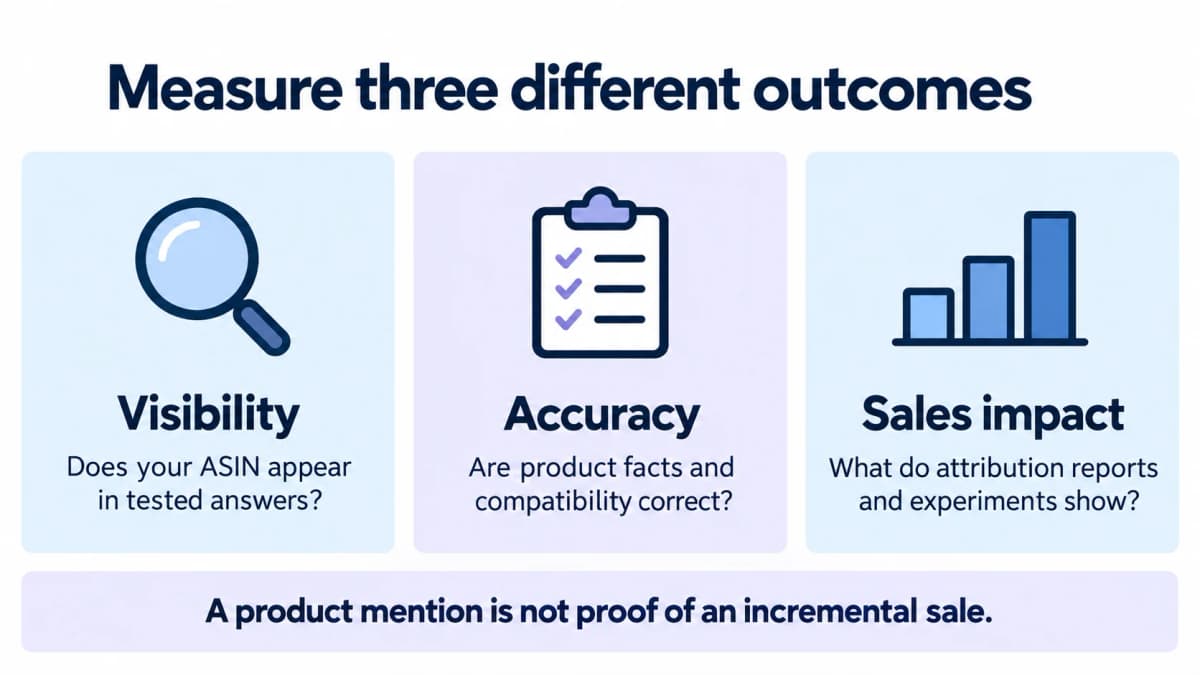
Measure answer quality and commercial performance separately. Our recommended approach starts with a fixed set of relevant shopping questions and a dated copy of the original listing.
Record whether your product appears, whether its facts are correct, and whether the answer addresses the shopper's requirements. Correct a defined information gap, then repeat the checks without silently changing the question set.
For eligible brands and ASINs, Amazon's Manage Your Experiments supports A/B tests of listing content such as titles, images, bullets, descriptions, and A+ Content. Those tests can assess the content's sales effect; they do not isolate Rufus as the causal mechanism. Keep promotions, price changes, and stock interruptions in your interpretation.
11. What Should I Do if Rufus Gives Wrong Information About My Product?
Document the specific error, correct any underlying listing issue, and report it to Amazon. An Amazon staff response on Seller Forums advises sellers to report inaccurate compatibility answers through Seller Central support with concrete product evidence.
Collect the ASIN and variant, marketplace, question, response, date, and the accurate specification or compatibility reference. Explain precisely what conflicts—for example, the assistant says an accessory fits Model B while the verified fitment table excludes it. Share order details only through the appropriate private support channel if relevant.
If the listing is already correct, do not introduce conflicting text to “counteract” the answer. Keep the support case and retest; submitting feedback is not confirmation that the answer has been fixed.
12. Can I Train Rufus Directly or Opt My ASIN Out?
We did not verify a seller control for directly training Rufus or excluding an individual ASIN. In a Seller Forums response reviewed for this article, Amazon staff said neither per-ASIN opt-out nor product-specific training instructions were available.
Updating accurate listing information is different from training the model or setting its system instructions. A third-party tool that submits questions is also not a training interface.
Because controls can change, check current Seller Central help before relying on an older forum answer. Be skeptical of a service that guarantees it can “train Rufus to always recommend” your product without explaining a verifiable mechanism.
13. How Long Does Rufus Take to Reflect a Listing Update?
We found no published universal refresh deadline in the official material reviewed. A saved edit, a visible product-page change, and a changed assistant response are different checkpoints.
First verify that the correct variant and marketplace display the revised information. Record when it became visible, then repeat the same questions at planned intervals. Do not treat an unchanged answer immediately after editing as proof the revision failed.
If an important factual error persists, add the updated listing evidence and dated responses to the support case. Avoid promising a client that an assistant answer will update within a fixed number of hours without evidence for that case.
14. Does Rufus Replace Amazon SEO and PPC?
It adds another discovery and decision channel; it does not make ordinary search or advertising irrelevant. Amazon still provides listing optimization guidance and supports sponsored advertising within the shopping assistant itself.
Keep useful keyword coverage, clear product information, competitive offers, and campaign measurement. Add a question-based review to those practices instead of replacing them with an unverified “Rufus optimization” formula.
A sensible priority is to fix product facts that help both search visitors and conversational shoppers. Reassess results before making large listing or advertising changes solely because of one AI response.
15. Can I Monitor Rufus Recommendations Through an API?
Yes. Ecommerce teams can use Nexscope's Amazon Alexa Search API for response research. It is a third-party data workflow, not an Amazon sales-attribution report or a control over recommendations.
Send a specific shopping question through Amazon Alexa Search and retain the answer, recommended product groups, ASINs, and suggested follow-up questions when returned. Its documented interface accepts one question per call and starts an independent session, so include any necessary context in each request.
Track a consistent set of questions covering use cases, compatibility, and comparisons. If you calculate a mention rate, label it as the share of your tested responses containing an ASIN, with the dates and sample size. It is not the product's share of all customer conversations or proof of incremental sales.
Conclusion
For buyers, Rufus—now Alexa for Shopping—is a way to ask better shopping questions and compare options while retaining control over purchases and privacy. For sellers, the practical work is to provide accurate product information, investigate incorrect answers, and measure outcomes. Appearing in an answer, receiving an ad click, and gaining an incremental sale are three different results.
Research Rufus Recommendations With Nexscope
Nexscope is an ecommerce data platform. Teams can connect its data through REST API or MCP to their own applications, Agents, and research workflows.
Build the research around three questions: What does the assistant recommend? Does the listing support its answer? What are customers still struggling with?
- Observe recommendations with Amazon Alexa Search. Collect answers and recommended ASINs for your chosen shopping questions.
- Check the product facts with Amazon Product Detail. Retrieve details for your ASIN and recommended alternatives to compare listing information with the assistant's claims.
- Find unanswered customer concerns with Amazon Reviews List. Review feedback for recurring compatibility, sizing, or usage issues, then use those findings to refine your question set and listing content.
Together, these APIs support a cycle of asking, checking, and improving product information. Use your Amazon advertising and business reports separately to assess sales; the research responses do not provide Rufus sales attribution.
Data APIs use pay-as-you-go credits without a Data API subscription. New users receive 1,000 trial credits valid for three days, with no credit card required.
Explore Amazon APIs for Rufus Research
Browse Alexa Search, product details, and review APIs to build a research workflow around the questions shoppers ask.
Explore Amazon APIs →Sources
- Amazon. “Amazon announces Rufus, a new generative AI-powered conversational shopping experience.” aboutamazon.com. Accessed October 12, 2026.
- Amazon. “How customers are making more informed shopping decisions with Rufus, Amazon's generative AI-powered shopping assistant.” aboutamazon.com. Accessed October 12, 2026.
- Amazon. “Alexa for Shopping: Amazon's AI assistant for personalized shopping.” aboutamazon.com. Accessed October 12, 2026.
- Amazon. “Amazon's next-gen AI assistant for shopping is now even smarter, more capable, and more helpful.” aboutamazon.com. Accessed October 12, 2026.
- Amazon. “Introducing Amazon's About You.” aboutamazon.com. Accessed October 12, 2026.
- Amazon Customer Service. “About Alexa for Shopping.” amazon.com. Accessed October 12, 2026.
- Amazon Customer Service. “Alexa and Alexa Device FAQs.” amazon.com. Accessed October 12, 2026.
-
Nexscope. “Amazon Alexa Search,” “Amazon Product Detail,” and “Amazon Reviews List.” nexscope.ai. Accessed October 13, 2026.
-
Amazon Seller Forums, Dougal_Amazon. “Prime Day Prep: AI Tools to Improve Your Listings (3 of 3).” sellercentral-europe.amazon.com. Accessed October 13, 2026.
- Amazon Seller Forums, Aria_Amazon. Staff response in “RUFUS giving false compatibility data to customers resulting in returns that punish sellers - Need seller opt-out or training mechanism per ASIN.” sellercentral.amazon.com. Accessed October 13, 2026.
- Amazon Ads. “Sponsored Products prompts and Sponsored Brands prompts.” March 10, 2026. advertising.amazon.com. Accessed October 13, 2026.
- Amazon Ads. “Agentic shopping is here. What does that mean for advertisers?” June 11, 2026. advertising.amazon.com. Accessed October 13, 2026.
- Amazon. “How Amazon is using generative and agentic AI to transform the shopping experience.” aboutamazon.com. Accessed October 13, 2026.
- Sell on Amazon. “Test listing content with Manage Your Experiments.” sell.amazon.com. Accessed October 13, 2026.
- Sell on Amazon. “How to boost Amazon listings to drive more sales: 10 tactics.” sell.amazon.com. Accessed October 13, 2026.