

What Google Universal Cart Means for Ecommerce Sellers

Table of Contents
Google Universal Cart gives shoppers a place to save products across retailers and return when they are ready to buy. Google began rolling it out in the United States across Search and the Gemini app on October 15, 2026.
For ecommerce sellers, the strategic question is how to compete when more of a customer's consideration happens before a store visit. A shopper may arrive with a product already selected and an expectation about its price. That makes accurate offers, a reliable checkout handoff, and clear reasons to buy useful priorities for the holiday season.
What Google Universal Cart Does
Universal Cart brings four shopping capabilities together, from saving an item to completing a purchase.
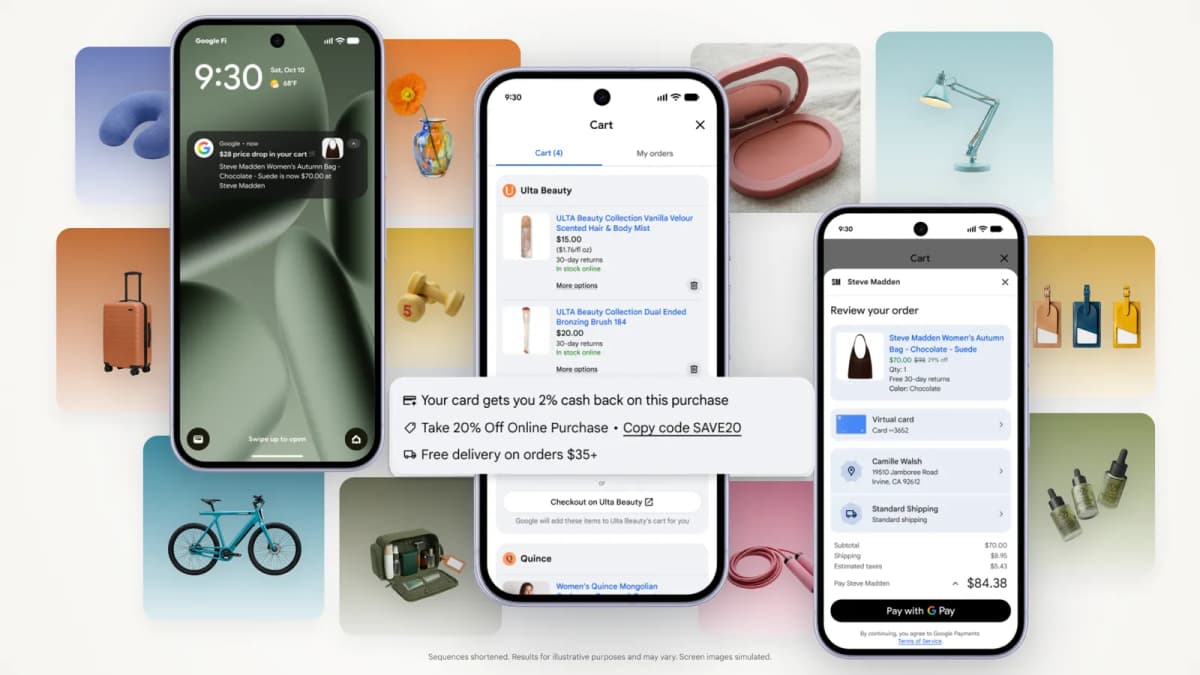
Source: Google. Universal Cart product illustration.
Save Products Across Stores
Shoppers can keep products from different retailers in one cart across supported Google experiences. Saved items remain available when they return, helping them resume an unfinished shopping session.
Track Price Drops and Restocks
The cart can notify shoppers when saved products drop in price or return to stock. These updates give shoppers a reason to revisit items they previously considered.
Find Promotions and Payment Benefits
Universal Cart can surface relevant promo codes and help shoppers choose a payment method based on available card benefits.
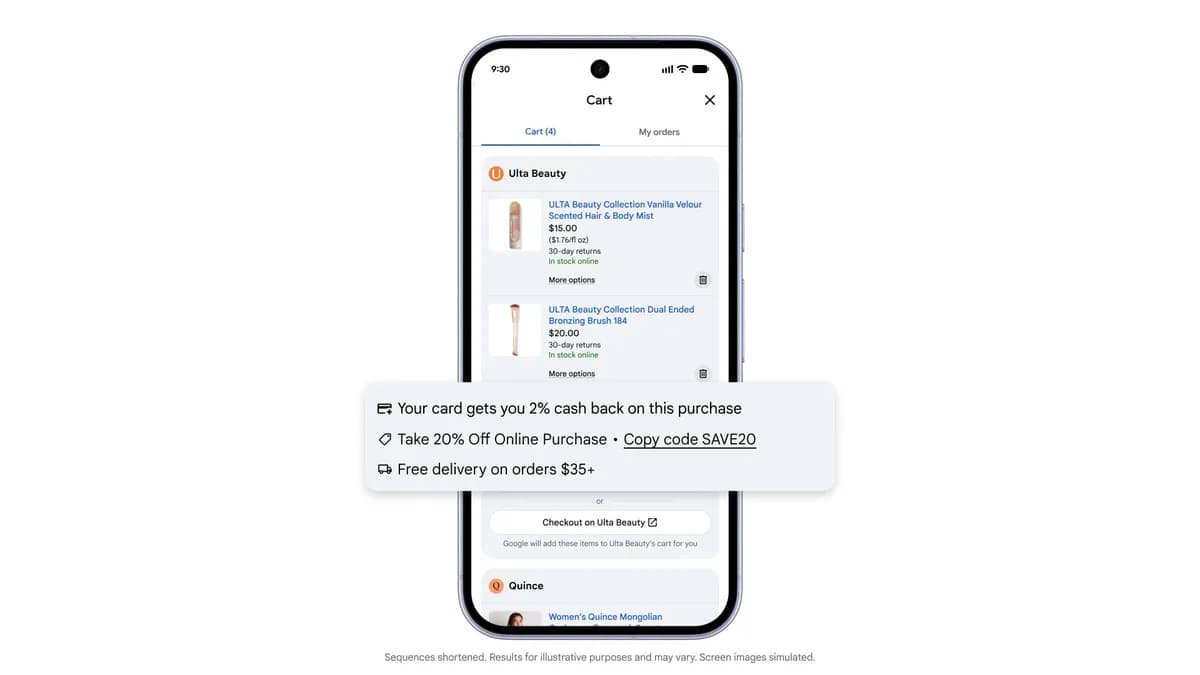
Source: Google. Promotional offers and payment benefits shown in Universal Cart.
Choose a Checkout Path
Supported experiences let shoppers complete a purchase with Google Pay within Google or transfer items to the merchant's cart. The merchant remains the seller of record and provides order confirmations and customer support.
Google's UCP Cart API creates a cart on the merchant's system. Native checkout is a separate integration and is not required for cart transfer. The initial Cart API does not support updating, deleting, or synchronizing cart contents between Google and the merchant's system.
What Changes for Sellers
These capabilities could affect where shoppers compare products, when they return to buy, and how merchants measure the resulting orders.
More Decisions Before a Store Visit
A shopper may return to Google's cart to reconsider saved products before revisiting individual stores. Some comparison could therefore happen before the seller's website has a chance to explain the offer.
Product information for AI search needs to communicate value on its own. A title such as “Premium travel pouch” leaves important questions unanswered. Capacity, dimensions, material, included pieces, and the selected color help distinguish the item without requiring a visit to the store's collection pages or brand story.
Greater Visibility Into Offers
Price alerts and promotion discovery could make it easier for shoppers to wait for, and evaluate, a better deal. Sellers may face more pressure to explain the total value of an offer, including delivery charges, discount conditions, and product differences.
That does not make every competitor discount worth matching. A lower price may apply to a smaller pack, a different variant, or a slower delivery option. Card-provider rewards also have different economics from merchant-funded discounts: a benefit to the shopper may not be a cost borne by the retailer.
Purchase Paths Beyond the Website Funnel
Different AI shopping checkout paths affect which parts of the purchase happen on the merchant's site. A transferred cart brings the shopper onto the website, while native checkout may bypass steps in the existing website funnel. A change in website visits or conversion rate can therefore be difficult to interpret without knowing where orders were completed.
The operational responsibility continues after purchase. Confirmations, support, and return handling need to work for orders arriving through each supported path.
What Sellers Should Do
Start with a manageable group of commercially important products. Assign an owner to each action and establish a baseline before evaluating results.
Confirm Access and Checkout Options
Check the capabilities available through Merchant Center and the store's commerce provider. Document the actual account's onboarding requirements and supported purchase paths before planning an integration. Choose initial products with stable inventory and reliable identifiers.
Audit Product Data and Availability
Compare each selected variant across the feed, product page, and checkout. Check identifiers, images, prices, availability, and what is included in the offer. Google's product data specification calls for accurate, consistent information; the same discipline helps shoppers understand exactly what they would receive. For Shopify stores, include product-page content and structured data in this audit so search systems can interpret the same product facts.
Check the delay between inventory updates and the information visible to customers. Prioritize fast-moving variants, where an outdated availability status can quickly lead to a failed purchase.
Set Promotion and Margin Rules
Before scheduling a promotion, record its sale window, eligible variants, minimum spend, exclusions, and minimum acceptable contribution per order. Keep those conditions consistent through checkout.
Model the costs the retailer actually bears. For example, a free-delivery threshold may encourage an extra item, but the additional margin must justify the shipping cost. Increasing basket value with a low-margin add-on can still reduce profit.
Compare equivalent competing offers before changing prices. Give shoppers concrete reasons to choose the product, such as a useful bundle, clear sizing information, or a credible delivery estimate.
Test the Complete Purchase Path
For cart transfer, verify the items and quantities, destination cart, unavailable-product handling, and what happens when the customer already has items in the store's cart.
For each supported checkout path, confirm that the purchase creates the correct backend order. Test confirmations, support instructions, and return handling against that record. Keep customer-data use and marketing consent aligned with the permissions collected through the chosen path.
Measure Orders and Contribution
Where the integration exposes the information, identify the checkout path associated with each order. Reconcile it with backend orders, cancellations, refunds, and net revenue. Use order IDs to avoid duplicate purchase counts across reporting systems.
Review contribution per order alongside conversion rate, and track returns and repeat purchases when assessing promotional value. Record simultaneous changes in advertising, prices, and stock during the pilot. Compare similar products and periods, using a controlled rollout or credible comparison group where practical before attributing incremental sales to the new experience.
Conclusion
Google Universal Cart makes it useful for sellers to examine the entire journey from a saved product to a completed order. The immediate work is concrete: accurate product information, sustainable offers, tested checkout paths, and reporting tied to actual orders.
Research and Create With Nexscope
Preparing for new shopping experiences involves understanding the market and presenting products clearly. Nexscope brings together ecommerce data and AI creative capabilities to support that work:
- Multiple marketplaces and data sources. Research products and markets using ecommerce data from sources including Amazon, TikTok Shop, Shopify, Walmart, and Google Trends, with coverage varying by source.
- Evidence for seller decisions. Use product, pricing, keyword, review, ranking, and store data to investigate demand, compare competing offers, and improve product content.
- REST API and MCP access. Connect supported data to the team's own agents, applications, and workflows, keeping research and decision-making in the tools the team already uses.
- Product video creation. Turn product images and selling points into short-form promotional videos, or use URL to Video to start from a product page.
- Image and creative production. Create product imagery and campaign assets with Creative APIs, including image generation, background editing, and virtual try-on.
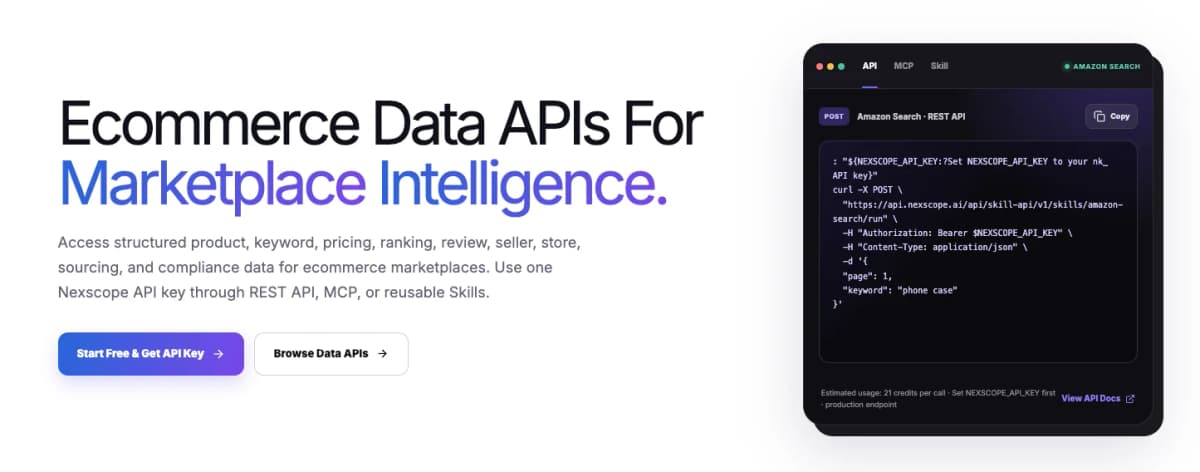
Source: Nexscope. Ecommerce Data APIs for marketplace research.
Start Researching and Creating With Nexscope
Connect marketplace data to the team's workflow and explore product-video and creative tools. New users receive 1,000 trial credits valid for 3 days, with no credit card required. Data APIs use pay-as-you-go credits; Creative APIs and video workflows require a separate subscription.
Get Started With Nexscope →Frequently Asked Questions
Is Google Universal Cart available worldwide?
The October 15, 2026 rollout covers the United States across Google Search and the Gemini app. Check the current availability for the shopper's market and the merchant's integration when planning a rollout.
Does every Shopify store automatically support it?
A seller should check its store's enabled capabilities and provider setup. Using Shopify alone is insufficient evidence that a particular cart-transfer or native-checkout experience is active for that store.
How is Universal Cart different from UCP?
Universal Cart is the shopping experience. Universal Commerce Protocol is an open standard used to connect commerce systems. Cart transfer is one UCP capability; native checkout is a separate capability with its own integration requirements.
Does cart transfer keep both carts synchronized?
The initial Google UCP Cart API creates a cart on the merchant's system for the handoff. It does not support continuous synchronization or subsequent update and delete operations between the two carts.
What should a smaller seller prioritize?
Begin with a manageable product sample, confirm eligibility, correct product-data discrepancies, and test the supported checkout path. Establish order reporting and promotional margin limits before increasing the scale of the rollout.
Sources
- Google. (2026). Introducing the Universal Cart and more ways to help you shop. Retrieved from blog.google
- Google for Developers. (2026). Cart API. Retrieved from developers.google.com
- Google Merchant Center Help. (2026). Product data specification. Retrieved from support.google.com
- Google Merchant Center Help. (2026). How to onboard to the UCP integration hub in Merchant Center. Retrieved from support.google.com