
Free trial1,000 credits
Clone Winning Ads for Your Product
Turn an ad you love into a new video for your product.
Winning ideas Your next ad
Clone a product ad in 3 steps
Choose an ad. Add your product. Let AI bring your version to life.
Create your ad01
Choose an ad to build on
Start with an ad you love or one of your own top performers. Use it to guide the scenes, pacing, and style.
02
Add your product photos
Upload clear photos of your product. Tell AI which scenes, actions, or details to adapt for your version.
03
Generate your own version
Choose your settings, check the credit estimate, and generate your ad. Review the result, then download it for your next campaign.
See ad ideas reimagined
Explore how reference ads become new videos for different products.
Lip balm
Summer sandals
Wireless earbuds
Creative for your next ad
Build on an idea you love. Give shoppers a new reason to notice your product.
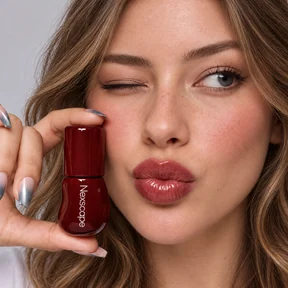
Put your product in the spotlight
Found a product demo you love? Use it as a starting point for an ad featuring your own product.

Give your next launch a head start
Bring an ad that captures the look you want. Create a launch video without planning every scene from scratch.
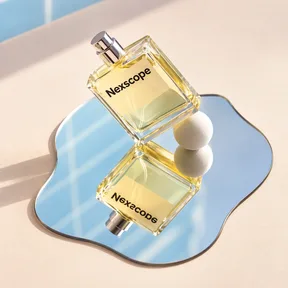
Find your next creative angle
Try different references and scene descriptions to explore new ways to sell the same product.
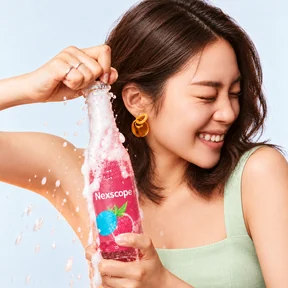
Keep your social content fresh
Turn a familiar ad concept into a new product video for your next social post or paid campaign.
More ways to create ads
No reference ad? Start with the assets you already have.

Ad cloning FAQs
How does AI ad cloning work?
Start with a reference ad and your product photos. Nexscope uses the reference to guide the scenes, pacing, and style of a new AI-generated video featuring your product.
Will my ad look exactly like the reference?
Your ad is a new AI-generated version, not an exact copy. Scenes, motion, timing, and product details can vary. Review the result before using it in a campaign.
What do I need to get started?
Bring a reference ad, clear product photos, and a short description of what you want to keep or change. The reference gives AI a visual starting point.
Can I create different versions for the same product?
Yes. Try a different reference ad or change your scene description to explore another creative angle. Each generation uses credits; check the estimate before you start.
Which ads can I use as a reference?
Use your own ads or reference material you have permission to use. Choose scenes and product interactions that make sense for your product, then review your new version before publishing.
How many credits does it take to create an ad?
Credit usage depends on your selected model and settings. The workspace shows an estimate before you generate; browsing these examples does not use credits.
Make your next ad
Bring the inspiration. Add your product. Create your next video ad with AI.
Create your ad