
10 Best MCP Servers for Ecommerce Market Research

Table of Contents
The best MCP servers for ecommerce market research give your AI assistant access to the evidence behind a product decision: competing listings, price history, customer feedback, search demand, and competitor traffic.
Consider a seller researching insulated travel mugs. A useful analysis needs to establish which products compete at the target price, how prices have changed, what customers dislike, and how shoppers discover competing brands. Each question requires a particular kind of data.
MCP, short for Model Context Protocol, lets a compatible AI assistant discover and call tools from an external service. For research, that means retrieving information from connected providers and using it in your own analysis workflow.
This list starts with Nexscope for marketplace research, then covers specialist datasets and flexible collection tools. Some provide established research data; others collect information from pages you choose. The comparison focuses on the research job each supports, the data it supplies, and what you need to turn that data into a useful decision.
Quick Comparison
Choose by the question you need to answer. Product research, search-demand analysis, and website intelligence operate at different levels of a market.
| MCP server | Recommended research use | Data approach | Main consideration |
|---|---|---|---|
| Nexscope | Cross-marketplace research, marketing intelligence, and downstream creative workflows | Ecommerce and Marketing Data APIs, plus Creative APIs | MCP availability varies by tool; Creative APIs have separate subscription requirements |
| Keepa | Amazon historical pricing and seller research | Amazon research database | Requires an active API subscription |
| Bright Data | Product and review collection across retailers | Structured scrapers and public web access | Select the appropriate scraper and output fields |
| Apify | Combining specialized collection workflows | Discoverable, runnable Actors | Capabilities depend on the selected Actor |
| SerpApi | Shopping results and product visibility | Search-engine results | A search snapshot describes a particular query and location |
| DataForSEO | Keywords, demand, and search competition | SEO and market-research data | Choose the relevant dataset and geographic scope |
| Similarweb | Competitor websites and acquisition channels | Website intelligence | Access follows subscription coverage |
| Semrush | Competitor keywords and search strategy | SEO, traffic, and market data | Available datasets depend on the subscription |
| Decodo | Extracting information from selected product pages | Web scraping and structured output | Define the collection scope and comparison fields |
| Zyte | Adding product extraction to web-data operations | Zyte API and Scrapy Cloud integration | Best suited to teams managing collection workflows |
1. Nexscope: Best for Ecommerce Research, Marketing, and Creative Workflows
Nexscope brings ecommerce data, marketing intelligence, and image and video generation into one API platform. Its value for a research team is the ability to carry a product opportunity into the next stage: investigate demand, study how competitors attract buyers, and use those findings to brief campaign assets. Supported data tools connect to your own AI assistant through MCP; documented REST APIs support applications and downstream creative workflows.
Marketplace Coverage
The ecommerce data catalog covers Amazon, TikTok Shop, Temu, Walmart, Shopify, WooCommerce, Etsy, Shopee, eBay, Ozon, Mercado Libre, and 1688, alongside sources such as Google Trends. These sources serve different research needs: marketplace competition, independent-store assortments, wholesale sourcing, and search interest. Regional coverage and available fields differ by endpoint.
Teams can investigate products, prices, sales signals, rankings, reviews, keywords, sellers, and stores. Compare competing Amazon products, examine TikTok Shop products and their associated creators or videos, or research 1688 sourcing options. This breadth helps a seller connect product demand with supply and promotion opportunities.
Marketing Intelligence
Marketing APIs extend the research beyond marketplace listings. The catalog includes:
- Keyword research and SERP data: Investigate search demand and the pages competing for relevant queries.
- Competitor and traffic intelligence: Compare competing websites and estimated traffic to inform channel research.
- Website, on-page SEO, and backlink data: Identify content and search-visibility opportunities for an ecommerce store.
- Advertising intelligence: Research competitor advertising and paid-search activity to inform campaign planning.
- AI visibility data: Investigate brand mentions and citations in AI search responses.
For a seller, this connects two decisions that are often researched separately: which product to pursue and how potential buyers might discover it.
Image and Video Creation
Creative APIs support the production work that follows research. They include image and video generation models, plus ecommerce workflows for product imagery, lifestyle scenes, background editing, virtual try-on, and marketing videos.
A team can use review findings and competitor research to write a creative brief, then call the relevant generation API to produce assets for testing. This is a workflow your team builds with Nexscope's services; it does not mean every creative endpoint is exposed through MCP or that research automatically produces a finished campaign.
Why Choose Nexscope
- One API key across the catalog. Connect supported ecommerce, marketing, and creative services through a shared authentication entry point, reducing the number of separate credentials your integration needs.
- Research that reaches beyond product discovery. Sourcing data, creator research, and selected patent and IP-screening tools support further investigation before a launch.
- Your own assistant and workflow. Use supported MCP tools for conversational research and REST APIs for application logic, scheduled analysis, or creative production.
- Documented tools and an online tester. Inspect inputs, outputs, and usage requirements before integrating a capability.
- Flexible data usage. Data APIs use pay-as-you-go Data Credits without a Data API subscription, so teams can begin with a small research task.
Best fit: Ecommerce analysts, sellers, and growth teams that want marketplace research and marketing intelligence in one integration, with creative APIs available for the next stage.
Example workflow: Research travel mugs on Amazon and TikTok Shop; investigate search demand and competing websites; review potential sourcing options; then turn the findings into a brief for product images and a short launch video. Preserve source dates, distinguish estimated metrics, and review generated assets before use.
Access: One API key does not mean one billing model. New users receive 1,000 Data trial credits valid for three days, with no credit card required. Creative APIs require an active subscription and consume credits; the Data trial does not unlock Creative API access.

Bring Marketplace Evidence Into Your Research
Connect your own AI assistant to supported Nexscope data tools, then extend your workflow with marketing intelligence and creative APIs as your project grows.
Connect Your Agent to Nexscope →2. Keepa: Best for Amazon Price History
A current price says little about whether a product normally sells at that level. Keepa is a strong fit when the research question depends on Amazon pricing over time.
Its official hosted MCP server exposes Amazon research data to compatible assistants.
Key capabilities:
- Retrieve product prices, statistics, and Buy Box data.
- Examine historical prices and generate Keepa charts.
- Search products and use Product Finder or Seller Finder queries.
- Explore category best sellers, deals, and seller storefronts.

Best fit: Amazon sellers investigating pricing patterns, sourcing candidates, or competing sellers.
Example research brief: “Review the Buy Box history for these ASINs and identify products whose current prices differ substantially from their usual range.”
Access: An active Keepa API subscription is required, and MCP calls consume the plan’s API tokens.
Main consideration: Keepa focuses on Amazon. Its historical depth is particularly relevant when a decision needs more context than a current listing snapshot.
3. Bright Data: Best for Structured Retailer Data Collection
Comparing an item across retailers starts with collecting comparable records. Bright Data’s MCP server provides public web access and structured scraping tools for that task.
Key capabilities:
- Discover scrapers for the target website or data type.
- Retrieve supported product, review, and search-result data from retailers including Amazon, Walmart, and eBay.
- Collect fields such as price, availability, rating, and seller information where supported.
- Use Google Shopping data for comparisons across retailers.

Best fit: Teams assembling their own product and competitor datasets from multiple public sources.
Example research brief: “Collect these product listings and return the retailer, exact model, pack size, price, and availability.”
Access: Configure the relevant MCP tools and account access for the required scraping services.
Main consideration: Collected listings still need product matching. Different colors, bundle sizes, or sellers can make apparently identical offers unsuitable for a direct price comparison.
4. Apify: Best for Flexible Research Scrapers
Apify is useful when a research project needs several specialized collectors. Its MCP server lets an assistant discover and run Actors, then retrieve their results.
Actors are individual tools with their own supported websites, inputs, outputs, and pricing.
Key capabilities:
- Find Actors suited to a particular collection task.
- Inspect an Actor’s input schema, output information, and pricing before running it.
- Execute selected Actors and retrieve stored results.
- Combine ecommerce and other public-source collection within a research workflow.

Best fit: Researchers who want to assemble a workflow from existing collectors instead of building every scraper themselves.
Example research brief: “Find a suitable Actor for collecting reviews from these product pages, inspect its fields and cost, then prepare a small sample run.”
Access: Running Actors requires the relevant authentication or supported payment route; charges depend on the Actor and usage.
Main consideration: Assess the individual Actor. The platform’s overall catalog does not establish the coverage or reliability of a particular scraper.
5. SerpApi: Best for Shopping Search Research
Shopping research often starts with the products and merchants that appear for a buyer’s query. SerpApi connects search-engine results to an assistant through its official MCP server.
Key capabilities:
- Query supported search engines through a common MCP interface.
- Retrieve Google Shopping results for product-discovery research.
- Use supported marketplace search engines, including Amazon and eBay.
- Return structured results for further comparison.

Best fit: Teams researching shopping visibility, competing offers, and the results shoppers encounter for target queries.
Example research brief: “Compare Google Shopping results for ‘insulated travel mug’ in the target market and group the visible offers by brand and price band.”
Access: Connect using a SerpApi account and API key; searches use the account’s allowance.
Main consideration: Define the query, country, and observation date. Search results describe visibility under those conditions; they do not establish a product’s unit sales.
6. DataForSEO: Best for Search-Demand Research
Product research also needs an understanding of the language shoppers use. DataForSEO’s official MCP integration provides access to SEO data for keyword and market analysis.
Key capabilities:
- Investigate keyword demand with supported keyword-data tools.
- Retrieve search results for selected locations and languages.
- Explore keyword and competitor relationships through supported Labs data.
- Bring structured research inputs into an AI-assisted analysis workflow.

Best fit: Ecommerce teams evaluating category demand and search competition before committing to content or acquisition plans.
Example research brief: “Compare demand for leakproof mugs, commuter mugs, and insulated coffee cups in the US, keeping the same data source and period.”
Access: Use the official MCP connection with the relevant DataForSEO account credentials and data access.
Main consideration: Search demand describes interest. Combine it with product economics and marketplace evidence when deciding whether to source an item.
7. Similarweb: Best for Competitor Website Research
For an independent store, understanding competing websites can be as useful as studying individual listings. Similarweb’s MCP server exposes Website Intelligence data for that work.
Key capabilities:
- Retrieve website traffic and engagement metrics over time.
- Examine traffic sources by marketing channel.
- Compare competing domains within an analysis workflow.
- Query the datasets, regions, and historical ranges available in the account.

Best fit: DTC brands and market researchers studying competing stores and acquisition patterns.
Example research brief: “Compare these three competitors over the same period and identify differences in traffic trends and channel mix.”
Access: A subscription with API access is required; dataset availability follows the account’s entitlements.
Main consideration: Website-level intelligence answers questions about audience and acquisition. SKU-level research needs a complementary source of product data.
8. Semrush: Best for Competitor Search Strategy
Semrush is a useful fit when the market question concerns how competitors attract search traffic. Its MCP integration brings supported SEO, traffic, and market datasets into compatible assistants.
Key capabilities:
- Investigate competitor keyword coverage.
- Explore keyword opportunities and search competition.
- Use supported backlink data to examine search visibility.
- Retrieve traffic and market data when included in the subscription.

Best fit: Ecommerce marketers choosing category-page, content, and search-acquisition priorities.
Example research brief: “Identify commercially relevant keyword themes covered by these competing stores and group them into product-category opportunities.”
Access: MCP requires an eligible Semrush subscription; available data and API units depend on the plan.
Main consideration: Separate informational searches from queries that signal product interest. A large keyword list becomes actionable only after matching it to products the business can sell.
9. Decodo: Best for Custom Product-Page Research
Some projects require a specific set of websites and fields. Decodo’s official MCP server connects assistants to web-data collection capabilities, including ecommerce scraping.
Key capabilities:
- Collect information from selected websites through MCP.
- Use JavaScript rendering for pages that require it.
- Retrieve structured JSON or Markdown output.
- Apply available geographic targeting to relevant collection tasks.

Best fit: Technical teams building a repeatable research dataset from a defined list of product pages.
Example research brief: “Extract product title, displayed price, pack size, and stock status from this list of competitor URLs.”
Access: Configure the hosted or local server with the appropriate Decodo account credentials.
Main consideration: Specify the output schema before collecting at scale. Consistent fields make it easier to detect missing values and compare observations across websites.
10. Zyte: Best for Existing Web-Data Workflows
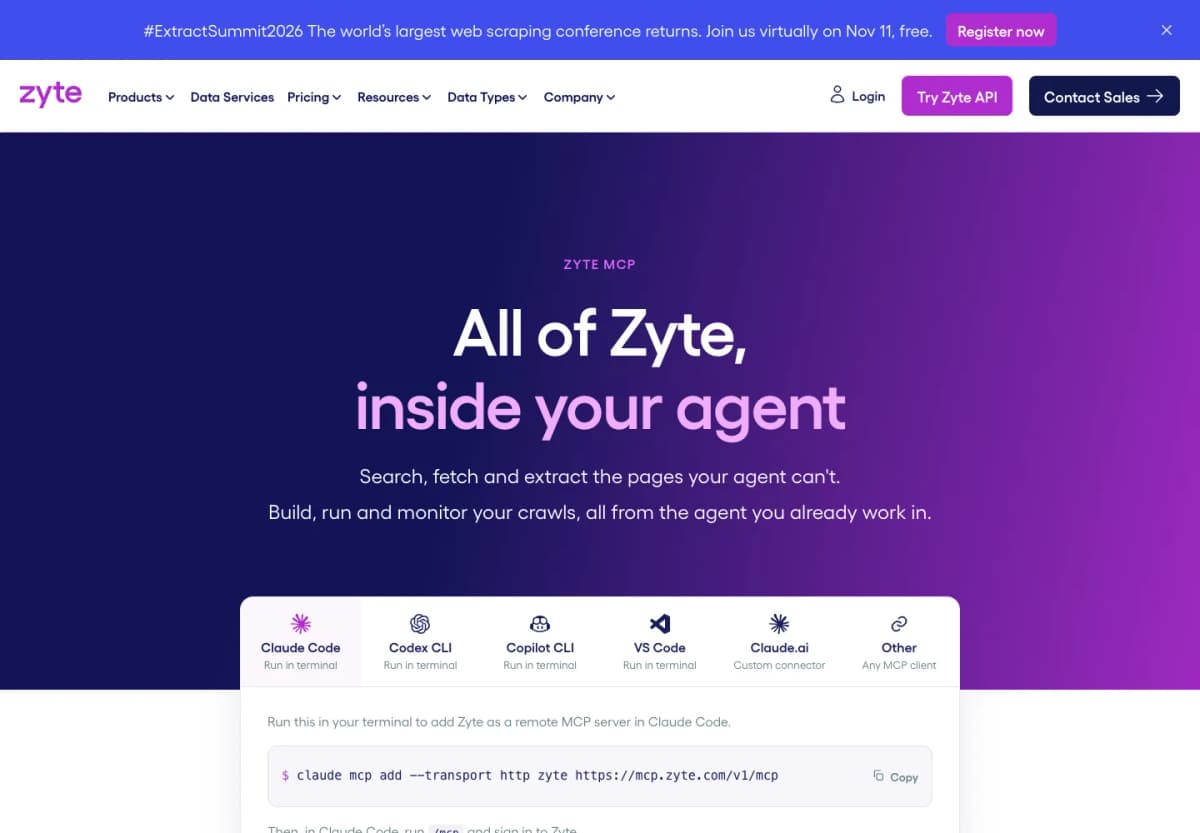
Zyte suits teams that already manage web-data collection or need to develop that capability. Its hosted MCP server makes Zyte API and Scrapy Cloud available to compatible agents.
Key capabilities:
- Retrieve protected or JavaScript-heavy pages through Zyte’s access infrastructure.
- Extract information such as current product price and availability.
- Return page content in formats suitable for further analysis.
- Inspect supported Scrapy Cloud operations within the same agent workflow.
Best fit: Data teams maintaining custom product and competitor collection processes.
Example research brief: “Extract current price and availability from these product URLs, then inspect failed collection jobs that left gaps in the dataset.”
Access: Connect to the hosted server and authenticate with a Zyte account.
Main consideration: This approach gives the team control over collection. The team also defines how records are matched, stored, and interpreted over time.
How to Use Nexscope MCP
1. Copy the Setup Prompt
Paste this one-line setup prompt from the Nexscope MCP Guide into Codex, Claude Code, or Cursor:
Set up Nexscope for me — read and follow https://www.nexscope.ai/agents.md
2. Complete the Connection
Follow your assistant's setup instructions and finish sign-in or API-key configuration. Copying the prompt starts setup; it does not establish a connection by itself. If your client asks for manual settings, use:
- Server URL:
https://api.nexscope.ai/mcp - Transport: Streamable HTTP
- API-key authentication:
Authorization: Bearer YOUR_API_KEY
3. Choose What You Want to Do
Once connected, you can ask your assistant to use Nexscope for specific ecommerce tasks. Start with the outcome you need:
| Task | What you can do | Example request |
|---|---|---|
| Find product opportunities | Search products and rankings across supported marketplaces, then compare prices, ratings, and sales signals. | “Find travel mugs on Amazon US and compare five products in the $20–$35 range.” |
| Understand competing products | Examine competing listings, price history, and customer reviews to identify positioning gaps. | “Compare these ASINs and summarize recurring complaints about their lids and insulation.” |
| Research TikTok Shop promotion | Investigate products, creators, videos, and livestream data to understand how products are promoted. | “Find creators and videos associated with this TikTok Shop product and summarize the available performance signals.” |
| Explore sourcing options | Search 1688 products and inspect supplier, SKU, and pricing information. | “Find 1688 sourcing candidates for this product and compare their available specifications and prices.” |
| Plan search and marketing | Research keywords, search results, competing websites, backlinks, and advertising signals. | “Research US search demand for insulated travel mugs and identify competing pages and keyword themes.” |
| Check AI visibility | Examine supported AI-search responses for brand mentions and citations. | “Check whether my brand appears in the supported AI-search results for these shopping questions.” |
| Create product images | Use supported image-generation and editing tools for product visuals, lifestyle scenes, and campaign assets. | “Use this product photo to create a lifestyle image of the mug on an office desk.” |
| Create product videos | Use supported video-generation tools to turn product references and a brief into a marketing video. | “Use this product photo to create a short vertical launch video showing the mug in a commuter setting.” |
Tell your assistant the target platform, country, product identifiers or reference images, and desired output. It can identify the relevant tool and ask for any missing inputs. Available fields vary by tool; image and video generation require the applicable Creative subscription and credits.
4. Run Your First Research Task
Try a focused brief:
Research insulated travel mugs on Amazon US. Compare five competing products by price, rating, review themes, and available sales signals. Keep source links and observation dates, label estimates, and ask me for any missing required inputs before running the research.
Then build on the findings with keyword research, competitor analysis, or a creative brief. For a repeatable Amazon product research workflow with Codex, save the results in a consistent comparison table before expanding the task.
Conclusion
The best MCP server for ecommerce market research depends on the evidence your decision requires. Nexscope combines cross-marketplace research with marketing intelligence and offers creative APIs for turning research briefs into image and video assets. Keepa adds Amazon pricing history. Search and website-intelligence providers address demand and acquisition questions, while collection tools help build custom datasets.
Start with a specific product category, target market, and comparison format. Connect the relevant source, review a small sample, and expand when the data answers the question.
Start Your Next Product Research Brief
Bring structured ecommerce data into your own AI workflow with Nexscope. New users receive 1,000 trial credits valid for three days, with no credit card required.
Start Your Nexscope Data Trial →Frequently Asked Questions
What is an MCP server for ecommerce market research?
It is a connection that lets a compatible AI assistant discover and call a provider’s research or data-collection tools. Depending on the provider, those tools may return product details, historical prices, reviews, keyword metrics, or website intelligence. The assistant uses the returned information within the research task you define.
Which MCP server should I choose for product research?
Start with the marketplace and fields you need. Nexscope is suited to teams combining research across marketplaces with search, competitor, and marketing intelligence. Keepa is a focused option for Amazon historical pricing and seller data. If the project needs information from a custom set of websites, a collection service such as Bright Data or Apify may fit the task.
Can an MCP server provide historical prices?
Historical coverage depends on the provider and tool. Keepa explicitly supports Amazon price history. A scraper that retrieves today’s product page generally supplies a current observation. Building a historical series from those observations requires repeated collection, consistent product matching, and storage over time.
Can I use several MCP servers together?
Yes, when your AI client supports multiple connections. Define a distinct role for each source, such as marketplace research, price history, or competitor traffic. Give the assistant consistent country and date requirements, and preserve source-specific metric definitions when combining the results.
Are ecommerce research MCP servers free?
The underlying data service determines the cost. Providers may charge through API subscriptions, credits, requests, or individual scraper runs. Nexscope Data APIs use pay-as-you-go Data Credits, with a three-day, 1,000-credit trial for new users. Check both access requirements and the cost of the intended research workload.
Can an MCP server automatically identify profitable products?
A connected tool can supply evidence for a product decision. Profitability also depends on landed cost, fees, returns, advertising, and achievable selling price. Ask your assistant to keep those assumptions explicit and compare several scenarios. A promising demand signal is a reason to investigate the economics further.
Sources
- Nexscope. 2026. API Documentation; Ecommerce Data APIs; Marketing Data APIs; Creative APIs; MCP Guide. nexscope.ai.
- Keepa. 2026. MCP Server. keepa.com.
- Bright Data. 2026. Official Bright Data MCP Server Repository. github.com.
- Apify. 2026. Apify MCP Server. docs.apify.com.
- SerpApi. 2026. MCP Integration; Building an AI Agent in Python. serpapi.com.
- DataForSEO. 2026. DataForSEO Model Context Protocol. dataforseo.com.
- Similarweb. 2026. Similarweb MCP Overview. developers.similarweb.com.
- Semrush. 2026. Semrush MCP Overview. developer.semrush.com.
- Decodo. 2026. Official Decodo MCP Server Repository. github.com.
- Zyte. 2026. Introducing Zyte MCP: Powerful Web Data Gathering for Your Agent. zyte.com.