
8 Free Official Amazon AI Tools for Sellers in 2026

Amazon has quietly rolled out a suite of AI-powered tools designed to help sellers work faster and smarter. These tools are built directly into Seller Central, completely free to use, and many sellers don't even know they exist.
From generating product listings with a single image to scanning for high-potential niches, Amazon's official AI features can save hours of manual work. This guide covers all 8 tools, what they do, and how to start using them today.
What Are Amazon's Official AI Tools?
Amazon has been investing heavily in generative AI for sellers. Unlike third-party tools that require separate subscriptions, these features are built into Seller Central and available at no additional cost.
The goal is simple: reduce the time sellers spend on repetitive tasks so they can focus on growing their business. According to Amazon, sellers using Gen AI Listing have seen sales increase by up to 4%.
Here's the complete list of official AI tools currently available:
- Product Opportunity Explorer — Find high-potential niches
- Selection Compass — Data-driven product selection
- Gen AI Listing — Auto-generate listings from images or URLs
- Gen AI A+ Content — Create A+ pages with AI
- Brand Name Creator — Generate brand names for international markets
- FBA Revenue Calculator — Calculate fees and profit margins
- Amazon Creative Hub — AI-generated ad creatives
- Amazon Canvas — Your AI-powered operations dashboard
Let's dive into each one.
1. Product Opportunity Explorer
The problem: Finding the right product can make or break your Amazon business. But most sellers end up "blind picking"—guessing what might sell based on gut feeling or outdated research.
Product Opportunity Explorer solves this by giving you access to Amazon's own search and sales data. No more guessing. You see exactly what customers are searching for, which niches are growing, and where competition is light.
Key Features
- Niche discovery — Browse categories to find underserved markets
- Search term analysis — See actual customer search volumes
- Demand trends — Track seasonal patterns and growth trajectories
- Competitive metrics — Understand how saturated a niche is
How to Access
- Log into Seller Central
- Go to Growth → Product Opportunity Explorer
- Search by keyword or browse by category
Best For
Sellers in the product research phase who want reliable, first-party data before committing to a new product line.
2. Selection Compass
The problem: Even after finding a promising niche, how do you know if it's right for your business? A product that works for one seller might be a disaster for another.
Selection Compass takes your specific situation into account—your existing catalog, fulfillment method, and selling history—then recommends products that actually fit your capabilities.
Key Features
- Personalized recommendations — Suggestions based on your store profile
- Market fit analysis — Shows how well a product matches your capabilities
- Risk indicators — Flags potential challenges before you commit
How to Access
Available in Seller Central under Growth → Selection Compass.
Best For
Established sellers looking to expand their catalog strategically rather than randomly.
3. Gen AI Listing
The problem: Writing a high-converting listing used to take hours. You had to craft the perfect title, write compelling bullet points, describe every feature, and match the right category. Get it wrong, and your product disappears in search results.
Now you can skip all that. Upload a single product photo—or paste a URL from your existing website—and Gen AI Listing builds your entire listing automatically. Title, bullets, description, category matching, all done in seconds.
Key Features
- Image-to-listing — Upload a photo, get a complete listing
- URL import — Pull product details from your existing website
- Category matching — AI automatically selects the correct product category
- SEO optimization — Generates titles and bullets optimized for Amazon search
Official Data
Amazon reports that sellers using AI-generated listings see sales increase by up to 4% compared to manually created listings.
How to Access
- Go to Catalog → Add Products
- Select Use AI to create your listing
- Upload an image, paste a URL, or enter a description
Best For
Sellers with large catalogs who need to create or update listings quickly. Also great for new sellers who aren't sure how to write Amazon-style copy.
4. Gen AI A+ Content
The problem: A+ Content boosts conversions—everyone knows that. But creating it? That means hiring designers, writing copy, coordinating layouts. For new sellers without a creative team, it's a major bottleneck.
Gen AI A+ Content removes that barrier. Upload your product images, and AI generates professional A+ pages automatically—layouts, copy, everything. No designers needed.
Key Features
- Layout suggestions — AI recommends page structures based on your product
- Copy generation — Writes A+ content that highlights key benefits
- Image recommendations — Suggests what types of images to include
- Brand story integration — Helps build cohesive brand narratives
Requirements
- Must be enrolled in Amazon Brand Registry
- Available for products in eligible categories
How to Access
Go to Advertising → A+ Content Manager → Create A+ Content and look for AI-assisted options.
Best For
Brand-registered sellers who want professional A+ pages without hiring a designer or copywriter.
5. Brand Name Creator
The problem: Many sellers pick brand names casually—maybe a random word or some pinyin that sounds okay in their native language. Then they discover their "perfect" name means something embarrassing in German, or customers can't pronounce it, or it's impossible to remember.
Brand Name Creator generates names specifically designed for international markets—culturally appropriate, easy to remember, and aligned with your product category.
Key Features
- Cultural adaptation — Suggests names that work across markets
- Memorability scoring — Ranks names by how easy they are to remember
- Trademark guidance — Flags potential conflicts (though you should still do your own research)
- Category relevance — Ensures names fit your product category
How to Access
Available through Seller Central for sellers creating new brands.
Best For
New sellers launching private label products who need a brand name that resonates with international customers.
6. FBA Revenue Calculator
The problem: Amazon's 2026 fee structure is more complex than ever—inbound placement fees, low-inventory fees, storage surcharges, and more. "Gut feeling" pricing doesn't work anymore. One miscalculation and your "profitable" product is actually losing money.
FBA Revenue Calculator shows you every single fee, itemized. No surprises. You see exactly what you'll pay and what you'll keep before you commit to inventory.
Key Features
- Fee breakdown — See fulfillment, storage, and referral fees itemized
- Profit estimation — Calculate margins at different price points
- Comparison mode — Compare FBA vs. FBM fulfillment costs
- Seasonal adjustments — Account for peak storage fees
How to Access
Go to Inventory → FBA Revenue Calculator or search for any ASIN and click "Revenue Calculator."
Best For
Every FBA seller. Understanding your true costs is essential for profitable pricing.
7. Amazon Creative Hub
The problem: Running ads without fresh creatives is like fishing without bait. But hiring designers is expensive. Using stock photos risks copyright issues. And doing it yourself? Most sellers don't have the skills.
Amazon Creative Hub generates professional ad creatives for you—lifestyle images, promotional graphics, everything optimized for Sponsored Brands and Display ads. Free, fast, and no copyright worries.
Key Features
- AI image generation — Create lifestyle images featuring your products
- Ad creative templates — Ready-to-use formats for different ad placements
- A/B testing suggestions — AI recommends variations to test
- Brand consistency — Maintains your visual identity across creatives
Key Benefits
- Free to use (no agency fees)
- No copyright concerns (Amazon-generated)
- Optimized for Amazon's ad placements
How to Access
Go to Advertising → Creative Hub in Seller Central.
Best For
Sellers running Sponsored Brands or Sponsored Display campaigns who need fresh creatives without the cost of a design team.
8. Amazon Canvas
The problem: Running an Amazon business means juggling sales data, ad performance, inventory levels, and growth opportunities—all in different dashboards. By the time you notice a problem, it's already cost you money.
Amazon Canvas is like hiring an AI operations manager. It monitors everything, spots issues before they become disasters, and tells you exactly what to do next. Think of it as your real-time "command center" for the entire business.
Key Features
- Unified dashboard — Sales, advertising, inventory, and growth metrics in one view
- Proactive alerts — AI identifies issues before they become problems (conversion drops, stock-outs, bid opportunities)
- Action recommendations — Not just data, but specific next steps
- Conversational interface — Ask questions in plain English
Current Availability
Amazon Canvas launched in March 2026 and is currently available to sellers in the US and UK at no additional cost.
How to Access
Look for the Canvas tab in Seller Central or access via the "Seller Assistant" feature.
Best For
Sellers managing multiple products who want a single view of their business with AI-powered recommendations.
Limitations of Amazon's Official AI Tools
Amazon's free tools are impressive, but they have constraints worth understanding:
Data Scope
All tools rely exclusively on Amazon's internal data. You won't get insights into: - TikTok Shop trends - eBay or Walmart competition - Google search demand - Social media sentiment
Platform Lock-In
These tools only work within Seller Central. You can't access them via mobile chat apps or integrate them with your existing workflows.
No Cross-Platform Analysis
If you sell on multiple marketplaces, you'll need separate tools to analyze each one. Amazon's AI won't tell you if a product trending on TikTok Shop is worth listing on Amazon.
No IP Risk Detection
None of these tools check for patent or trademark conflicts. You could find a "high opportunity" niche that's actually protected by design patents.
No Memory or Learning
Each session starts fresh. The tools don't remember your preferences, past research, or business goals.
Beyond Official Tools: What AI Agents Can Do
Amazon's official tools are useful—but they're just the starting point. Modern AI agents can do everything those tools do, plus much more.
Here's what's possible with AI agents built specifically for e-commerce:
Everything Amazon Does, Plus More
Product research? Listing optimization? Fee calculation? AI agents handle all of that. But they also pull data from sources Amazon doesn't touch:
- Jungle Scout & Helium 10 — Third-party market research
- Google Trends — Search demand validation
- PatSnap — Patent and IP risk scanning
- TikTok Shop, eBay & Walmart — Cross-platform opportunity detection
Proactive Monitoring & Alerts
Don't wait until you log into Seller Central to discover problems. AI agents can run scheduled monitoring—tracking competitor prices, stock levels, keyword rankings—and push alerts directly to your phone via Telegram, WhatsApp, or Discord.
Wake up to a message: "Competitor A dropped price by 15% on your top ASIN. Here are 3 response options." That's proactive intelligence, not reactive dashboard checking.
Access From Anywhere
No more logging into Seller Central every time you need an answer. Chat with your AI agent from your favorite messaging app. Ask questions, get analysis, take action—all without opening a browser.
Powered by the Smartest AI Models
The best AI agents integrate multiple large language models—Claude, GPT, Gemini—choosing the right one for each task. Complex analysis? Deep research? Quick answers? Different models excel at different things.
Expert E-commerce Skills Built In
Generic AI assistants don't understand e-commerce. AI agents built for sellers come with specialized skills developed by industry experts—product research frameworks, listing optimization playbooks, PPC strategies, and more. These skills are continuously refined based on what actually works in the market.
Context Memory That Grows With You
Unlike Amazon's tools that start fresh every session, AI agents remember your business—your niche, margin targets, past research, and preferences. The longer you work with one, the sharper and more personalized it becomes.
Want to add ecommerce data to an Agent you already use? Nexscope provides structured capabilities through API, MCP, or Skills, plus ready workflows for Keyword to Ads, Video Clone, and Buy Box repricing.
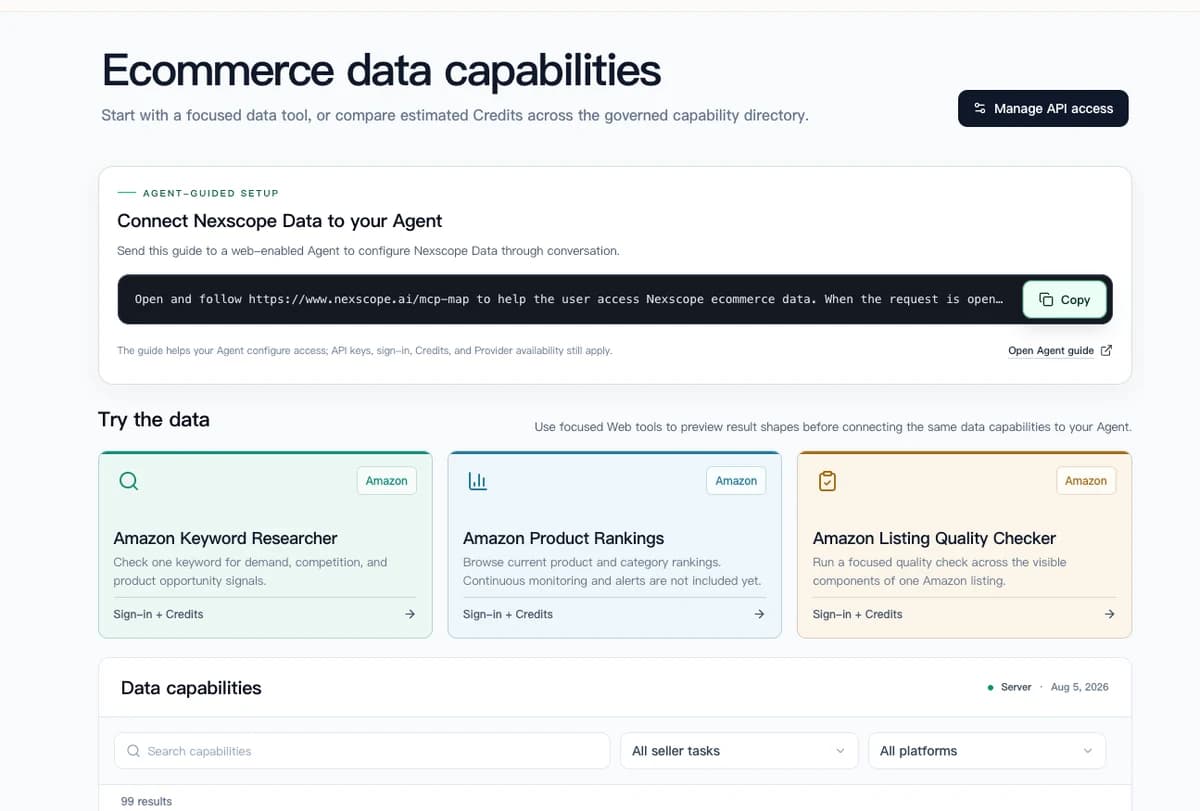
Connect Ecommerce Data to Your Agent
Use Nexscope through API, MCP, or Skills, or open a ready seller workflow.
Explore Ecommerce Data →1,000 free credits • API, MCP & Skills
Frequently Asked Questions
Are Amazon's AI tools free to use?
Yes. All 8 tools covered in this guide are completely free and built into Seller Central. There are no additional subscription fees.
What is Gen AI Listing?
Gen AI Listing is Amazon's AI feature that automatically generates complete product listings from an image, URL, or brief description. It creates titles, bullet points, descriptions, and selects the appropriate product category.
What is Amazon Canvas?
Amazon Canvas is an AI-powered operations dashboard that launched in 2026. It aggregates your sales, advertising, and inventory data, proactively identifies issues, and recommends specific actions to improve performance.
Can Amazon's AI tools analyze competitors?
Product Opportunity Explorer shows competitive density in niches, but detailed competitor analysis (pricing strategies, keyword rankings, listing quality) requires third-party tools or AI agents with broader data access.
Do I need Brand Registry to use these tools?
Most tools are available to all sellers. However, Gen AI A+ Content and some features of Amazon Creative Hub require Brand Registry enrollment.
How accurate is the FBA Revenue Calculator?
The calculator uses Amazon's actual fee structure, so it's highly accurate for current fees. However, Amazon updates fees periodically (especially storage fees), so always verify before making major inventory decisions.
Sources
- Amazon. (2026). Generative AI for Sellers. Retrieved from aboutamazon.com
- Amazon. (2026). Amazon Canvas Launch Announcement. Retrieved from aboutamazon.com
- Amazon Seller Central. (2026). Product Opportunity Explorer Documentation. Retrieved from sellercentral.amazon.com
- GeekWire. (2026). Amazon launches AI-generated canvas for sellers. Retrieved from geekwire.com