
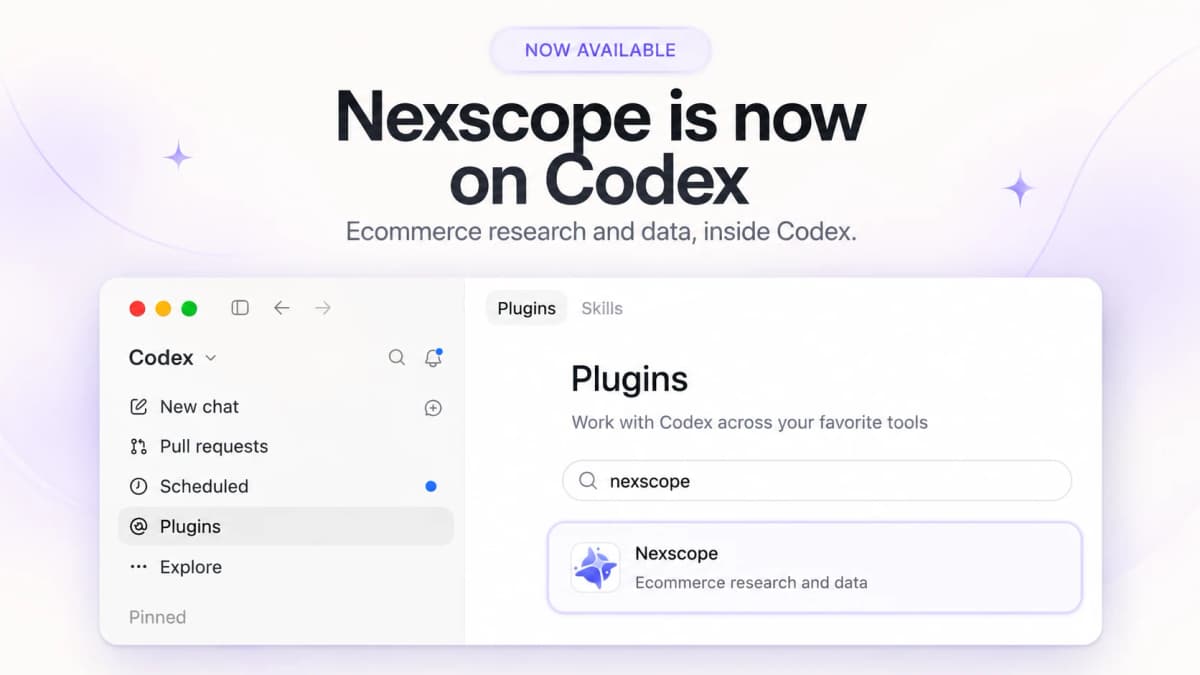
Nexscope Is Now on Codex for Ecommerce Research and Data

The Nexscope Codex plugin is now available, bringing ecommerce research into the conversation where teams already plan, analyze, and work with files. Search for products, investigate keywords, compare competitors, and explore market opportunities using Nexscope data, then ask Codex to organize the results into a useful deliverable. A research task can begin with a plain-language request and finish with a comparison table, a written analysis, or a CSV for further review.
For a seller exploring a new category, that means starting with a specific question: which products appear for a search term, what keywords matter for a competitor, or how a market compares across available indicators? Nexscope supplies the supported data, while Codex works with the returned information and the user's instructions. The plugin can be found through the Nexscope plugin directory entry, and its public GitHub repository provides the implementation and setup documentation. Here is what the plugin supports and how to connect an account for the first research task.
Ecommerce Research Inside Codex
Nexscope is an ecommerce data platform. The plugin gives Codex a documented way to select a research workflow, request the relevant data, and save results in the user's working environment.
For an Amazon product research workflow, this makes it possible to move from an initial search to a more focused comparison without manually rebuilding the research brief for every tool. A request can specify the marketplace, product category, fields to retain, and desired output format.
The version 0.1.0 catalog lists 136 available workflow entries. These cover different data requests and actions; they are not 136 identical features across every marketplace. Coverage, historical depth, returned fields, and account requirements depend on the selected workflow.
What the Plugin Supports
Products, Keywords, and Markets
The core research catalog covers the questions that arise before selecting a product, entering a category, or changing a listing.
| Research area | Supported tasks | Practical use |
|---|---|---|
| Product discovery | Search products, inspect listings, and retrieve supported product metrics | Build a candidate list for further evaluation |
| Keywords | Expand keywords, retrieve ASIN-related terms, and examine available search-demand history | Compare search opportunities around a product or competitor |
| Market research | Retrieve niche information, market statistics, and opportunity data | Assess demand and competition before deeper product research |
| Competitor analysis | Find competing products and inspect supported traffic, pricing, and keyword signals | Create a consistent comparison set |
| Reviews and history | Retrieve reviews, price series, product history, and sales estimates where supported | Explore customer feedback and changes over time |
For example, Amazon storefront search can return product positions, prices, ratings, review counts, and sponsored-result indicators. Historical keyword analysis and sales estimates use separate workflows. An observed search position, a historical search-volume figure, and an estimated sales number should remain clearly labeled as different kinds of evidence.
Marketplace and Sourcing Coverage
Available entries include Amazon, TikTok Shop, 1688, Temu, Shopify, Etsy, eBay, Walmart, Ozon, Shopee, and Mercado Libre. The catalog includes marketplace-specific product, shop, category, or keyword queries rather than promising the same dataset for every platform.
Selected workflows also support image-based discovery. A product image can be used to look for visually similar listings on supported marketplaces, including Amazon, 1688, and Temu. This offers a starting point for comparing designs or exploring sourcing options. Marketplace matches still need to be reviewed for specifications, supplier suitability, and commercial terms.
TikTok Commerce and Advertising
TikTok-related workflows cover products, shops, creators, videos, livestreams, rankings, and public advertising research. Depending on the selected data source, a team can investigate a product's commerce context, inspect a shop, or look for creators and videos relevant to a category.
The Amazon Ads workflows support account connection, reporting, and management of Sponsored Products, Sponsored Brands, and Sponsored Display entities. Advertising access requires the relevant account authorization, and campaign changes require explicit instructions and confirmation. Connecting Nexscope alone does not authorize the plugin to launch or modify campaigns.
Creative and Risk Research
The catalog also includes product-description generation, image recognition, and image generation or editing. These can support work on Amazon listing images and A+ content after the product facts and creative brief are established. Creative services have their own access and billing conditions.
For early product screening, the plugin includes patent search, patent records, image-similarity searches, and trademark or copyright risk checks. These help identify material for further review; they do not establish legal clearance. Google Trends and web-search workflows provide additional research context.
Files for Further Analysis
Retrieved data can be saved as files, and suitable JSON records can be exported to CSV. Ask for the fields needed for the next decision, such as product identifier, price, rating, review count, and marketplace.
Codex can then work with those returned records to prepare comparisons or summaries. Keep missing fields visible and distinguish a limited sample from an exhaustive dataset.
How to Connect Your Nexscope Account
1. Install the Plugin
Open the Nexscope plugin directory entry, or open Plugins in Codex and search for Nexscope. Select the listing identified as “Ecommerce research and data” and install it. Once installed, use Try now or select Nexscope in a conversation to begin.
The plugin detail page includes example requests for finding Amazon products, comparing competitor keywords, and analyzing a market.
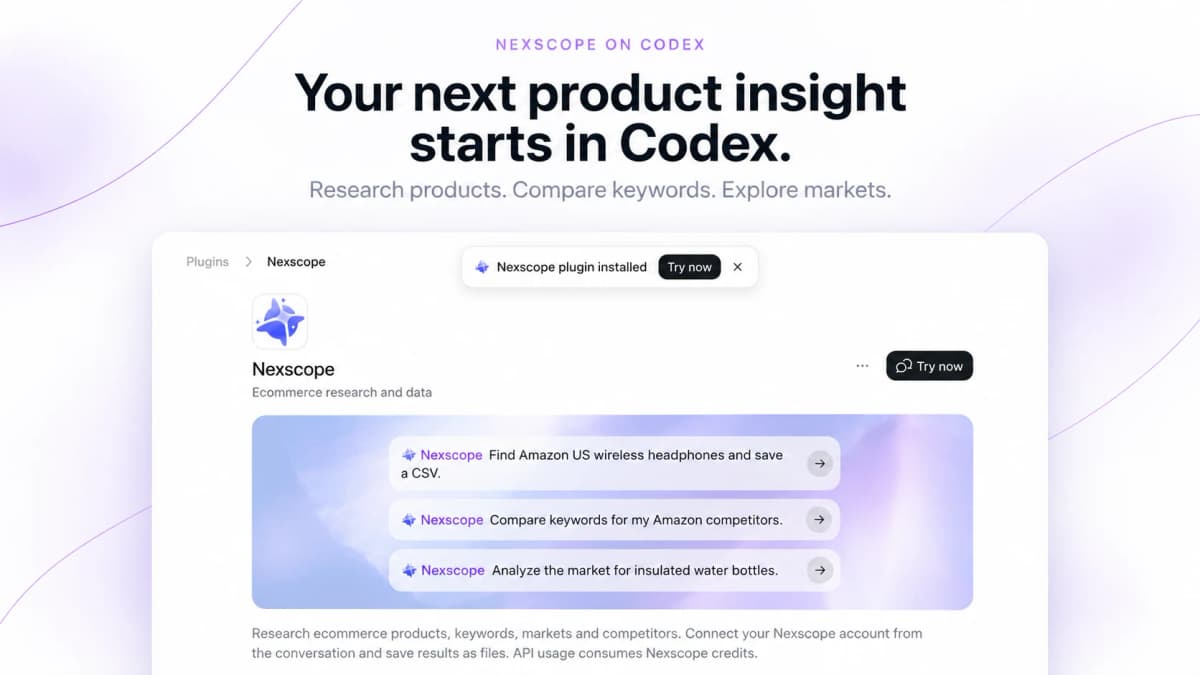
2. Start a Research Request
Select Nexscope and enter a concrete task. For a first request, keep the scope small:
Use Nexscope to search Amazon US for wireless headphones. Retrieve one page of results and save a CSV with the available ASIN, title, price, rating, review count, and sponsored status.
Codex checks the connection before requesting account-authenticated data. If an account is not connected, it provides a Nexscope connection link.
3. Confirm the Connection
Open the link supplied in the conversation. On the Nexscope webpage, sign in to an existing account or register, then confirm the connection.
Connection links expire after one hour. If the link has expired, return to the conversation and ask for a new one. Each connection attempt uses its own link, so there is no permanent authorization link to bookmark or share.
You do not need to paste an API key, password, or other credential into the conversation. For the Codex plugin's CLI connection, credentials are stored in the operating system's credential store.
4. Return and Reply Done
After confirming on the webpage, return to the same Codex conversation and reply done. Codex checks whether the connection completed and proceeds once the service confirms it.
If the connection is still pending, finish the confirmation on the webpage. If it was denied or expired, start a new connection attempt. Installing the plugin and connecting a Nexscope account are separate steps; both need to be complete before account-authenticated research can run.
Three Requests to Try First
Product Search and Export
Use Nexscope to search Amazon US for wireless headphones. Retrieve one page, separate sponsored and organic results, and export the available product fields to CSV. Note the retrieval time and any missing fields.
This is a useful first task because the output is easy to inspect. Review the returned products and fields before expanding the research to more pages or additional data requests.
Competitor Keyword Comparison
Use Nexscope to compare keywords for these Amazon US competitor ASINs: [insert ASINs]. Show shared and unique terms, include available demand metrics, and save the comparison as a CSV. Keep unavailable metrics blank.
Replace the placeholders with real ASINs. Specify the same marketplace for every product so the comparison uses a consistent context. Keyword availability and historical coverage depend on the workflow and source.
Market Opportunity Review
Use Nexscope to analyze the US market for insulated water bottles. Summarize available demand, competition, pricing, and sales-estimate indicators. Explain the periods covered, identify missing evidence, and save the supporting data with a short research brief.
This request connects individual metrics to a business question. It also asks for enough context to interpret the results instead of treating every metric as current, complete, or directly comparable.
Credits and Developer Access
Account and Usage Requirements
Paid data requests consume Nexscope credits. Data API usage follows a pay-as-you-go Data Credits model, with no Data API subscription required. Creative APIs and creative workflows follow separate subscription conditions, so check the applicable service before starting a creative task.
If a request cannot proceed because credits are insufficient, Codex provides an account-bound recharge link. Complete the top-up on the webpage, return to the conversation, and reply done. The plugin checks the available balance before continuing the requested operation.
Public Repository
Developers can inspect the plugin instructions, CLI, and research resources in the Nexscope Codex plugin repository. Its documented local setup requires Python 3.11 or later, uv, and a supported operating-system credential store.
The repository is useful for understanding workflow discovery, account connection, and file exports. Public source availability does not imply an open-source license; use remains subject to the repository's license and applicable Nexscope service terms.
Conclusion
The Nexscope Codex plugin gives ecommerce teams a direct way to bring supported product, keyword, market, competitor, and other research data into a Codex task. Start with a focused question, connect a Nexscope account, and request an output that can be reviewed and reused.
For a first session, a one-page product search and CSV export provides a manageable starting point. Expand into keyword comparisons, market research, or other supported workflows once the initial results meet the research brief.
Start Researching With Nexscope in Codex
Install the plugin, connect your Nexscope account, and begin with a focused ecommerce research task.
Find the Nexscope Plugin →Frequently Asked Questions
What does the Nexscope Codex plugin do?
The plugin connects Codex to Nexscope ecommerce workflows for product, keyword, market, competitor, review, and advertising research. The current catalog also includes sourcing, selected creative tasks, and risk-screening functions. Codex can use returned data to prepare comparisons, written analysis, and files. Specific fields, countries, historical coverage, and account requirements vary by workflow.
How do I connect my Nexscope account?
Install the plugin, select Nexscope in Codex, and begin a research request. When a connection is needed, open the Nexscope link supplied in the conversation, sign in or register, and confirm the connection. Return to the same conversation and reply done. Codex verifies the connection before continuing. Connection links expire after one hour.
Do I need to paste an API key into Codex?
No. The documented connection flow uses a Nexscope webpage to authorize the account connection. The Codex plugin's CLI stores credentials in the operating system's credential store. Follow the link supplied for the current connection attempt, confirm on the webpage, and return to the conversation. Keep passwords and API keys out of chat messages.
Is a Nexscope subscription required?
Data API requests use pay-as-you-go Nexscope Data Credits, so a Data API subscription is not required. Paid calls need sufficient credits in the connected account. Creative APIs and creative workflows have separate subscription conditions. If data credits run out, use the recharge link supplied by the plugin and return after completing the top-up so the balance can be checked.
Can I export research results to CSV?
Yes. The plugin can save retrieved data and convert suitable JSON records into CSV. Specify the desired fields and marketplace in the request. The available columns depend on the response, so ask Codex to preserve missing values and describe any filters or pagination limits. A one-page export should be labeled as that sample rather than a complete market dataset.
Can the plugin change Amazon Ads campaigns?
The catalog includes supported Amazon Ads management operations as well as reporting. These require the relevant advertising account authorization and a clearly defined task. Connecting a Nexscope account does not grant blanket permission to change campaigns. Read-only reports can be requested separately, while changes to campaigns, targeting, or other advertising entities require explicit scope and confirmation.
Sources
- Nexscope. (2026). Nexscope Codex Plugin. Retrieved from github.com
- Nexscope. (2026). Nexscope Skill Instructions. Retrieved from github.com
- OpenAI. (2026). ChatGPT Plugins. Retrieved from chatgpt.com