

How to Use an Amazon Search API for Product Data in Apps

An Amazon Search API gives an application structured access to product-search data without requiring a person to copy results from storefront pages. Depending on the provider and use case, the response can support product discovery, keyword rank checks, price comparisons, sponsored listing analysis, competitor monitoring, or catalog lookup. The difficulty is that “Amazon Search API” can describe several different products with different permissions and outputs.
This guide separates those options and shows a complete implementation using the Nexscope Amazon Search API. The request and response details below follow the Nexscope API documentation reviewed for publication on August 14, 2026. The walkthrough covers the production endpoint, bearer authentication, all eight documented request parameters, the direct response payload, and practical error handling. It also explains when Amazon Business Product Search, Amazon Creators API, or the Selling Partner API Catalog Items API is a better fit. By the end, a developer can send a keyword search, parse the products array, preserve sponsored and organic positions, and turn live storefront results into a dependable ecommerce research workflow.
Amazon Search API Basics
An Amazon Search API accepts a search intent, such as a keyword or catalog query, and returns machine-readable product data. A storefront-oriented API usually mirrors the shopper-facing search experience. A catalog API focuses on authoritative item records. A purchasing API serves procurement workflows. An affiliate API supports product discovery and referral experiences.
That distinction matters because the same keyword can produce very different outputs. A storefront search can include sponsored placements, result position, displayed price, rating count, delivery text, and badges. A catalog lookup may provide richer item attributes while omitting the exact order in which a shopper saw products for a keyword. An application should choose the source that matches the decision it needs to make.
Common storefront search use cases include:
- Checking where an ASIN appears for a target keyword
- Separating sponsored placements from organic listings
- Comparing displayed prices across products on a search page
- Discovering competing brands and new listings
- Monitoring changes in first-page search composition
- Collecting live inputs for product research or market analysis
Search results are contextual. Marketplace domain, language, delivery location, device, sort order, category node, and page number can affect the returned set. Every stored result should therefore retain its request context and collection time. A product position without those details can be misleading.
Four API Options
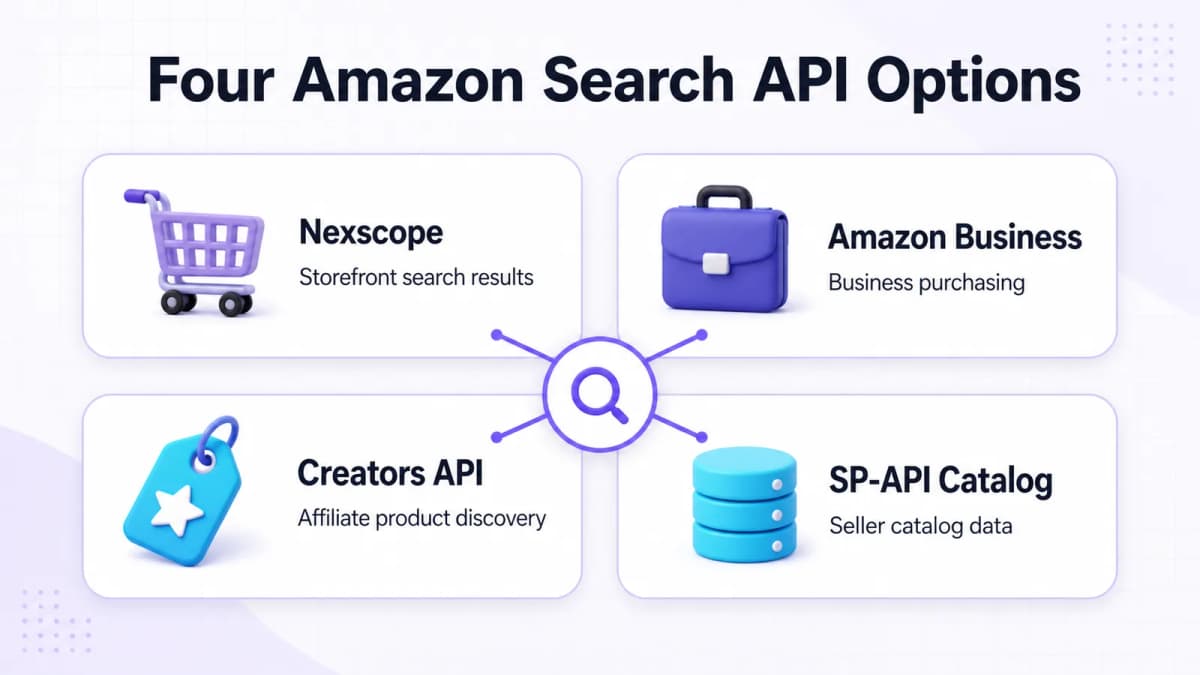
The best Amazon Search API depends on the application. The four options below solve different problems and should not be treated as interchangeable.
| Option | Best fit | Typical output focus | Important boundary |
|---|---|---|---|
| Nexscope Amazon Search | Storefront search simulation and ecommerce research | Keyword results, product position, price, rating, sponsored status, and related listing signals | Independent data API, separate from Amazon SP-API |
| Amazon Business Product Search | Business purchasing applications | Search and purchasing data for Amazon Business workflows | Requires the relevant Amazon Business integration and permissions |
| Amazon Creators API SearchItems | Affiliate product discovery | Items matching keywords or browse-node criteria for creator experiences | Designed for approved creator and affiliate use cases |
| SP-API Catalog Items | Seller and vendor catalog integrations | Catalog item attributes and identifiers | Catalog lookup does not reproduce the shopper-facing keyword SERP |
Nexscope Amazon Search
Nexscope documents Amazon Search as a storefront simulation for real-time keyword ranking and search-result data. Its supported use cases include product search, ASIN position checks, competitor discovery, price comparison, sponsored product analysis, new-product monitoring, and storefront SERP analysis.
The API is appropriate when the application needs to observe what appears in an Amazon search experience. It returns the upstream payload directly, with no additional data or result wrapper. It does not serve Amazon order, inventory, or account-administration workflows.
Amazon Business Search
Amazon Business Product Search serves procurement and business-buying experiences. Its official documentation describes a product search flow in which an integration initiates a search and works with Amazon Business purchasing data. This is the relevant route when the application is built around organizational purchasing rather than marketplace research.
Amazon Creators API
The Amazon Creators API includes SearchItems for discovering products by keywords and other search criteria. It belongs to the affiliate and creator ecosystem. Applications must follow the program's access, content, and linking requirements. The fit is product discovery for approved affiliate experiences, rather than unrestricted collection of storefront rank observations.
SP-API Catalog Items
The Selling Partner API Catalog Items API supports catalog-item search and retrieval for authorized sellers and vendors. It is useful for identifiers, catalog attributes, images, relationships, and other item-level data covered by the selected resource and marketplace. It should not be used as a substitute for a live keyword results page when sponsored status and observed SERP position are required.
Nexscope Request Parameters
The production Nexscope endpoint is:
POST https://api.nexscope.ai/api/skill-api/v1/skills/amazon-search/run
Every run request requires a user API key in the Authorization header and a JSON request body. The current documentation lists eight request parameters. They are marked optional in the schema, although a useful product search normally supplies at least keyword.
| Parameter | Type | Documented behavior |
|---|---|---|
keyword |
string | Search keyword, maximum 1,024 characters. Use the language of the target country whenever possible. |
amazonDomain |
string | Amazon country site. The default is amazon.com. |
node |
string | Amazon category node, maximum 1,000 characters. |
language |
string | Language or region code such as en_US, de_DE, ja_JP, or fr_FR. |
sort |
string | Sort order. Supported documented values appear below. |
page |
integer | Page number starting at 1. The documentation describes about 20 items per page and a default of 1. |
deliveryZip |
string | Delivery postal code used to simulate the storefront address, maximum 1,000 characters. |
device |
string | Device type: desktop, mobile, or tablet. The default is desktop. |
Sort Values
The documented sort values are:
| Value | Meaning |
|---|---|
relevanceblender |
Featured results and the default sort |
price-asc-rank |
Price from low to high |
price-desc-rank |
Price from high to low |
review-rank |
Average customer review |
date-desc-rank |
Newest arrivals |
exact-aware-popularity-rank |
Best sellers |
The request should make its marketplace assumptions explicit. For example, a US search can combine amazon.com, en_US, and a relevant US delivery ZIP. A German search should use a German keyword, the corresponding Amazon domain, and de_DE. This improves reproducibility and reduces ambiguity when results are compared later.
First API Request
Start by creating an API key from the Nexscope API access page. New users receive 1,000 free credits. The lowest paid plan is $9 per month and includes 3,000 monthly credits.
Store the key in a server-side environment variable. It should never be embedded in browser JavaScript, committed to a repository, or written into analytics events.
Minimal cURL Request
The documented request example uses phone case and page 1:
curl -X POST \
  "https://api.nexscope.ai/api/skill-api/v1/skills/amazon-search/run" \
  -H "Authorization: Bearer $NEXSCOPE_API_KEY" \
  -H "Content-Type: application/json" \
  -d '{
    "keyword": "phone case",
    "page": 1
  }'
The API returns its direct, API-specific response payload. Code should read top-level fields such as keyword, total, and products rather than expecting data.products.
Contextual Request
A more reproducible US storefront query can include the search context:
curl -X POST \
  "https://api.nexscope.ai/api/skill-api/v1/skills/amazon-search/run" \
  -H "Authorization: Bearer $NEXSCOPE_API_KEY" \
  -H "Content-Type: application/json" \
  -d '{
    "keyword": "phone case",
    "amazonDomain": "amazon.com",
    "language": "en_US",
    "sort": "relevanceblender",
    "page": 1,
    "deliveryZip": "10001",
    "device": "desktop"
  }'
Use node only when the workflow needs a category-constrained search. Adding a node changes the search context, so node-constrained results should not be compared with unrestricted searches as if they represented the same SERP.
JavaScript Request
The following server-side JavaScript example validates the HTTP response before using the payload:
const endpoint =
  "https://api.nexscope.ai/api/skill-api/v1/skills/amazon-search/run";

const response = await fetch(endpoint, {
  method: "POST",
  headers: {
    Authorization: `Bearer ${process.env.NEXSCOPE_API_KEY}`,
    "Content-Type": "application/json",
  },
  body: JSON.stringify({
    keyword: "phone case",
    amazonDomain: "amazon.com",
    language: "en_US",
    page: 1,
    deliveryZip: "10001",
    device: "desktop",
  }),
});

if (!response.ok) {
  const errorBody = await response.text();
  throw new Error(`Amazon search failed: ${response.status} ${errorBody}`);
}

const payload = await response.json();
const products = Array.isArray(payload.products) ? payload.products : [];
The request belongs on a trusted backend because it contains the API key. A browser application can call its own backend route, which can validate user input, apply quotas, call Nexscope, and return only the fields needed by the interface.
Response Data
The documented top-level payload includes total, keyword, type, columns, costToken, and products. It can also include provider status fields such as errcode, errmsg, code, msg, message, or title, plus pagination and execution metadata when supplied by the upstream provider.
The products array is the main result set. The current schema documents these useful field groups:
| Group | Documented fields | Application use |
|---|---|---|
| Identity | asin, title, brand, asinUrl |
Deduplicate listings and connect results to product records |
| Price | price, extractedPrice, oldPrice, extractedOldPrice, currency, priceUnit, extractedPriceUnit |
Compare displayed and parsed prices while retaining currency context |
| Search placement | position, sponsored, keyword |
Preserve observed rank and separate paid from organic placements |
| Social proof | rating, ratings |
Compare average rating with rating count |
| Media | imageUrl |
Display or cache a product thumbnail subject to usage requirements |
| Delivery | delivery, fulfillment |
Capture delivery and fulfillment text when available |
| Listing signals | availableDate, badges, tags, options, offers |
Record visible listing context and merchandising signals |
| Research estimates | monthlySalesUnits, monthlySalesRevenue |
Add documented sales signals when returned |
| Physical attributes | dimension, weight |
Support product filtering and research when present |
| Source metadata | sourceType, sourceTool, sellerNation, snapEbtEligible |
Retain provenance and other supplied attributes |
All fields in the response schema are optional. A production parser must tolerate missing values. A missing monthlySalesUnits value, for example, should remain null or unknown. It should not be silently converted to zero.
Normalized Product Record
An application can reduce the upstream object to a stable internal record while preserving the original payload for debugging:
function normalizeProduct(product, context) {
  return {
    asin: product.asin ?? null,
    title: product.title ?? null,
    brand: product.brand ?? null,
    price: product.extractedPrice ?? product.price ?? null,
    oldPrice: product.extractedOldPrice ?? product.oldPrice ?? null,
    currency: product.currency ?? null,
    rating: product.rating ?? null,
    ratingCount: product.ratings ?? null,
    position: product.position ?? null,
    sponsored: product.sponsored ?? null,
    imageUrl: product.imageUrl ?? null,
    productUrl: product.asinUrl ?? null,
    keyword: product.keyword ?? context.keyword,
    marketplace: context.amazonDomain,
    page: context.page,
    deliveryZip: context.deliveryZip,
    device: context.device,
    collectedAt: new Date().toISOString(),
  };
}
Keep sponsored as a boolean or null. Converting a missing value to false can incorrectly classify an unknown placement as organic. The same principle applies to price, position, rating, and sales estimates.
Application Workflow
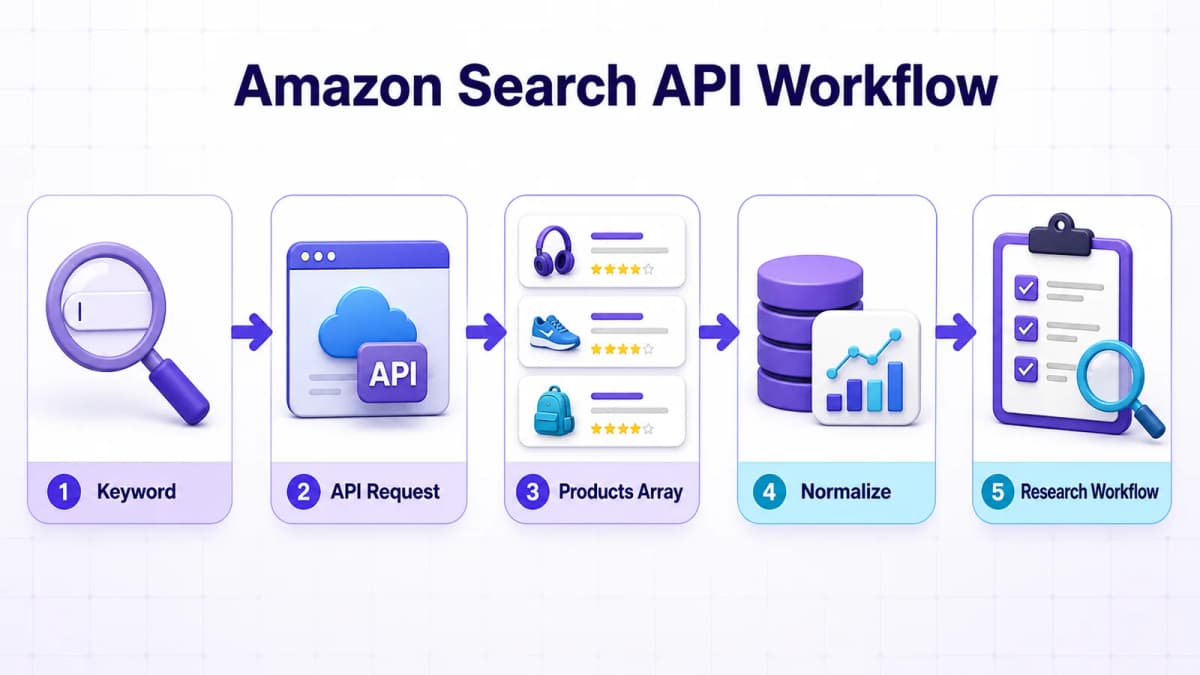
A useful integration does more than make one request. It defines a repeatable path from query planning to analysis.
1. Define Search Context
Create a query record containing the keyword, marketplace domain, language, category node if used, sort order, page range, delivery ZIP, and device. This record becomes the comparison key for later runs.
For keyword research, begin with a manageable set of phrases tied to a product hypothesis. If the workflow is still deciding what to monitor, a structured Amazon product research process can help connect search observations with demand, competition, pricing, and differentiation questions.
2. Fetch Result Pages
Request page 1 first and inspect the returned count and product set. Add more pages only when the use case needs deeper coverage. Respect account limits and avoid requesting identical contexts more often than the business decision requires.
Store the raw response with a request identifier. Raw retention makes it possible to investigate parser changes, optional-field behavior, or unexpected provider messages without repeating the call immediately.
3. Normalize Products
Map each product into a stable internal schema. Preserve the ASIN, displayed and parsed price fields, currency, rating, rating count, position, sponsored status, and source metadata. Store the search context beside every product row.
Deduplication should use more than title text. ASIN is the strongest documented product identifier in this response. If the same ASIN appears more than once because of a placement or variant behavior, preserve each observed placement in the raw search-result table and connect those observations to one product entity.
4. Separate Placement Types
Sponsored products and organic results answer different questions. Sponsored placement is useful for ad-density and competitor-advertising analysis. Organic position is relevant to storefront visibility. A combined average can hide the distinction.
Store at least these derived values:
absolutePosition: the documentedpositionvalueplacementType:sponsored,organic, orunknownpage: the requested page numberqueryContextId: a reference to marketplace, language, ZIP, device, and sort
Teams connecting search observations to advertising decisions can pair this data with an Amazon PPC strategy. The search API shows observed storefront composition; advertising performance data remains a separate dataset.
5. Build Decision Outputs
The normalized records can power a rank monitor, competitor table, price distribution, sponsored-share report, or product-discovery queue. Every output should show when the data was collected and which search context produced it.
Search data can also inform listing work. A seller can review recurring title patterns, rating thresholds, price bands, and badges among visible competitors, then use those observations as inputs to Amazon listing optimization. Search results alone do not prove why a product ranks, so optimization decisions should combine SERP observations with product, advertising, conversion, and account data.
Production Reliability
The API documentation lists standard HTTP outcomes that should shape retry and alert logic.
| Status | Meaning | Recommended handling |
|---|---|---|
200 |
API executed successfully and returned the direct payload | Validate payload shape, then process available fields |
400 |
Request JSON or required parameters are invalid | Do not retry unchanged input; validate and correct the request |
401 |
API key is missing, invalid, or cannot be matched to a user | Stop the job and fix authentication |
403 |
Account is authenticated but lacks access to the API or resource | Check account access before another request |
429 |
Request was rate limited | Back off and retry with jitter according to account rules |
5xx |
API execution or an upstream service failed | Retry a limited number of times, then surface the failure |
Retry Policy
Retry only transient failures. A practical policy uses exponential backoff with jitter for 429 and selected 5xx responses. Cap the number of attempts and record the final error. Repeating a 400, 401, or 403 request without changing its cause wastes credits and obscures the underlying problem.
Schema Validation
Validate the top-level payload before processing it. products should be treated as an array only when it is actually an array. Each element should be parsed field by field because the schema marks fields optional. Provider-specific message fields should be logged in a safe, structured form.
Cache Strategy
Caching should match the freshness needed by the workflow. A product-research dashboard may accept a longer cache than a short-interval rank monitor. Use a cache key containing every request parameter that can change the storefront view. Caching only by keyword can mix different domains, languages, ZIP codes, devices, sort orders, category nodes, or pages.
Observability
Record request duration, status code, result count, returned page metadata, credit cost when available, retry count, and a non-secret request identifier. Never log the bearer token. Alerts should distinguish authentication failures, rate limiting, upstream failures, and valid empty or partial result sets.
Common Implementation Mistakes
The most expensive problems usually come from interpreting the data incorrectly rather than from writing the HTTP request.
Mixing API Purposes
Nexscope Amazon Search, Amazon Business Product Search, Creators API SearchItems, and SP-API Catalog Items serve different workflows. Select the API from the required decision and permissions, not from a shared use of the word “search.”
Expecting a Wrapper
The Nexscope run endpoint returns the direct API payload. Code that looks only for data.products or result.products can treat a valid response as empty. Read products at the top level.
Dropping Search Context
A keyword and position are incomplete without marketplace, page, language, ZIP, device, sort, node, and collection time. Store the complete context with every observation.
Merging Paid and Organic
The response documents a sponsored field. Preserve it. A rank report that combines paid placement with organic visibility can produce the wrong conclusion.
Treating Missing as Zero
Response fields are optional. Missing price, sales, rating, or sponsored values should remain unknown unless a documented rule supports another interpretation.
Exposing the API Key
Bearer authentication belongs on a trusted server. Avoid client-side keys, committed .env files, screenshots containing real credentials, and request logs that capture authorization headers.
Assuming Historical Coverage
The documented Amazon Search capability returns live search results, not historical search-term analytics. Historical comparisons require the application to collect consistent snapshots over time or use a separate historical dataset.
Overcalling the Endpoint
Repeated calls with identical context can consume credits without adding decision value. Define the required collection frequency, use caching, back off on rate limits, and monitor credit consumption.
The wider Nexscope Amazon Data API catalog can support related product, competitor, keyword, review, sales, market, and shopping-data workflows through one independent API layer. Supported data can be connected to a user's own Agent through REST API or MCP, or used inside the Nexscope web product.

Conclusion
An Amazon Search API integration begins with a precise definition of the required search experience. Use Nexscope Amazon Search for live storefront result analysis, including product position, price, rating, and sponsored status. Use Amazon Business Product Search for business purchasing, Creators API SearchItems for approved affiliate discovery, and SP-API Catalog Items for authorized catalog data.
For a Nexscope implementation, send a bearer-authenticated JSON request to the production amazon-search run endpoint, preserve the complete request context, parse the top-level products array, and treat every documented response field as optional. Separate sponsored and organic placements, retain raw payloads, retry only transient failures, and store collection timestamps for future comparisons.
The complete parameter and response schema is available in the Nexscope Amazon Search API documentation. That page should remain the source of truth whenever the endpoint, schema, coverage, or account rules change.
Amazon Search API
Build From the Current API Documentation
Review the production endpoint, authentication, request parameters, response schema, error states, and MCP example before integrating Amazon search data.
View Amazon Search API Docs →Frequently Asked Questions
Is there an official Amazon Search API?
Amazon provides several official APIs with search-related capabilities, but they serve different programs. Amazon Business Product Search supports business purchasing integrations. Amazon Creators API includes SearchItems for approved creator and affiliate experiences. The Selling Partner API Catalog Items API supports authorized seller and vendor catalog workflows. None of those should automatically be assumed to reproduce a shopper-facing keyword results page. A storefront search data provider such as Nexscope is a separate option for live SERP and ranking analysis.
What does the Nexscope Amazon Search API return?
The documented response is a direct payload with top-level fields that can include total, keyword, columns, costToken, and products. Product objects can include ASIN, title, brand, current and old price fields, currency, rating, rating count, position, sponsored status, image URL, product link, delivery, fulfillment, listing signals, sales estimates, and source metadata. The schema marks these fields optional, so applications must handle partial results safely.
Which parameters can an Amazon search request use?
The Nexscope documentation lists eight optional parameters: keyword, amazonDomain, node, language, sort, page, deliveryZip, and device. The default marketplace is amazon.com, the default page is 1, and the default device is desktop. The documented sort choices cover featured results, price ascending, price descending, average customer review, newest arrivals, and best sellers. A reproducible workflow stores every supplied parameter with its results.
Can the API check an ASIN's keyword rank?
Yes. Nexscope documents ASIN ranking position checks as a supported use case for its storefront search simulation. Search the target keyword, inspect the returned products array, and match the target ASIN. Preserve position, sponsored, page, marketplace, language, delivery ZIP, device, sort, and collection time. A single observation is only a snapshot. Trend reporting requires consistent repeated collection under the same context.
Can sponsored products be separated from organic results?
Yes. The documented product schema includes products[].sponsored as a boolean when supplied. Applications should keep sponsored and organic observations separate because they represent different visibility mechanisms. When the field is absent, classify the placement as unknown rather than automatically organic. This prevents missing data from being turned into a false conclusion about paid or organic position.
Does the API provide historical Amazon search data?
The Nexscope Amazon Search documentation describes the capability as real-time storefront search and explicitly frames it as live results rather than historical search-term analytics. An application can create its own history by saving scheduled snapshots with consistent request parameters and timestamps. Workflows needing an existing historical dataset should select a separate capability designed for historical analytics and verify its coverage before implementation.
How should rate limits and errors be handled?
Validate input before sending it, stop on authentication or access errors, and retry only transient failures. The docs identify 400 for invalid requests, 401 for missing or invalid API keys, 403 for insufficient access, 429 for rate limiting, and 5xx for API or upstream failures. Use exponential backoff with jitter for 429 and selected 5xx responses, cap retry attempts, and never log the bearer token.
Can the Amazon Search API connect to an AI agent?
Yes. Nexscope documents two programmatic paths. A user's application or Agent can call the REST endpoint directly, and MCP access is also available through the documented nexscope_amazon_search tool and JSON-RPC flow. The same data capabilities can also be used inside the Nexscope web product. Agent output should preserve source context, optional-field boundaries, and sponsored status rather than converting uncertain data into definitive claims.
Sources
- Nexscope. (2026). Amazon Search API Documentation. Retrieved from nexscope.ai
- Amazon Business. (2026). Product Search API Overview. Retrieved from docs.business.amazon.com
- Amazon Associates. (2026). Creators API SearchItems. Retrieved from affiliate-program.amazon.com
- Amazon Selling Partner API. (2026). Catalog Items API v2022-04-01 Reference. Retrieved from developer-docs.amazon.com