
How to Improve Amazon Organic Ranking: 10 Tips for 2027

Table of Contents
Improving Amazon organic ranking becomes easier to approach when you separate two questions: which relevant searches can surface your product, and where does it appear for the searches that matter most? These questions help explain why a listing can remain difficult to discover even after repeated advertising adjustments.
For your 2027 planning, use Amazon keyword research to review coverage and priority-keyword rankings together. Coverage helps you identify relevant searches you may be missing. Ranking shows whether shoppers are likely to encounter your offer within those results. The discussion below explains how the two relate, how to assess your current position, and where to focus listing improvements. Start with the evidence available for your own ASIN rather than assuming that more keywords or a larger advertising budget will solve every visibility problem.
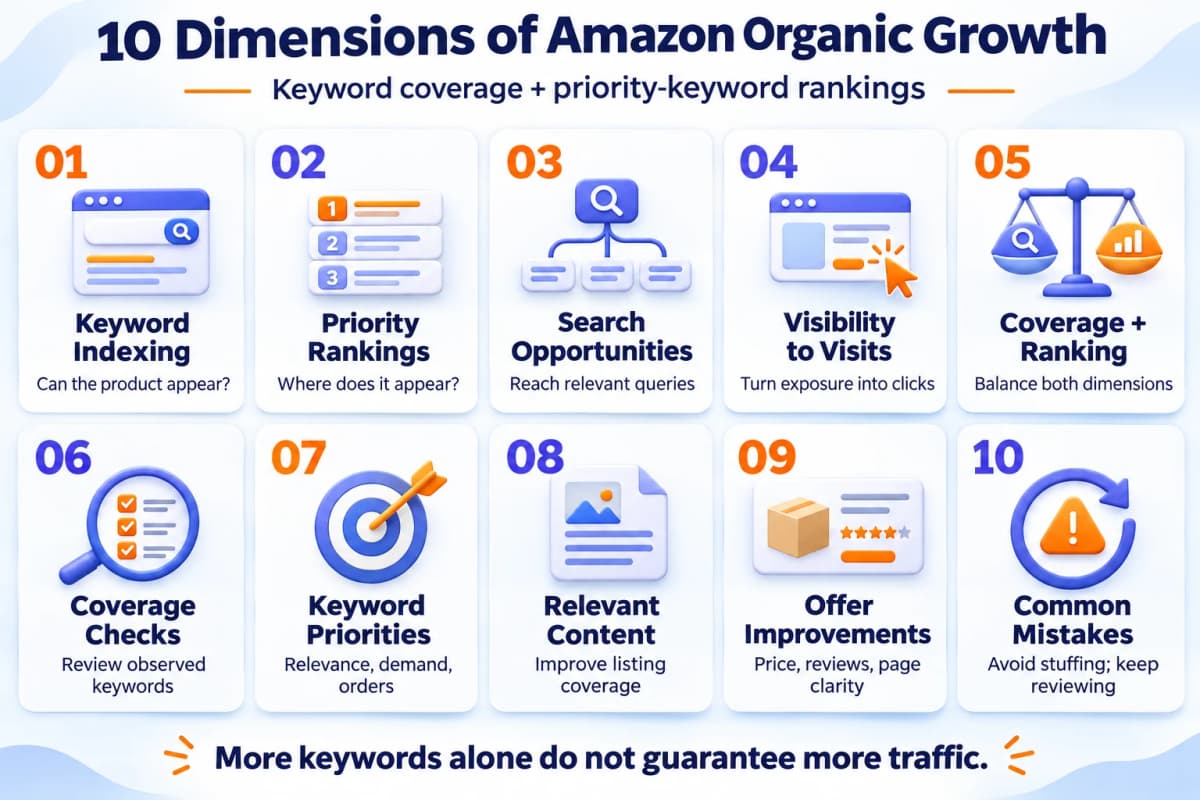
1. Understand Keyword Indexing
Keyword indexing concerns whether Amazon can retrieve a product for a particular search. Including accurate product language in a listing helps communicate its relevance, but inserting a phrase is not proof that the product will appear prominently for that query.
Distinguish the words you have added from the searches where your ASIN has actually been observed. A listing may describe its basic product type while leaving important attributes unclear. Reviewing that gap can reveal whether the content accurately represents the ways customers shop for the product.
2. Understand Priority-Keyword Rankings
Organic ranking is a product's observed position among unpaid results for a specific query. Your priority keywords should describe searches that fit the product and have meaningful commercial potential.
Keep organic positions separate from sponsored placements and Best Sellers Rank. The latter concerns sales performance within a category, not a product's position for an individual search phrase.
An attractive position alone does not complete the job. Shoppers still compare the visible offer, including its image, price, and delivery information, before deciding whether to visit the listing.
3. Expand Relevant Search Opportunities
A narrow keyword focus can leave useful buying situations unaddressed. Review whether the listing covers the product's actual attributes and intended uses, rather than assuming its broadest product name captures every relevant search.
However, keyword count alone cannot establish a listing's traffic potential. Ten high-demand queries and one hundred rarely used queries are not equivalent opportunities. Their value depends on demand, product fit, observed placement, and shopper response.
Use coverage as a research question: which relevant customer requests are missing from the current content or visibility record? Prioritize meaningful gaps rather than a target number of indexed words.
Use Amazon keyword expansion to turn a product term into related search queries, then compare demand and trend signals for the target marketplace. After connecting your AI assistant to Nexscope through MCP, ask it to retrieve those inputs for your chosen product term and marketplace. Keep only phrases that describe the actual product.
4. Turn Visibility Into Visits
Appearing somewhere in search results and attracting attention are different outcomes. Review placement alongside engagement to understand whether increased visibility is producing useful visits.
For eligible brands, Amazon's Search Query Performance dashboard provides query volume, impressions, clicks, cart adds, and purchases. Access requires a Professional selling account and the appropriate Brand Representative role for a brand enrolled in Brand Registry. Interpret these metrics within the report's scope; do not present its totals as organic-only traffic.
Coverage and ranking are complementary diagnostic concepts. Treating them as a literal multiplication formula would overlook search demand, competing offers, and the customer's purchase decision.
5. Balance Coverage and Ranking
Focusing exclusively on either dimension can lead to incomplete decisions:
| Focus | What can be overlooked | Practical response |
|---|---|---|
| A few prominent keyword positions | Additional relevant searches | Review uncovered product attributes and use cases |
| A growing keyword list | Weak placement on valuable queries | Identify terms that deserve closer attention |
A product can have broad observed coverage yet remain difficult to find for the searches its customers use most. Conversely, a strong position for one query does not show whether the rest of the relevant market is being reached.
Maintain both views in the same review: the breadth of relevant visibility and the performance of a smaller priority group.
6. Check Your Keyword Coverage
Use keyword tools and manual checks for different purposes.
- ASIN keyword research: Review the queries a provider associates with the product, including available position and demand data. Check the marketplace and observation date.
- Manual search checks: Inspect selected relevant searches and distinguish sponsored from unpaid appearances. Record the search conditions and the depth reviewed.
A missing result in a limited search does not prove that the ASIN is unindexed. Likewise, a third-party keyword list represents the provider's observed coverage rather than a complete view of Amazon's internal index.
For a repeatable check, ask your connected AI assistant to retrieve Amazon ASIN keywords for your chosen product, country, and reporting period. Save the returned terms and available organic-ranking fields alongside your manual observations. Leave unavailable values blank rather than treating them as zero.
After editing a listing, confirm that the changes are visible and revisit the same relevant queries. Keep observations comparable so that a change in research method is not mistaken for a change in coverage.
Explore Your ASIN Keyword Coverage
Choose a keyword research example, add your ASIN and marketplace, and use the prompt in your connected AI assistant.
Explore ASIN Keyword Use Cases →7. Choose Keywords That Deserve Attention
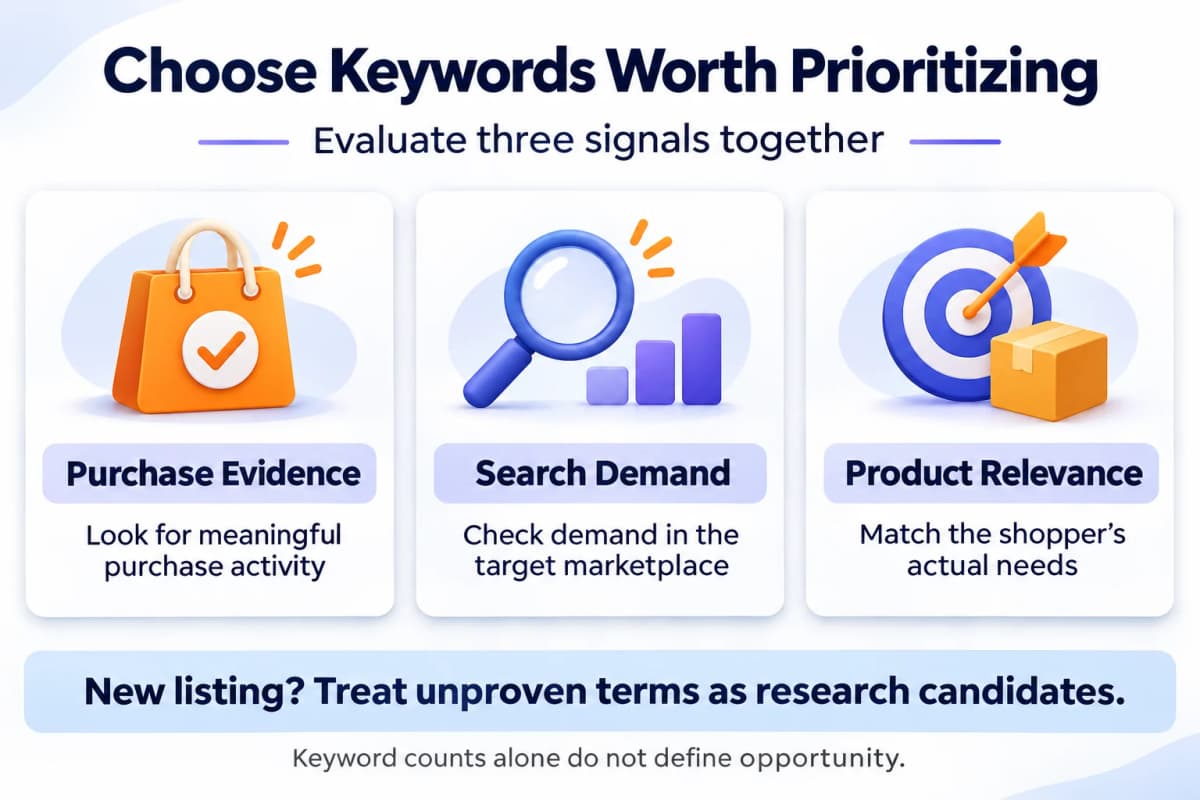
Use three criteria to identify your priority group:
| Criterion | Question to answer |
|---|---|
| Purchase evidence | Has the query produced meaningful purchase activity in available reports? |
| Search demand | Is there evidence of demand in the relevant marketplace? |
| Product relevance | Does the offer genuinely satisfy the shopper's request? |
For established products, repeated purchase evidence is more persuasive than an isolated order. For a new listing, distinguish a promising research candidate from a keyword already supported by sales history.
Choose a group small enough to investigate properly. The appropriate size depends on the product and available evidence; a fixed count is less useful than knowing why each term deserves attention.
8. Expand Coverage Through Relevant Content
During Amazon listing optimization, review the title, bullets, descriptive content, and backend search terms for accurate language that is missing. Amazon's keyword guidance distinguishes broad product searches from more specific phrases, including attribute and use-case searches.
Place information where it helps a customer understand the offer:
- Title: Establish the product's identity and essential characteristics.
- Bullets and descriptions: Explain relevant features, suitability, and buying details.
- Amazon backend keywords: Use relevant additional search language within current marketplace requirements.
For example, a product that includes a separate storage compartment should explain what that compartment holds. A phrase suggesting waterproof construction should only appear when that claim is supported.
Write for clarity. Repetition that displaces useful information can make the offer harder to assess. Avoid claiming that every unnecessary word produces a known algorithmic penalty; the practical concern is whether the content remains accurate, relevant, and understandable.
9. Improve the Offer Behind Priority Keywords
Once priority terms are identified, examine the offer customers encounter. Advertising can support research into paid customer response, while listing improvements address what shoppers need to make a purchase decision.
Review three areas together:
- Price and delivery: Consider the full offer a shopper compares with alternatives.
- Page content: Make product features, dimensions, compatibility, and included items clear.
- Review feedback: Identify recurring product questions or weaknesses that warrant clearer information or an actual product improvement.
Amazon Ads supports using search-term reporting to inform manual targeting. When choosing Amazon keyword match types, remember that even exact match can include close variations; inspect the reported search terms.
Keep paid performance and organic positions separate. An increase in advertising orders is evidence about the campaign, not proof of an organic ranking improvement. Assess unpaid visibility independently and consider other changes made during the same period before drawing a causal conclusion.
10. Avoid Two Common Mistakes
Chasing Keyword Counts
A larger keyword list is useful only when it represents relevant customer demand. Remove phrases that imply unsupported features or attract shoppers the product cannot serve. Keep the reason for each priority term visible so that volume alone does not drive the decision.
Treating Rankings as Permanent
A strong observation is a point-in-time result. Continue checking priority queries and the underlying offer. When performance changes, review availability, price, content edits, and competing offers before deciding what to change next.
Use a consistent review method and resist reacting to a single observation. The aim is to recognize meaningful patterns while preserving content that still serves customers well.
Conclusion
A useful Amazon organic ranking review considers both relevant keyword coverage and priority-query performance. Find the searches your product should satisfy, check where it is observed, and improve the offer customers encounter. Keep that review focused on evidence rather than keyword totals or assumed advertising effects.
Explore Nexscope Amazon APIs and MCP Tools
Nexscope Amazon Data API covers research across products, competitors, keywords, traffic, markets, reviews, sales, and AI shopping. Access the data through REST API or connect Nexscope MCP tools to your own AI assistant.
Key Features
- Product research: Use Amazon product search to filter candidates by sales, price, ratings, and fulfillment.
- ASIN data: Retrieve Amazon product details, including listing information, prices, and ratings.
- Competitor intelligence: Use Amazon competitor research to compare competing products and their market positioning.
- Keyword research: Expand seed terms through Amazon keyword research and compare search-demand signals.
- Traffic and rankings: Review Amazon ASIN keywords with available organic positions, advertising positions, and traffic-share metrics.
- Market opportunities: Use Amazon market research to assess niche size, competition, and seller concentration.
- Reviews and sales: Retrieve Amazon customer reviews to investigate buyer feedback and Amazon sales estimates to assess demand.
- AI shopping and policy: Explore Amazon Alexa shopping recommendations and monitor Amazon policy updates.
For organic ranking work, start with keyword and traffic research, then use product, competitor, and review data to decide what to improve. Keep estimates, reporting periods, and missing values visible when combining results.
Explore Nexscope Amazon MCP Tools
Browse Amazon tools for product, keyword, competitor, market, and review research. Explore their use cases and connect your AI assistant to put the data to work.
Explore Amazon MCP Tools →Frequently Asked Questions
Does including a keyword guarantee a ranking?
No. Relevant wording helps describe the product, but adding a phrase does not establish a particular search position. Verify the published content and separately observe search visibility.
Does a failed search mean a product is not indexed?
Not necessarily. A limited search only establishes that the product was not observed under those conditions. Check search depth, marketplace, listing status, and other available evidence before drawing a broader conclusion.
How many priority keywords should a seller choose?
Choose a manageable group based on relevance, demand, and purchase evidence. There is no universal count. A small group with clear reasons for inclusion is more actionable than a large list without priorities.
Can advertising prove that organic ranking improved?
An advertising report measures paid performance within its reporting rules. Observe unpaid search positions separately to assess organic ranking. Concurrent changes do not by themselves establish that advertising caused the movement.
How often should keyword coverage be reviewed?
Revisit it after meaningful listing edits and during regular performance reviews. Use comparable methods and allow enough activity to assess the relevant queries. Lower-volume products may need longer observation periods.
Sources
- Amazon. “Amazon SEO: 7 ways to improve your product’s search rankings.” sell.amazon.com.
- Amazon. “Improve product visibility through effective Amazon keyword research.” sell.amazon.com.
- Amazon. “Amazon Brand Analytics.” sell.amazon.com.
- Amazon Ads. “A guide to targeting with Sponsored Products” and keyword match-type guidance. advertising.amazon.com.
- Nexscope. “Amazon Data API for Faster, Data-Driven Amazon Decisions.” nexscope.ai.