

How to Use Codex for Amazon Listing Images and A+ Content

Amazon listing images are often treated as separate design requests: make a white-background main image, create several benefit graphics, then build A+ Content later. That approach creates avoidable rework. The product can change shape between images, copy can drift away from verified specifications, and the A+ modules can feel unrelated to the listing gallery.
This case study shows how Codex can organize the process as one controlled workflow. The example replaces the original folding-table product with a fictional compact two-person backpacking tent and follows the same production logic from product facts to finished visuals. The result is one main image, seven supporting listing images, eight desktop A+ modules, and eight independently composed mobile A+ modules.
Codex is the planning and orchestration layer in this workflow. It can organize references, create structured briefs, manage files, run repeatable tasks, and coordinate a configured image-generation tool. It does not replace the product specification sheet or the final human review.
Amazon Image Pack Preview
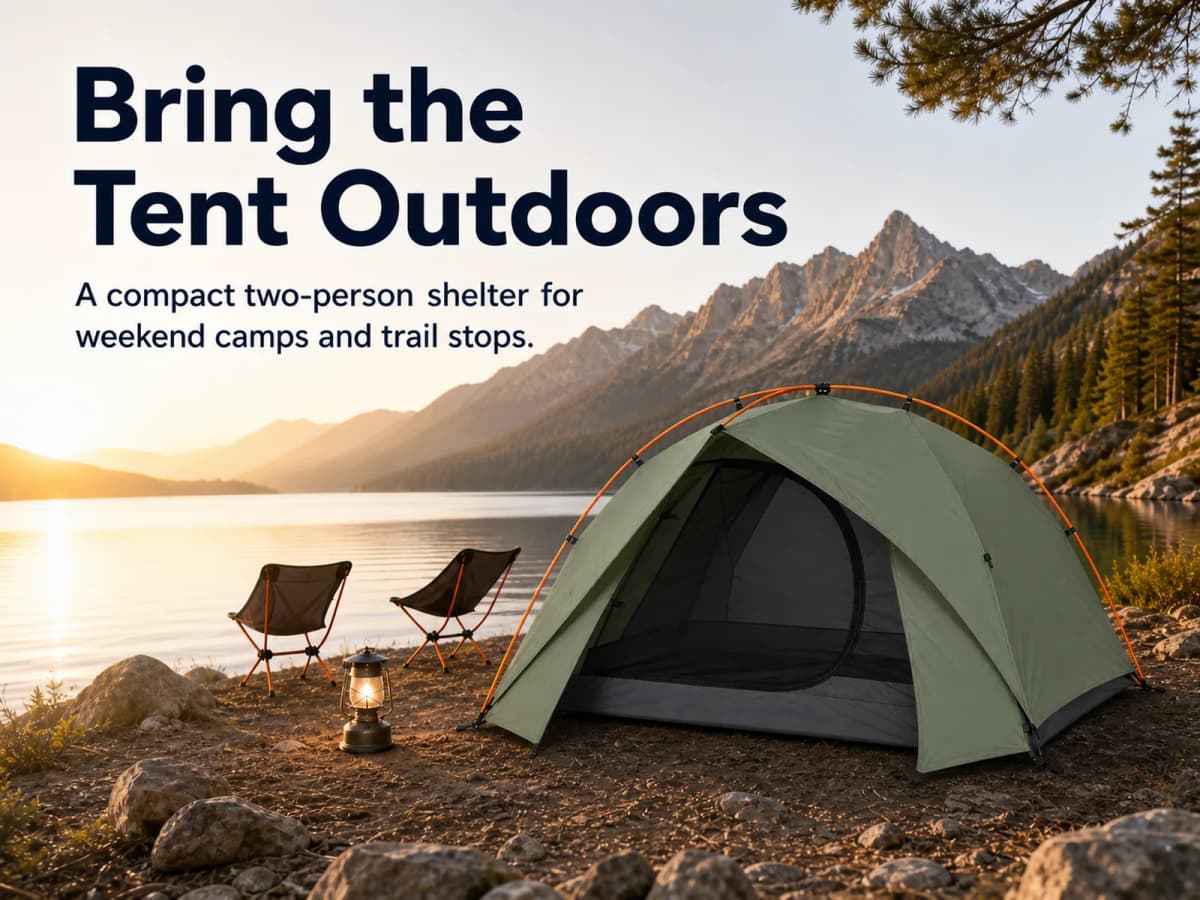
The case product is a fictional compact two-person backpacking tent. Its visual identity stays fixed across every asset: sage-green rainfly, charcoal-black mesh inner tent, dark-gray floor, exactly two orange crossing poles, one rounded front door, one small front vestibule, and a black cylindrical carry bag.
The finished system contains 24 unique production images:
- 1 Amazon main image for clean product recognition
- 7 supporting listing images for buyer questions and visible evidence
- 8 desktop A+ modules for a complete page story
- 8 mobile A+ modules with the same messages recomposed for 4:3 layouts
The three images below preview the three jobs in the system. The main image identifies the product. The supporting image explains a buying point. The A+ banner introduces the longer product story.
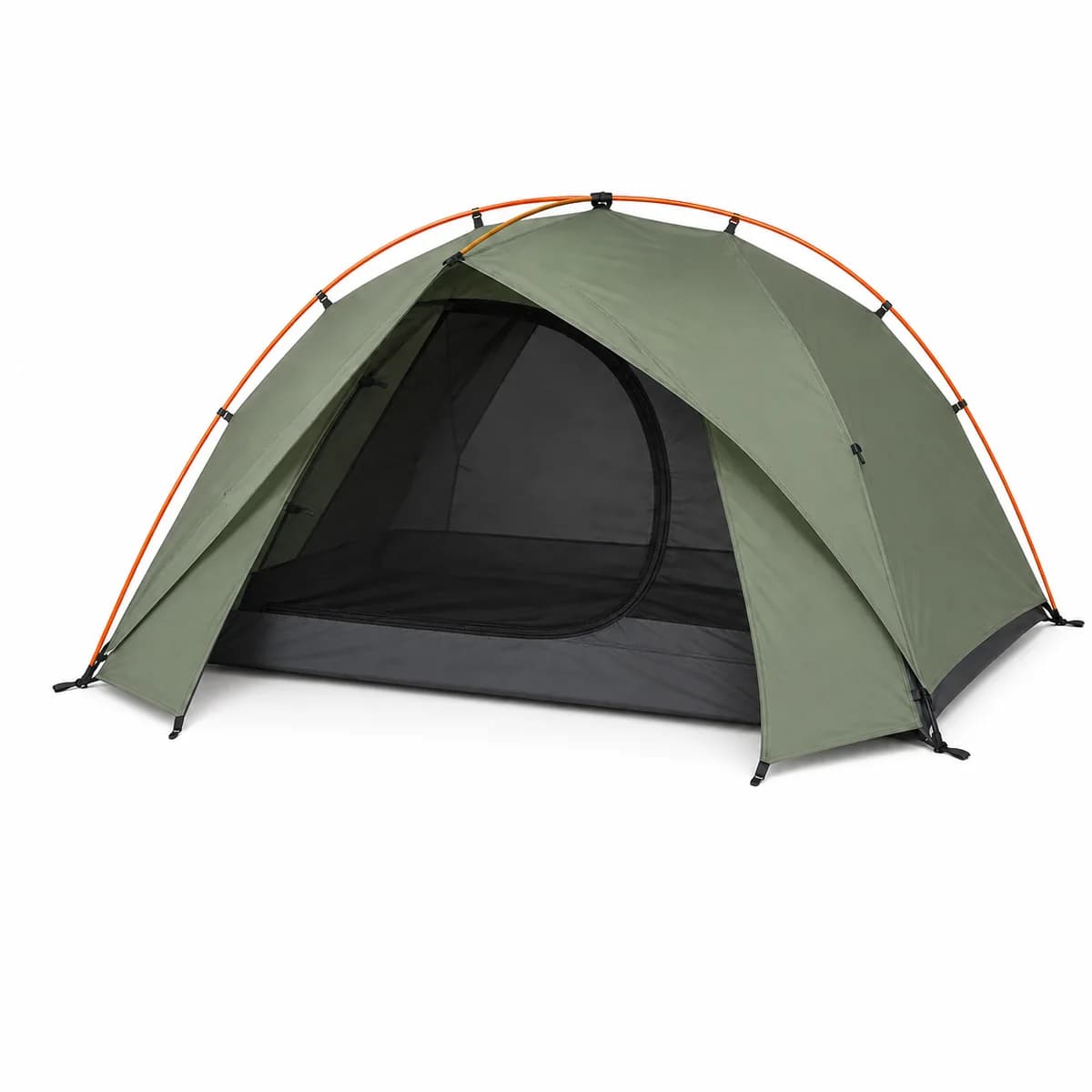
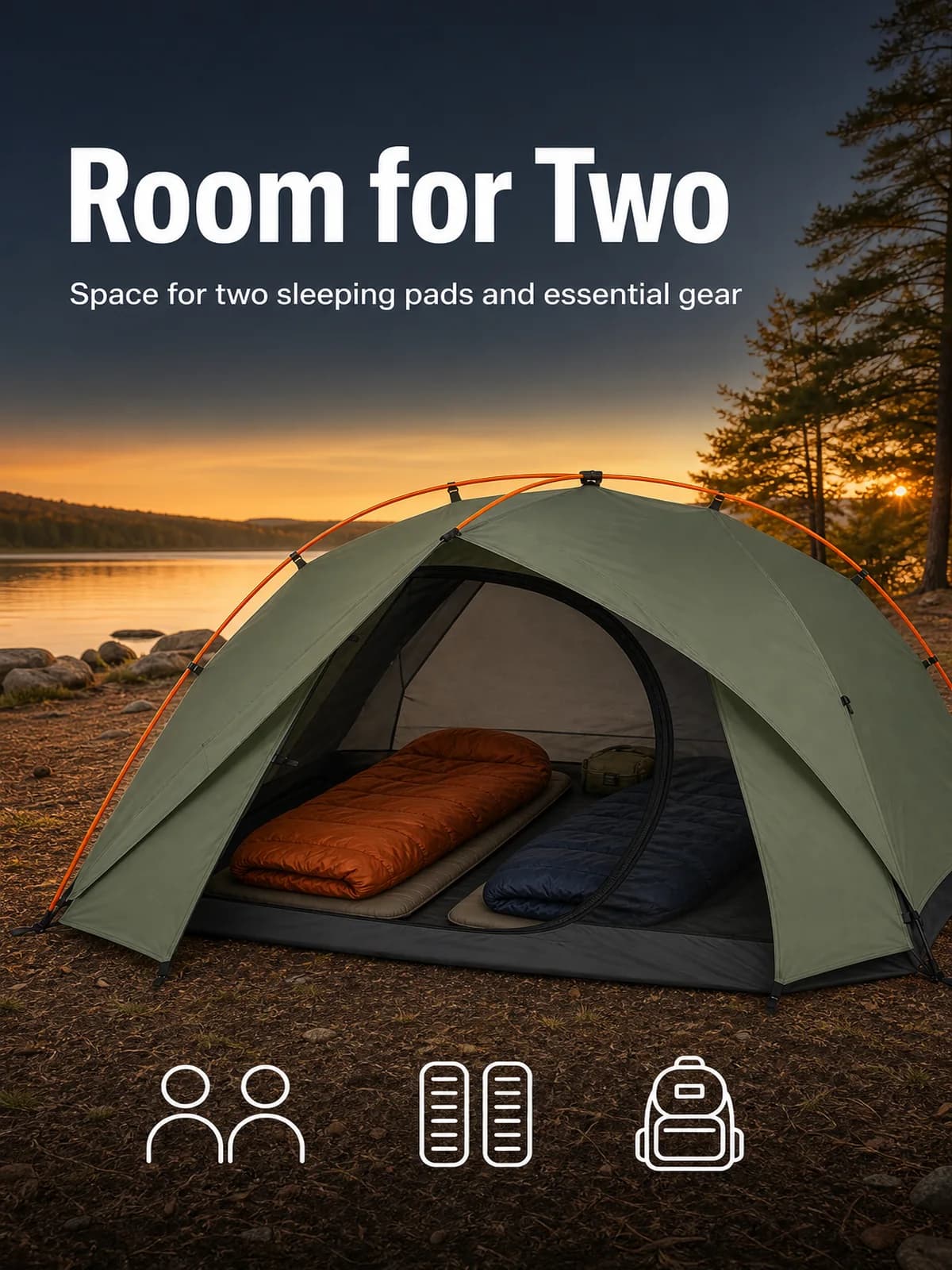
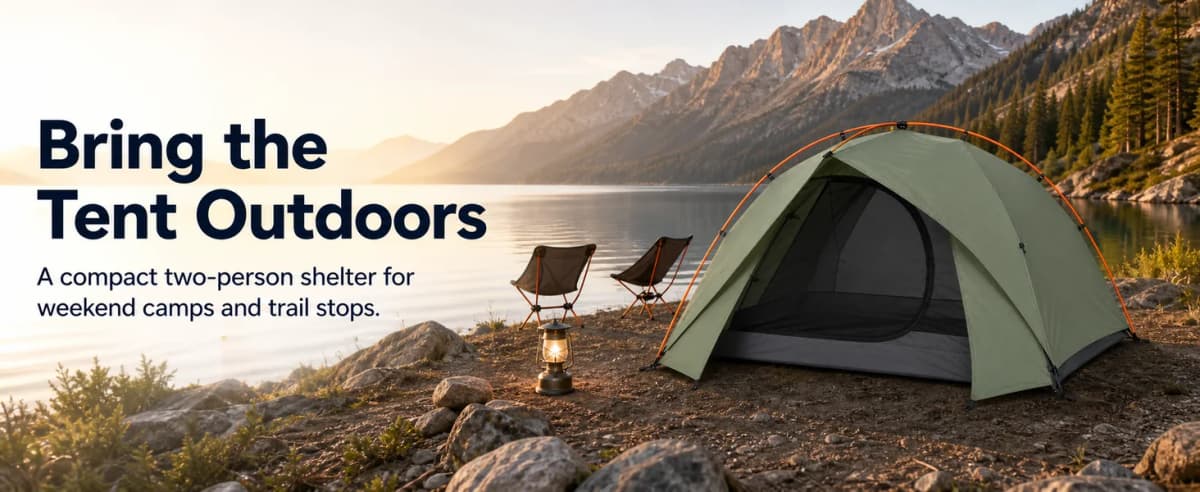
The useful part is not the number of images. It is the planning structure that gives every image a separate commercial task.
Product Fact Control
The workflow begins with a product master description. Creative direction can change the setting, camera position, lighting, and copy hierarchy. It should not quietly change the product.
Product Master Description
The fictional tent case uses the following locked inputs:
| Product field | Case detail | Production rule |
|---|---|---|
| Product type | Compact two-person backpacking tent | Keep the silhouette consistent |
| Rainfly | Sage green | Preserve the same tone across scenes |
| Inner tent | Charcoal-black mesh | Keep the rounded front mesh door visible when relevant |
| Floor | Dark gray | Do not replace it with a bright or patterned floor |
| Structure | Two orange crossing poles | Do not add a third pole or redesign the geometry |
| Entry | One rounded front door | Do not add a side or rear door |
| Vestibule | One small front vestibule | Keep the scale modest |
| Dimensions | 210 × 130 × 105 cm | Reuse the same metric and imperial values |
| Components | Rainfly, inner tent, pole set, footprint, guylines, stakes, carry bag | Confirm all included parts before a real listing goes live |
These are fictional case specifications, not claims for a real tent. A real production brief should be built from the seller's approved specification sheet, physical sample, reference photography, packaging list, and test documentation.
Product Identity Anchor
A clean reference image provides a useful visual anchor for later generation. Each subsequent brief should repeat the invariants that matter:
- Sage-green rainfly
- Charcoal mesh inner tent
- Dark-gray floor
- Two orange crossing poles
- One rounded front door
- One small front vestibule
- Consistent proportions and material treatment
When a detail is missing, Codex should flag the gap instead of filling it with a plausible invention. The same fact layer can also support broader Amazon listing optimization, because titles, bullets, descriptions, images, and A+ modules should describe the same product.
Buyer Objection Map
The next step is translating product facts into buyer questions. A backpacking-tent shopper may want answers to seven practical questions:
- Is there enough space for two sleeping pads and essential gear?
- What does the pole structure actually look like?
- What does the tent look like when packed?
- Which components are included?
- Can the same product be shown clearly across different outdoor scenes?
- What are the pitched dimensions?
- What does the setup sequence involve?
Each question becomes one supporting-image task. This prevents the gallery from becoming seven variations of the same front-facing product photo.
The same rule applies to claims. If the product has not been tested for a wind rating, waterproof rating, setup time, durability threshold, or weight class, those statements should not appear simply because they sound persuasive. Visible construction can be shown. Tested performance requires evidence.
Amazon Main Image
The main image has the narrowest job in the system. It should help the shopper identify the product being sold without promotional copy, lifestyle props, callout graphics, or unrelated accessories.
The tent brief specifies:
- Square 1:1 canvas
- Pure white background
- One complete tent
- Clear three-quarter front view
- No text or badges
- No camping props
- No logo or watermark
- Accurate color, structure, entry, and proportions
The no-text rule applies to the main image. It does not apply to the entire listing gallery. Supporting images and A+ Content have different jobs and can use approved on-image copy to explain visible product details.
Seven Supporting Images
The supporting gallery uses a 3:4 portrait format, following the original case structure. Every image includes its final headline, supporting copy, or labels directly inside the generated asset.
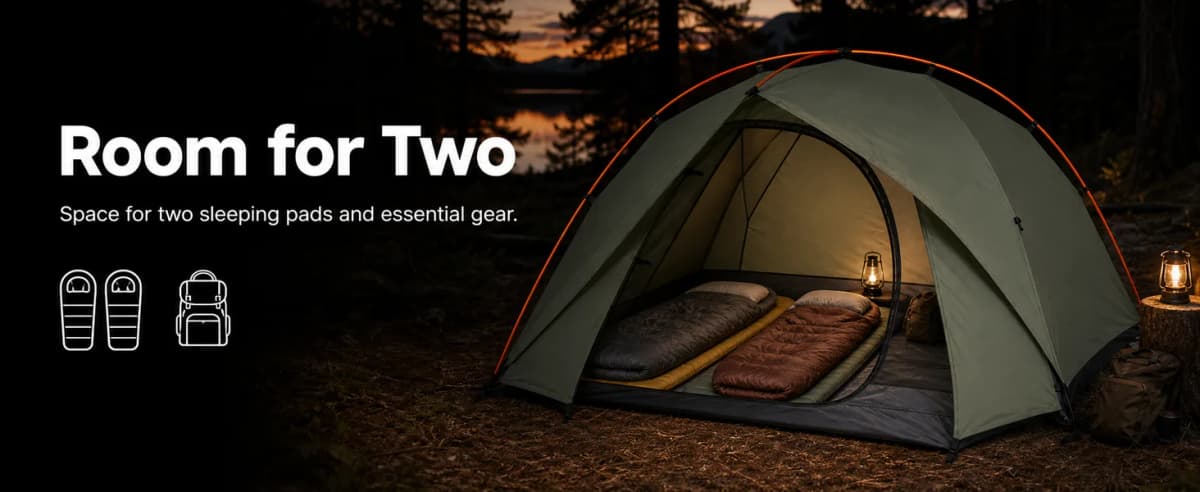
Interior Space
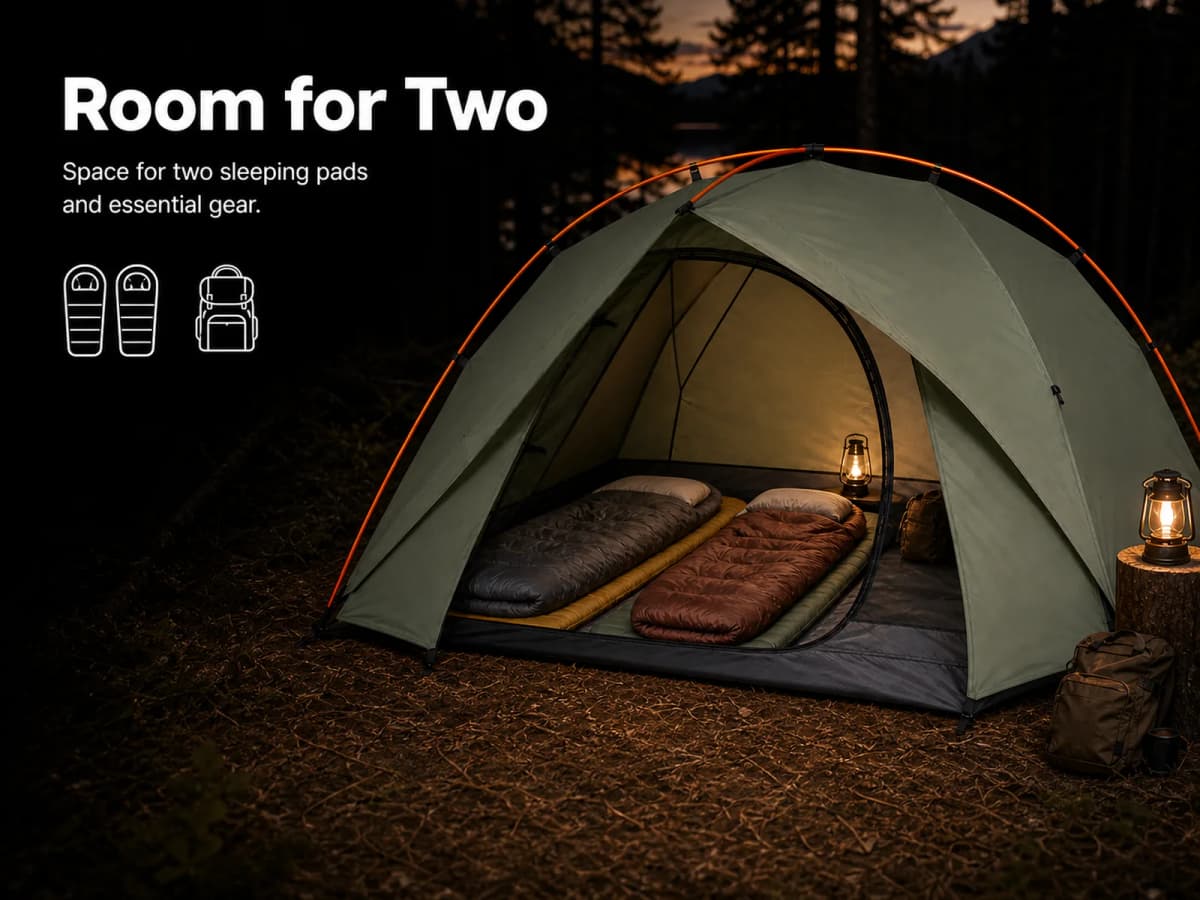
“Two-person tent” is difficult to judge from a closed exterior view. The first supporting image opens the front door and places two sleeping pads and two sleeping bags inside. The headline states the intended decision clearly: Room for Two.
The sleeping equipment provides scale and context. It should not be presented as included with the tent.
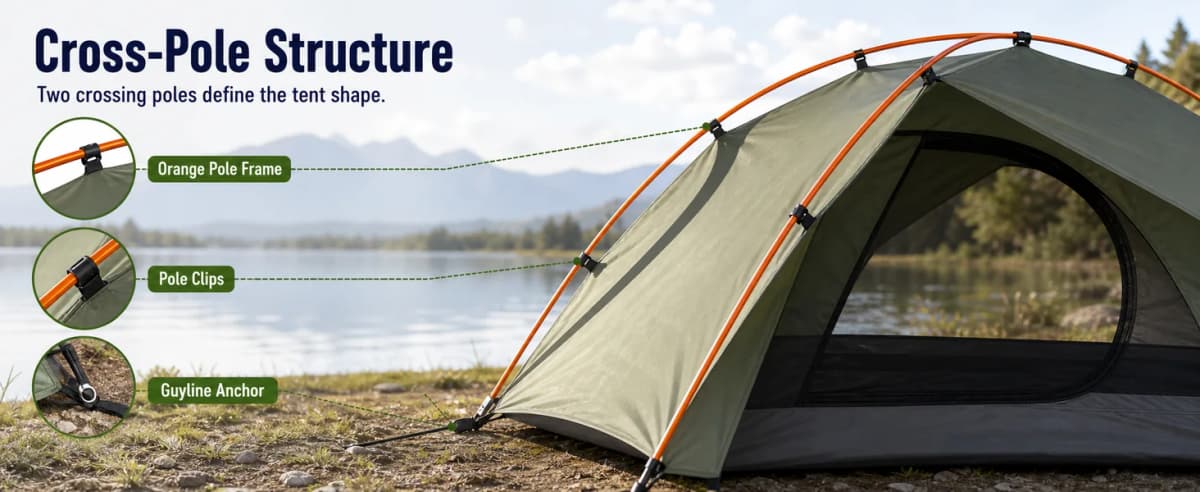
Pole Structure
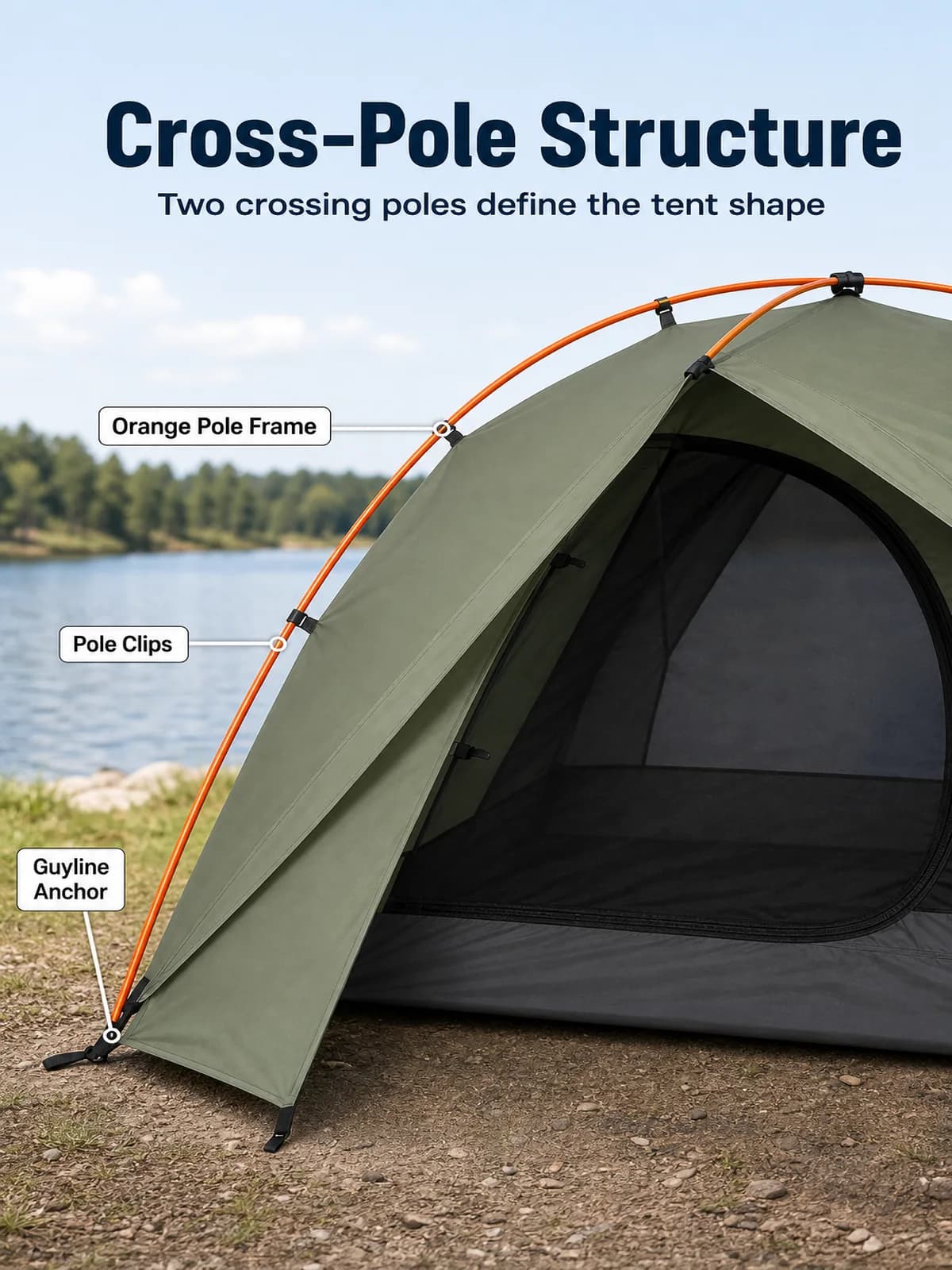
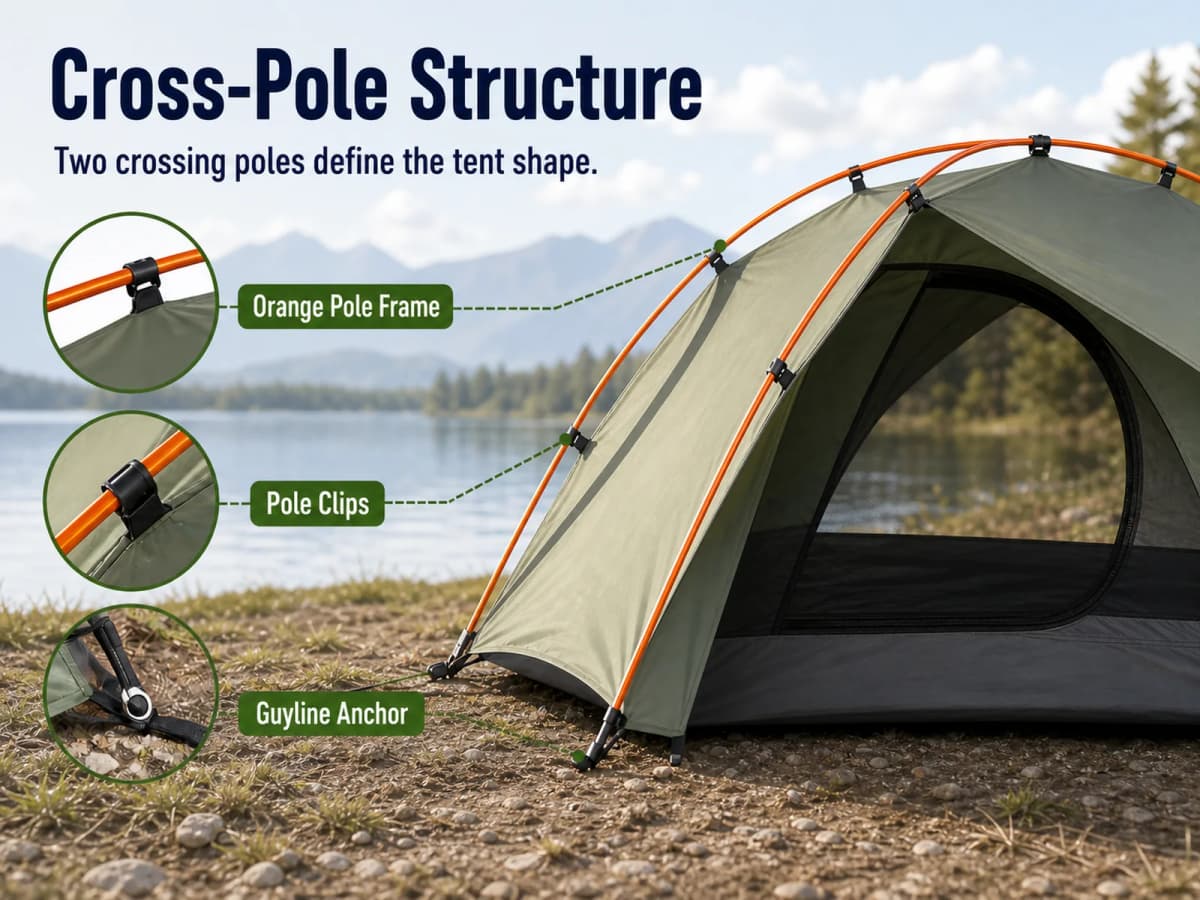
The second image replaces an unverified stability promise with visible construction. It points to the orange pole frame, pole clips, and guyline anchor without adding a wind rating or strength claim.
This is a safer copy pattern: describe what the shopper can see, then reserve performance language for claims supported by test evidence.
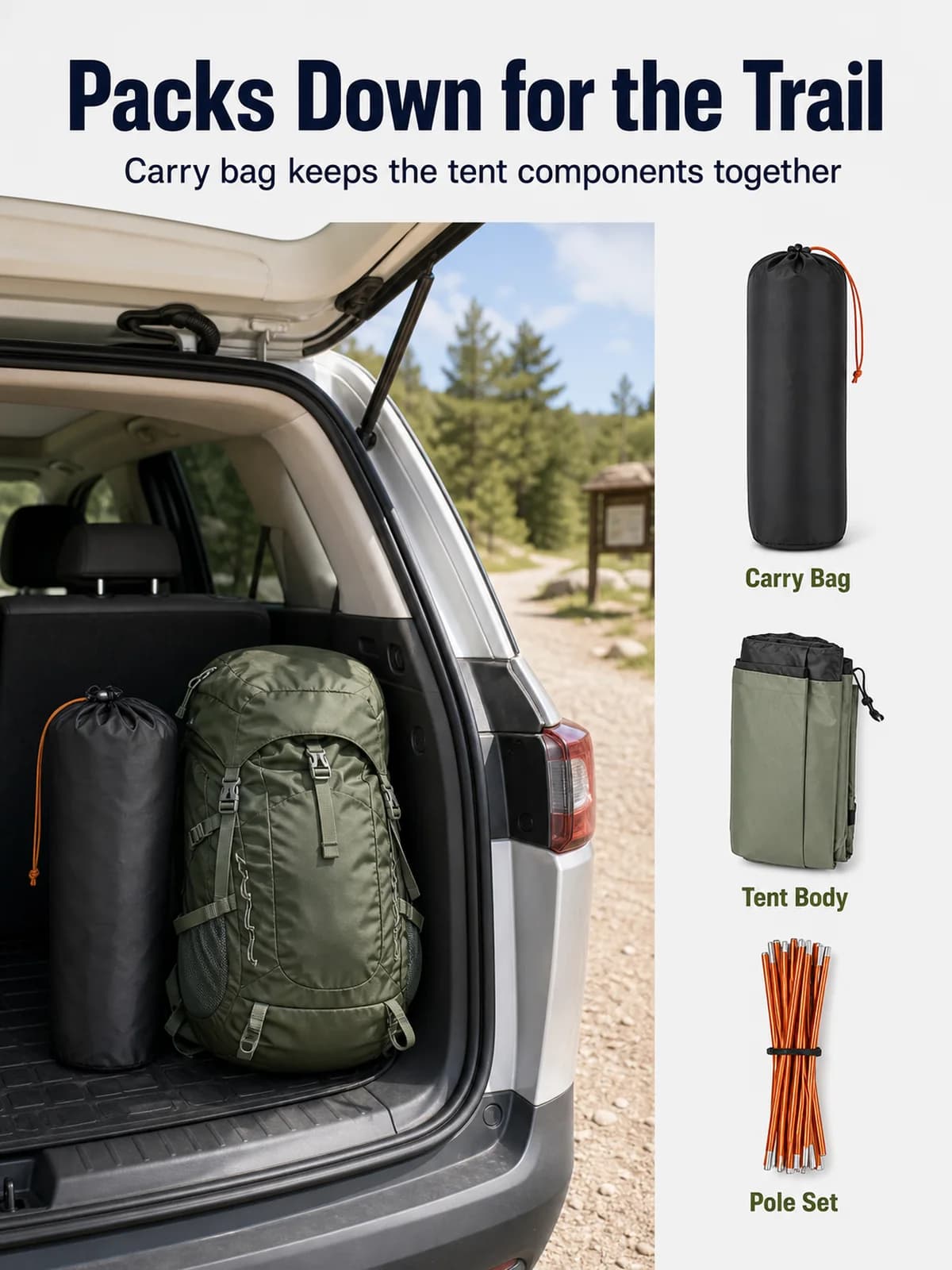
Packed Storage
“Portable” becomes more useful when the shopper can see the packed product. The third image combines a vehicle-storage context with separate views of the carry bag, folded tent body, and orange pole set.
No packed dimensions or weight appear because the fictional brief does not provide them.
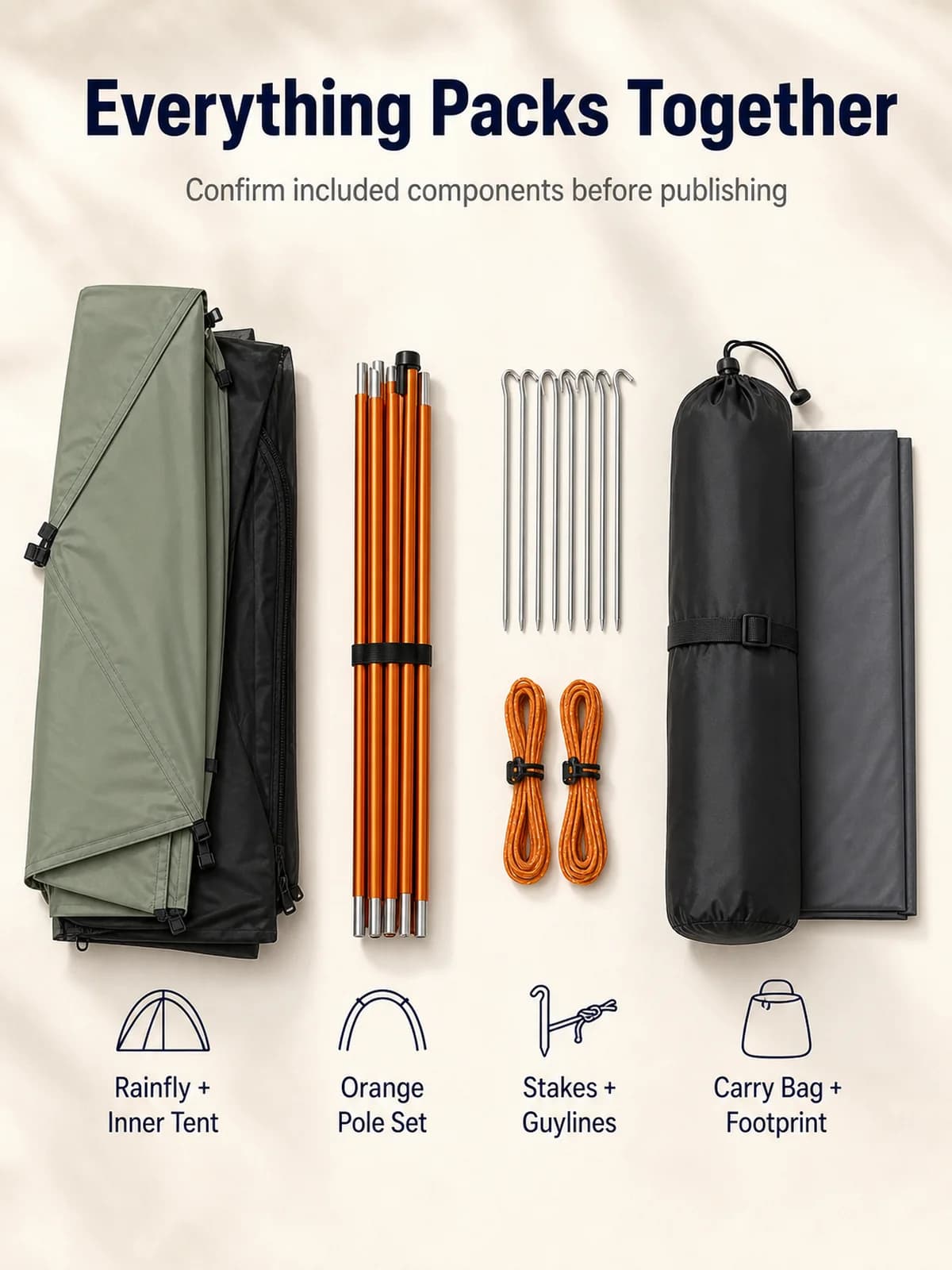
Included Components
The fourth image organizes the rainfly, inner tent, pole set, stakes, guylines, carry bag, and footprint on a clean studio surface. It also carries an explicit review reminder: Confirm included components before publishing.
That sentence is important in a fictional workflow. A polished flat lay should never become the source of truth for what arrives in the package.
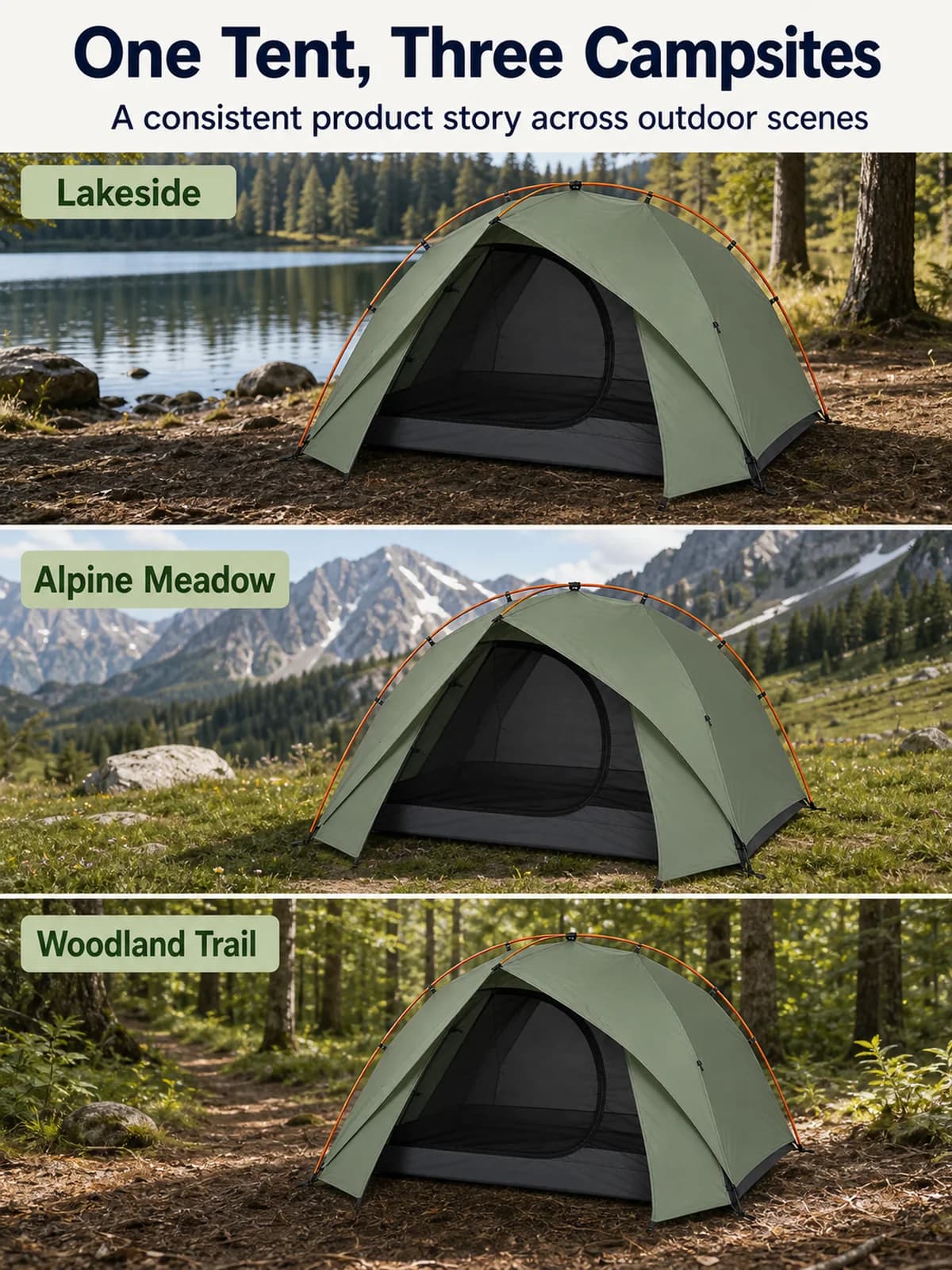
Multi-Scene Use
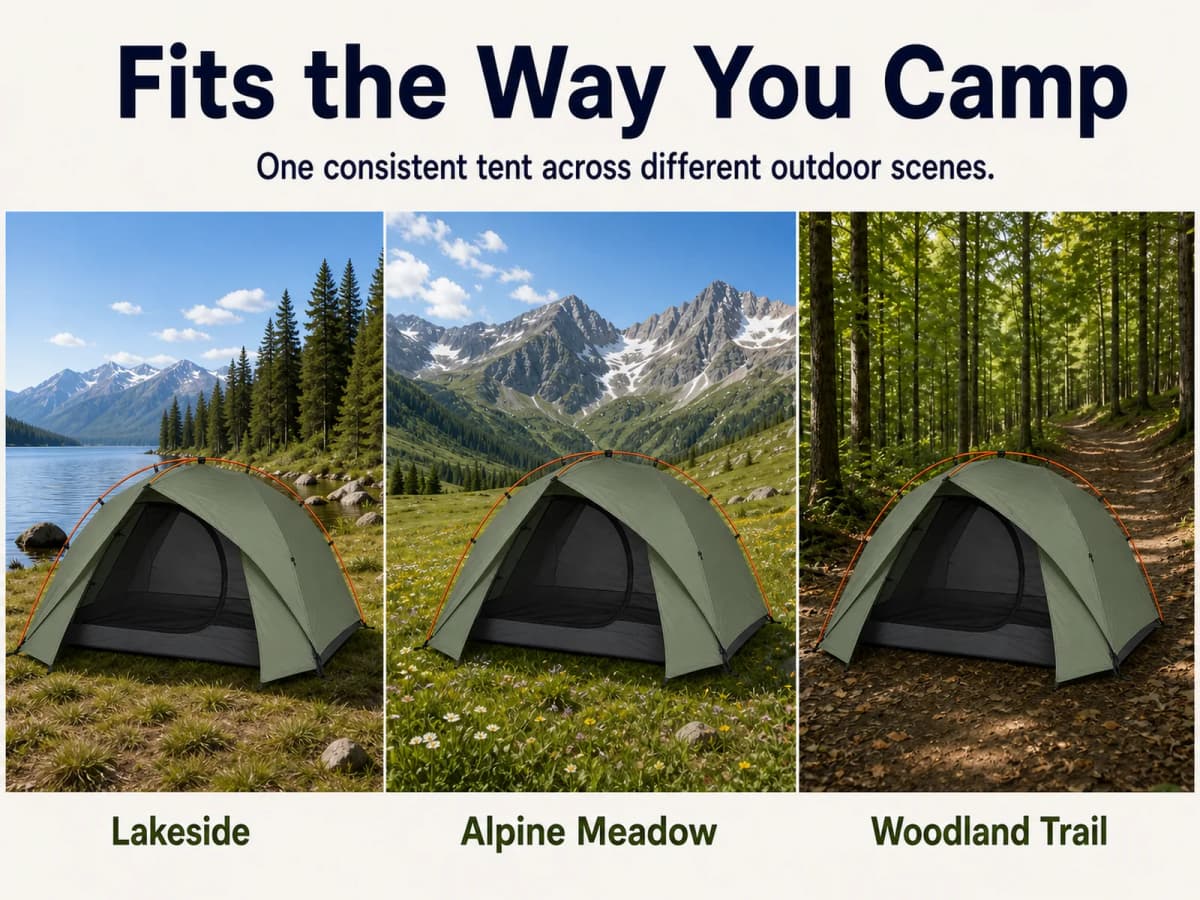
The fifth image places the same tent in three outdoor environments: lakeside, alpine meadow, and woodland trail. The product identity stays consistent across all panels.
The image demonstrates visual versatility without promising that the tent is appropriate for every climate, terrain, or weather condition.
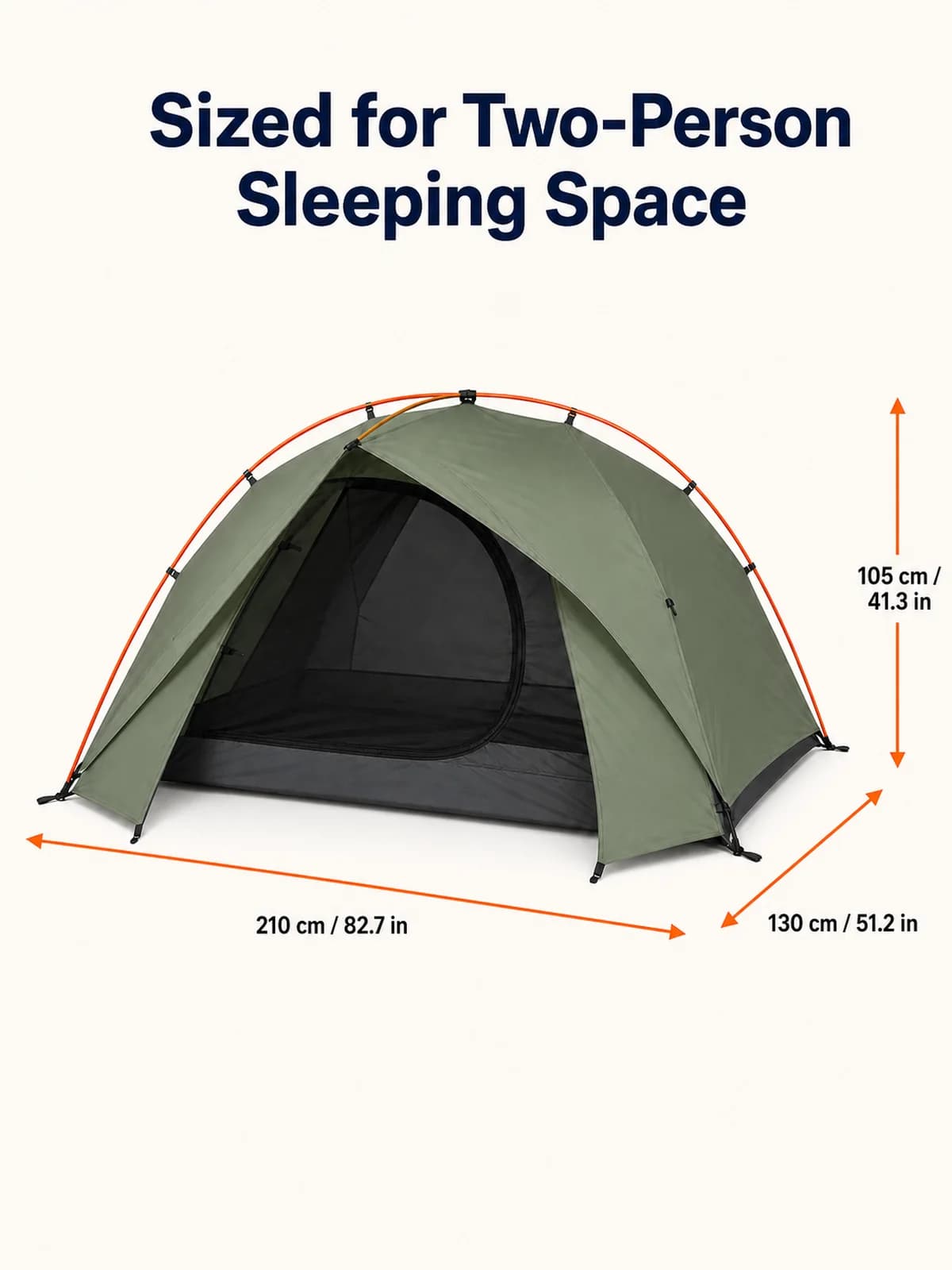
Product Dimensions
The sixth image turns the case dimensions into a functional graphic:
- 210 cm / 82.7 in length
- 130 cm / 51.2 in width
- 105 cm / 41.3 in height
The measurement arrows point to the correct product edges. The conversion should be calculated and approved once, then reused across the gallery, A+ Content, description, and packaging documentation.
Setup Steps
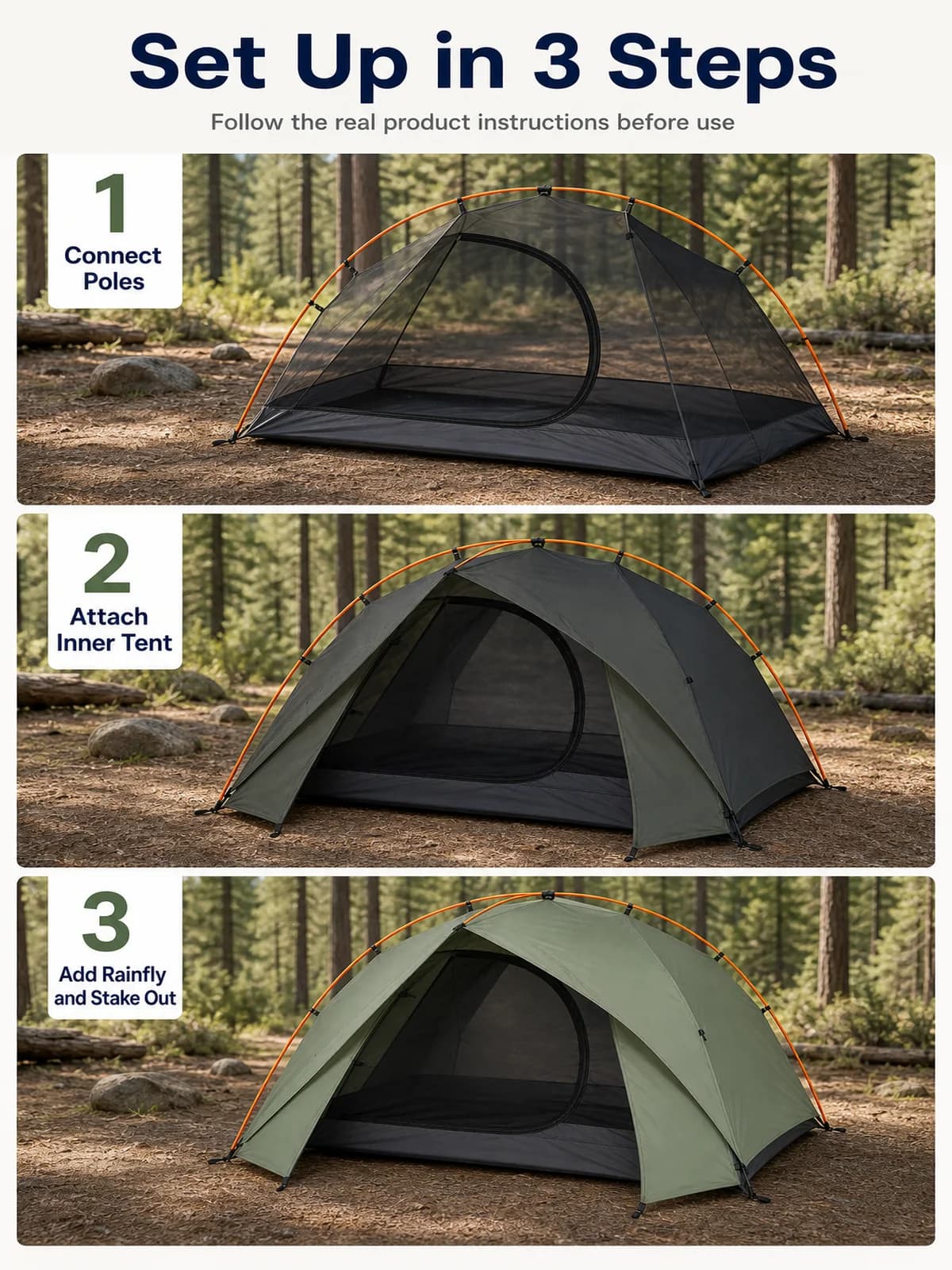
The seventh image breaks the fictional setup into three visual stages: connect the poles, attach the inner tent, then add the rainfly and stake out the product.
The supporting line tells the shopper to follow the real product instructions. A generated sequence can communicate the process, but it must be checked against the actual assembly guide before publication.
Desktop A+ Content
Supporting images answer individual objections. A+ Content connects those answers into a longer product narrative. This case uses 1464 × 600 as the desktop planning canvas for every module. It is a consistent production size for this example, not a universal claim about every Amazon A+ module.
Desktop A+ Sequence
1. Outdoor opening. The first module introduces the product in a mountain-lake campsite and establishes the visual tone.
2. Interior context. The second module gives the two-person layout more room than a gallery image can provide.
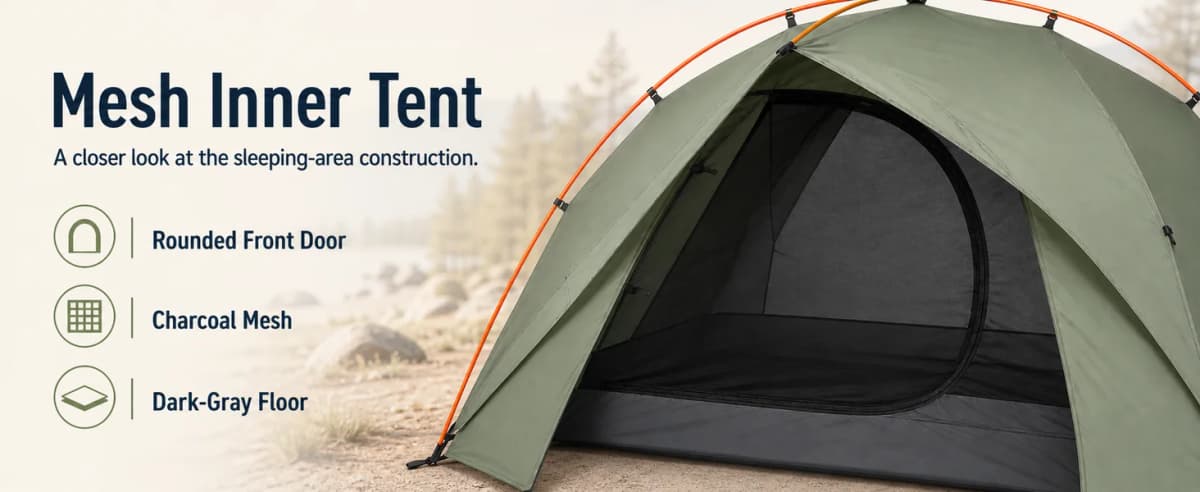
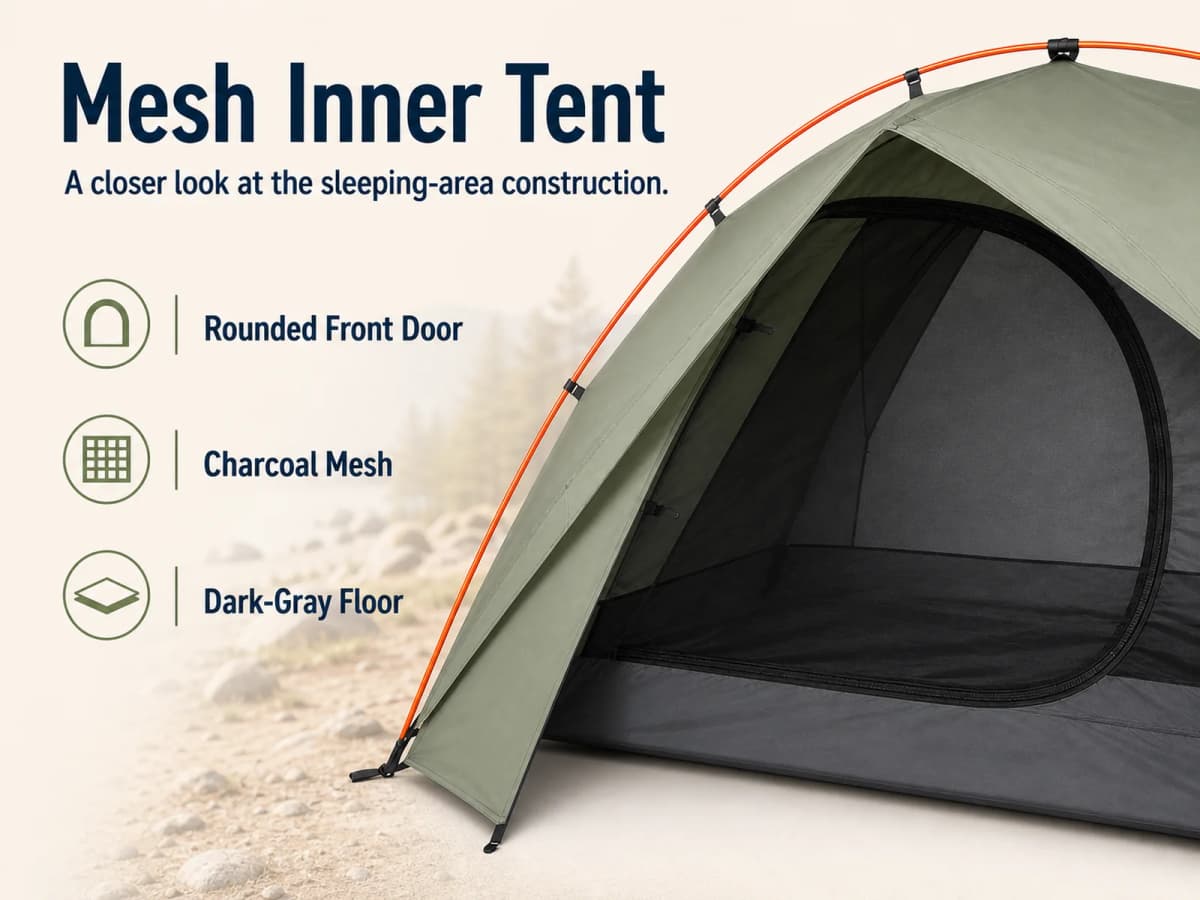
3. Mesh construction. The third module moves closer to the rounded door, mesh inner body, and dark-gray floor.
4. Pole geometry. The fourth module explains the orange cross-pole frame through accurate callouts.
5. Entry and vestibule. The fifth module identifies the one front door, small vestibule, and guyline point.
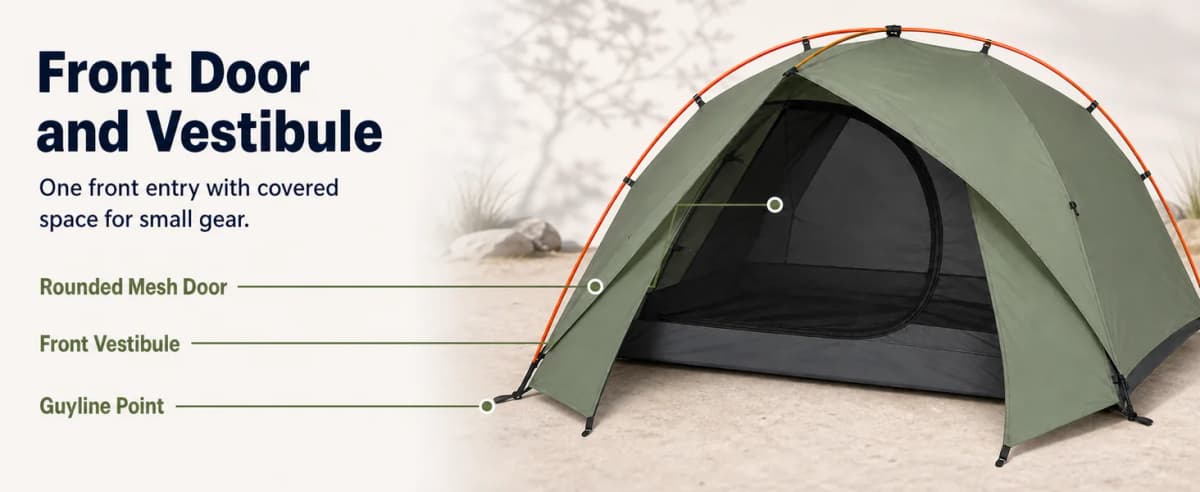
6. Packed storage. The sixth module connects the carry bag and component views with a realistic vehicle-storage scene.
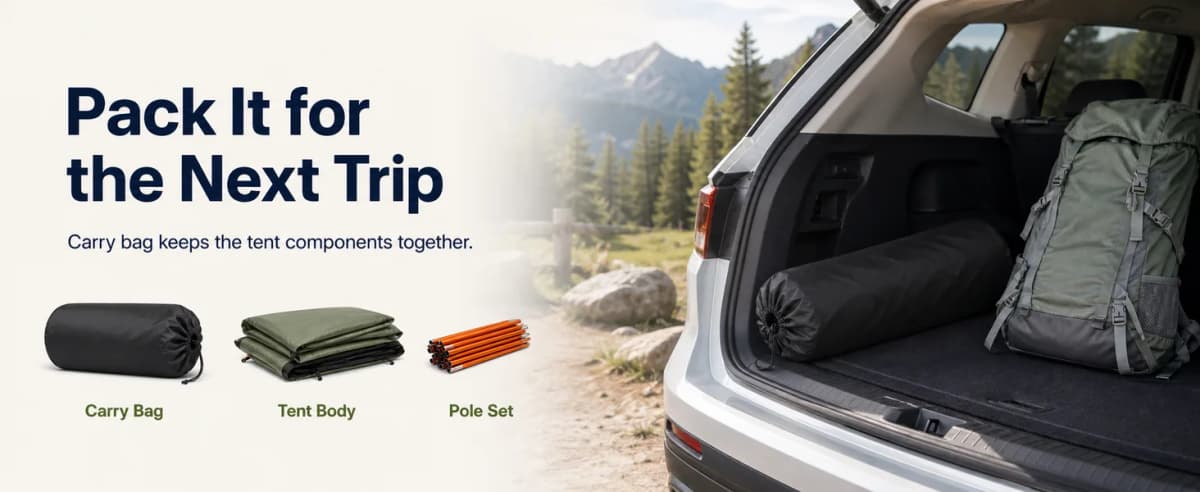
7. Outdoor scenes. The seventh module repeats the same tent across lakeside, alpine, and woodland settings.
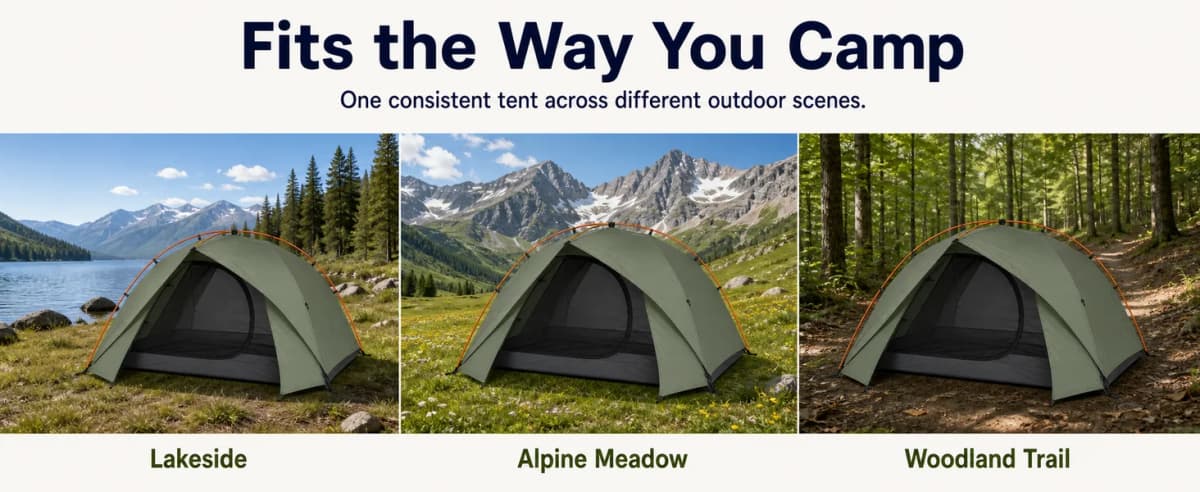
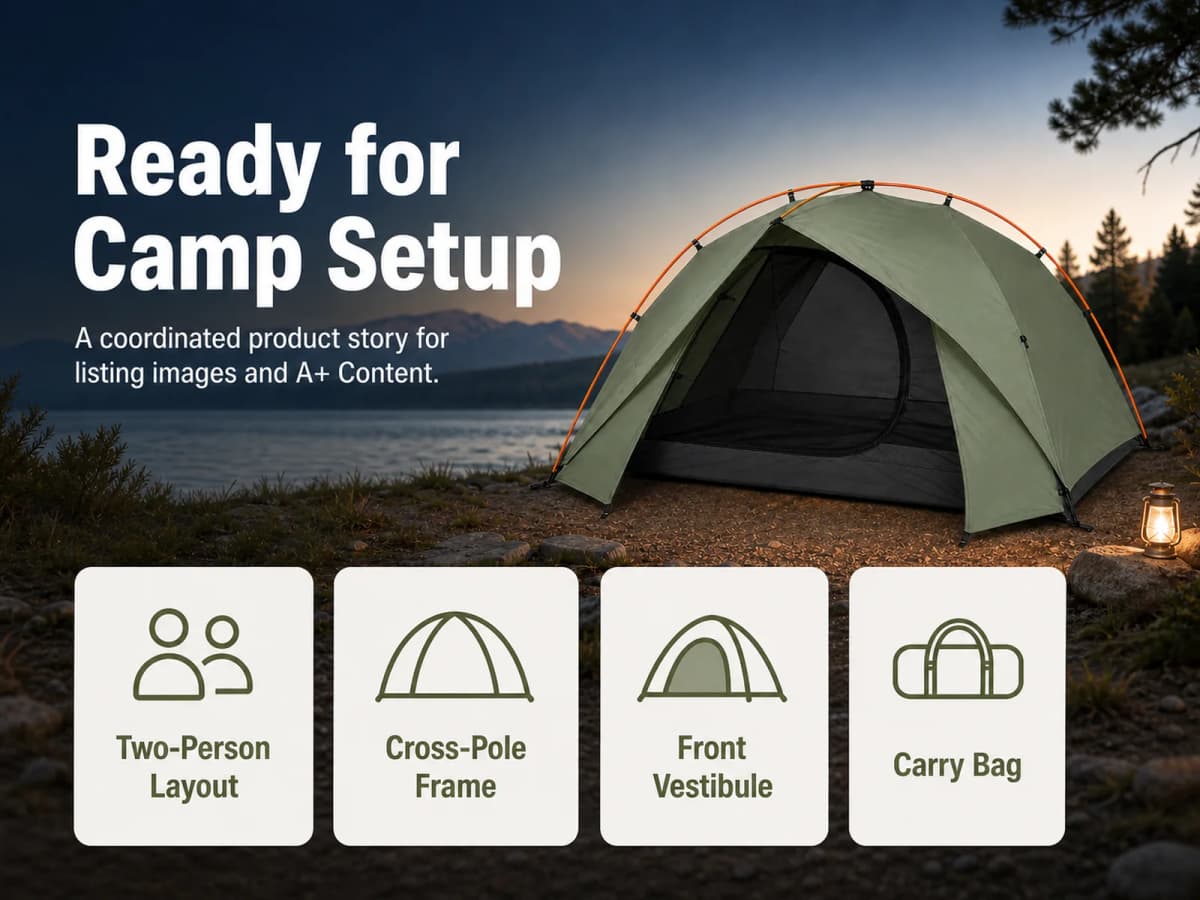
8. Benefit summary. The final module brings the descriptive features together without adding unsupported performance promises.
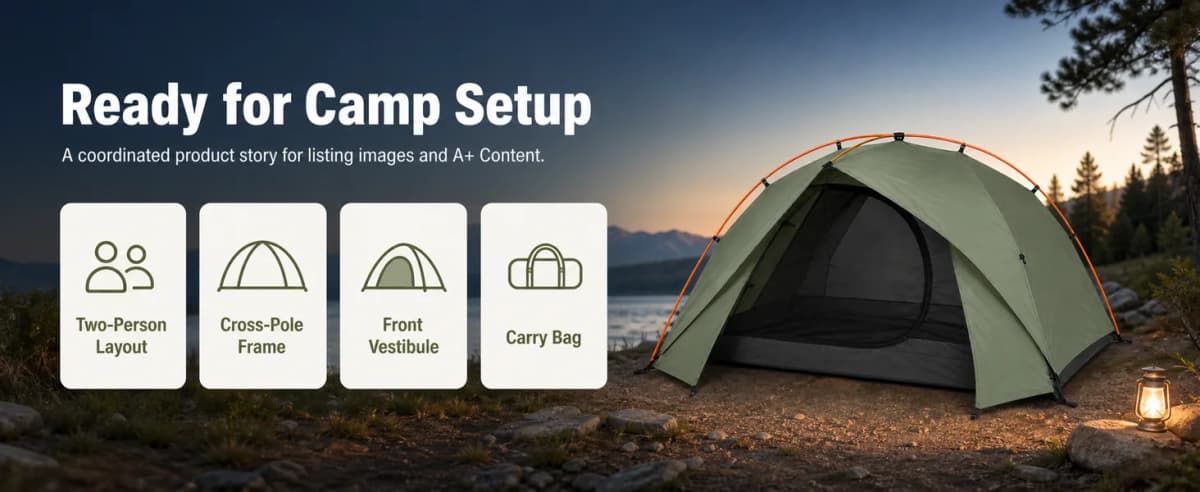
The sequence moves from context to evidence and then to summary. It should feel like one page, not eight unrelated banners.
Mobile A+ Content
The mobile set uses 1600 × 1200 planning canvases. Each module keeps the corresponding desktop message while recomposing the product, headline, labels, and negative space for a 4:3 layout.
Mobile A+ Sequence
1. Outdoor opening. The headline remains prominent while the tent becomes larger within the frame.
2. Interior context. The copy stays in a dark high-contrast block while the open interior remains readable.
3. Mesh construction. The three construction labels move into a vertical mobile-friendly stack.
4. Pole geometry. Larger circular detail crops make the pole clips and anchor easier to inspect.
5. Entry and vestibule. The callouts receive more vertical room and remain connected to the correct visible parts.
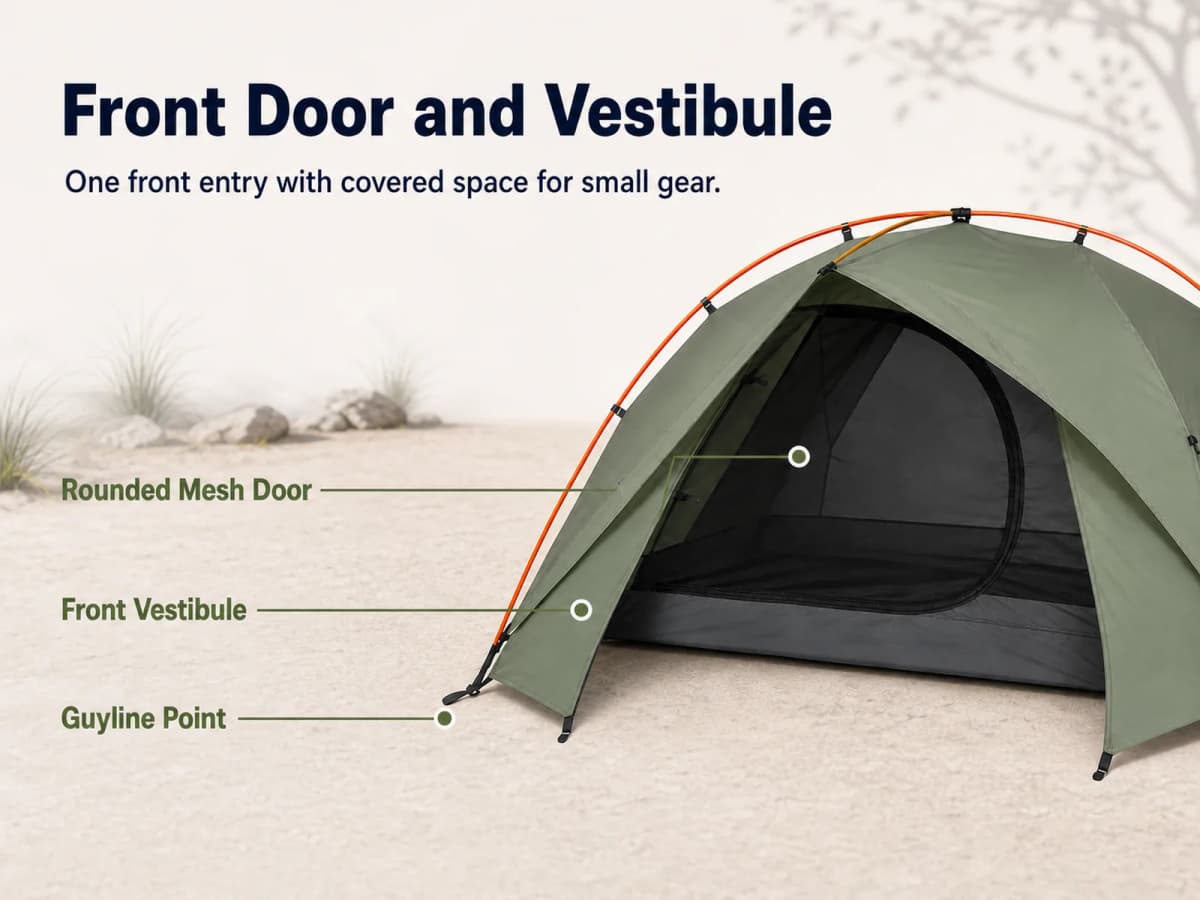
6. Packed storage. The trunk scene and three components move into a two-level mobile layout.
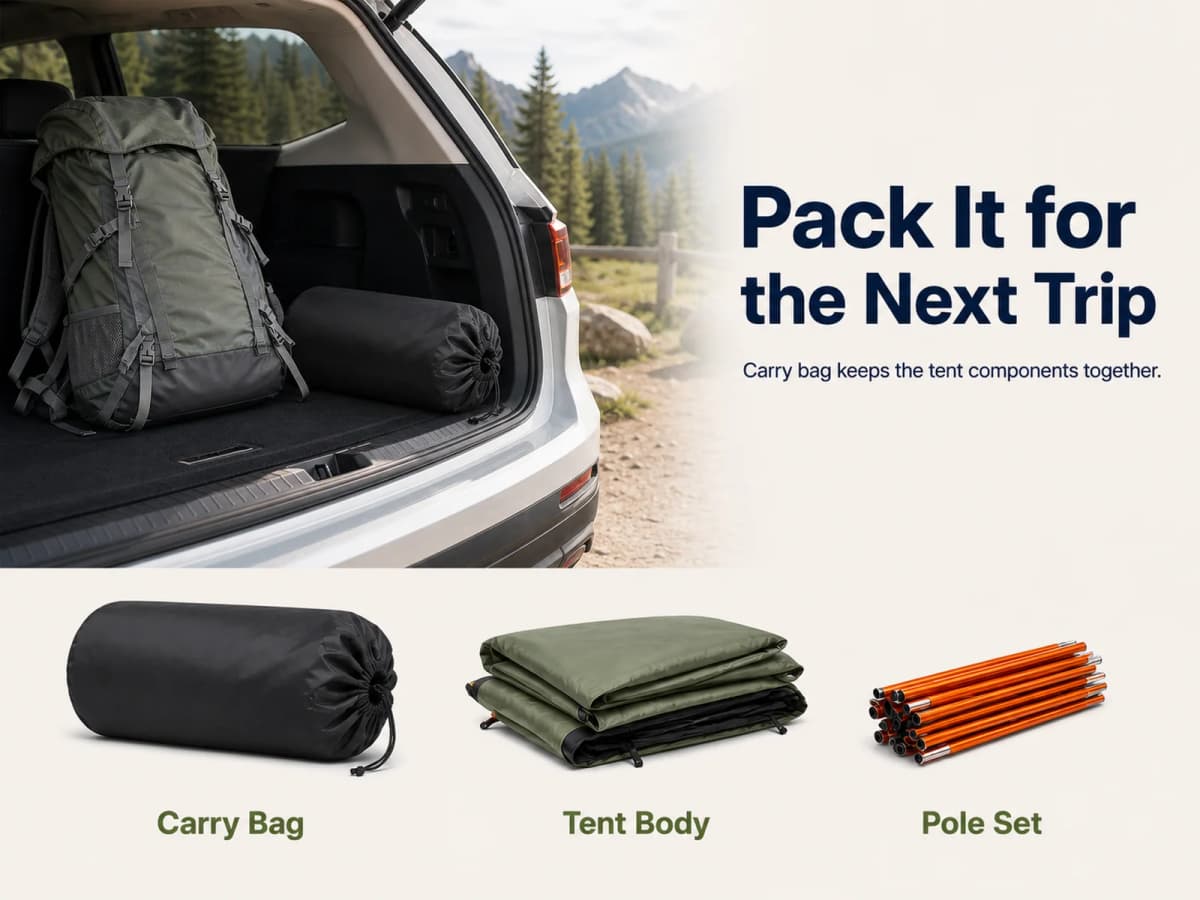
7. Outdoor scenes. Three tall panels preserve the environment labels without shrinking the tent excessively.
8. Benefit summary. The four feature cards become a larger mobile grid beneath the product.
The mobile images were generated as separate compositions. They were not produced by cropping the desktop banners. The same product facts and messaging can be shared across formats, but the visual hierarchy should respond to the available space.
Sellers can connect this visual system with broader AI content for Amazon listing optimization, provided every generated claim and product detail is checked before publication.
Pre-Production Workflow
The reusable value comes from the order of operations:
Product references
        ↓
Product master description
        ↓
Buyer objections
        ↓
Main image, supporting image, and A+ tasks
        ↓
Exact headline, subheadline, labels, and visual evidence
        ↓
One final generation prompt per asset
        ↓
Image generation
        ↓
Human review and listing QA
OpenAI describes Codex as an agent that can work across long-running tasks, manage parallel work, use skills, and extend beyond code into broader knowledge workflows. In this case, those capabilities are applied to structured creative production: organize the source files, keep the product brief consistent, generate one brief per image, call the configured image tool, save the outputs, and verify the results.
Codex should not be treated as the factual source for dimensions, included components, product claims, or marketplace compliance. Those inputs still come from the seller and the product evidence.
Reusable Codex Prompt
The article should include the prompt because the prompt framework is a core part of the workflow. It asks Codex to plan before generating.
Use the supplied product references and specification sheet to create a product master description.

Lock the product shape, color, materials, dimensions, structure, accessories, and other visual identifiers. Flag any missing or unverified facts instead of inventing them.

Next, identify the target buyer's main questions and map each question to one of these asset types:
- Amazon main image
- Supporting listing image
- Desktop A+ Content module
- Mobile A+ Content module

For every asset, provide:
1. Image type
2. Buyer question
3. Core benefit
4. Visible evidence
5. Exact English headline
6. Exact English subheadline
7. Exact label and callout copy
8. Composition and product placement
9. Claim and compliance boundaries
10. Final image-generation prompt

For the Amazon main image, use a clean white background and render no text.

For every supporting image and A+ Content module, the final generation prompt must instruct the image model to render the exact approved headline, subheadline, and labels directly inside the image. Do not add, rewrite, misspell, or omit any text.

Create desktop and mobile A+ modules as separate compositions. Do not crop the desktop image to create the mobile version.
Tent Workflow Prompt
The product-specific version turns the framework into an executable case:
Use the supplied product references and specification sheet to create a product master description for a fictional compact two-person backpacking tent.

Lock these visual identifiers: sage-green rainfly, charcoal-black mesh inner tent, dark-gray floor, exactly two orange crossing poles, one rounded front door, one small front vestibule, and a black cylindrical carry bag.

Use 210 × 130 × 105 cm as the fictional case dimensions, approximately 82.7 × 51.2 × 41.3 in. Treat the rainfly, inner tent, pole set, footprint, guylines, stakes, and carry bag as included components only after the product brief confirms them.

Map the buyer questions about interior space, pole structure, packed storage, included components, outdoor scenes, dimensions, and setup to one Amazon main image and seven supporting images.

Then create eight desktop A+ modules and eight independently composed mobile A+ modules covering: outdoor opening, interior space, mesh construction, pole structure, front entry and vestibule, packed storage, multiple outdoor scenes, and final benefit summary.

For every image, output all ten planning fields and one final generation prompt. Render exact approved copy inside every supporting image and A+ module. Keep the main image text-free.
Final Image Prompt Example
The following is one of the individual prompts that can be produced from the framework:
Use case: ads-marketing
Asset type: Amazon supporting listing image 2
Input images: Image 1 is the product identity reference. Preserve the exact same tent.

Primary request: Create a photorealistic 3:4 portrait ecommerce feature image explaining the visible cross-pole structure.

Scene/backdrop: Clean outdoor campsite beside a lake in soft daylight.

Subject: Close three-quarter detail of the same sage-green tent showing exactly two orange crossing poles, black pole clips, and one guyline anchor.

Text (verbatim):
"Cross-Pole Structure"
"Two crossing poles define the tent shape"
"Orange Pole Frame"
"Pole Clips"
"Guyline Anchor"

Typography: Bold dark navy headline, smaller subheadline, and three compact high-contrast callout labels.

Constraints: Render every supplied line exactly once with no extra readable text. Keep the tent identity unchanged. Do not claim stability, wind resistance, strength, waterproofing, durability, load capacity, or safety. No logo or watermark.
Every production asset needs its own final prompt. A single broad prompt is not enough to control 24 different commercial tasks.
Conclusion
Codex can turn an Amazon image project into a repeatable production system when the workflow begins with product facts and buyer questions. The main image identifies the product. The supporting gallery removes specific objections. Desktop and mobile A+ modules organize the same evidence into a longer page story.
The tent case also shows where automation stops. Product dimensions, included components, setup instructions, materials, and performance claims still require human verification. A highly polished image can create more risk when it describes the wrong product.
For brands that want the image brief and production handled as one coordinated package, Nexscope's Product Photography Service creates listing-ready studio product photos, model shots, lifestyle scenes, PDP images, catalog visuals, and ad-ready creatives for Amazon, TikTok Shop, Shopify, Walmart, and DTC stores.
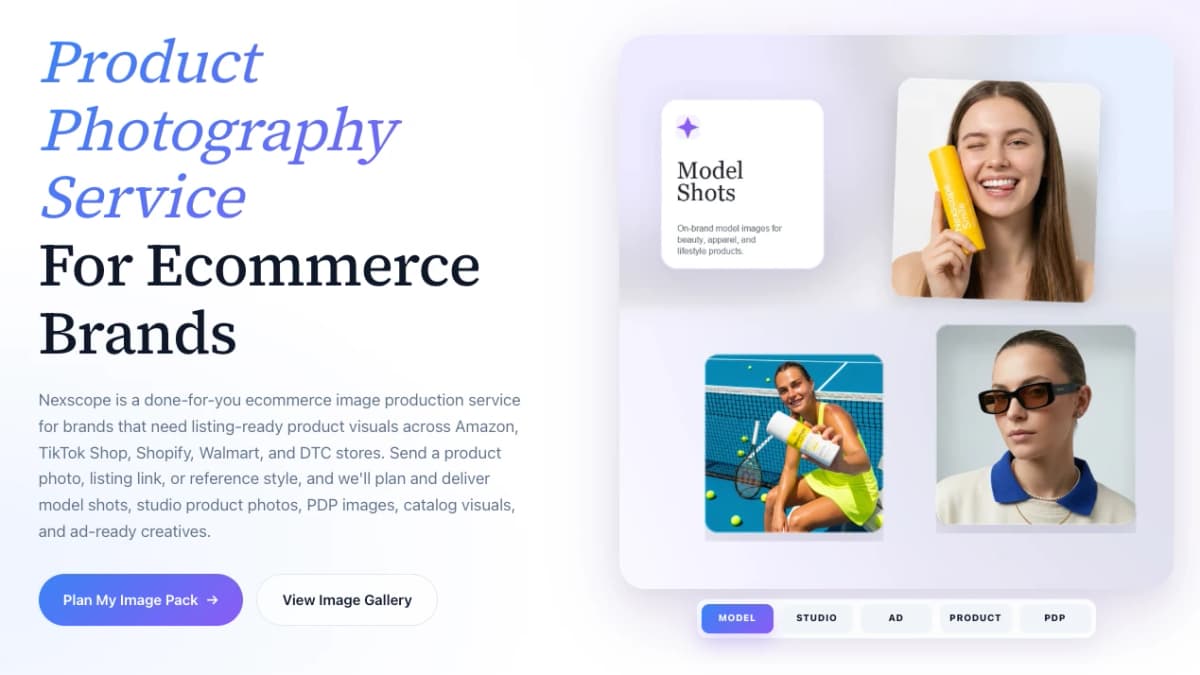
Need Listing-Ready Product Images?
Turn your product brief into a coordinated image pack with studio shots, model images, lifestyle scenes, PDP visuals, and A+ Content-ready creatives.
Plan My Image Pack →Frequently Asked Questions
What does Codex do in this Amazon image workflow?
Codex acts as the planning and orchestration layer. It can organize product references, create a master description, map buyer questions to visual tasks, produce one structured prompt per asset, manage generated files, and coordinate a configured image-generation tool. Codex does not become the source of truth for the product. Sellers still need an approved specification sheet, physical references, packaging information, test evidence, and human review before publishing the images.
Why does the Amazon main image have no text?
The main image has a product-identification job. The case keeps it on a white background with no promotional copy, badges, lifestyle props, or unrelated accessories. Supporting images and A+ Content have different roles and can include approved headlines, labels, dimensions, and explanatory copy. Sellers should verify the current image requirements for their marketplace and category inside Seller Central before upload.
Should supporting listing images include text?
Supporting images can include text when the copy helps explain visible product details and follows current marketplace requirements. In this case, every supporting image has one defined buyer question, an approved headline, supporting copy or labels, and a risk boundary. The text is generated directly inside the image from verbatim copy. It should still be checked for spelling, accuracy, legibility, and unsupported claims before publication.
How many images are in this visual case?
The case includes 24 unique production images: one main image, seven supporting listing images, eight desktop A+ modules, and eight mobile A+ modules. The desktop and mobile modules share the same story order but use different compositions. The blog cover and Nexscope service screenshot are editorial assets and are not counted as part of the Amazon product image pack.
Why are desktop and mobile A+ images generated separately?
A wide desktop banner and a 4:3 mobile image provide different amounts of space for the product, headline, labels, and negative space. Cropping a desktop banner can remove copy or make the product too small. Separate generation lets each layout preserve the same product facts and message while adjusting visual hierarchy for the target canvas. The planning dimensions in this case are examples and should be checked against the seller's current A+ module specifications.
How can sellers avoid unsupported claims in generated images?
Separate visible construction from tested performance. A real pole, clip, vestibule, measurement, or included component can be shown when it is verified. A waterproof rating, wind rating, weight class, setup time, durability promise, or safety claim requires reliable evidence. The image brief should explicitly prohibit unsupported claims, and the final visual should be compared with the product documentation before publication.
Can Nexscope deliver the complete image pack?
Nexscope's Product Photography Service supports coordinated ecommerce image production, including studio product photos, model shots, lifestyle scenes, PDP visuals, catalog images, and ad-ready creatives. The final scope depends on the product references, required marketplaces, approved claims, formats, and creative brief. The service can treat the main image, listing gallery, A+ modules, and related campaign assets as one connected production system.
Sources
- Amazon. (n.d.). Product Image Requirements. Retrieved from sellercentral.amazon.com
- Amazon. (n.d.). A+ Content. Retrieved from sellercentral.amazon.com
- OpenAI. (2026). Introducing the Codex App. Retrieved from openai.com
- Nexscope. (2026). Product Photography Service. Retrieved from nexscope.ai