
10 Best WooCommerce APIs for Product Data and Research

Table of Contents
Choosing a WooCommerce API starts with the data you need and the store you want to access. A product researcher may need public prices, variations, and reviews across several stores. A merchant may need to update their own inventory. A developer may need to extract information from a customized product page. Each task calls for a different approach.
For public product research, Nexscope connects WooCommerce data to your applications and agents through REST API or MCP. WooCommerce’s official APIs serve storefront and authorized store-management tasks, while hosted scraping APIs offer additional control over page retrieval and extraction. The ten options below cover these different needs, with a focus on the data each can provide and the work needed to use it.
WooCommerce API Options Compared
Start by deciding whether you need a structured catalog response, permission to manage a store, or a configurable page-extraction service.
| API or service | Type | Best fit | Access and output |
|---|---|---|---|
| Nexscope | WooCommerce data service | Public product, variation, and review research | Nexscope API key; structured data through REST API or MCP |
| WooCommerce Store API | Official storefront API | Direct public catalog access | Public product endpoints; JSON |
| WooCommerce REST API | Official management API | Operating your own or an authorized store | Store credentials and permissions; JSON |
| WooScrape API | WooCommerce extraction service | Product and category collection | Provider bearer key; structured catalog responses |
| Apify WooCommerce Scraper | Community Actor accessed through API | Collection jobs and dataset workflows | Apify access token; Actor-specific output |
| Zyte API | General extraction API | Automated product-field extraction | Provider credentials; structured extraction options |
| ScrapingBee | General scraping API | Custom rendering and extraction rules | Provider API key; HTML or configured extraction |
| ScraperAPI | General scraping API | Page retrieval for an existing data pipeline | Provider API key; parsing depends on the chosen service |
| Bright Data | Scraper APIs and custom tooling | Collection across different website structures | Provider access; selected or custom scraper output |
| Oxylabs Web API | General web extraction API | Workflows requiring multiple output formats | Provider access; HTML, Markdown, or structured JSON |
A provider API key authenticates you to the data service. A merchant key grants access to a particular store’s management API. Those credentials serve different purposes, even when both workflows return product data.
10 Best WooCommerce APIs
1. Nexscope
Nexscope is an ecommerce data platform for teams researching public WooCommerce stores. It provides structured data through REST API and MCP, so your own application or agent can collect product evidence and use it in a research workflow.
- Product discovery: Search a specified store’s products with a store URL, keyword, and pagination inputs.
- Product details: Inspect individual products using the store URL and product ID.
- Variation research: Retrieve parent-product variation records to examine the available options.
- Customer feedback: Collect product reviews for complaint analysis and product comparisons.
- Catalog context: Work with categories, brands, tags, attributes, attribute terms, and collection data.
- Integration: Use REST calls in your application or MCP tools in a compatible agent environment.
- Best fit: Teams combining product, assortment, and customer-feedback research in one workflow.
- Billing: Pay-as-you-go Data Credits; a Data API subscription is not required.
The practical advantage is the connection between these data objects. Start with a product shortlist, inspect the relevant items, then examine customer feedback before deciding which features or positioning deserve further investigation. Nexscope supplies the data; your team controls the analysis and its own agent.
Public-store requests take a specified store URL. This is useful when you already know the stores you want to study; it should not be confused with a database that discovers every WooCommerce business on the web.
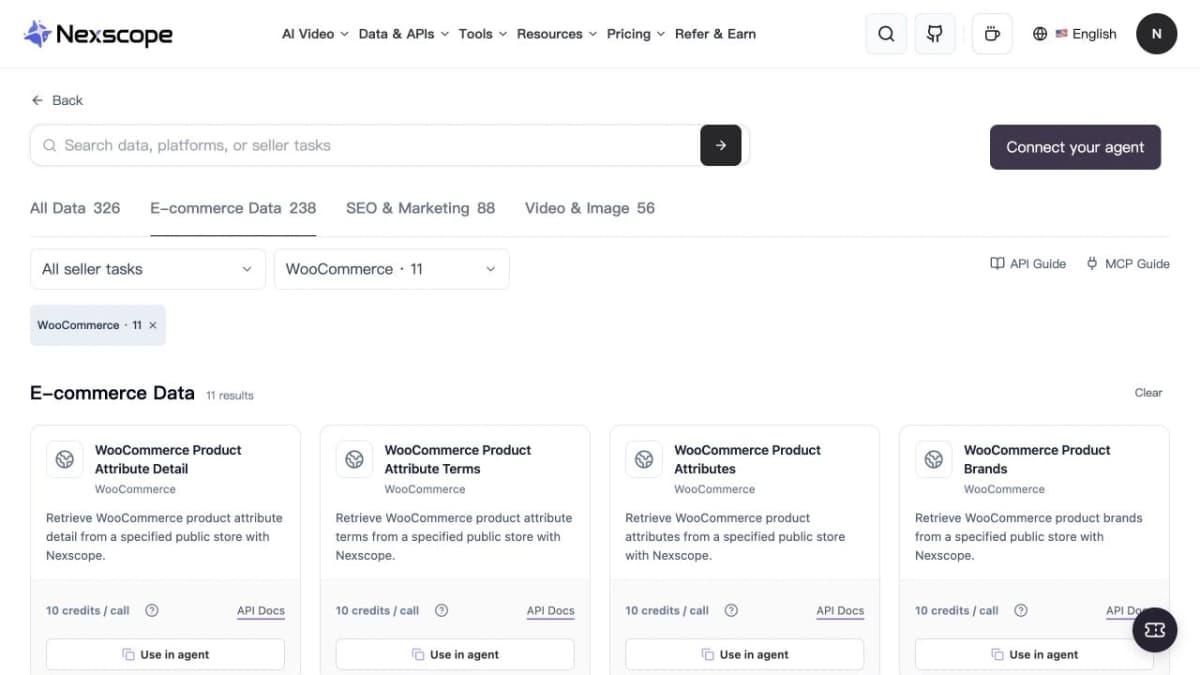
Nexscope’s WooCommerce catalog groups the available public-store data interfaces.
Build Your WooCommerce Research Workflow
Explore the product, variation, and review interfaces that fit your next research task.
Explore WooCommerce APIs →2. WooCommerce Store API
The WooCommerce Store API is the official interface for customer-facing product, cart, and checkout functionality. Its public product endpoints are a direct option when a store exposes the data your application needs.
- Catalog access: Read public product information as JSON.
- Filtering and pagination: Request a relevant subset of products and move through larger collections.
- Storefront development: Support product browsing alongside customer-facing commerce features.
- Best fit: Developers comfortable integrating directly with individual stores.
- Access: Public product reads do not require a merchant API key; cart and checkout operations have their own token and session requirements.
- Cost: No separate hosted-provider subscription, although your infrastructure and implementation still have costs.
Use this route when you want to control collection and normalization yourself. Availability depends on the target store’s configuration, and the API does not grant administrative access to another merchant’s business.

The Store API is designed for customer-facing commerce functionality.
3. WooCommerce REST API
The WooCommerce REST API supports authorized store operations, including creating, reading, updating, and deleting data. It is the appropriate starting point for integrations that maintain a merchant’s catalog.
- Product management: Read and update product records through the store’s management API.
- Operational integration: Connect authorized store data to your internal systems.
- Access control: Use credentials with permissions matched to the integration’s job.
- Best fit: Merchants, agencies, and developers working with stores they are authorized to manage.
- API version: The current WordPress REST API integration uses
wc/v3. - Tradeoff: Each connected store needs its own authorization setup.
For example, an inventory integration should update stock through an authorized management API. A public competitor-research tool has a different access requirement and should use a public-data route.
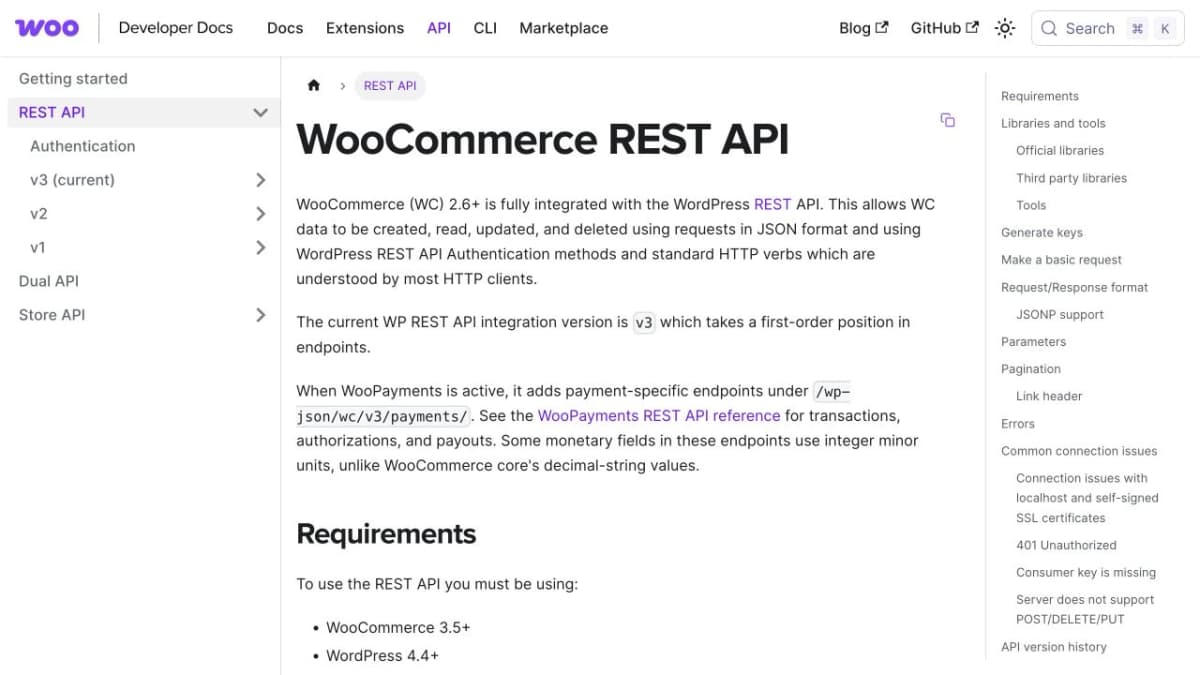
The REST API supports authenticated store-management integrations.
4. WooScrape API
WooScrape offers a WooCommerce-focused interface for collecting products and categories from a supplied storefront URL. Its API returns structured catalog information with connection metadata.
- Store targeting: Accept the full storefront URL, including a WordPress subdirectory when applicable.
- Catalog endpoints: Retrieve categories and paginated product results.
- Collection modes: Choose among available public-catalog, markup, sitemap, and browser-assisted approaches.
- Best fit: Developers seeking a specialized hosted catalog collector.
- Authentication: Use a WooScrape bearer key.
- Access conditions: Available modes depend on the active plan.
The connection metadata is useful when diagnosing a collection job. Preserve the effective mode with your results so changes in the collection method can be investigated alongside changes in the catalog.
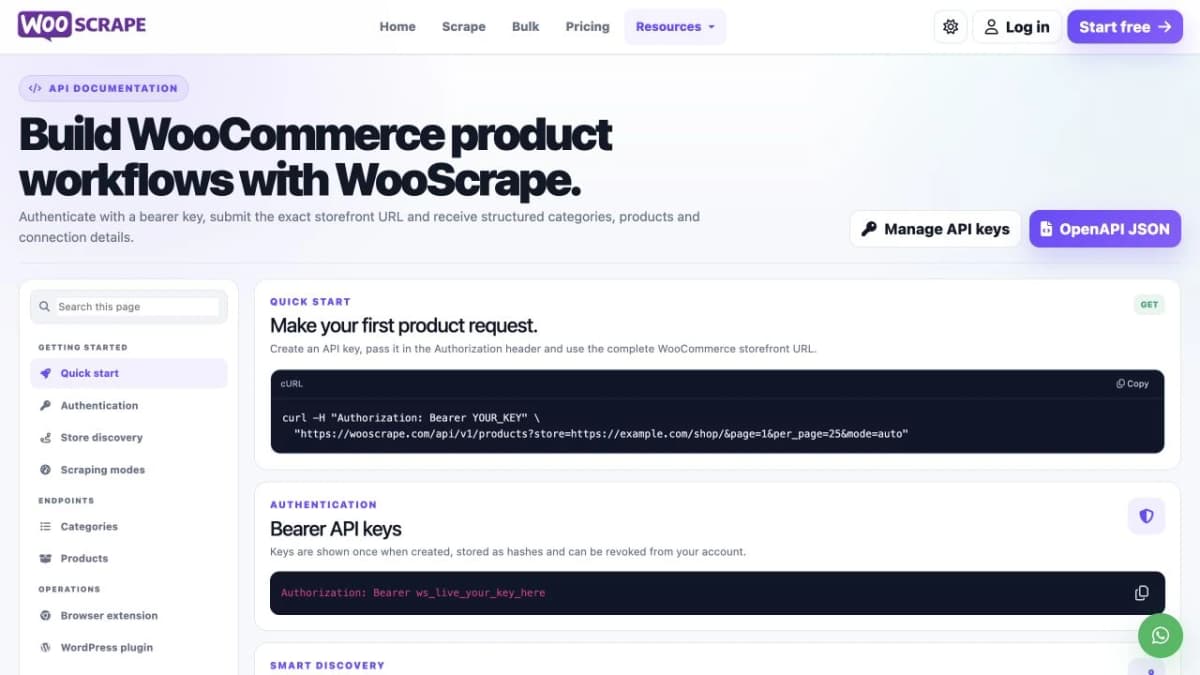
WooScrape accepts a storefront URL and exposes dedicated catalog endpoints.
5. Apify WooCommerce Scraper
Apify offers independently maintained WooCommerce Actors that can be run through its API. One example is autofacts/woocommerce-scraper, a community Actor for product, variation, category, and review collection.
- Collection job: Submit store inputs and retrieve the resulting dataset.
- WooCommerce coverage: The selected Actor supports multiple product-related data types.
- Fallback methods: It describes using available public APIs, sitemaps, and product pages depending on the store.
- Best fit: Teams already using Apify’s Actor and dataset workflow.
- Maintenance: The Actor is community maintained; its implementation and release history matter.
- Billing: Review the chosen Actor’s charging model and any applicable platform costs.
Select the exact Actor before designing your integration. Different WooCommerce Actors can return different fields and use different collection methods. Build your field mapping against the selected Actor’s output rather than assuming every Apify scraper has the same schema.
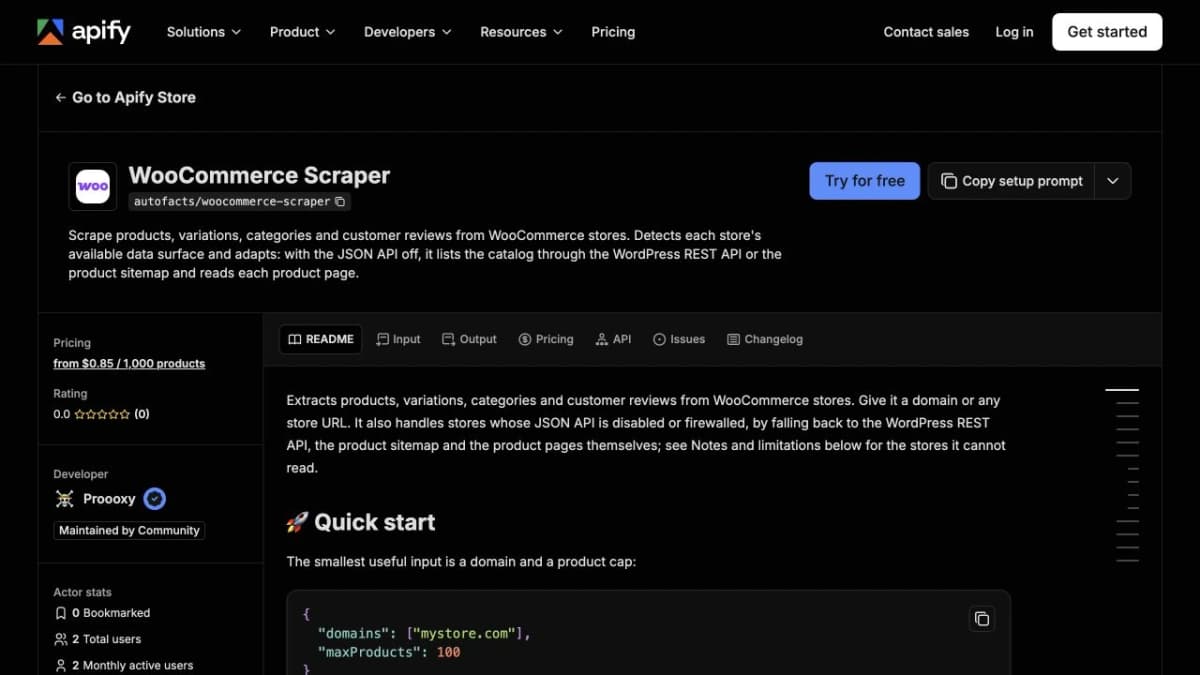
The selected WooCommerce Actor has its own maintainer, inputs, and output contract.
6. Zyte API
Zyte API extracts structured information from webpages, including ecommerce product data. It is useful when your research spans different storefront designs and you want automated extraction instead of a separate parser for every layout.
- Extraction types: Request product, product-list, or product-navigation data.
- Source options: Extract from an HTTP response or rendered browser content.
- Custom attributes: Add extraction requirements beyond the standard fields where supported.
- Best fit: Developers collecting product information across varied websites.
- Implementation choice: Select the extraction type and source that match the page.
- Tradeoff: Product-field completeness still needs to be checked against representative target pages.
Treat this as a general extraction service. It can support a WooCommerce research pipeline, but it does not provide merchant permissions or manage the store’s inventory.
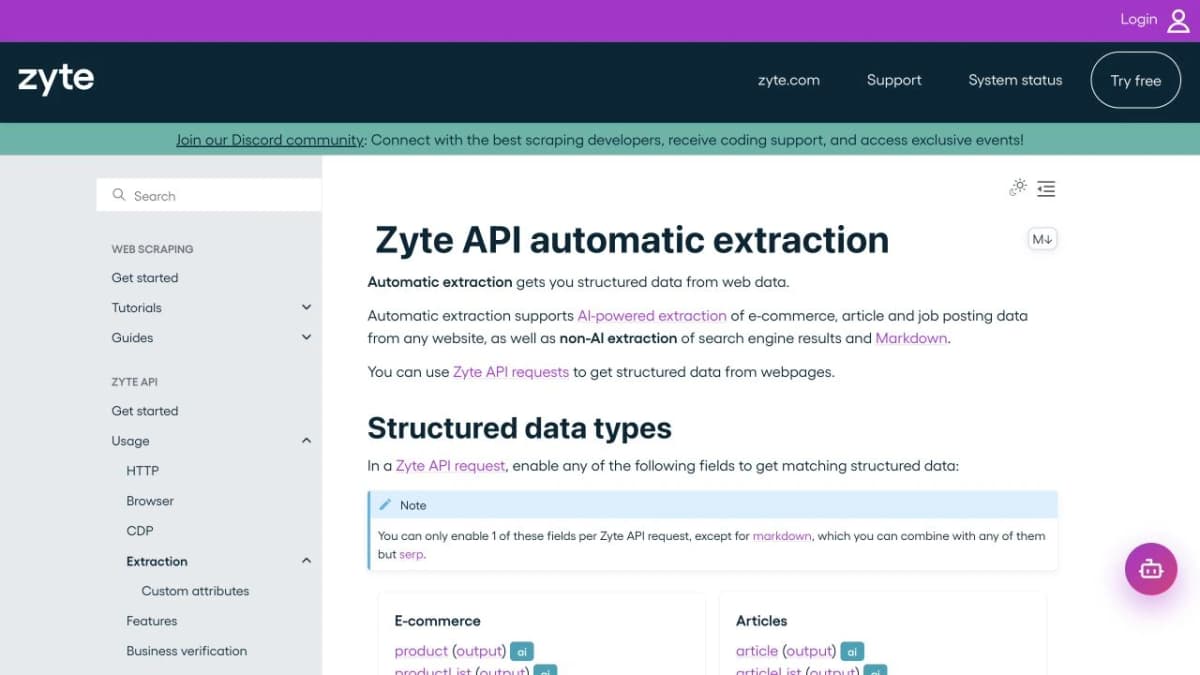
Zyte supports structured product extraction from web content.
7. ScrapingBee
ScrapingBee provides page retrieval, JavaScript rendering, and configurable data extraction. It fits workflows where your team needs control over how a product page loads and which information is returned.
- Rendering: Retrieve content from pages that depend on JavaScript.
- Extraction rules: Use CSS/XPath rules or supported AI extraction options.
- Request controls: Configure relevant waiting, headers, and location options.
- Best fit: Developers building a custom product-data extractor.
- Output: Choose page content or configured extracted fields.
- Tradeoff: Your extraction configuration must match the target page and required fields.
For a customized WooCommerce store, this flexibility can be useful when the needed information appears in the rendered page rather than the public catalog response. Keep the parser’s field names and validation rules consistent across stores.
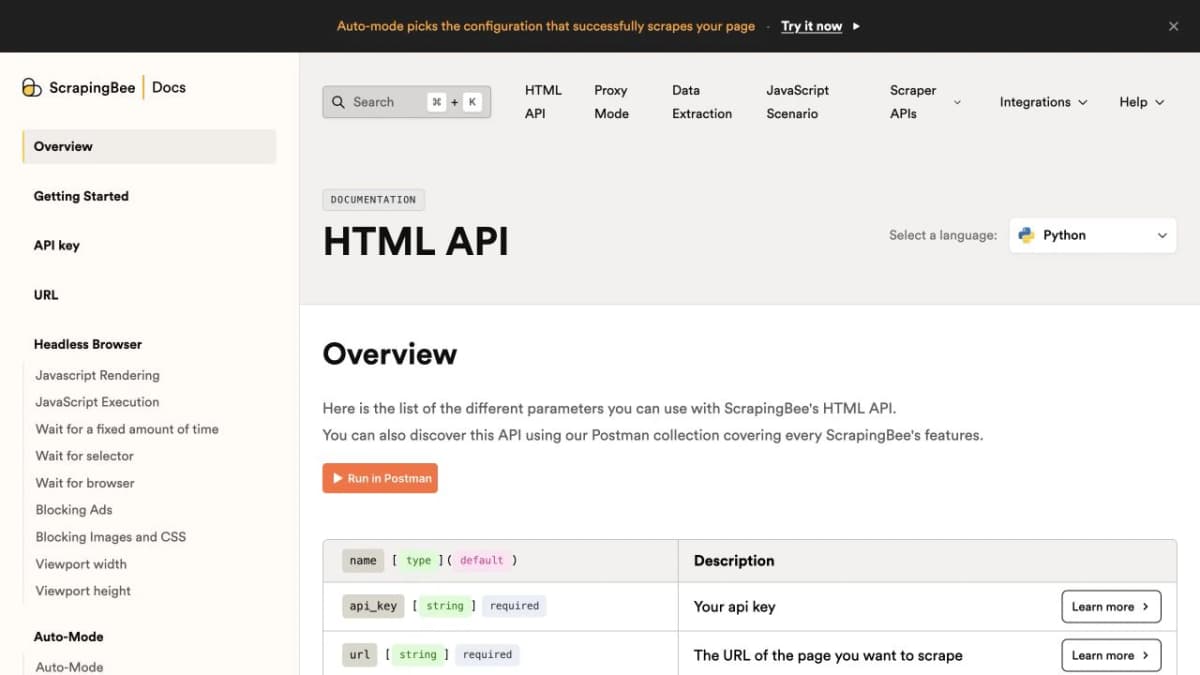
ScrapingBee exposes page-fetching and extraction controls for custom workflows.
8. ScraperAPI
ScraperAPI handles web-page retrieval for applications that need a managed fetching layer. Its synchronous API accepts an API key and a target URL, with options such as JavaScript rendering and geotargeting.
- Page retrieval: Fetch target URLs through a hosted API.
- Rendering options: Enable JavaScript when required by the page.
- Pipeline choices: Use synchronous or asynchronous collection according to the workload.
- Parsing options: Pair fetched content with your parser or an applicable parsing product.
- Best fit: Teams that already have a product-data pipeline and want to outsource retrieval.
- Tradeoff: A general fetch request does not establish a ready-made WooCommerce product schema.
Keep retrieval success separate from extraction success. Your pipeline should check that the expected product fields are present before accepting a record, even when a request completes successfully.
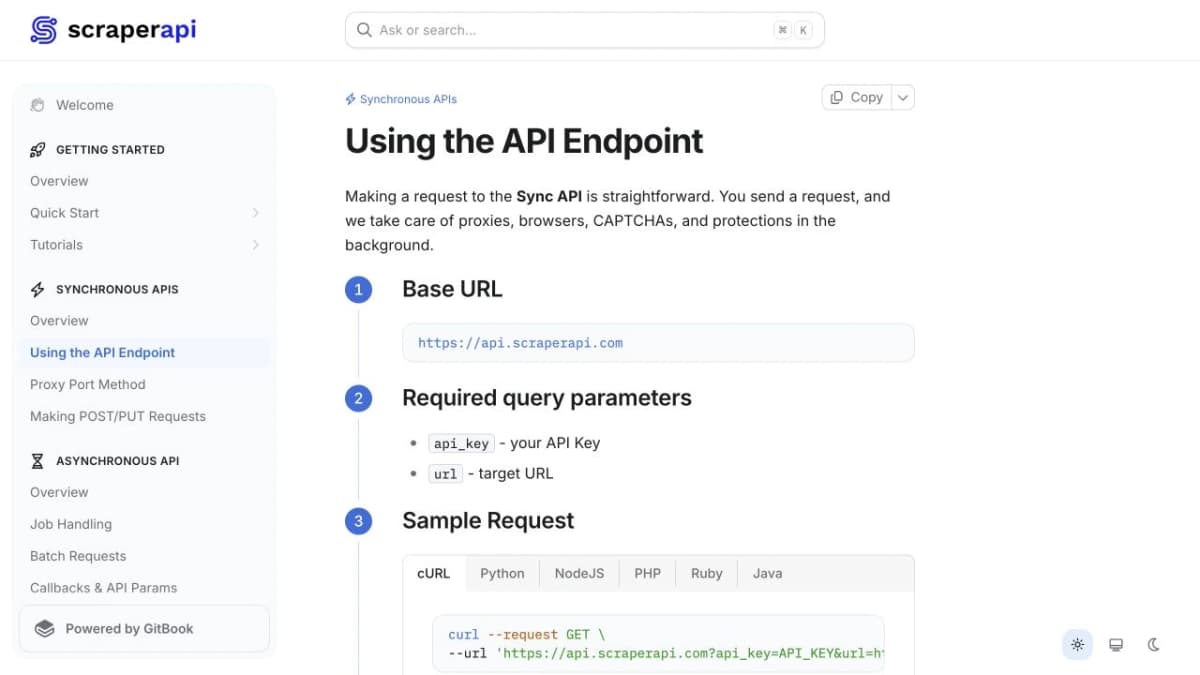
ScraperAPI’s synchronous interface accepts a provider key and target URL.
9. Bright Data
Bright Data offers hosted scraper APIs and tools for creating custom collection workflows. For WooCommerce research, the relevant choice is the scraper or custom configuration that matches the target store.
- Hosted collection: Use supported scraper interfaces for structured web data.
- Custom targets: Build a scraper with Scraper Studio when a suitable prebuilt option is unavailable.
- Data delivery: Integrate the selected scraper’s output into your application or research pipeline.
- Best fit: Teams collecting data across multiple website structures and maintaining a broader collection operation.
- Scope check: Confirm the selected scraper’s fields, inputs, and target-site support.
- Cost comparison: Evaluate the price of the actual job and output, including any custom configuration.
A large scraper catalog is useful for a mixed-source project, but the decision should still come down to your required WooCommerce records. Test product pages, variants, and collection pages separately when they use different layouts.
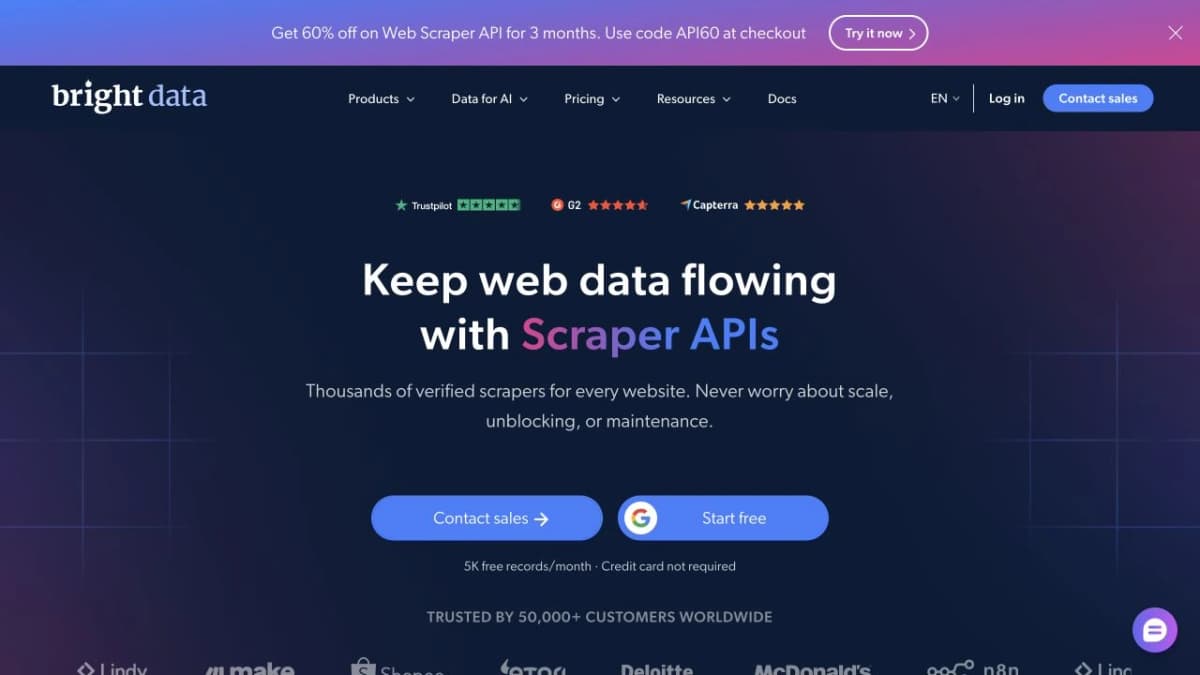
Bright Data combines hosted scraper APIs with custom collection tooling.
10. Oxylabs Web API
Oxylabs Web API’s /scrape endpoint retrieves webpage content in several formats. It is relevant when the same research pipeline needs raw pages, readable text, and structured data for different downstream tasks.
- Output formats: Request HTML, Markdown, or parsed structured JSON.
- Dynamic pages: Enable JavaScript rendering for content that requires it.
- Visual output: Use supported screenshot output when a workflow needs page context.
- Best fit: Developers combining extraction, analysis, and agent-oriented workflows.
- Configuration: Match the output format and extraction setup to the target pages.
- Tradeoff: Validate the returned product fields before treating the output as a normalized WooCommerce catalog.
Markdown can be useful for text analysis, while structured records suit price and assortment comparisons. Keep those outputs distinct so a readable page summary is not mistaken for a complete product dataset.
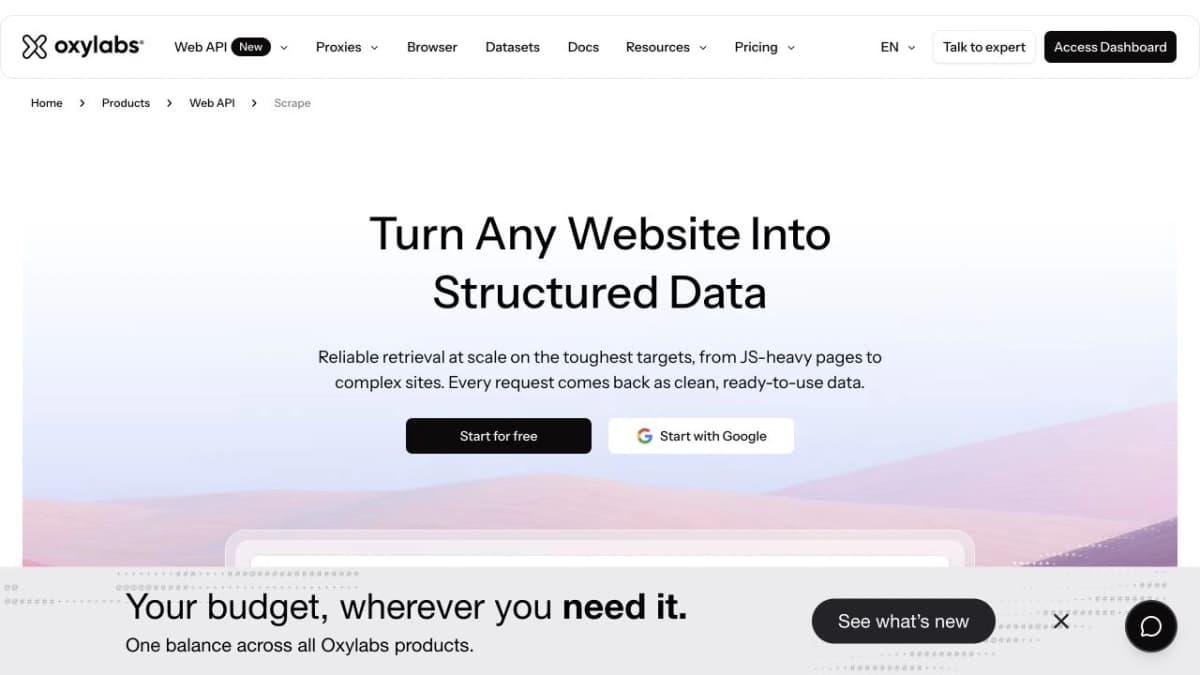
Oxylabs Web API offers multiple output formats for page extraction.
How to Choose a WooCommerce API
Public Data or Store Management
For competitor research, focus on public product information: visible prices, descriptions, images, variations, and reviews. For updating products, changing stock, or processing orders, use an authorized store-management integration.
A public catalog endpoint does not provide another merchant’s private order history. Choose your access model before comparing feature lists.
Fields and Product Structure
List the fields your workflow actually needs. A price-monitoring job needs stable product identifiers, currency, price, availability, and collection time. Review analysis needs review text linked to the correct product. Assortment research may also need categories, attributes, and variants.
Check how a service represents variable products. A parent product’s displayed minimum price can differ from the price of the size or color you intend to compare.
Pagination and Freshness
Confirm how the API handles collections larger than one page. Save the source store, product ID, and retrieval timestamp alongside each record. When cache metadata is provided, retain it so your workflow can distinguish collection time from the age of the returned data.
Treat missing fields as missing. Converting an unavailable price to zero can produce a false discount alert; treating an absent stock field as “out of stock” can distort an assortment report.
Cost per Usable Record
Compare the cost of completing the same task, including pagination, detail requests, browser rendering, and extraction. A request-based plan and a product-record plan are not directly comparable without knowing what each call returns.
Include maintenance in the calculation. A general HTML API may fit an existing parser, while a structured product service can reduce the field-mapping work your team must maintain.
How to Use Nexscope WooCommerce API
You can call Nexscope from your own application through REST, or connect it to an AI client through MCP. Both routes start with the public WooCommerce store you want to research.
Call the WooCommerce Products API
Get your Nexscope API key, then send a POST request to the WooCommerce Products API. Replace YOUR_API_KEY with your key and https://example.com with the target store's public HTTPS URL.
curl -X POST 'https://api.nexscope.ai/woocommerce/products' \
  -H 'Authorization: Bearer YOUR_API_KEY' \
  -H 'Content-Type: application/json' \
  -d '{
    "storeUrl": "https://example.com",
    "keyword": "bottle",
    "pageNum": 1,
    "pageSize": 20
  }'
storeUrl is required. The optional keyword searches within that store; pageNum selects the page, and pageSize controls the number of results, up to 100. Use the store root or WordPress installation path without a query string or fragment.
Check the response's code and data fields before using the results. An HTTP 200 response alone does not confirm that the data request succeeded. Keep the store URL alongside each product ID so later detail, variation, and review requests refer to the correct store.
Connect Nexscope Through MCP
If you use Codex, Claude Code, or Cursor, open the Nexscope MCP guide and choose Copy setup prompt. Paste the following official setup prompt into your AI client:
Set up Nexscope for me — read and follow https://www.nexscope.ai/agents.md
Follow your client's connection and sign-in steps. Copying the prompt starts the setup; it does not complete the connection by itself. If you configure MCP manually, use these settings:
- Server URL:
https://api.nexscope.ai/mcp - Transport: Streamable HTTP
- Authentication: Follow the sign-in flow, or configure
Authorization: Bearer YOUR_API_KEYwhen your client asks for an API key.
Enter your key in the client's connection settings. Once connected, ask “Which Nexscope tools can you use?” and check that the WooCommerce product tool, nexscope_woocommerce_products, is available.
Run Your First WooCommerce Query
Replace the example store URL below with your target store, adjust the keyword, and paste this task prompt into your connected AI client:
Use Nexscope's nexscope_woocommerce_products tool to find products
matching "bottle" in https://example.com.

Use pageNum 1 and pageSize 20. Tell me the credit cost and ask for
confirmation before running the request.

Return a table with each product's ID, name, price, currency, and
source URL where those fields are available. Mark missing fields
as unavailable. Use only the returned data, and keep the store URL
with each product ID. Do not fetch extra pages or product details yet.
Review the first page before expanding the task. For shortlisted products, you can then ask your assistant to retrieve product details, inspect variations, or collect reviews using the corresponding Nexscope tools.
Conclusion
The best WooCommerce API depends on the job. Use the official REST API for authorized store management, the Store API for direct public storefront access, and a general scraping API when your team needs custom page extraction.
For public product research, Nexscope brings product, variation, catalog, and review data into a REST API or MCP workflow. Start with the stores and questions that matter to your business, then choose the interfaces that supply the evidence you need.
Turn WooCommerce Data Into Research
Find the Nexscope interfaces for comparing products, inspecting variations, and analyzing customer feedback.
Explore WooCommerce APIs →Frequently Asked Questions
What Is the Difference Between the WooCommerce REST API and Store API?
The REST API supports authenticated store-management operations, such as maintaining products and accessing authorized business data. The Store API supports customer-facing products, carts, and checkout. Public product reads do not require merchant credentials, while operations involving carts and checkout have their own session and token requirements.
Can You Access Products Without a Merchant API Key?
Yes, when the store makes the relevant product data publicly available. The Store API provides public product endpoints, and services such as Nexscope offer interfaces for public-store data. A hosted service can still require its own provider API key even though it does not require the merchant’s management credentials.
Which API Can Retrieve WooCommerce Product Reviews?
Nexscope provides a dedicated WooCommerce Product Reviews API. WooCommerce also documents a Store API product-review resource. The appropriate choice depends on the store’s exposed data and your preferred integration workflow. Keep product IDs with review records so feedback is attributed to the right item.
Can a WooCommerce API Show Competitor Sales?
Public product prices, availability, and reviews do not establish a competitor’s exact sales or revenue. Private order information requires the relevant authorization. Use public data to study assortment, positioning, and customer feedback; do not turn stock changes or review counts into exact sales figures without a separately validated method.
How Do You Build WooCommerce Price History?
Collect the same products or variations on a schedule and store each observation with its currency, source, and retrieval time. Preserve identifiers so records remain comparable across runs. A current-price endpoint supplies observations; your saved snapshots create the historical series.
Is the WooCommerce API Free?
WooCommerce’s built-in APIs do not require a separate hosted data-provider subscription, but running and integrating a store has costs. Third-party services charge according to their own plans and usage models. Nexscope Data APIs use pay-as-you-go Data Credits without a required Data API subscription.
Sources
- Nexscope. (n.d.). WooCommerce Products API. Retrieved from nexscope.ai
- Nexscope. (n.d.). WooCommerce Product Detail API. Retrieved from nexscope.ai
- Nexscope. (n.d.). WooCommerce Product Variations API. Retrieved from nexscope.ai
- Nexscope. (n.d.). WooCommerce Product Reviews API. Retrieved from nexscope.ai
- WooCommerce. (n.d.). WooCommerce Store API. Retrieved from developer.woocommerce.com
- WooCommerce. (n.d.). WooCommerce REST API. Retrieved from developer.woocommerce.com
- WooScrape. (n.d.). API Documentation. Retrieved from wooscrape.com
- Apify. (n.d.). WooCommerce Scraper by autofacts. Retrieved from apify.com
- Zyte. (n.d.). Zyte API Automatic Extraction. Retrieved from docs.zyte.com
- ScrapingBee. (n.d.). HTML API Documentation. Retrieved from scrapingbee.com
- ScraperAPI. (n.d.). Using the API Endpoint. Retrieved from docs.scraperapi.com
- Bright Data. (n.d.). Web Scraper API. Retrieved from brightdata.com
- Oxylabs. (n.d.). Web API Scrape. Retrieved from oxylabs.io