

ChatGPT Images 2.5 Features and Flare vs. Sunburst Compared
ChatGPT Images 2.5 puts a familiar creative problem in focus: an image can look promising until a small revision changes something that should have stayed the same. A new background might arrive with a different product shape. A clothing edit might alter a face. Each unwanted change adds another review round, making the first successful generation only one part of the job.
OpenAI's September 8, 2026 update introduces improvements to editing and reference handling, alongside new creative controls. Developers also have two GPT-Image-2.5 options, Flare and Sunburst. Choosing between them requires a clear task: exploring several directions, revising a selected image, or preparing an asset for final review. The comparison below separates documented capabilities from practical selection advice, explains the pricing units, and shows official examples. Those examples are OpenAI demonstrations rather than independent benchmarks. For a team deciding whether to change its image workflow, the useful question is how many acceptable assets it can produce within its time and review budget.
Why This Update Matters
Consider a product campaign with three deliverables: a square catalog image, a lifestyle scene, and a vertical advertisement. Each asset may need different surroundings while retaining the same packaging, color, and proportions. An attractive image that changes the item being sold still fails the brief.
That makes revision quality a useful evaluation criterion. A team should define what may change and what must stay fixed before comparing outputs. For the catalog image, the critical details might be the label and silhouette. For the advertisement, they might include the approved headline and space reserved for a call to action.
Count accepted images and review time alongside generation speed. A faster first result has limited value if it creates more manual corrections. Conversely, a slower result can be useful when it reduces the work needed to finish a difficult edit. These are evaluation principles, not measured performance claims about either model.
Flare vs. Sunburst
Flare for Faster Generation
OpenAI describes GPT-Image-2.5 Flare as its fastest model for high-quality everyday image generation. It accepts text and image inputs and supports quality settings from low through max, plus auto.
A sensible starting test is a brief with several acceptable creative directions. For example, a campaign team could compare different backgrounds or compositions before committing to a final layout. Record whether the resulting options are usable, rather than judging speed in isolation.
Flare's positioning does not mean it should be restricted to rough drafts. If an output meets the brief and passes review, changing models adds a new variable without necessarily improving the result.
Sunburst for Detailed Editing
OpenAI positions GPT-Image-2.5 Sunburst for image generation and editing workflows where precision matters most. It accepts text and image inputs and offers the same named quality settings.
Sunburst is therefore worth evaluating on demanding revisions: changing a specific material, keeping a layout intact, or refining a selected campaign image. The test should describe the required change and list the surrounding details that cannot move.
Avoid assuming that the more precision-oriented option will automatically win every comparison. If a task is simple, the result may not justify additional waiting. If the task is unusually detailed, the review should focus on those details rather than the overall attractiveness of the picture.
Model Selection at a Glance
| Decision | Flare | Sunburst |
|---|---|---|
| Documented emphasis | Fast everyday image generation | Precision in generation and editing |
| Suggested first evaluation | Exploring multiple creative directions | Refining a demanding edit |
| Input types | Text and images | Text and images |
| Named quality options | Low, medium, high, xhigh, max, auto | Low, medium, high, xhigh, max, auto |
| What to measure | Time to an acceptable option | Accuracy of the requested revision |
The suggested evaluations are editorial guidance. Run both models against the same reference, instructions, dimensions, and explicit quality setting before drawing a conclusion for a production workflow. Keep the accepted-output criteria identical.
Image Quality and Editing Improvements
Reference Image Fidelity
OpenAI reports better retention of reference subjects. Its portrait demonstration provides a concrete example to inspect.
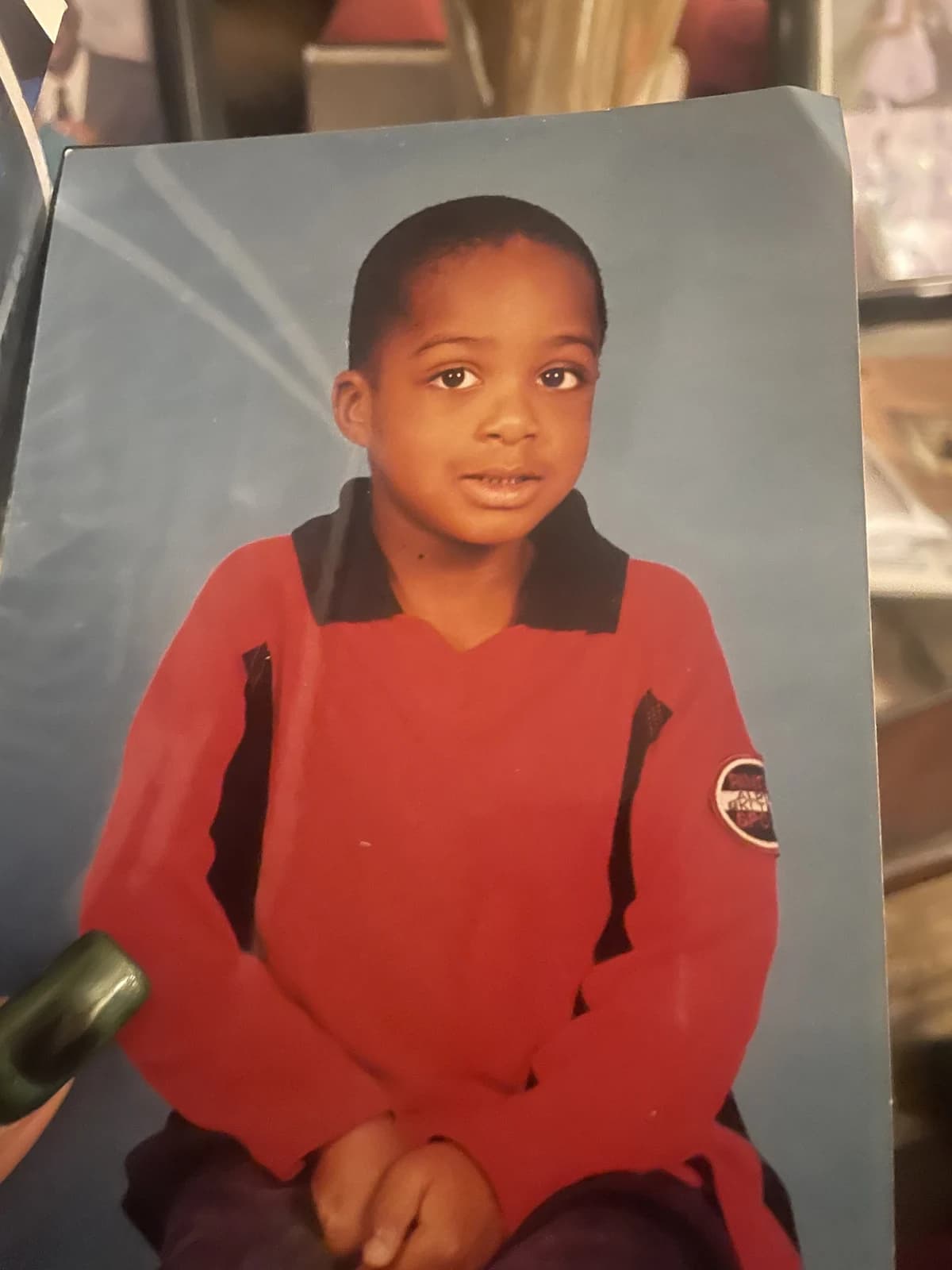
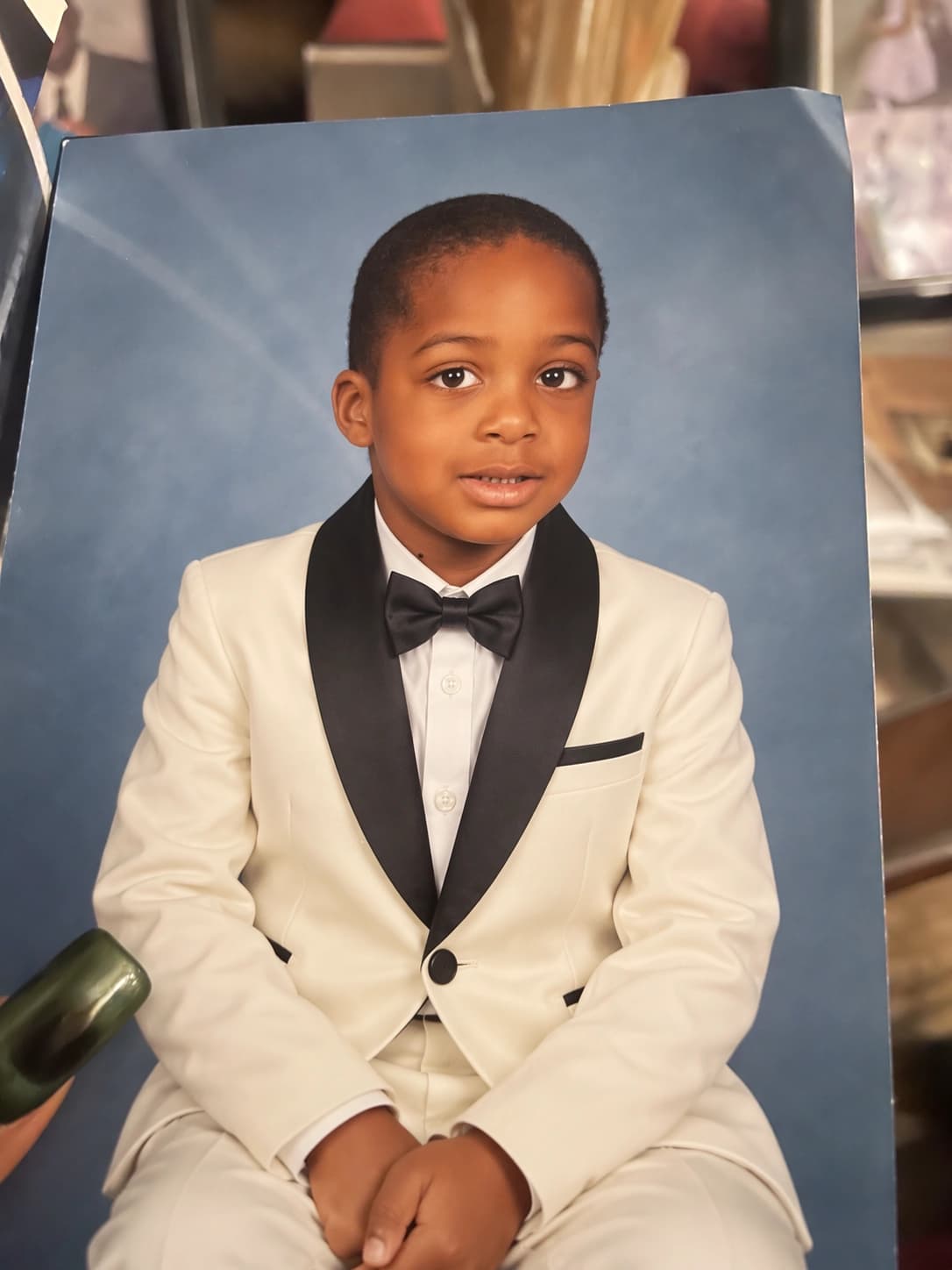
The pair makes it possible to compare recognizable facial features, pose, and surroundings alongside the clothing change. It does not establish a success rate across other subjects or repeated attempts.
For product photography, apply the same inspection method to the details that define the SKU. Check the cap, handle, seam, label, and proportions against the supplied photograph. A visually similar object can still be the wrong product for a listing.
Precise Local Edits
The update also targets changes to selected elements while preserving the surrounding image.
A useful editing brief separates the requested revision from the protected details. For example: replace the background with a pale gray studio setting; retain the bottle shape, label, cap, and camera angle. This is an illustrative brief, not a tested prompt or a promise of exact preservation.
Review the entire output after the edit. An instruction concerning the background does not remove the need to check the foreground. For teams working on Amazon listing optimization, the practical objective is a clear, accurate presentation of the actual item.
Multi-Turn Editing Consistency
OpenAI reports improved consistency across successive edits.
Keep an approved checkpoint before making the next request. If a subsequent version introduces a problem, compare it with that checkpoint and identify the specific regression. Changing several unrelated elements in one instruction makes it harder to tell which request caused the issue.
A simple review sequence is enough: save the accepted version, request one meaningful revision, compare both versions, and decide whether to continue. This creates a traceable history of approvals without assuming that every new generation is an improvement.
Visual Detail and Style
OpenAI also describes improvements to lighting, textures, complex layouts, and style following.
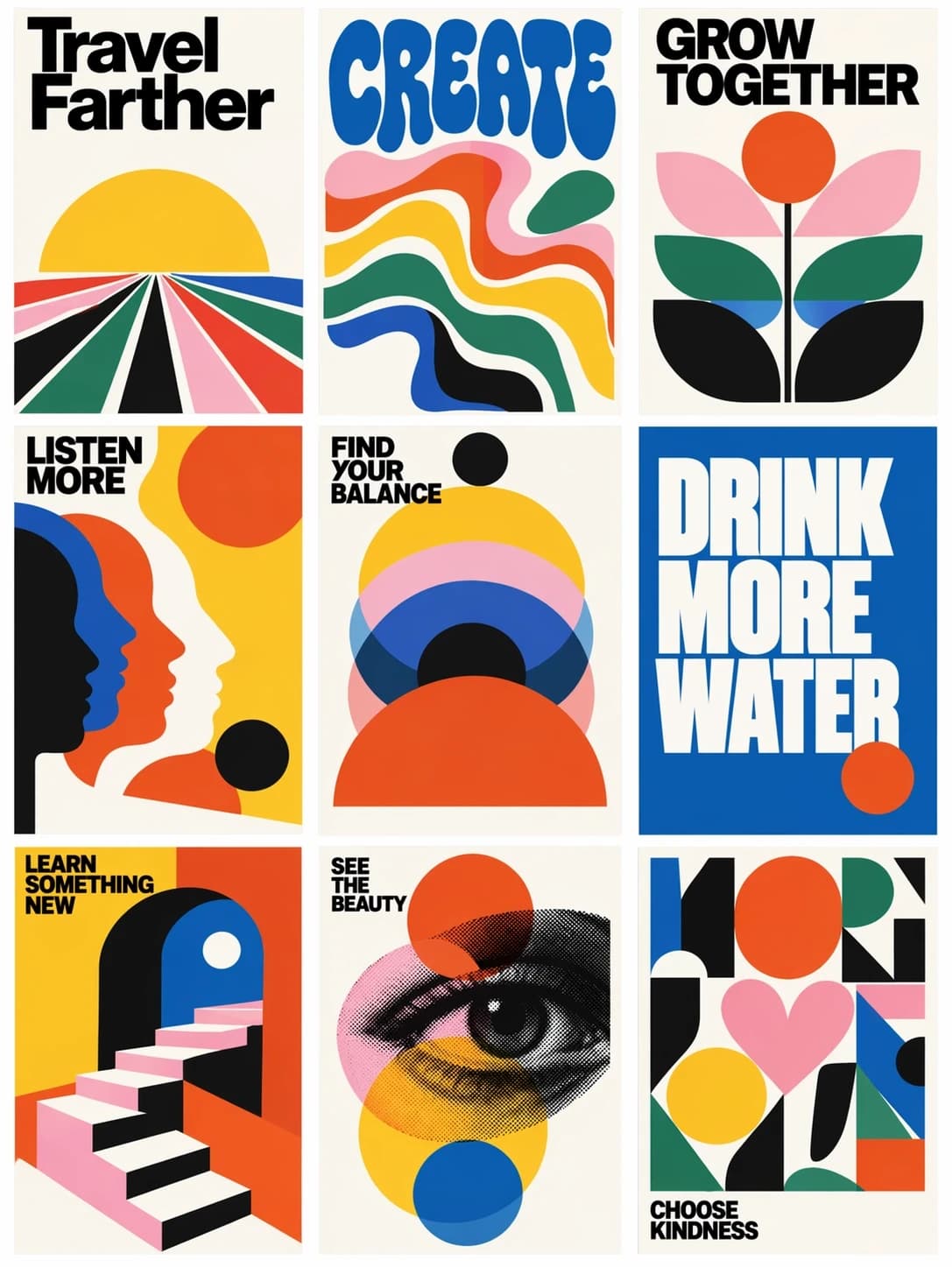
Official style example: a coordinated grid of illustrated posters. Image: OpenAI, Images 2.5 announcement.
The poster grid offers several things to examine separately: palette, typography, spacing, and repeated visual motifs. A coherent overall style does not remove the need to proofread each individual panel. Evaluate text at its intended display size, including mobile placements.
For a product brief, define the material, lighting direction, background, and required clear space before generating variations. That gives reviewers a shared basis for choosing a result. The same principle applies when AI content supports a listing: the output still needs to communicate accurate product information.
For ecommerce asset production, compare the same product brief across image models before committing to a workflow. Nexscope provides model APIs including GPT Image 2 and Nano Banana 2, alongside both GPT Image 2.5 options. Use the same reference photographs, intended placement, and acceptance checklist to compare product photos, lifestyle scenes, or ad creatives. Check each model's supported inputs and settings before running the batch.
New Creative Tools in ChatGPT
The announcement adds Sketch, creative templates, image comments, and prompt sharing. Together, these offer more ways to communicate a brief and reuse a creative direction.
Sketch References
Sketch lets a drawing serve as a visual guide. It can help when a spatial instruction is easier to show than describe.
For example, a rough layout could indicate where a product belongs and where a headline needs empty space. Keep the written brief responsible for exact wording, colors, and details that a simple drawing cannot convey reliably.
Creative Templates
Templates provide starting structures for formats such as posters and merchandise.
Before filling one in, identify the intended audience, message, and placement. A template can organize the task, but those decisions still determine whether the output fits the campaign. Avoid carrying placeholder copy into the final asset.
Image Comments
Comments placed on an image provide a more focused editing interface.
Useful feedback identifies both location and action: reduce the shadow below the product, increase the space above the headline, or revise one line of copy. Broad feedback such as “make it better” gives a reviewer little basis for confirming that a revision is complete.
Prompt Sharing
Shared images can include their prompts for others to adapt.
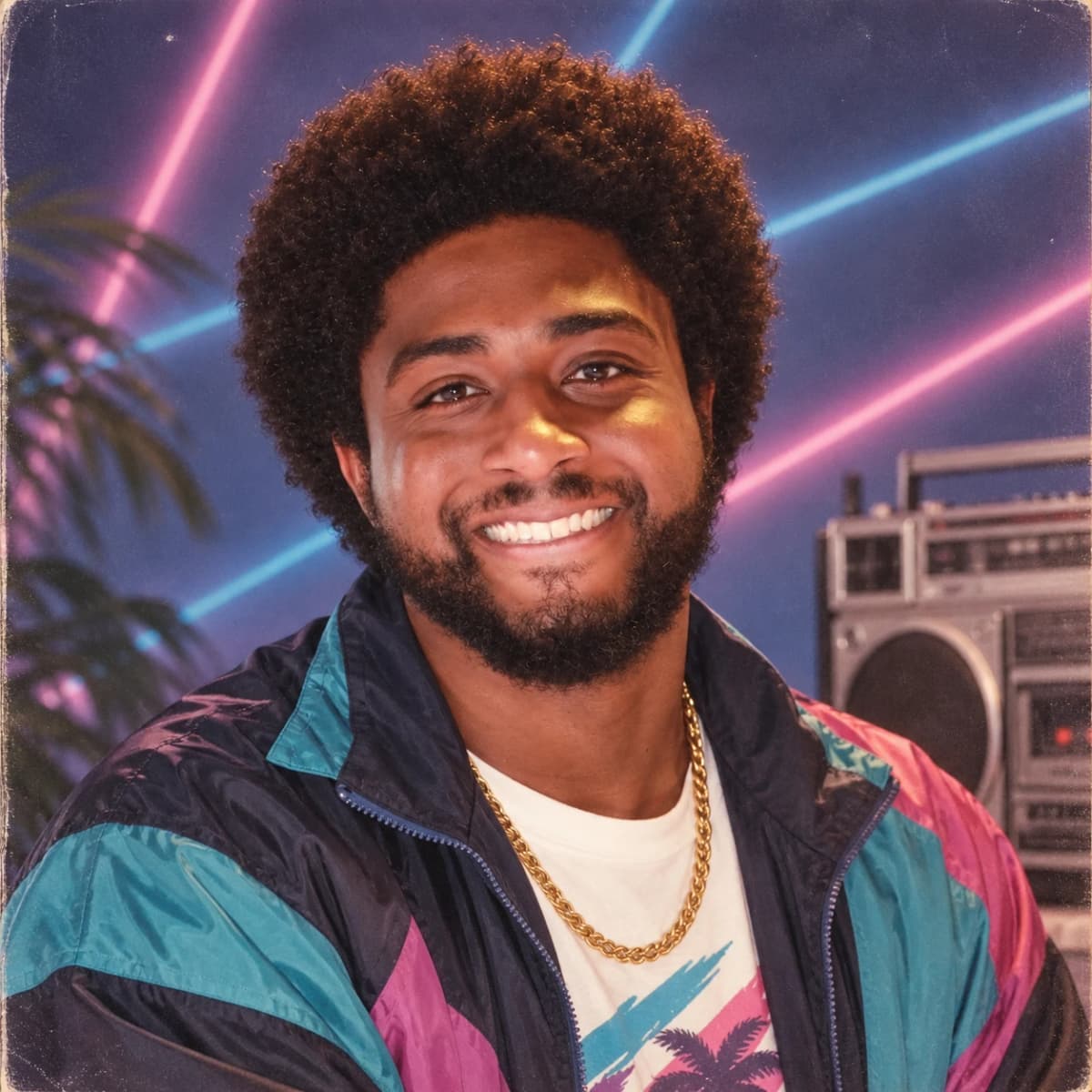
Official prompt-sharing example with an ’80s portrait theme. Image: OpenAI, Images 2.5 announcement.
A team can treat a successful prompt as a starting brief. When adapting it, replace the subject, supplied references, copy, and output requirements deliberately. Save those changes with the selected result so another person can understand what produced it. Reusing a prompt does not establish that every new subject will work equally well.
Pricing, Availability, and Limitations
Token Pricing and Image Costs
The listed $30 output rate is per million image tokens, not per image. OpenAI's standard pricing table lists the following rates for both models:
| Token category | Flare, per 1M tokens | Sunburst, per 1M tokens |
|---|---|---|
| Text input | $5.00 | $5.00 |
| Cached text input | $1.25 | $1.25 |
| Image input | $8.00 | $8.00 |
| Cached image input | $2.00 | $2.00 |
| Image output | $30.00 | $30.00 |
Rates checked September 20, 2026. USD, standard processing.
Equal token rates do not guarantee equal cost per image. The image generation guide explains that the models can consume different output-token counts at the same quality setting. Its estimator uses the selected model, quality, and dimensions. Responses API usage can also include the main model's charges.
For illustration, 10,000 output tokens at $30 per million would cost $0.30 for the output component: 10,000 ÷ 1,000,000 × $30. This is arithmetic, not an estimate of typical image usage, and it excludes input charges.
For a campaign budget, divide the total cost of the evaluation batch by the number of accepted assets. Include rejected attempts and record review time separately. That produces a more useful comparison than quoting a token rate alone.
ChatGPT and API Access
OpenAI announced Images 2.5 across ChatGPT tiers, ChatGPT Work, and Codex, with Flare and Sunburst available through the API. Access across tiers should not be read as unlimited free generation.
Teams building an automated image workflow can also access both GPT Image 2.5 Flare and Sunburst through Nexscope's APIs. Choose the supported resolution and quality settings, and submit a product brief with reference images when needed. The model pages provide the request format and API-key authentication details for integration.
Nexscope also brings other image models, video models, and creative workflows into the same platform. A single Creative subscription provides access to supported Creative APIs using a shared monthly credit balance. That lets a team evaluate several models without taking out a separate Nexscope subscription for each one. Usage consumes credits; this is not unlimited generation. An active subscription is required for Creative API access, and trial credits alone do not enable it. ChatGPT plan limits and direct OpenAI API billing remain separate.
Prefer to try the models before integrating an API? Open Nexscope’s GPT Image 2.5 playground, sign in, and start with a prompt or product reference. Choose the model, resolution, aspect ratio, and quality, then review the estimated credit cost before generating an image.
Final Image Checks
Official demonstrations are selected examples, not an acceptance guarantee for a new brief. Before using an output, check:
- Product identity: shape, materials, color, packaging, and included accessories.
- Text accuracy: spelling, quantities, product names, and approved claims.
- Composition: crop, required clear space, and readability at the final size.
- Revision integrity: details approved in earlier versions that may have changed.
Keep creative quality separate from campaign performance. A polished image still needs to be evaluated in its intended placement and audience context. When assessing PPC campaign performance, record which creative was used instead of assuming a model upgrade caused the result.
Conclusion
Flare and Sunburst give teams two useful evaluation starting points: everyday generation with a speed emphasis, and demanding work with a precision emphasis. The choice should follow a representative brief and a consistent review standard.
Start with one reference image, define the details that must survive editing, and compare the models through the revisions the job actually requires. Track elapsed time, accepted results, and total usage. Expand the workflow only after that small test establishes a practical benefit.
For an API-based production workflow, start with Nexscope's GPT Image 2.5 endpoints and evaluate Flare and Sunburst against that same brief. Use GPT Image 2 or Nano Banana 2 when a broader comparison would help, then build around the model that delivers acceptable assets for the task. One Creative subscription gives the team access to multiple supported models, with usage deducted from its shared credit balance.
Frequently Asked Questions
What is ChatGPT Images 2.5?
It is OpenAI's September 2026 image update, covering generation, editing, and creative interaction features. This article examines it from a workflow perspective: how to evaluate a requested change, inspect the resulting image, and decide whether the output is acceptable. The official pictures shown above are demonstrations, and the suggested evaluation process is editorial guidance rather than an independent benchmark.
What is the difference between Flare and Sunburst?
Flare's documented emphasis is fast everyday image generation. Sunburst emphasizes precision in generation and editing. Use those descriptions to choose an initial test, then compare both on a representative brief. A useful comparison holds the reference image, request, dimensions, quality setting, and acceptance criteria constant. Neither model's positioning guarantees the best result for every task.
Is ChatGPT Images 2.5 free?
Availability in a free account does not imply unlimited usage or free API calls. Check the limits shown in the account being used before planning a batch of work. For an API workflow, calculate costs from recorded usage and the applicable pricing table. Keep that budget separate from the cost or limits of an interactive ChatGPT plan.
How much does GPT-Image-2.5 cost per image?
There is no single per-image price implied by the $30-per-million output-token rate. Actual cost depends on the tokens used and any other applicable charges. Use explicit request settings and inspect the returned usage for a meaningful estimate. For budgeting, include unsuccessful attempts and divide total batch spend by the number of assets accepted for use.
Can Images 2.5 preserve products across edits?
Product preservation should be tested against the specific reference and requested revision. Build a checklist of identifying details such as packaging text, silhouette, material, and color. Compare each edited result with the original and the last accepted version. A good-looking image should be rejected if it changes a detail that makes the product materially different from the item being sold.
What is Sketch in ChatGPT?
Sketch is a drawing-based way to provide a visual reference. Its practical role is to help communicate an arrangement or shape that is cumbersome to explain in words. A rough sketch can accompany a written brief with exact text, colors, and protected details. The resulting image should still be checked against both the drawing and the written requirements.
Sources
- OpenAI. (2026). GPT-Image-2.5 Flare Model. Retrieved from developers.openai.com
- OpenAI. (2026). GPT-Image-2.5 Sunburst Model. Retrieved from developers.openai.com
- OpenAI. (2026). Pricing. Retrieved from developers.openai.com
- OpenAI. (2026). Image Generation. Retrieved from developers.openai.com