
OpenAI Dots vs Manus Cue vs Meta Muse: Which Agent Fits You?

AI-generated editorial illustration.
The OpenAI Dots vs Manus Cue vs Meta Muse comparison starts with a practical question: what work should an AI agent take responsibility for after the conversation ends? A research assignment, a group of delegated tasks, and a purchase each require different tools, context, and decisions. Choosing an agent means checking how those pieces fit the work already being done.
The useful starting points are Dots for continuing projects in a connected work environment, Cue for delegation across agents with individual identities, and Muse for personal tasks and supported small-business workflows. This guide compares their features, access, and best-fit use cases based on official documentation.
Dots vs Cue vs Muse at a Glance
| Dimension | OpenAI Dots | Manus Cue | Meta Muse |
|---|---|---|---|
| Product emphasis | Continuing projects | Personal agent teams | Personal and business tasks |
| Main interface | ChatGPT; Slack and Teams channels | Standalone Cue app | Muse app and WhatsApp |
| Execution environment | Own cloud computer | Computer per agent | Dedicated Muse Secure VM |
| Collaboration status | Primary dot; specialist enterprise pilots | Group agent handoffs announced | Comparable team mode not established here |
| Identity distinction | No standalone email at launch | Email, phone, and wallet per agent | Connected-service delegation |
| Starting access | Eligible ChatGPT plans | Invitation-based early access | Free use and subscription options |
Background Tasks and Multi-Agent Collaboration
OpenAI Dots
OpenAI Dots starts with a primary dot that can advance multiple projects, retain context, and adapt work as requirements change. OpenAI's examples include revising launch materials and updating analyses. Scheduled checks support recurring assignments.
Compared with Cue, the initial experience centers on one dot handling several responsibilities. Teams of personal dots are a future direction; specialist dots for organizations are separate enterprise pilots. Managing multiple projects does not mean a generally available team of multiple dots.
Manus Cue
Manus Cue explicitly presents collaboration between several agents in a shared conversation. Its launch example divides event planning into venue research, shortlisting, and presentation preparation, with work passed between agents.
Cue explicitly supports agent handoffs in group conversations. It remains in early access; Manus Studio’s editing tools belong to the separate Manus workspace.
Meta Muse
Meta Muse emphasizes a personal assistant that remembers context, develops plans around goals, and continues tasks after the app closes. It returns when progress or a decision needs attention.
Its documented experience is closer to delegating an ongoing goal to one assistant than directing a group of named agents. The reviewed materials do not establish a Cue-style team mode. Compared with Dots' project examples, Muse's launch puts more emphasis on everyday goals such as travel, shopping, and personal planning.
| Work pattern | OpenAI Dots | Manus Cue | Meta Muse |
|---|---|---|---|
| Ongoing work | Multiple projects and scheduled checks | Assignments handled by individual agents | Goals and tasks continuing after the app closes |
| Collaboration | Primary dot at launch; enterprise pilots separate | Multiple agents sharing a group conversation | Comparable team mode not established in reviewed material |
| Main distinction | Continuity across project updates | Explicit handoffs between agents | Continuing personal assistance |
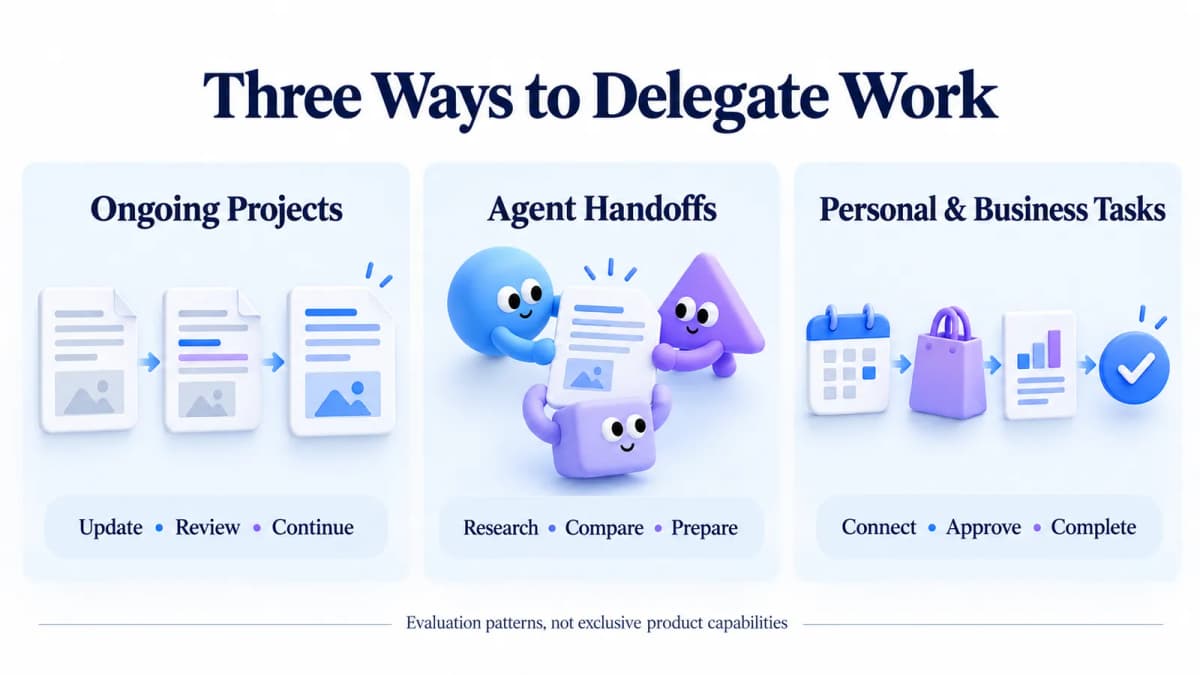
Editorial illustration of the three delegation patterns.
App Integrations, Messaging, and Payments
OpenAI Dots
Dots uses ChatGPT and connected work channels such as Slack and Teams. A user can connect a personal email account, but OpenAI's launch-period help documentation says a dot cannot have its own standalone email address or initiate calls.
Dots works through the user’s existing accounts. A dedicated wallet comparable to Cue’s is not established in the reviewed documentation.
Manus Cue
Cue gives each agent its own email, phone number, wallet, and computer. Manus describes messaging, spending within an assigned budget, and taking calls with summaries. Its launch also demonstrates restaurant ordering and queue handling through QR codes.
Cue gives agents their own communication and payment identities. A comparable business-connector catalog is not detailed in the reviewed announcement.
Meta Muse
Muse combines communication through its app and WhatsApp with actions across connected services. Its launch describes checkout through Link by Stripe, making shopping a concrete part of the product's transaction workflow.
The September 29 Muse for Small Business update adds a business focus, listing Shopify, QuickBooks, Canva, Slack, Stripe, and Facebook and Instagram business accounts. That gives Muse a documented route into storefront, finance, and marketing work alongside personal tasks. Available connectors still depend on the account.
| Connection or action | OpenAI Dots | Manus Cue | Meta Muse |
|---|---|---|---|
| Communication | ChatGPT, Slack, Teams; connected personal email | Agent email and phone; call summaries | Muse app and WhatsApp |
| Separate identity | No standalone email or outbound calls at launch | Email, phone, and wallet per agent | Separate identity package not established here |
| Payments | Dedicated wallet not established here | Spending within a user-set budget | Link by Stripe checkout |
| Business connections | Connected work applications | Full business catalog not established here | Named storefront, finance, design, and marketing connectors |
Check the required operation in the account: an integration name alone does not establish support for every action.
Action Approvals, Budgets, and Data Privacy
OpenAI Dots
Dots provides Custom Rules for permitted actions and separate action checks. Its safety documentation distinguishes read-only proactive research from actions that change content or communicate externally.
The setup guide also distinguishes disconnecting an app from erasing retained information. Resetting a dot deletes its conversations, saved memories, and scheduled tasks.
Manus Cue
Cue's launch describes a wallet that operates within a budget set by the user. That establishes a spending constraint, but the reviewed announcement does not provide enough detail to compare per-transaction approvals, retention, or deletion controls with Dots and Muse.
Confirm transaction approvals and data-deletion controls before assigning paid work.
Meta Muse
Meta describes approval before sensitive actions, an activity audit trail, and user-controlled app access. Its Small Business announcement explicitly requires approval before publishing, sending, or spending.
Meta also says users can request that Muse forget information and opt out of interactions being used for training. It states that conversations and VM data are not shared with its advertising systems.
| Control | OpenAI Dots | Manus Cue | Meta Muse |
|---|---|---|---|
| Action decisions | Custom Rules and separate action checks | Detailed approval policy not established here | Approval for sensitive actions; business publishing, sending, and spending |
| Spending | Subject to action rules and safeguards | User-set wallet budget | Purchase approval described |
| Retained information | App disconnection does not erase obtained information; reset deletes dot data | Deletion controls not established here | Forget requests described |
| Practical distinction | Configurable action boundaries | Explicit budget delegation | Explicit sensitive-action approval commitments |
Free Access, Paid Plans, and Availability
OpenAI Dots
The first dot is included in eligible Pro and Business Premium plans. Enterprise access, including Edu and Healthcare, is an administrator-enabled beta in eligible markets. Tasks started in Work or Codex count toward their usual limits.
The first dot has no separate charge within those plans; task usage limits still apply.
Manus Cue
Cue's announcement describes free early access with an invitation. It lists web, desktop, and mobile access, with iOS pending App Store review at the time of the announcement.
Permanent free access has not been confirmed. External purchases are separate.
Meta Muse
Muse offers free use with subscriptions for additional usage. Meta's September 29 update identifies availability in the US and Canada. Exact subscription prices could not be verified from the linked plan page during this review.
Check the account’s region, usage allowance, and available connectors.
| Access question | OpenAI Dots | Manus Cue | Meta Muse |
|---|---|---|---|
| Starting payment model | Included in eligible paid ChatGPT plans | Free invitation-based early access | Free use plus optional subscriptions |
| Main access condition | Eligible plan, market, and rollout; admin for Enterprise | Invitation and rollout status | Supported region and account availability |
| Platform qualification | Desktop setup; mobile access where available | iOS pending review in launch announcement | App and web access described |
| Cost to check next | Work/Codex usage limits | Early-access terms and external spending | Subscription allowance and external spending |
Free access does not include purchases from outside services. Compare costs for the same completed task, including usage charges and the effort needed to review the result.
Best Use Cases for Each Agent
OpenAI Dots
Evaluate Dots first when the main requirement is maintaining a project across changing inputs, especially when the necessary context is already accessible through the work environment being used.
A useful trial is a recurring research brief with a stable format. Judge whether updates preserve earlier decisions, distinguish new evidence from old material, and flag unresolved questions.
Manus Cue
Evaluate Cue when separate agent roles and communication identities solve a real coordination problem. Set a clear owner for each intermediate result and a common definition of completion.
For a launch-planning exercise, research could produce a sourced options table, while a second assignment turns approved options into a presentation outline. Check whether assumptions survive the handoff correctly. More participants are useful only if the final work becomes easier to review and use.
Meta Muse
Evaluate Muse when its supported connections match a personal errand or small-business process.
Start with a task whose result is easy to verify, such as identifying unanswered questions from approved business records. Check whether the response points to the underlying records and distinguishes suggested work from completed actions. Expand the assignment only after understanding how it handles missing information and review points.
| Selection question | OpenAI Dots | Manus Cue | Meta Muse |
|---|---|---|---|
| When to evaluate it | A project changes over time | Work benefits from separate agent roles | A personal or business task matches supported services |
| Useful first assignment | Revise a recurring research brief | Research, shortlist, and prepare a shared deliverable | Review connected business records or plan an errand |
| What to inspect | Whether changes carry through consistently | Whether handoffs preserve sources and assumptions | Whether the needed connection and action actually work |
Compare the Same Task
Give each available agent the same customer-feedback file. Request a one-page summary with supporting excerpts and three proposed improvements, without external actions.
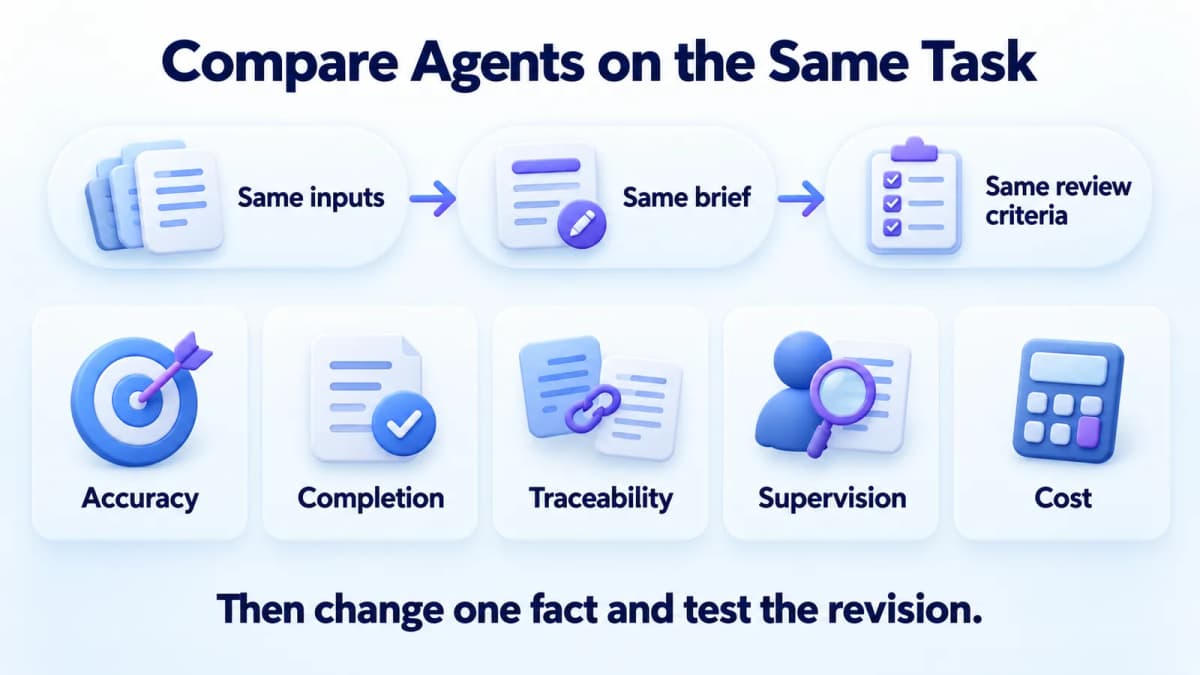
Suggested evaluation framework, not measured benchmark results.
Assess each result against the same questions:
- Accuracy: Do the findings match the supplied records?
- Completion: Are all requested elements present?
- Traceability: Can each recommendation be checked?
- Supervision: How much correction was required?
- Cost: What usage and review effort did the finished result require?
Then change one product fact and check whether the revision reflects it consistently.
Conclusion
- OpenAI Dots: Evaluate it for continuing projects, recurring analysis, and work through existing ChatGPT connections.
- Manus Cue: Evaluate it for distinct agent roles, shared assignments, and separate communication identities.
- Meta Muse: Evaluate it for personal tasks and supported shopping, storefront, finance, or marketing connections.
For ecommerce research, give the chosen agent current product and market evidence. Teams can obtain product, review, keyword, and market data from Nexscope through REST API or MCP for their own compatible agents and workflows. Check compatibility with the chosen agent before connecting it.
Give Your Agent Better Ecommerce Inputs
Choose relevant product, market, and review data for a research task your team can verify.
Browse Ecommerce Data APIs →Frequently Asked Questions
What is the difference between OpenAI Dots, Manus Cue, and Meta Muse?
Their documented designs suggest different evaluation starting points: continuing projects, coordinated agent assignments, and personal or business tasks. The choice should follow the job being delegated. Compare the information each product can access, the actions it supports, and the effort needed to check its output. This article does not establish a performance winner.
Is Cue the same product as Manus 2.0?
Cue is a separate personal-agent application introduced alongside the broader Manus update. Evaluating it therefore requires checking Cue's own features and access. A demonstration elsewhere in the Manus workspace should not automatically be treated as something available inside Cue. Start with the specific task and confirm the relevant capability in the application being considered.
Can these AI agents keep working after the app closes?
The reviewed descriptions emphasize delegated work beyond a single response, but readers should verify the behavior of their particular assignment. Check where execution occurs, what input might interrupt progress, and how completion is reported. Define a stopping condition and notification rule so that continued activity produces a useful result rather than repeated status messages.
Can Dots, Cue, and Muse send messages or make purchases?
Communication and transactions depend on product capabilities, connected accounts, and applicable permissions. Before delegating either, specify the recipient or item, the allowed action, and any spending limit. Review the resulting confirmation as well as the proposal. A draft message, an approved transaction, and a completed action represent different stages of the task.
Which of the three agents can be used for free?
Cue's announced early access is free with an invitation, while Muse offers free use alongside subscriptions. Dots is included in eligible paid plans. None of those descriptions establishes unlimited execution or free purchases from outside services. Check account terms and task usage before using a trial result to estimate the cost of recurring work.
Which agent should an ecommerce team evaluate first?
Start with the product that can access the required inputs and produce a clearly defined deliverable in the team's environment. A review summary or product comparison is a practical first assignment. Use identical records and acceptance criteria, then compare accuracy and correction effort. Confirm data freshness and integration compatibility before extending the workflow to ongoing monitoring.
Sources
- OpenAI. (2026). Introducing dots. Retrieved from openai.com
- OpenAI. (2026). Getting started with your dot. Retrieved from help.openai.com
- Manus. (2026). Introducing Manus 2.0. Retrieved from manus.im
- Meta. (2026). Introducing Muse: The World's First Personal AI Agent Built for Everyone. Retrieved from about.fb.com
- Meta. (2026). The Future Is for Everyone: Muse for Small Business. Retrieved from about.fb.com