

What Are OpenAI Dots? Features, Use Cases, and Setup Guide

Editorial cover generated from the supplied Dots mascot reference.
OpenAI Dots arrived alongside GPT-6.1 Sol, ChatGPT Space, and other announcements at DevDay 2026. For people managing ongoing projects, the practical question is how much work a dot can take forward between conversations. Could it prepare the next client update, investigate product feedback, or organize research while its user handles something else? This guide explains what Dots are, their main features, how to get started, and ten applications worth exploring, including ecommerce research and paid client work. Availability details reflect the launch period and may change as access expands.
What Are OpenAI Dots?
OpenAI Dots are always-on AI agents powered by GPT-6 Astra. Each dot has a cloud computer and browser, can use connected applications, and can continue working toward a goal between conversations. OpenAI uses “dot” for an individual agent and “dots” for the broader product.
The official introduction describes both personal dots and specialist dots for organizations. Specialist dots are initially being explored through enterprise pilots with defined responsibilities and organizational access.
For a first project, it helps to think in terms of a deliverable: a researched brief, an updated document, or a list of issues ready for review. “Prepare a weekly customer-feedback report” establishes a much clearer assignment than “help with the business.” The quality of that assignment, its supporting information, and its review criteria will shape how useful the result is.
Key Features of OpenAI Dots
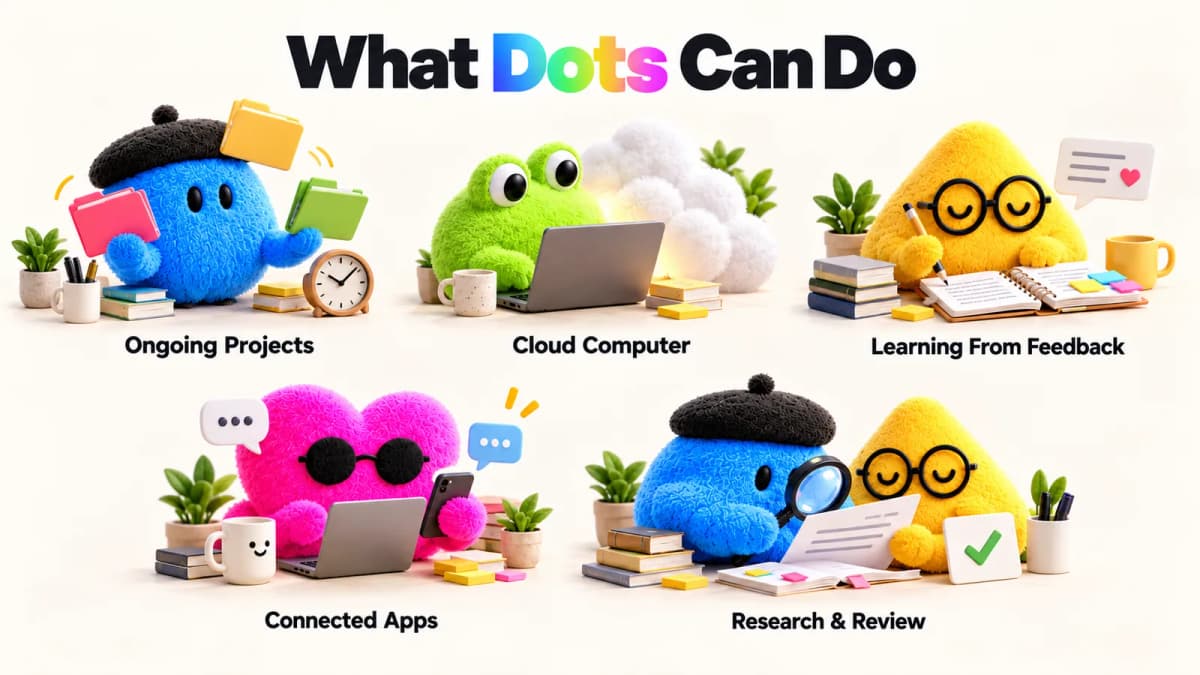
AI-generated editorial illustration of Dots capabilities.
Ongoing Work Across Projects
A dot can progress multiple projects and learn from feedback over time. It also supports recurring assignments. OpenAI's getting-started guide describes scheduled checks and controls for reviewing or pausing them.
A useful recurring brief should specify a source, a time window, and a notification rule. For example, a weekly report could cover only the previous seven days and flag changes above a chosen threshold. Those details help avoid repetitive updates that add little to a decision.
A Dedicated Cloud Computer
Cloud-based work can continue independently of a personal laptop. OpenAI describes a separate workspace for each dot, with optional access to an authorized personal device. Its safety explanation covers that separation and protected sign-in flows.
Before assigning work, decide where its inputs and outputs should live. A cloud task needs accessible files and services. A spreadsheet available only on an offline laptop creates a different dependency. Specifying the destination for a finished report also makes it easier to find and evaluate later.
Learning From Your Feedback
Dots can use prior context to support ongoing work. According to the privacy FAQ, memory can be shared with ChatGPT, subject to memory settings. Disconnecting an application stops new access but does not automatically erase information already retained.
Make feedback specific: identify the paragraph that was too long, the source that was unsuitable, or the calculation that needs a different denominator. A sample of an acceptable deliverable is often more useful than a general instruction such as “make this more professional.”
Connected Apps and Channels
OpenAI describes communication through ChatGPT, Slack, and Teams, with app access provided through its plugin ecosystem. Access still depends on the connected account and its permissions.
Choose connections based on the task. A content brief may need interview transcripts and a style guide; a project update may need a task board. Connecting additional services without a clear purpose makes the assignment harder to scope. For texting, check account availability: the launch-period help documentation describes a limited beta, rather than universal access.
Proactive Research and Action Controls
OpenAI distinguishes background research from actions. Proactive research uses restricted, read-only tools. It cannot directly send messages, change connected content, or control a browser. Any resulting action follows the usual rules and checks.
Custom Rules can define additional boundaries, while auto-review checks relevant actions against instructions and safety requirements. A practical brief can permit research and draft preparation while reserving publication, customer commitments, and spending decisions for review. Keep those instructions concrete so the expected stopping point is clear.
How to Use OpenAI Dots
Dots are rolling out to Pro and Business Premium users in eligible markets, with an administrator-enabled beta for Enterprise, including Edu and Healthcare. The first dot is included in eligible Pro and Business Premium plans. Account access may arrive gradually.
The following workflow combines OpenAI's documented setup with suggested ways to frame a first assignment.
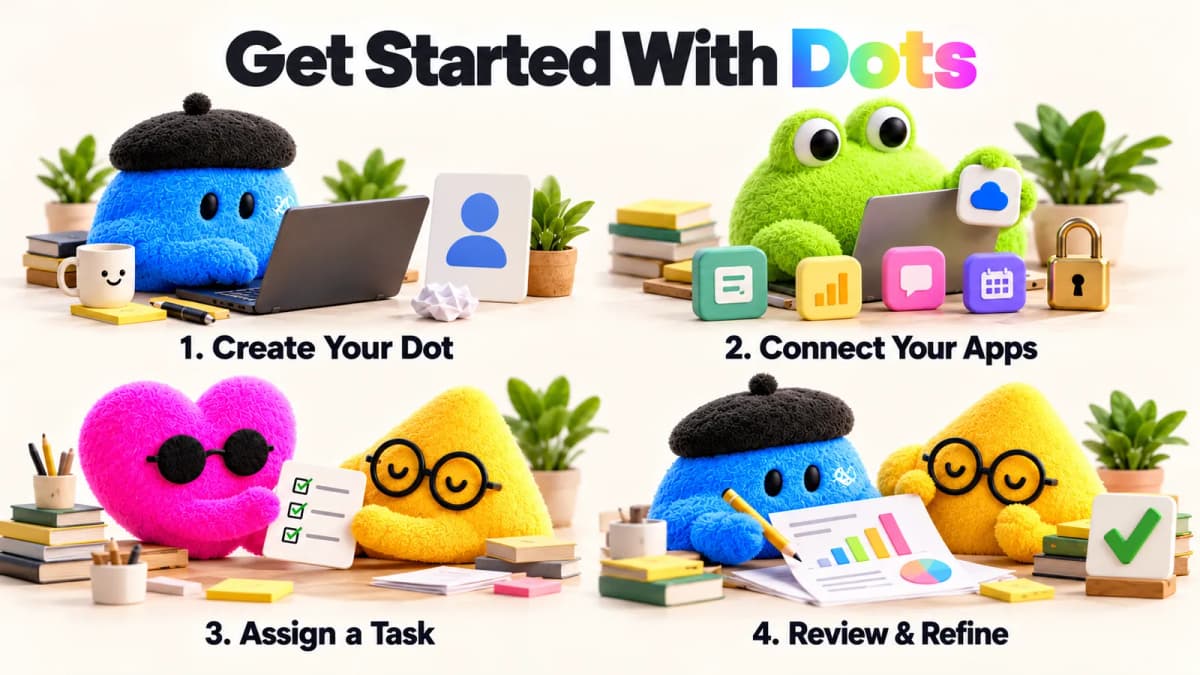
AI-generated illustration of a suggested setup workflow, not a product-interface screenshot.
1. Create Your First Dot
Start in the ChatGPT desktop application or a desktop browser and follow the onboarding prompts. Give the dot a name and introduce the role it should help with.
Keep that introduction practical. A freelance marketer might describe their clients, the kinds of reports they produce, and who approves external communication. A merchant might identify their marketplace, product category, and reporting currency. Leave out background that has no bearing on the task.
2. Connect Apps and Set Permissions
Connect the applications needed for the assignment and review their access. OpenAI's privacy FAQ explains that plugin permissions are shared across Dots, ChatGPT, ChatGPT Work, and Codex. Local computer access is optional.
Start with a narrow working scope: one project folder, one set of documents, or a specific source of feedback where the available controls allow it. State which information the dot should use and which actions should wait for approval. Avoid putting passwords or API secrets into ordinary task instructions.
3. Assign a Clear First Task
Describe the outcome, source material, scope, and review conditions together. This suggested prompt is an example brief, not a tested Dots result:
Review the customer-feedback file attached to this project. Group recurring issues, identify the three most frequent themes, and prepare a one-page report with source references. Separate direct customer comments from your interpretation. Draft suggested next steps, but do not edit the product backlog or send messages. Flag missing information before making a recommendation.
This task is easy to assess. The reviewer can check whether the themes match the file, whether quotations are accurate, and whether the proposed priorities follow from the evidence. A clear first assignment also creates a useful standard for subsequent work.
4. Review Progress and Give Feedback
Use the dot's profile to inspect activity and its computer. Check the actual deliverable against the original request: sources, calculations, unresolved questions, and any actions still awaiting a decision.
If the result misses the target, correct the specific assumption. For recurring work, update the reporting window and notification criteria before scheduling another run. Mobile access follows initial desktop setup where available; mobile web is not currently supported. Dots conversations and tasks launched in Work or Codex also have different usage accounting, so ongoing work should not be treated as unlimited execution.
10 Practical OpenAI Dots Use Cases
The first five applications build on scenarios OpenAI describes. The remaining five are proposed commercial workflows that require suitable data, connections, and permissions. The specific briefs and review criteria below are editorial suggestions, not measured performance results.
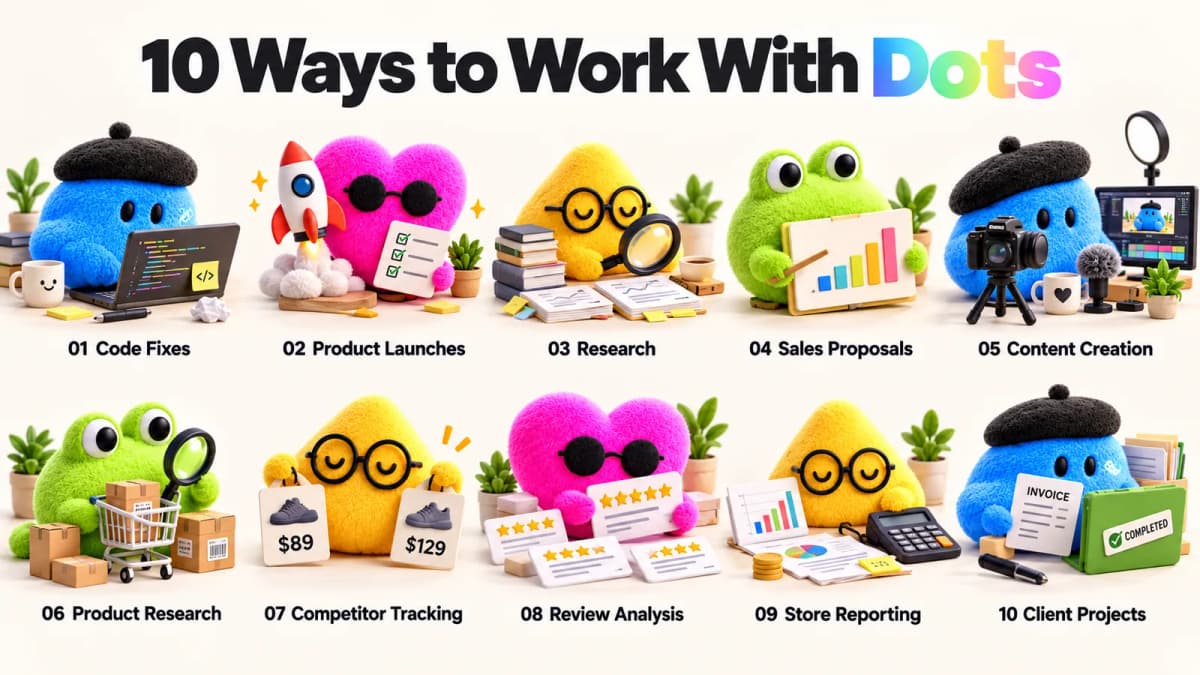
AI-generated editorial illustration of the ten use cases.
1. Software Fixes and Product Feedback
OpenAI describes dots turning recurring feedback into tested changes for review. A useful starting assignment is one reproducible issue with a clear acceptance criterion.
For example, a software team could supply reports about an export failing when a date field is blank. The brief could request reproduction steps, a proposed fix, and a regression check. The reviewer should receive the changed behavior, test evidence, and remaining uncertainty together. Keeping the assignment small makes it easier to assess the result before expanding to larger changes. For a business selling software, this is relevant to maintaining product quality and handling support requests efficiently.
2. Product Launch Coordination
The official launch scenario involves revising materials as product scope changes. This can be useful when several deliverables depend on the same approved facts.
A campaign brief could ask for an impact review when a feature is postponed: identify affected landing-page copy, email drafts, sales slides, and FAQ answers. Request a change list before revising the materials. A simple review table can show the old claim, the proposed wording, and the source supporting it. The launch owner then checks that pricing, availability, and promises remain consistent. This gives a team a defined way to handle late changes without losing track of dependent content.
3. Research and Data Analysis
OpenAI's research example covers updating analysis and figures when new evidence arrives. An effective analytical brief should also define how results will be checked.
Consider a new survey export. Request a comparison with the previous version, a record of removed duplicates, and a list of charts affected by the new responses. Ask for both the updated figure and the calculation behind it. Unexpected results should become investigation questions: did the sample change, did a field definition move, or did the underlying behavior shift? This approach helps a reviewer distinguish a substantive finding from a data-processing change before using the report in a decision.
4. Sales Proposals and Follow-Ups
OpenAI describes proposal work that adapts to changing customer requirements. A focused commercial brief can turn those requirements into a reviewable list of commitments and unanswered questions.
For example, provide an approved product specification and meeting notes, then request a requirements matrix. Each row should show the customer's request, supporting evidence, and whether technical confirmation is still needed. Follow-up drafts can focus on those unresolved items. The salesperson should approve delivery dates, discounts, and contractual statements. This workflow is especially useful when a proposal passes through several people and changes made in one document need to be reflected in the others.
5. Content Repurposing for Creators
The official creator scenario turns interview material into supporting content. A practical commercial assignment should specify the audience, channel, and approved claims before requesting drafts.
A creator could provide a podcast transcript and ask for a newsletter outline, three short-video concepts, and a sponsor-safe social caption. Each suggested clip should reference the relevant passage so an editor can verify the context. A useful review asks whether the excerpt preserves the speaker's meaning and whether the call to action fits the platform. The commercial opportunity is supporting repeatable content delivery for a channel or client; distribution and audience response still determine the outcome.
6. Ecommerce Product Opportunity Research
A proposed ecommerce workflow is to organize product opportunities from supplied or connected market data. Begin with a defined category, country, price range, and sourcing constraint.
For example, ask for a shortlist of travel accessories suitable for a merchant's target price band. Request evidence for each candidate: demand signals, competing offers, recurring complaints, and unanswered sourcing questions. A strong output would separate observed facts from sales estimates and explain why a product deserves further validation. The merchant then checks samples, costs, restrictions, and supplier reliability. The commercial value lies in narrowing research before committing time and inventory spending to a candidate.
7. Competitor Price and Listing Monitoring
A proposed competitor monitoring assignment can compare timestamped observations of selected competitors and report meaningful changes. Define the exact products and comparison rules first.
Suppose a merchant wants to track five comparable offers weekly. The report should distinguish an ordinary price change from a coupon, variation change, bundle, or different seller. It should include the observation date and a link or record supporting each finding. Ask for an exception report when a relevant threshold is crossed, rather than a message for every fluctuation. The merchant can then decide whether to investigate pricing, revise positioning, or leave the offer unchanged. Reliable monitoring depends on the data source's coverage and refresh schedule.
8. Customer Reviews and Listing Improvements
Review analysis is another proposed workflow: combine customer feedback with verified product specifications to identify questions a listing should answer.
A brief could ask for recurring concerns about sizing, assembly, durability, or included accessories. Request counts within the supplied sample, representative excerpts, and a distinction between a product problem and unclear copy. Suggested listing changes should use only supported product facts. If reviews repeatedly ask whether a case fits a particular device, the next action may be to verify compatibility before writing an answer. This gives a merchant a concrete route from feedback to clearer information, while preserving the difference between a complaint and a proven defect.
9. Ecommerce Performance Reporting
A proposed reporting task can bring together authorized store, advertising, and cost exports. Establish the reporting period, timezone, currency, and metric definitions before asking for conclusions.
For instance, a weekly report could reconcile orders and refunds, compare advertising spend with the previous matched period, and flag products whose recorded costs need attention. Ask for a short reconciliation note whenever totals differ between systems. Revenue, cash received, and profit should remain separate measures. Private store and advertising records must come from the merchant's authorized sources. The intended output is a set of traceable questions for the operator, such as a refund increase worth investigating, rather than an unsupported explanation of why sales changed.
10. Client Deliverables and Invoice Follow-Ups
Freelancers and agencies can explore a workflow that turns project records into delivery checklists and client-update drafts. OpenAI separately reports an early tester whose dot prepared a forgotten invoice and sent it after approval.
For a broader client project, supply the agreed scope, completed work, and billing milestones. Ask for a status report that separates finished items, pending client input, and work outside the agreement. An invoice checklist can then identify milestones needing a billing review. Check amounts, recipients, and contractual terms before sending anything. This supports the administrative work around paid services and helps keep delivery records organized; it does not establish that every flagged item is billable.
Conclusion
OpenAI Dots are worth evaluating for work that continues across updates, documents, and decisions. Start with one assignment whose output can be checked, then refine its scope and review rules before making it recurring. A useful first result might be a clear research shortlist or a well-supported client update.
For ecommerce work, the next question is which evidence the task needs. Product discovery needs market context; competitor monitoring needs comparable observations; listing improvements need customer feedback. Nexscope provides structured ecommerce data that teams can access through REST API or MCP for their own agents and workflows. Check the relevant interface's supported fields, markets, and freshness before connecting it. Private store, advertising, and financial records remain separate inputs supplied through the merchant's authorized systems.
Give Your Ecommerce Research Better Inputs
Explore the available product, market, keyword, and review data to choose inputs for a defined research task.
Explore Ecommerce Data APIs →Frequently Asked Questions
Are OpenAI Dots available to everyone?
Access is rolling out by plan and market. Pro and Business Premium users are included in the initial rollout; Enterprise, Edu, and Healthcare access depends on administrator enablement. Check the current account experience before planning a workflow around availability. Organizations should also confirm which connected services their administrators permit.
Do OpenAI Dots cost extra?
The first dot is included in eligible Pro and Business Premium plans. Conversations do not count toward ChatGPT usage limits, while tasks started in Work or Codex count as usual. For a recurring assignment, estimate how often it runs and what work it triggers before treating the subscription allowance as sufficient for the whole month.
Can Dots work when my laptop is closed?
A dot's cloud workspace can support work independently of a laptop. Tasks relying on local files, a local browser, or software on a personal computer have different dependencies. For an unattended assignment, identify those dependencies in advance and ensure the required inputs are accessible in the intended working environment.
Can I use Dots on my phone?
Create the dot on desktop first. The mobile app can provide access where the feature is available, but mobile web is not supported at launch. Treat texting as a separate, limited availability channel. Confirm that the intended channel is enabled before relying on it for time-sensitive updates or approvals.
Can Dots take actions without asking every time?
Permissions, instructions, Custom Rules, and built-in safeguards determine what can proceed. Some work can rely on existing authorization; other actions require approval or human completion. For a business workflow, spell out the review point explicitly, including whether messages, published changes, or customer commitments must wait for a named reviewer.
Sources
- OpenAI. (2026). Getting started with your dot. Retrieved from help.openai.com
- OpenAI. (2026). Dots privacy, security, and safety FAQs. Retrieved from help.openai.com
- OpenAI. (2026). How we build safety, security, and privacy into dots. Retrieved from openai.com
- OpenAI. (2026). Auto-review. Retrieved from learn.chatgpt.com
- OpenAI. (2026). DevDay 2026 Recap. Retrieved from openai.com