
35 GPT Image 2.5 Prompts for Ecommerce Product Photography
GPT Image 2.5 prompts for ecommerce need to describe the product as carefully as the picture. An attractive bathroom scene does little for a skincare listing if the bottle gains a different cap, the label changes, or the package looks twice its actual size. The same problem appears in apparel, furniture, food, and accessories: visual polish can hide a mismatch between the image and the item customers will receive. Reliable production starts with a clear reference, a defined image role, and a practical review process.
This guide provides 35 prompts: one reusable brief, 30 ecommerce scenarios, and four repair prompts. The scenarios cover product cleanup, lifestyle photography, apparel, interaction scenes, listing sets, advertising, localization, and packaging concepts. Each includes required inputs and a specific inspection point. Every numbered prompt includes an actual generated example and the exact prompt used. Adapt the product descriptions to your own references before generating. Use them to create a small approved set, then expand the approach across products and channels.
Want to try a prompt as you read? Open the GPT Image 2.5 product photo generator, sign in, add your product reference, and paste one of the prompts below. Choose your model, resolution, aspect ratio, and quality, then review the credit estimate before generating.
Prepare Your Product References
Product Facts and Image Roles
Prepare a front view, any additional views the task requires, and close-ups of small labels or construction details. Use neutral, even illumination when collecting those references. Shopify's product photography guidance explains basic lighting and camera considerations for capturing useful product images.
Keep a short product record beside the images:
| Field | What to supply |
|---|---|
| Product identity | SKU, exact color, material, included components |
| Geometry | Verified dimensions and reference views |
| Packaging | Logo artwork, label close-up, exact visible wording |
| Allowed claims | Approved benefits and evidence-backed specifications |
| Image destination | Placement, target dimensions, language, crop requirements |
| Reference roles | Product truth, layout, lighting, identity, or style |
A reference showing appearance cannot establish an unseen feature. A front photograph does not prove the back panel, internal mechanism, or actual capacity. Collect the missing evidence before asking for an image that exposes it.
01. Reusable Product Brief
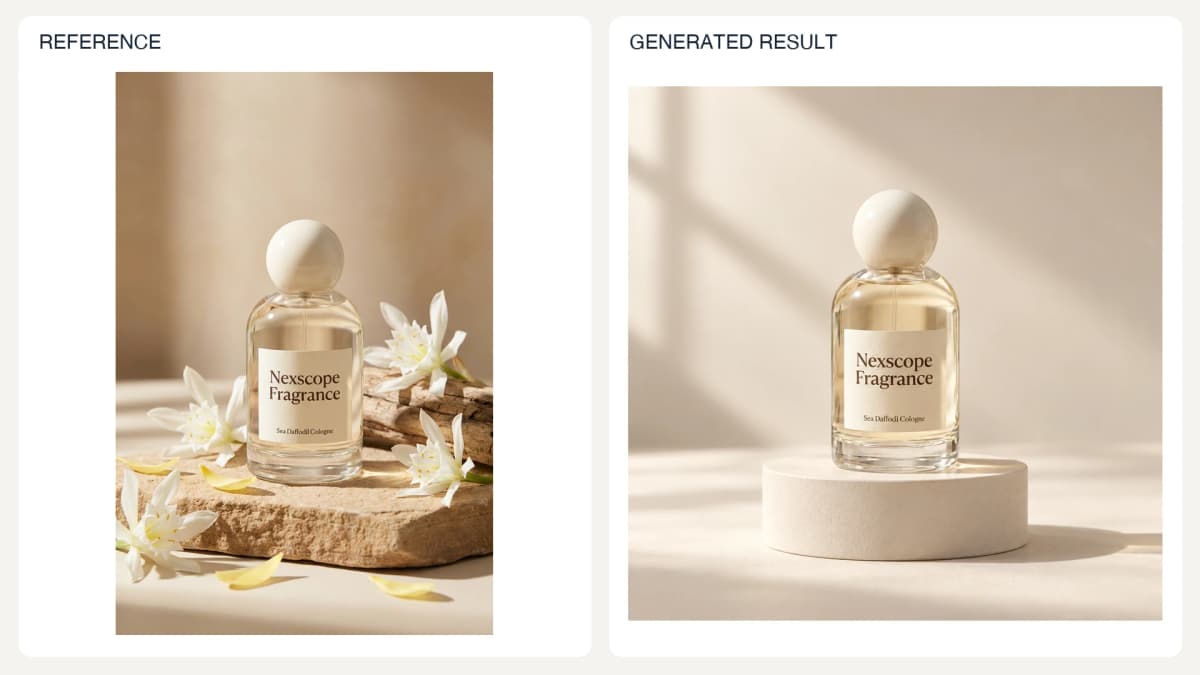
Prompt used for this image:
Use this completed brief as the starting pattern: identify the product, preserve its defining details, then specify scene, light, composition, and exclusions. For another SKU, replace the product description and attach its own reference.
Create one square premium ecommerce hero photograph using the attached Nexscope Fragrance bottle as the exact product reference. Preserve its rounded clear glass bottle, pale ivory spherical cap, pale gold liquid, cream paper label, and exact visible words 'Nexscope Fragrance' and 'Sea Daffodil Cologne'. Place it centered on a low ivory cylindrical plinth against a warm off-white studio sweep. Soft large window light from upper left, restrained natural shadow, exquisite realistic glass and paper texture. Keep generous negative space around the single bottle. Remove flowers, driftwood and stone from the reference. Do not add text, claims, extra bottles or accessories. Product identity must remain recognizable. Output one finished photograph, not a board or collage.
OpenAI's image prompting guide recommends identifying the intended changes and preserved details when editing. Treat those instructions as constraints to inspect afterward, not a guarantee of exact preservation. The scenario briefs below apply that principle to separate ecommerce tasks.
Settings and Version Records
Set the actual output dimensions in the selected tool as well as describing the composition in the prompt. A requested aspect ratio does not guarantee a particular file size. For transparency, use a supported transparent-background setting and an output format with an alpha channel, such as PNG or WebP. Check current model-specific options in the image generation documentation.
Record the tool, model, settings, references, and prompt version with each accepted result. Example provenance: the illustrations below were generated with these prompts in this editorial session. They demonstrate the briefs; they are not verified GPT Image 2.5 API benchmark results. Model-specific API validation remains pending.
Product Photography and Editing
Start with a clean, recognizable product before adding complex scenes. Use GPT Image 2.5 with one documented product and one output role per request so each result can be compared directly with its reference.
Try Your First Product Photo Prompt
Upload your product reference and paste the brief above into Nexscope’s online GPT Image 2.5 playground to generate and refine your image.
02. White-Background Catalog Photo
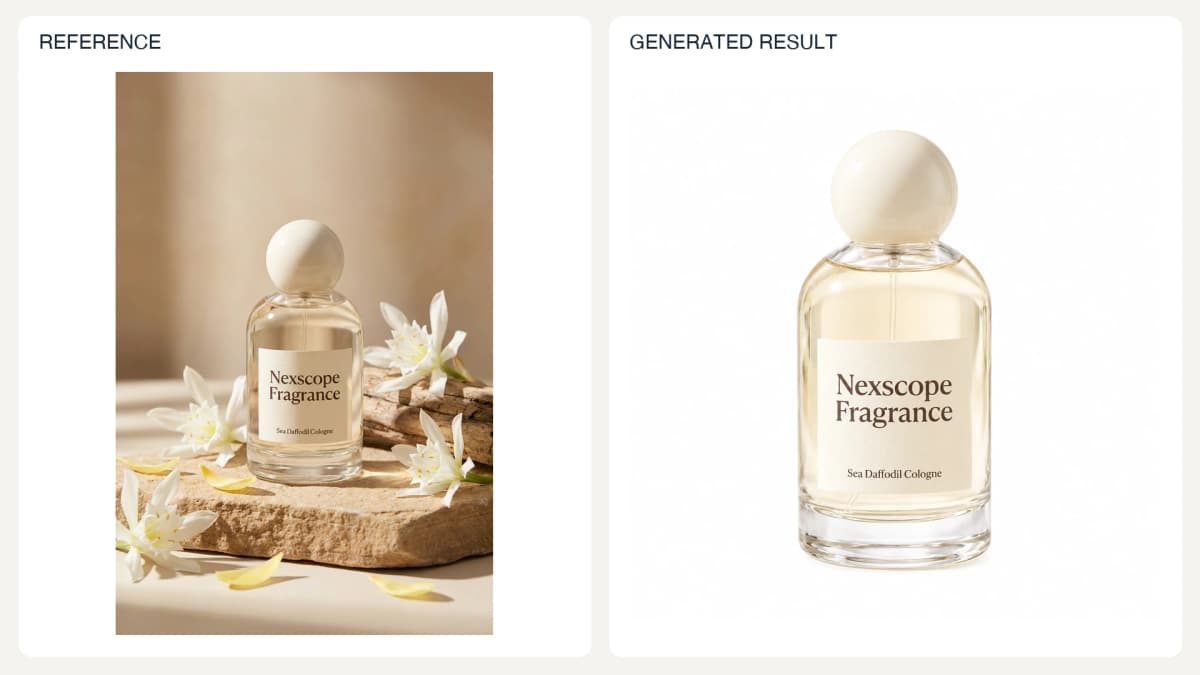
Prompt used for this image:
Edit the reference into a single square white-background catalog photograph of the Nexscope Fragrance bottle. Preserve the round ivory cap, glass silhouette, pale liquid, label and exact text Nexscope Fragrance / Sea Daffodil Cologne. Remove all flowers, wood and stone. Complete centered bottle, balanced white margins, soft even studio illumination, nearly shadowless pure white background. Do not add copy or accessories. Output one clean photograph.
Check: Inspect pale edges, missing components, and altered label characters at full size.
03. Transparent Product Cutout
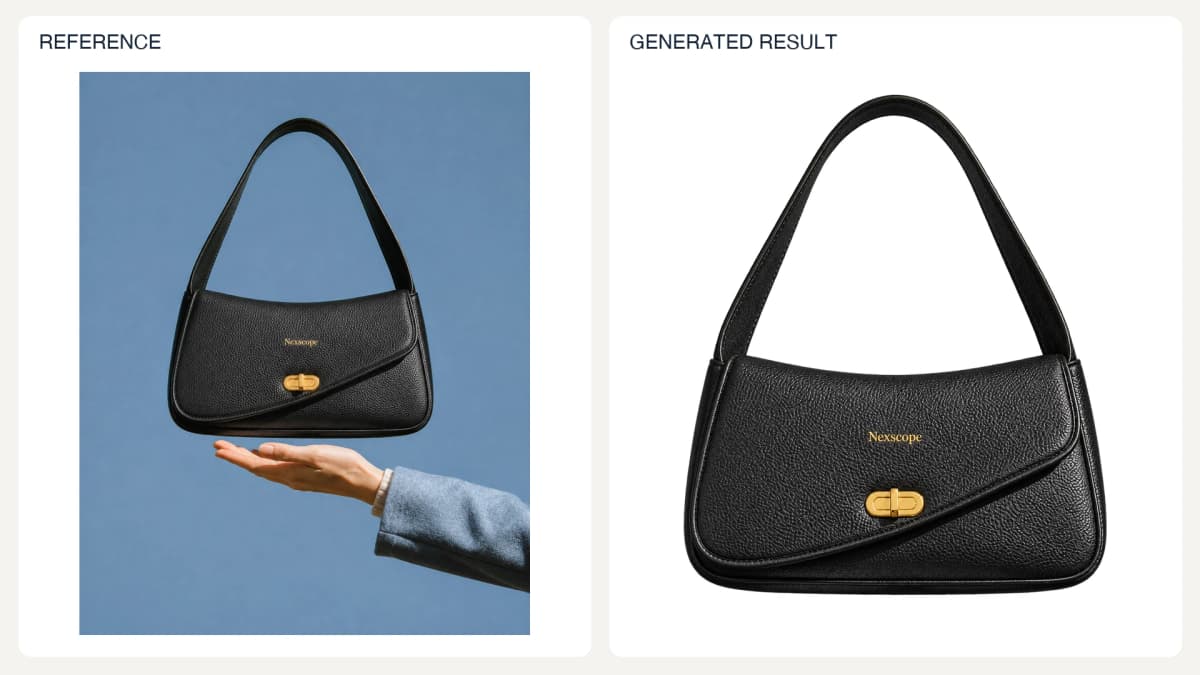
The final PNG contains a verified alpha channel. Two earlier attempts painted a checkerboard and were rejected.
Prompt used for this image:
Remove the background and the hand from this photograph. Keep only the entire black handbag including the strap. Transparent background PNG.
Check: Place the exported file over light and dark backgrounds and inspect its actual alpha channel.
04. Lifestyle Background Replacement
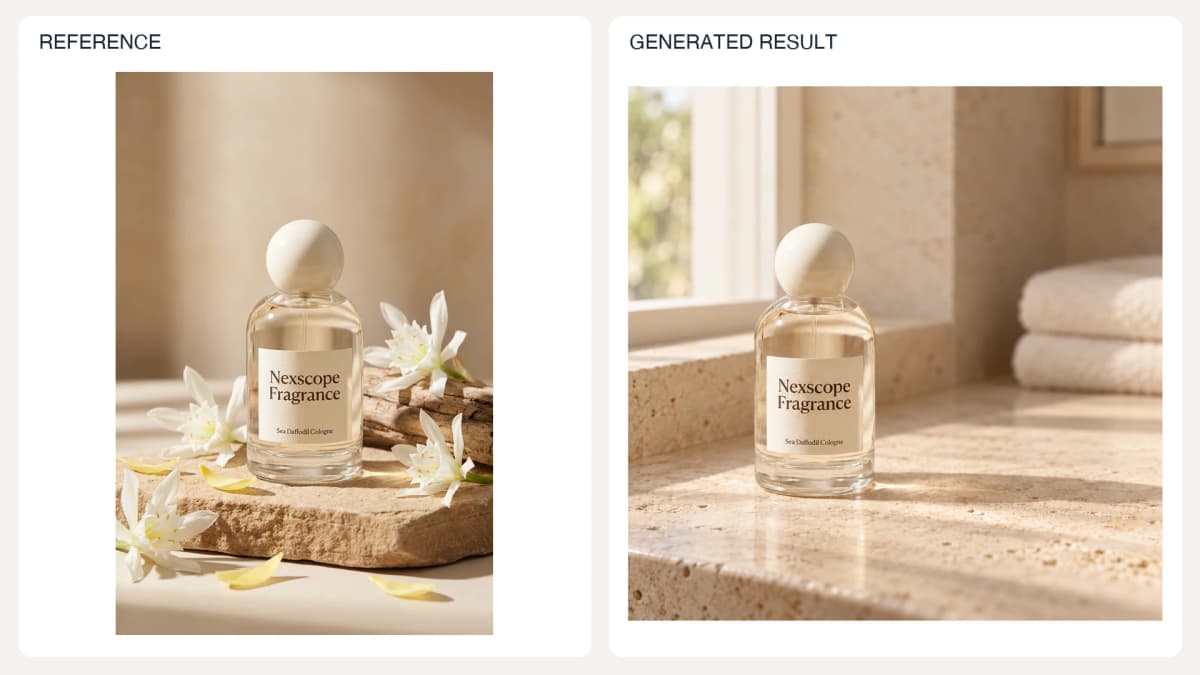
Prompt used for this image:
Create one square lifestyle photograph of the exact Nexscope Fragrance bottle in the reference on a pale travertine bathroom counter beside a softly lit window. Keep its original camera angle, round ivory cap, glass proportions, label and words Nexscope Fragrance / Sea Daffodil Cologne. Bottle on left third, open space on right, blurred folded cream towel in the distant background. Restrained morning light and physically plausible contact shadow. No flowers, no claims, no added text, no extra bottles.
Check: Compare product scale with nearby objects and confirm the surface supports it naturally.
05. Multi-Reference Art Direction
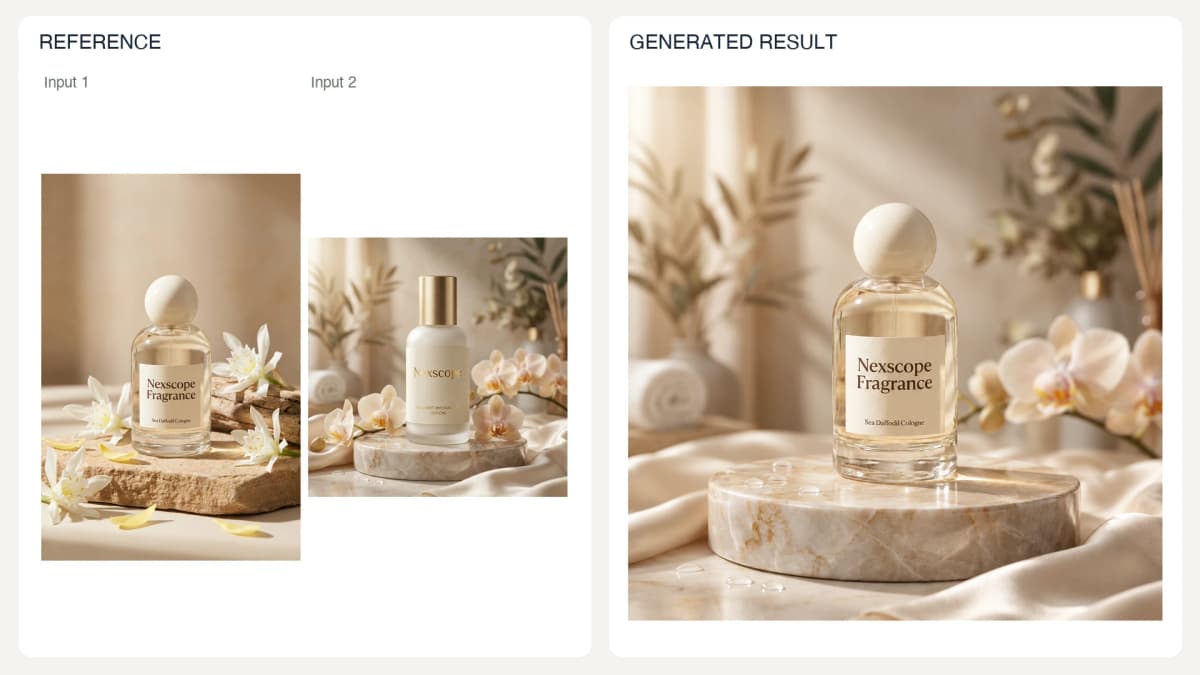
Prompt used for this image:
Create one square ecommerce image using two reference images with separate roles. Image 1 supplies only the exact Nexscope Fragrance bottle, including its label and round cap. Image 2 supplies the warm cream bathroom palette, rounded marble platform and diffuse natural light, but NOT its lotion bottle or lettering. Place the fragrance on the marble platform, with one softly blurred orchid at far right. Preserve the fragrance's words Nexscope Fragrance / Sea Daffodil Cologne. No additional products or text. Photorealistic glass and restrained editorial composition.
Check: Make sure unrelated reference branding or objects have not entered the result.
06. Conceptual Alternate View from a Reference
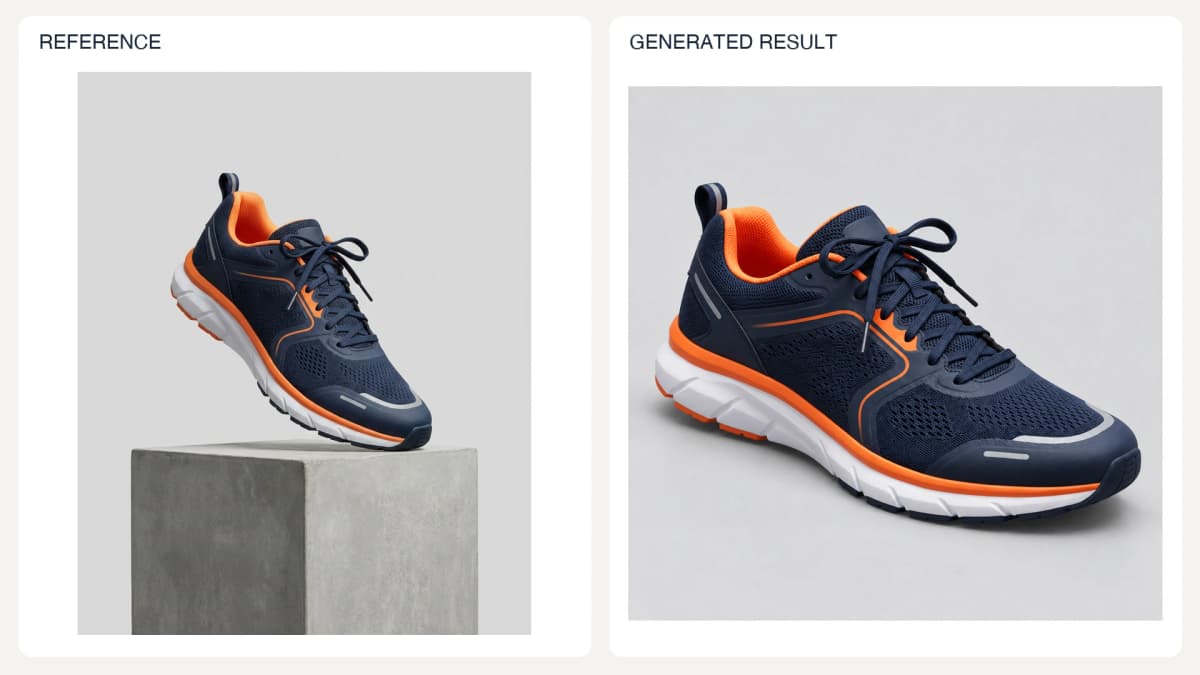
Conceptual alternate view; unseen construction has not been verified.
Prompt used for this image:
Create one square conceptual alternate-view photograph of the navy and orange running shoe in the reference. Rotate the view only slightly toward a side three-quarter angle so the visible outer side remains dominant; do not show the unseen sole or rear. Keep the orange lining, navy mesh, orange side accent, lace arrangement and white segmented midsole. Neutral light gray studio floor with soft contact shadow, no pedestal, no text. This is a design visualization, not a verified reconstruction of an unseen product surface.
Check: Compare the result with the photograph documenting that surface, not just the front image.
07. Reference-Provided Color Variant
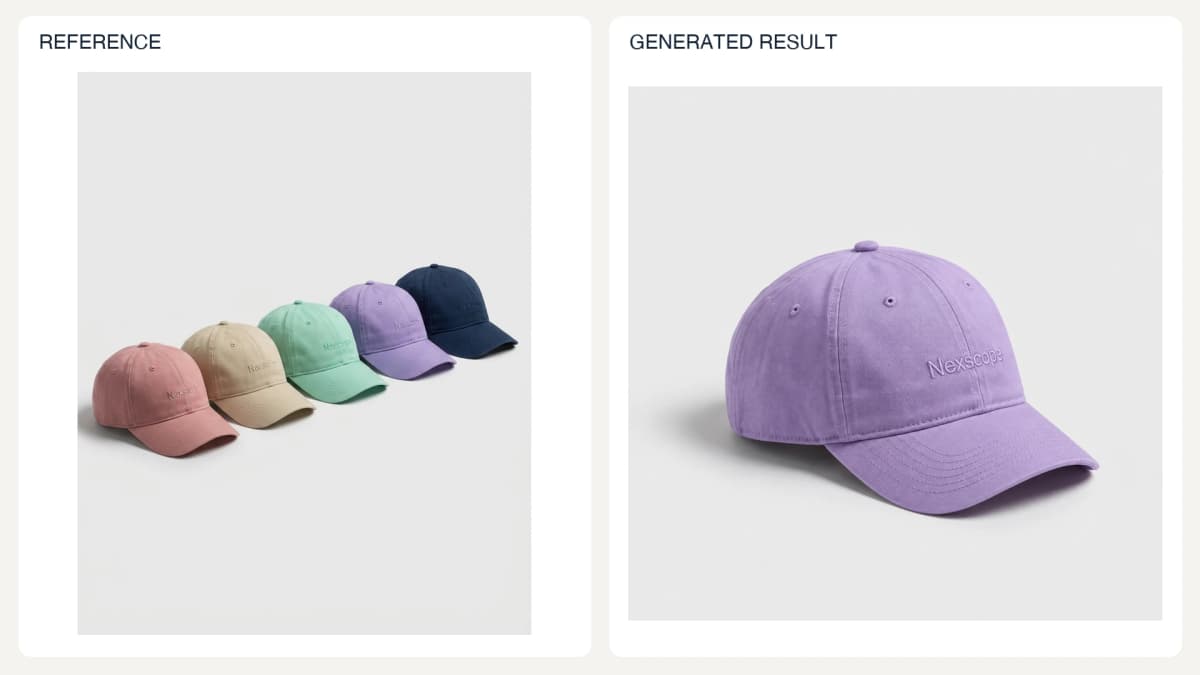
Prompt used for this image:
Create one square studio photograph of a SINGLE lavender cap based precisely on the lavender fourth cap in the reference. Use the same curved brim, crown panels, embroidered small Nexscope lettering and fabric finish. Place it at the same three-quarter front angle as the first pink cap. Light gray seamless background, soft natural studio shadow. No other caps or objects, no added labels, no change to the lavender reference color. This illustrates a reference-provided color variant, not an invented SKU.
Check: Confirm this is an available SKU and distinguish material changes from lighting effects.
08. Local Object Removal
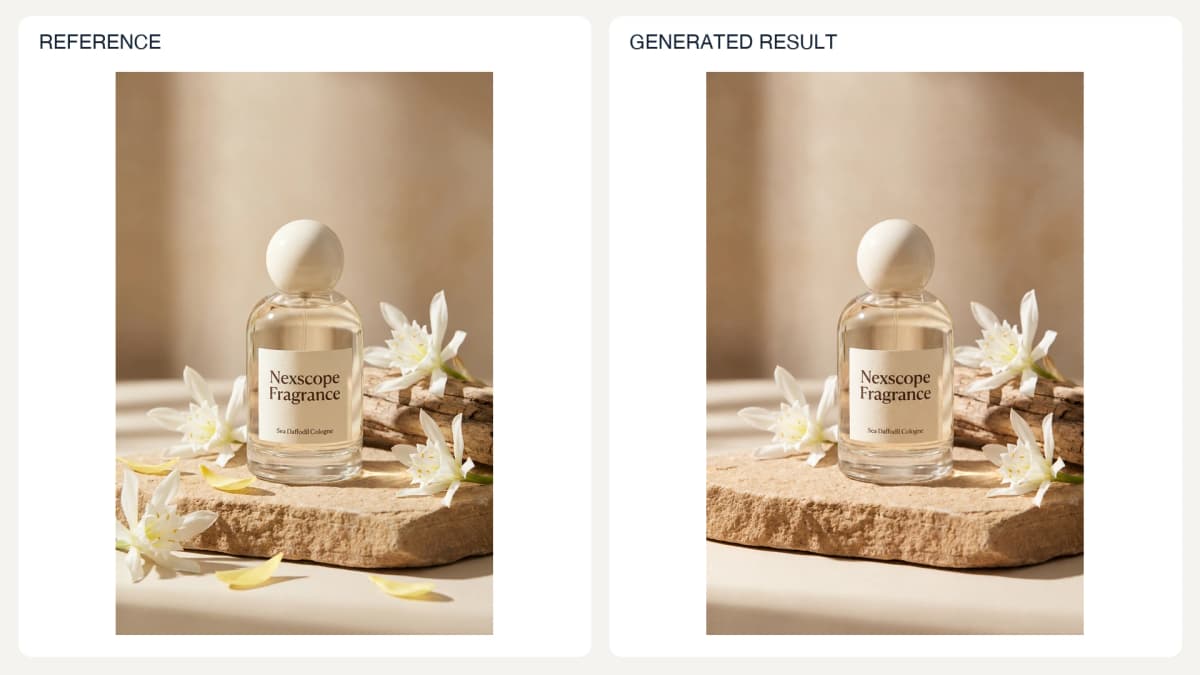
Prompt used for this image:
Edit the reference fragrance photograph by removing ONLY the white flowers and loose pale yellow petals from the lower-left foreground. Fill those regions naturally with the existing stone and cream surface. Keep the bottle, ivory cap, exact label, driftwood, flowers on the right, framing and warm light unchanged. Do not improve or redesign the entire scene. Preserve the original portrait composition. No added words.
Check: Inspect the edit boundary and verify the rest of the image against the source.
09. Pillow Lifestyle Scene from One Reference
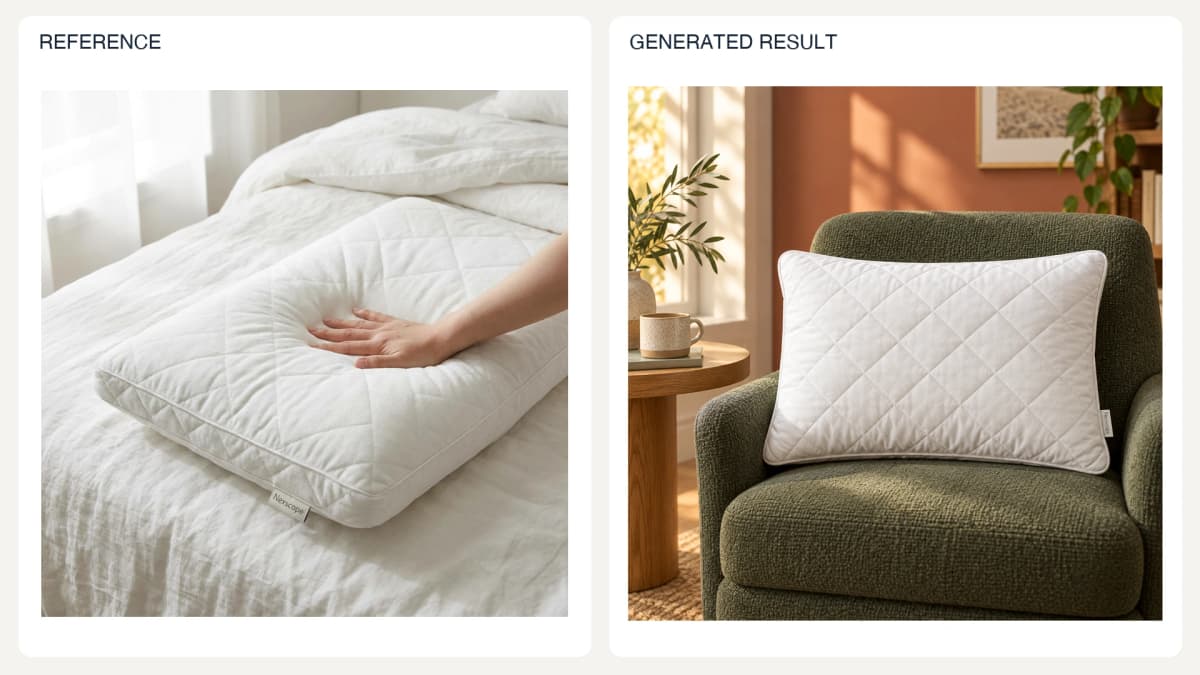
One pillow reference becomes a new reading-nook product scene; the pillow remains the visual focus.
Prompt used for this image:
Create a new square ecommerce lifestyle photo using ONLY the white quilted pillow in the reference as the product. Preserve its rectangular plump shape, diamond quilting, piped edge and small Nexscope fabric tag. Remove the hand and original white bed entirely. Place ONE pillow prominently against the back of a dark sage-green upholstered lounge chair in a stylish reading nook, warm oak side table and a softly blurred terracotta wall, afternoon window light. Pillow fills approximately half the image width and is the sharp focal point; show its full outline and quilting. No people, pets, extra pillows, captions or added logos. Strong clear change of setting while keeping the pillow recognizable.
Check: Treat the result as a visualization and verify physical fit separately with measurements.
Models and Product Interaction
Use authorized identity references when a specific person must appear. For all interaction images, the product needs to remain recognizable at the point where it meets the body. A plausible pose alone does not establish accurate fit, comfort, or performance.
10. Same-Person Outfit Change
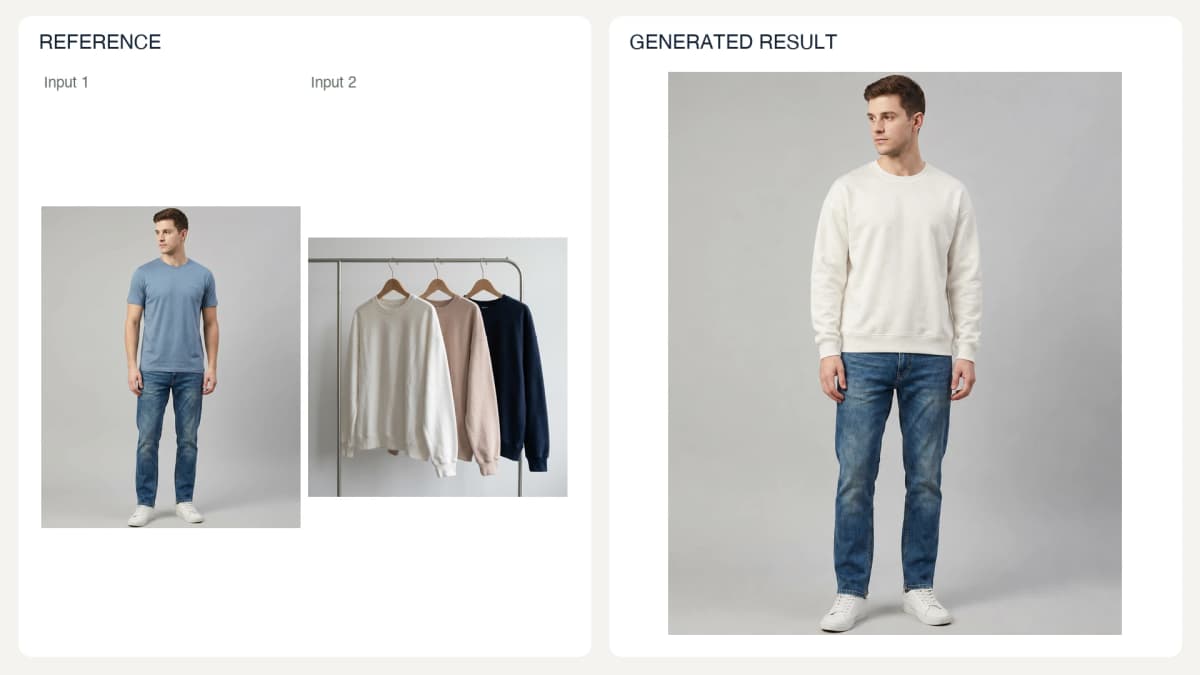
Prompt used for this image:
Edit Image 1 so the same male model wears the ivory crewneck sweatshirt shown at the left of Image 2 instead of his blue T-shirt. Preserve his face, hairstyle, body proportions, facial expression, standing pose, jeans, shoes, camera and gray studio background. The sweatshirt must retain its plain ivory front, dropped shoulders, ribbed crew neck, cuffs and hem. Natural fabric folds with correct sleeve lengths and occlusion. No added logos or accessories. One full-length portrait photo.
Check: Review identity, pattern placement, cuffs, and fabric intersections. This is a visualization, not a fit measurement.
11. Alternate Model Presentation
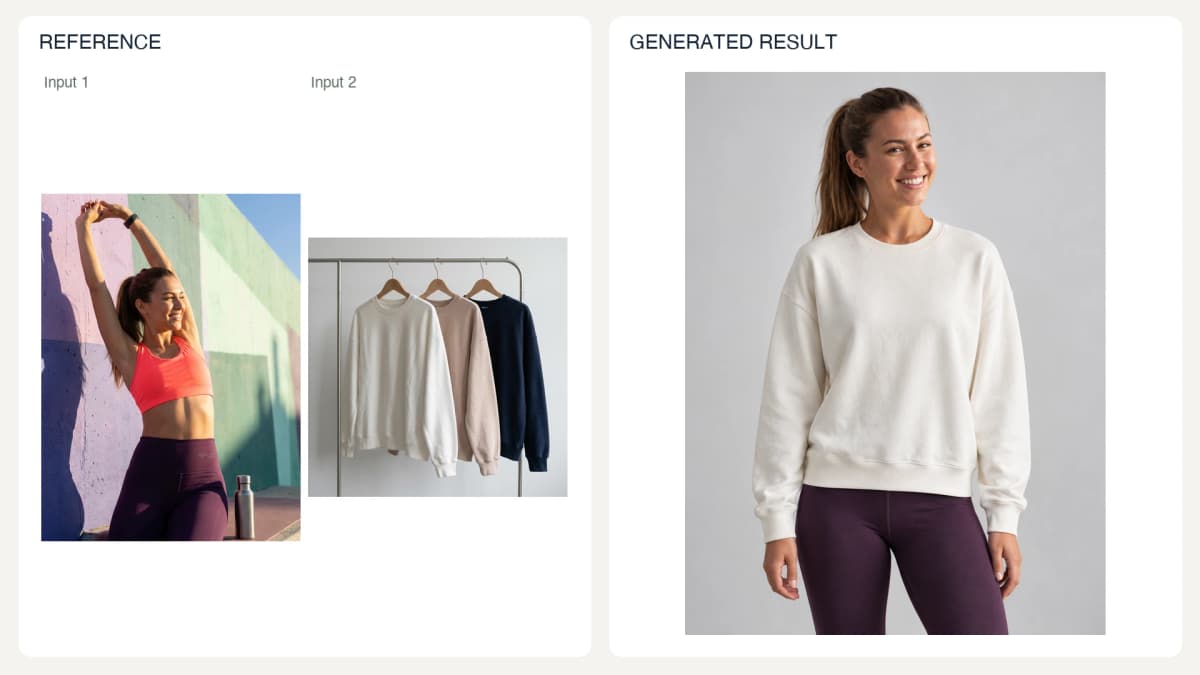
Prompt used for this image:
Create a front-facing mid-thigh-up studio photograph of the same adult woman from Image 1 wearing the ivory crewneck sweatshirt on the left of Image 2. Preserve her face, brown ponytail and natural proportions. Arms relaxed down at her sides, gentle natural expression, light gray seamless background with soft even light. Keep the sweatshirt plain ivory with documented dropped shoulders, ribbed collar, cuffs and hem; no graphics. Keep dark leggings. No jewelry additions, no text, no exaggerated retouching.
Check: Do not imply the pictured person endorses the product unless that use is authorized.
12. Pose Variation
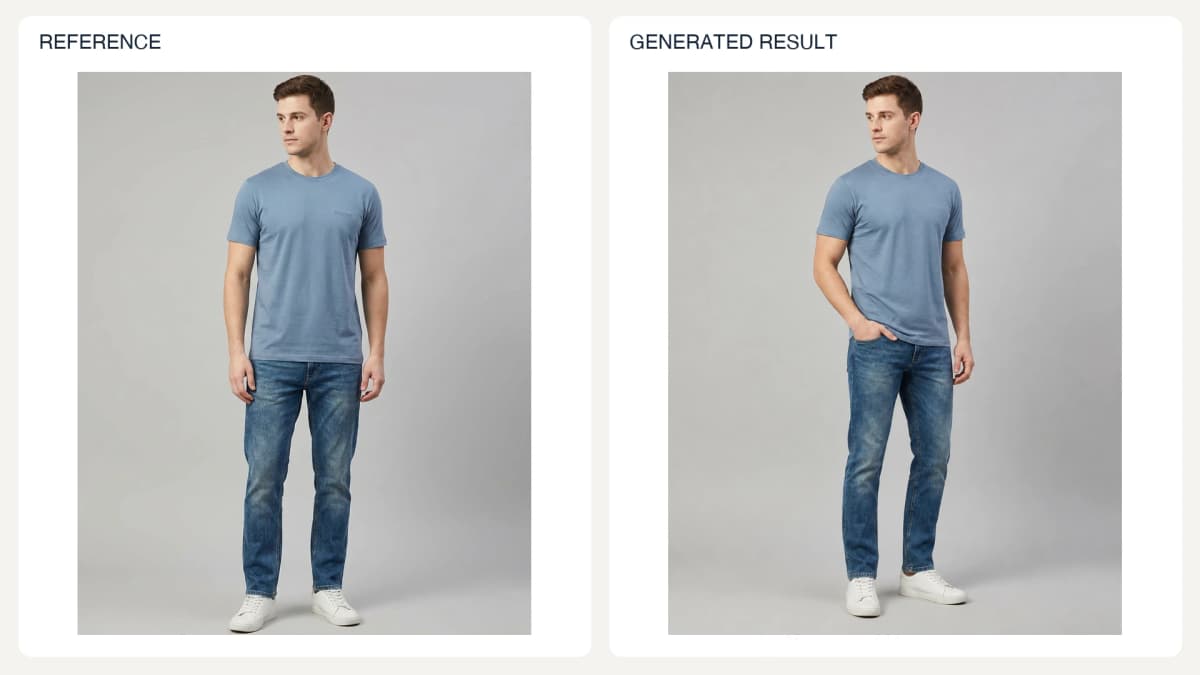
Prompt used for this image:
Create a new full-length portrait of the same male model in the reference in the same blue T-shirt, jeans and white sneakers. Change only the pose: turn slightly three-quarter toward camera left, place one hand casually in a front jeans pocket and leave the other relaxed. Preserve face, hairstyle, body proportions, T-shirt design and color, gray studio background and soft lighting. Keep garment front visible. Natural balanced posture and anatomically correct hands. No text or new accessories.
Check: Review limb anatomy and any newly exposed product details.
13. Accessory Try-On
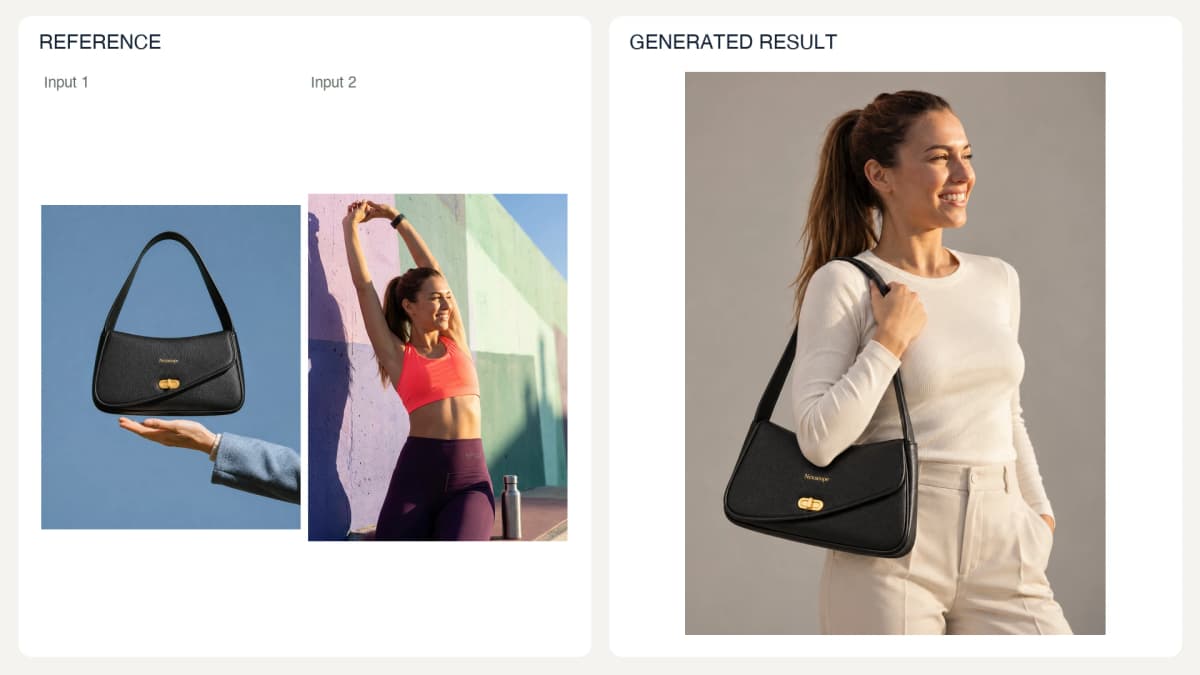
Prompt used for this image:
Create a vertical fashion photograph of the same woman from Image 2 wearing a simple ivory long-sleeve top and carrying the exact black Nexscope shoulder bag from Image 1 on her shoulder. Keep the bag's curved flap, black pebbled finish, short strap, gold clasp and small gold Nexscope wordmark. Natural relaxed pose, waist-up framing, neutral warm-gray studio background and soft daylight. Bag fully visible near her hip, strap resting naturally on shoulder. Preserve her identity. No extra accessories, text or duplicated bags.
Check: Inspect attachment points and mirrored details; visual scale is not proof of fit.
14. Handheld Product Close-Up
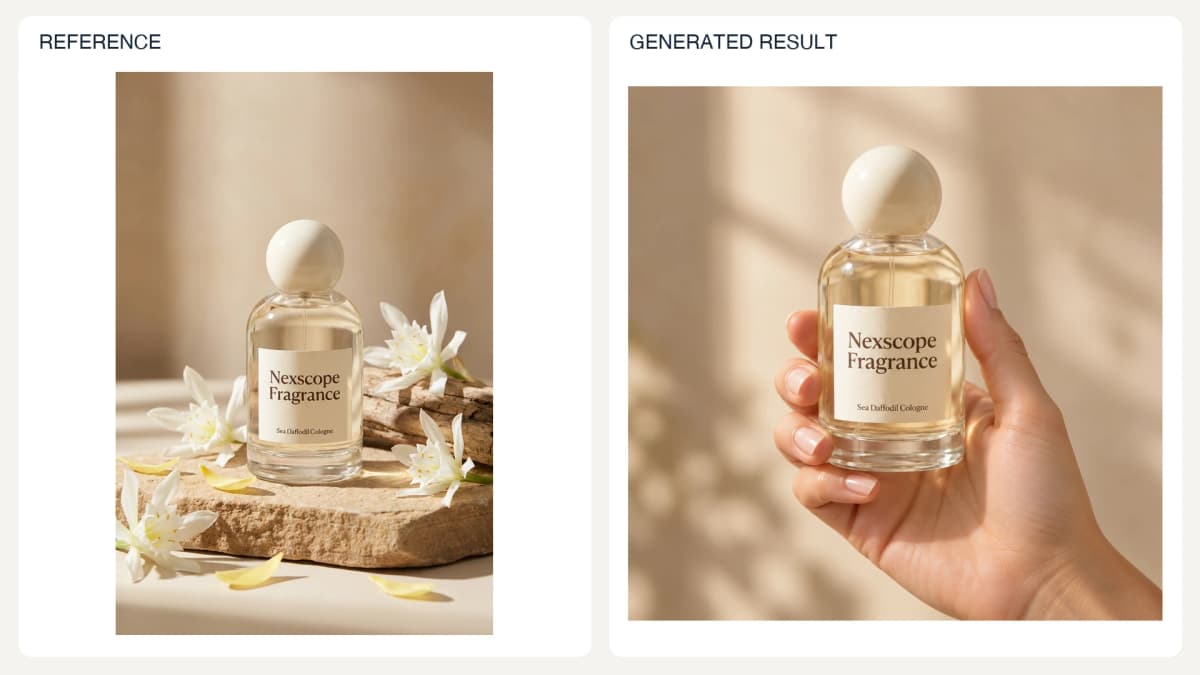
Prompt used for this image:
Create a square close-up product photograph of one natural adult hand gently holding the reference Nexscope Fragrance bottle around its lower sides, fingers away from the label. Preserve round ivory cap, clear glass shape, pale gold liquid, cream label and exact words Nexscope Fragrance / Sea Daffodil Cologne. Warm beige background and soft window light. Realistic five-finger anatomy and believable grip. No extra bottles, no promotional copy. Product occupies roughly half the frame height; relative hand scale is illustrative.
Check: Confirm the grip could support the object's weight and does not pass through it.
15. Product-Use Demonstration
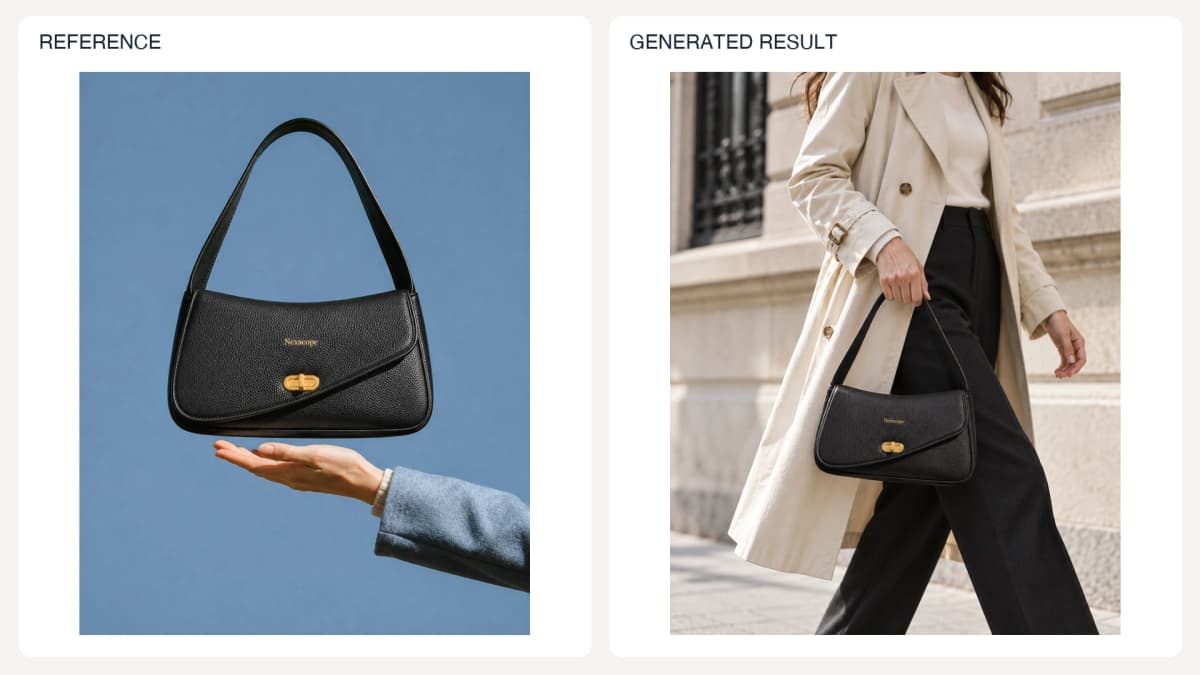
Prompt used for this image:
Create a vertical lifestyle photograph of an adult woman walking beside a pale stone city facade, carrying the exact black Nexscope bag from the reference by its short strap in one hand. Frame from shoulders to knees so attention stays on the carry action. Preserve black pebbled finish, curved flap, gold clasp, small gold Nexscope lettering and bag geometry. Outfit is a cream trench coat and dark trousers. Soft daylight, believable strap tension and hand contact. No floating bag or extra products, no added text.
Check: Compare the action with the manual, especially tool direction and component placement.
16. Natural UGC-Style Creative
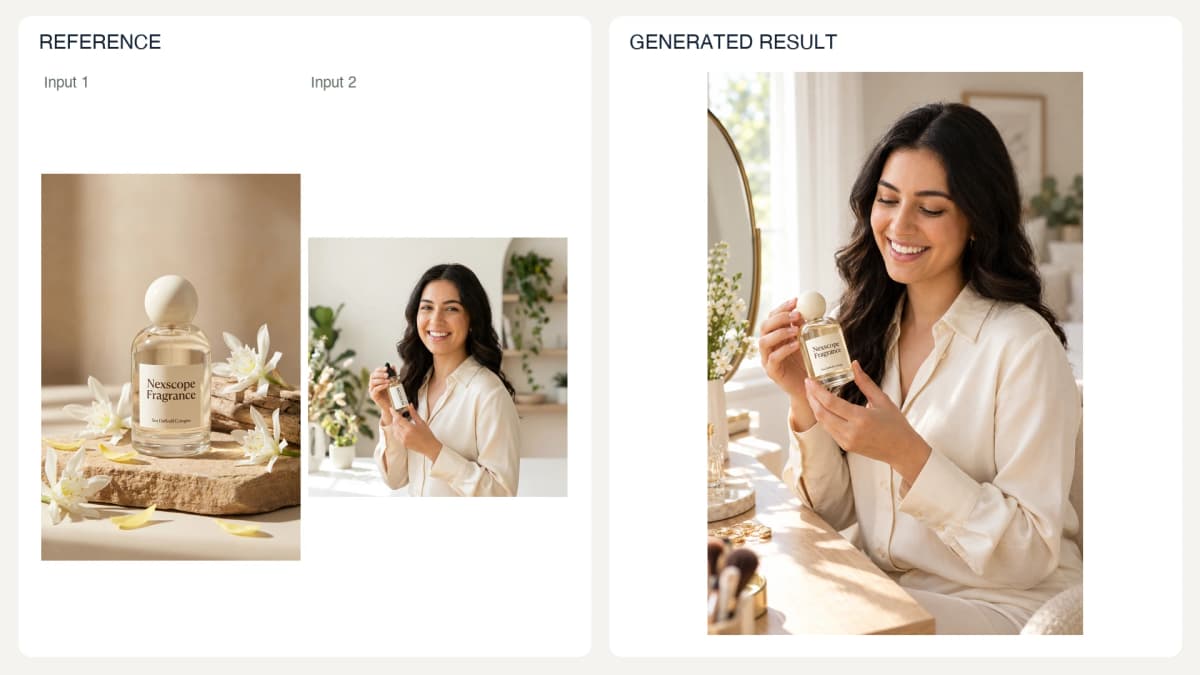
Prompt used for this image:
Create one vertical casual phone-style lifestyle photograph of the same woman from Image 2 sitting at a dressing table, looking down naturally at the Nexscope Fragrance bottle from Image 1 held in both hands. Replace the serum bottle with the fragrance and preserve its round ivory cap, cream label and exact words Nexscope Fragrance / Sea Daffodil Cologne. Preserve the woman's identity and cream shirt. Soft morning window light, natural skin, slightly informal framing. No review, testimonial, social interface, ratings or captions.
Check: Do not publish the scene as evidence of a real customer's experience.
17. Pet Product Interaction
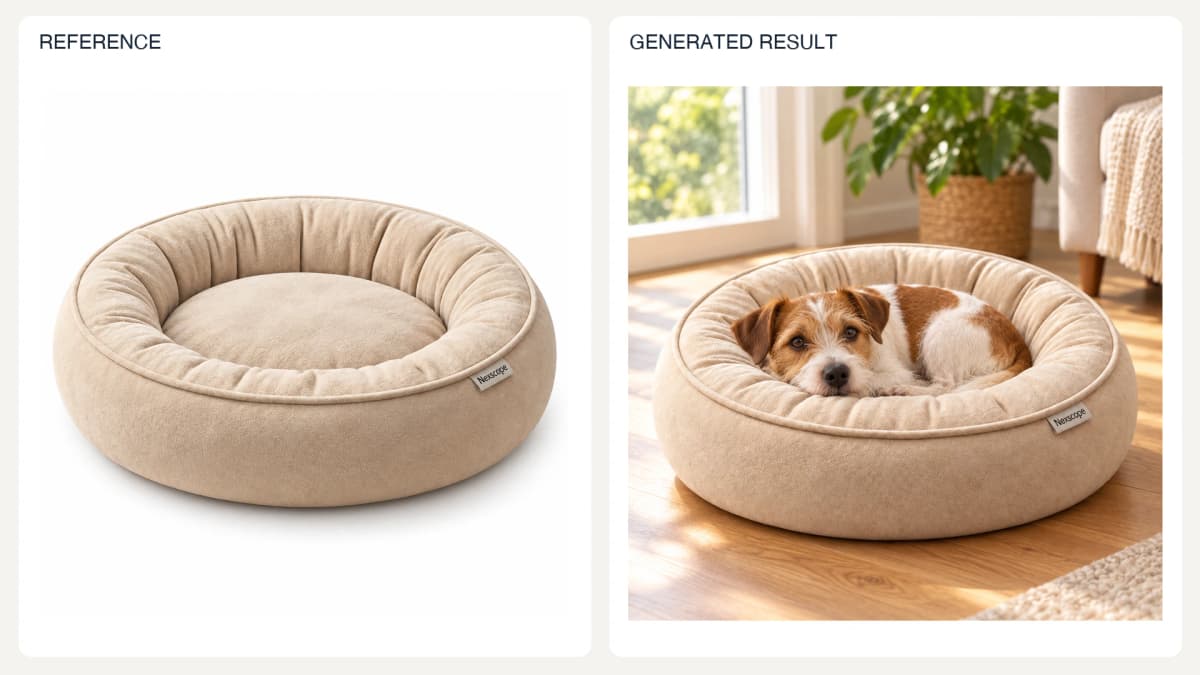
The input is a generated product-only reconstruction of the supplied pet-bed scene. The lifestyle result was generated from that product-only input.
Prompt used for this image:
Use the empty beige round pet bed in the reference as the sole product reference. Create a square ecommerce lifestyle photograph of a small brown-and-white terrier comfortably curled inside it, awake with its chin resting naturally on the bolster. Preserve the bed's round shape, beige fabric, thick bolster, recessed center and small Nexscope tag. Place the bed on a warm oak floor beside a sunny living-room window, softly blurred green plant in the distance. Product dominates the foreground and is fully visible. Realistic dog-to-bed scale and natural contact. No extra beds, toys, lettering or performance claims.
Check: Review scale, paw contact, and the actual intended use of the item.
Listing Sets and Campaign Creatives
Decide what each image needs to explain before generating a set. Keep product identification, feature explanation, dimensions, and lifestyle context distinct. Use the same approved references across a set. A contact sheet can establish the visual direction; production listing images should then be generated and reviewed individually.
18. Coordinated Listing Set Contact Sheet
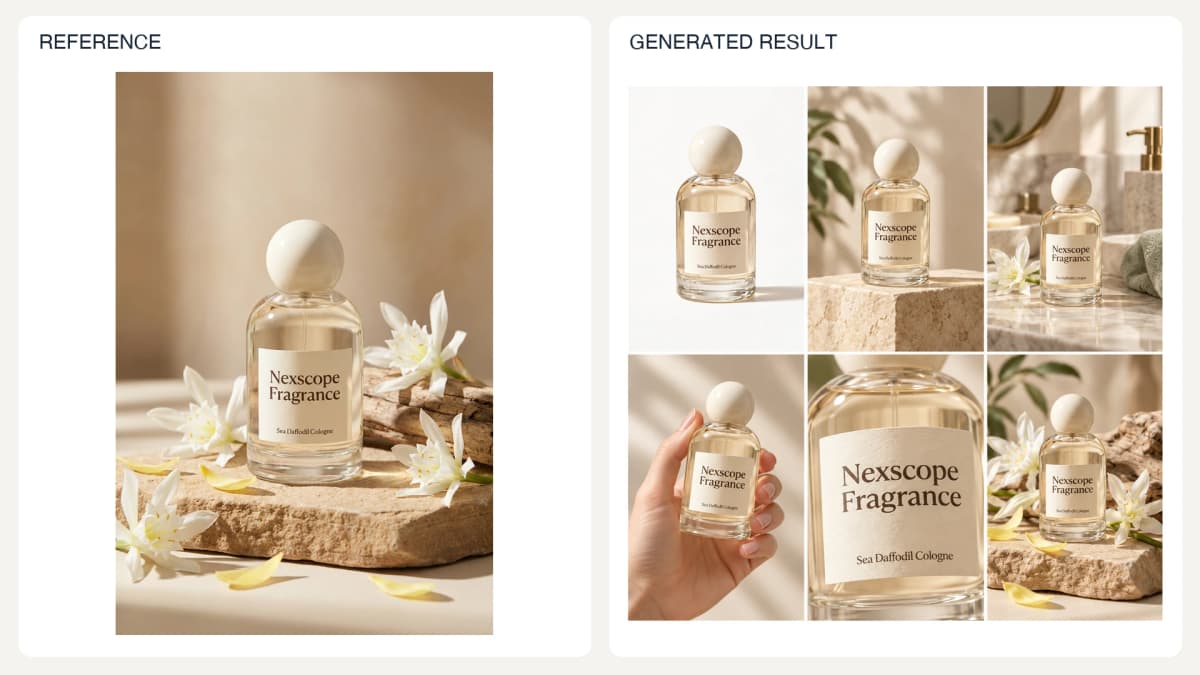
One six-panel planning board, not six independently exported listing images.
Prompt used for this image:
Create one square six-panel art-direction contact sheet for the exact reference perfume. Six evenly sized panels in a 3-column 2-row grid: white catalog, cream plinth hero, sunlit bathroom, hand holding bottle, close-up label, botanical still life. Keep the same rounded clear bottle, ivory ball cap, pale gold liquid and exact label Nexscope Fragrance / Sea Daffodil Cologne in all views. Consistent warm ivory and pale sage palette. No headings or added text. This is a visual planning board, not six separately delivered listing files.
Check: Review the complete sequence for repeated messages and conflicting product details.
19. A+ or PDP Feature Module
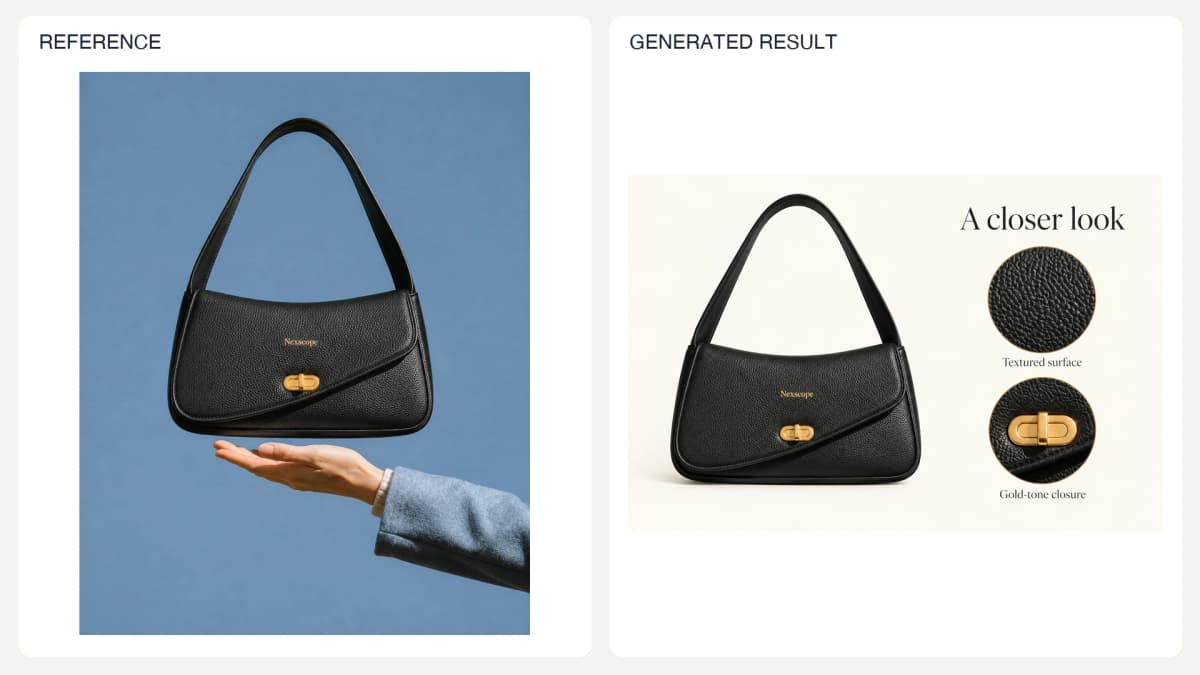
Prompt used for this image:
Create a wide 3:2 ecommerce product detail module using the exact black pebbled shoulder bag in the reference, preserving curved flap, gold oval clasp and gold Nexscope mark. Ivory background. Large complete bag on the left, two circular close-up insets of the visible pebbled surface and clasp on the right. Elegant editorial typography with exact heading 'A closer look' and inset captions 'Textured surface' and 'Gold-tone closure'. Do not invent material composition, performance or unseen construction. No extra copy.
Check: Inspect the module at its actual mobile display size and verify every claim.
20. Product Dimension Layout
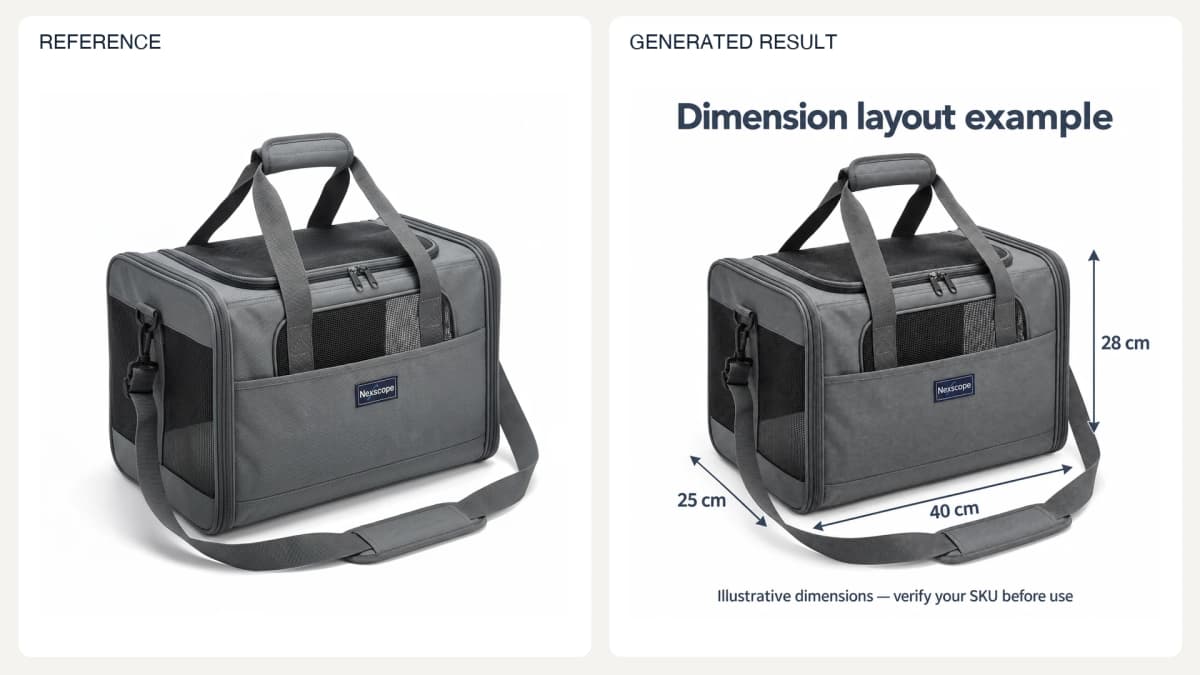
The dimensions are fictional demonstration values, explicitly labeled in the image.
Prompt used for this image:
Create a square educational example of a dimension diagram for the gray mesh pet carrier shown. Preserve its handles, shoulder strap, mesh and gray fabric. White background, thin slate measurement arrows around the carrier. Exact labels '40 cm', '25 cm', '28 cm'. Large clear heading 'Dimension layout example'. Visible footer 'Illustrative dimensions — verify your SKU before use'. These are fictional demo values, not verified measurements. Do not show pets, included-accessory lists or capacity claims.
Check: This example uses fictional dimensions. Replace them with verified measurements before creating a sale listing; show included contents only when their names and quantities are documented.
21. Material Detail Close-Up
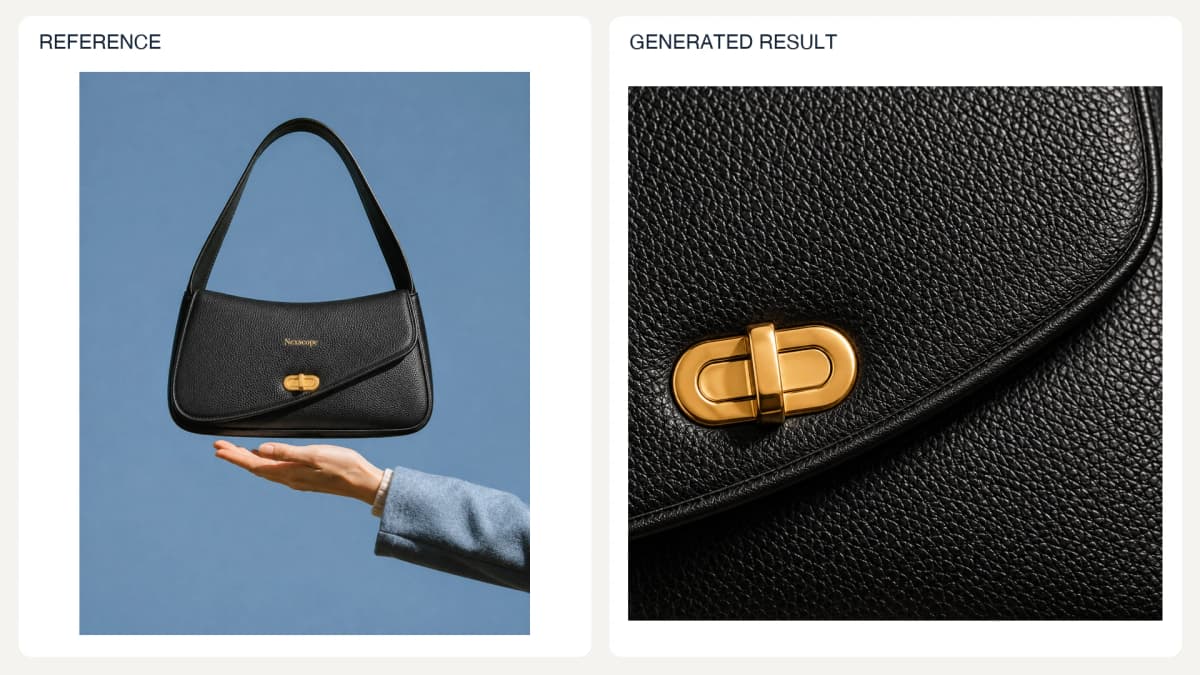
Illustrative surface interpretation, not a source macro photograph.
Prompt used for this image:
Create a square editorial macro interpretation of the visible surface of this black shoulder bag. Fill the frame with black pebbled texture, curved flap edge and a portion of the gold oval clasp. Soft raking studio light reveals the relief, realistic dark tones and gold reflections. Preserve the reference construction and avoid inventing stitching patterns. No text or claims. This generated close-up is an illustrative interpretation, not a measured material photograph.
Check: This close-up is an illustrative interpretation from a full-product reference. Use an actual macro photograph when the image needs to prove material or construction details.
22. Step-by-Step Product Styling
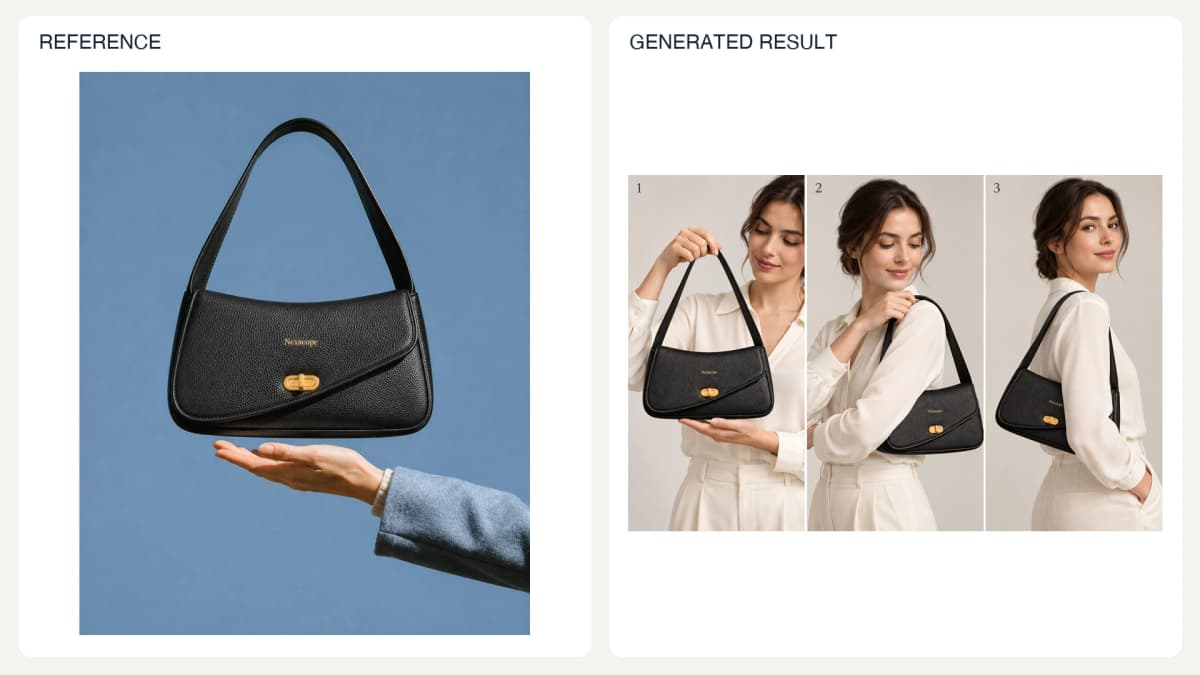
Prompt used for this image:
Create one wide 3:2 three-panel photographic styling guide for the reference black shoulder bag. Same adult female model wearing an ivory blouse throughout. Panel 1 hand lifts the bag by its strap. Panel 2 slides strap onto shoulder. Panel 3 relaxed shoulder-carry pose. Preserve exact black pebbled bag shape, curved flap, gold clasp and Nexscope mark. Light neutral studio, physically plausible hands, no invented adjustable hardware. Only text is small numbers '1', '2', '3' at upper left of respective panels.
Check: Check the action sequence and consistency of the bag across panels. For operating instructions, use the real product manual and approved step wording.
23. Campaign Ad Creative
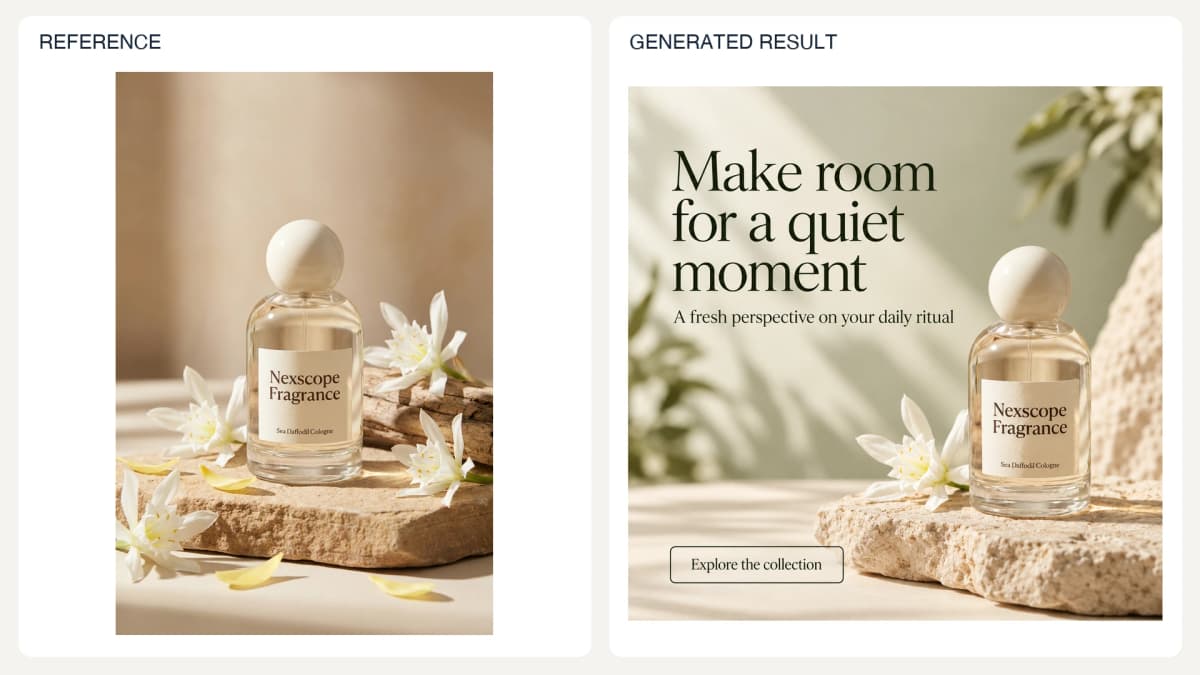
Prompt used for this image:
Create a square premium perfume campaign advertisement. Preserve the exact reference clear rounded bottle, ivory spherical cap, golden liquid and label 'Nexscope Fragrance' / 'Sea Daffodil Cologne'. Bottle in lower right on ivory stone, one white flower nearby, pale sage and cream background with gentle sunlight. Top-left editorial dark-green headline exactly 'Make room for a quiet moment'. Beneath it smaller text exactly 'A fresh perspective on your daily ritual'. Bottom-left simple outlined button with exact text 'Explore the collection'. Beautiful readable typography, ample negative space, no discount or performance claims.
Check: Compare the image's offer and wording with the actual campaign landing page.
24. Seasonal Campaign Variation
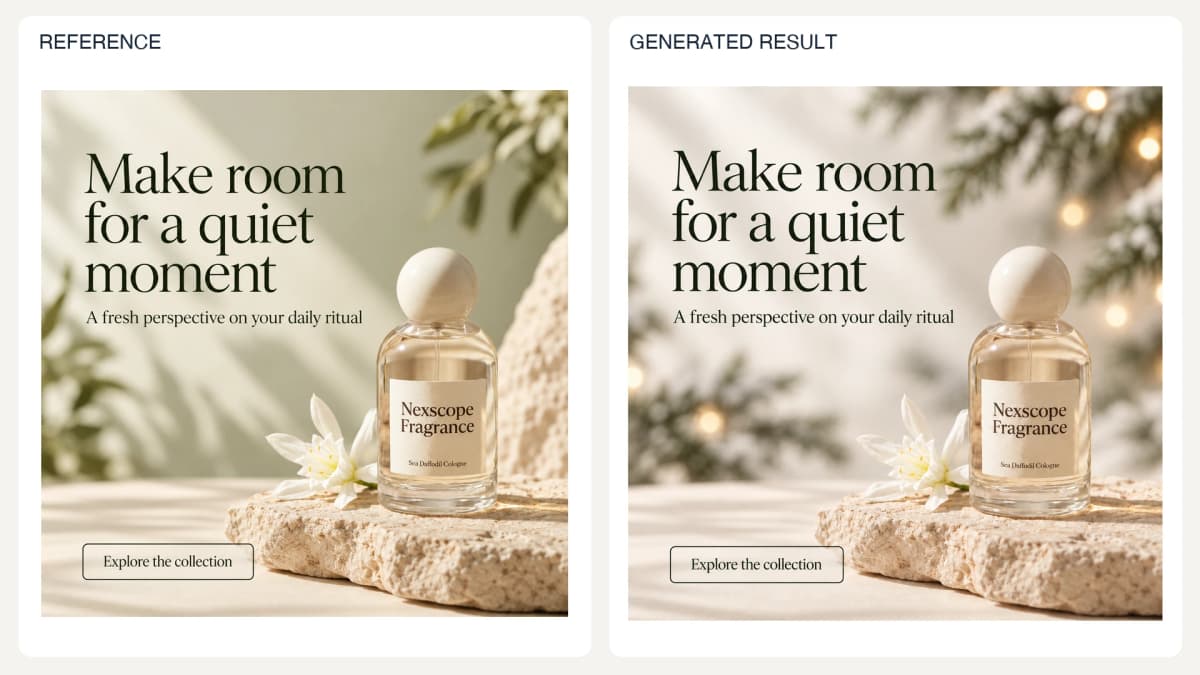
Prompt used for this image:
Edit this perfume campaign into a subtle winter seasonal variation. Keep the exact bottle, label, stone, flower, typography, all English copy and button text unchanged in the same positions. Change only background mood to pale wintry cream with soft out-of-focus evergreen branches and a few warm fairy-light bokeh dots at upper right, behind and away from text. No snow on product, ornaments, gifts, dates or discounts. Preserve square format and readable dark green text.
Check: Confirm weather effects and decorations do not hide labels or imply additional included goods.
25. Social Commerce Scene
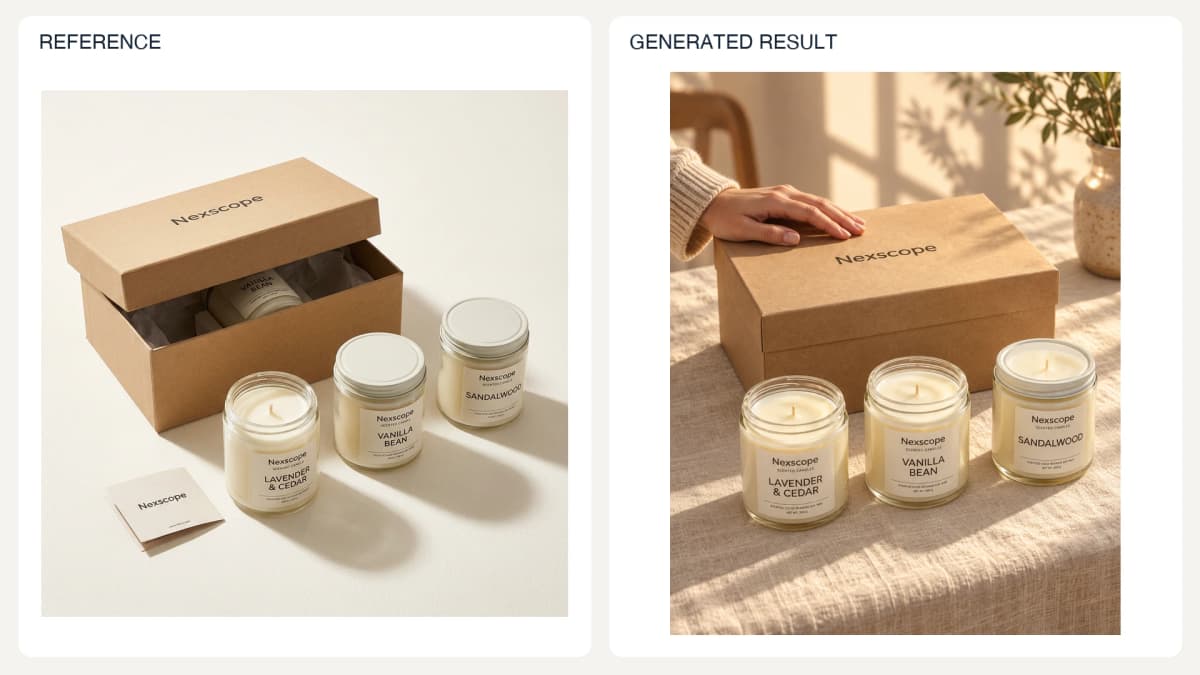
The revised result contains three jars. Tiny label text still needs original-artwork review before commercial use.
Prompt used for this image:
Create a vertical 4:5 social-commerce gift styling photograph using the reference candle products. Show EXACTLY THREE candle jars total, all standing outside ONE FULLY CLOSED kraft box. There must be no candle inside or behind the box, no fourth jar, and no extra lid. Use the reference jars with their lavender, vanilla and sandalwood labels; preserve visible brand wording and appearances. Warm linen tabletop and late-afternoon light, an adult hand gently resting on the CLOSED box lid. No added cards, ribbon, gifts, slogans, interface or claims. Keep all three jars fully visible and countable.
Check: This produces a still image. A mirror-outfit video requires a separate video workflow.
Localization and Consistent Batches
Maintain one approved reference pack per SKU and a separate text record per market. Keep these records independent from generated outputs so one mistaken image cannot redefine the product in later requests.
26. Layout-Preserving Translation
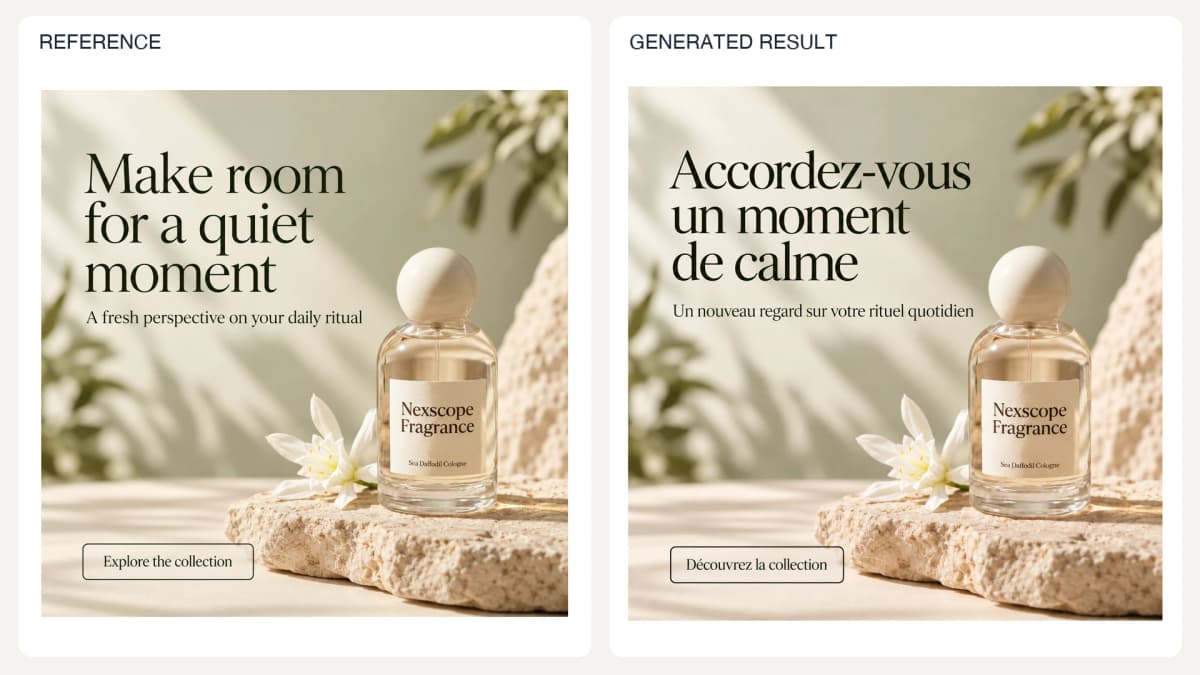
Prompt used for this image:
Translate only the marketing copy in this square campaign advertisement into French. Exact replacements: 'Make room for a quiet moment' becomes 'Accordez-vous un moment de calme'; 'A fresh perspective on your daily ritual' becomes 'Un nouveau regard sur votre rituel quotidien'; 'Explore the collection' becomes 'Découvrez la collection'. Preserve the English text printed on the bottle, including Nexscope Fragrance and Sea Daffodil Cologne. Preserve bottle, scenery, colors, font character and hierarchy. Adjust text wrapping and size enough to fit without overlaps. No other text or changes.
Check: Compare every translated phrase with the supplied map, including text that should remain unchanged.
27. Market-Specific Lifestyle Adaptation
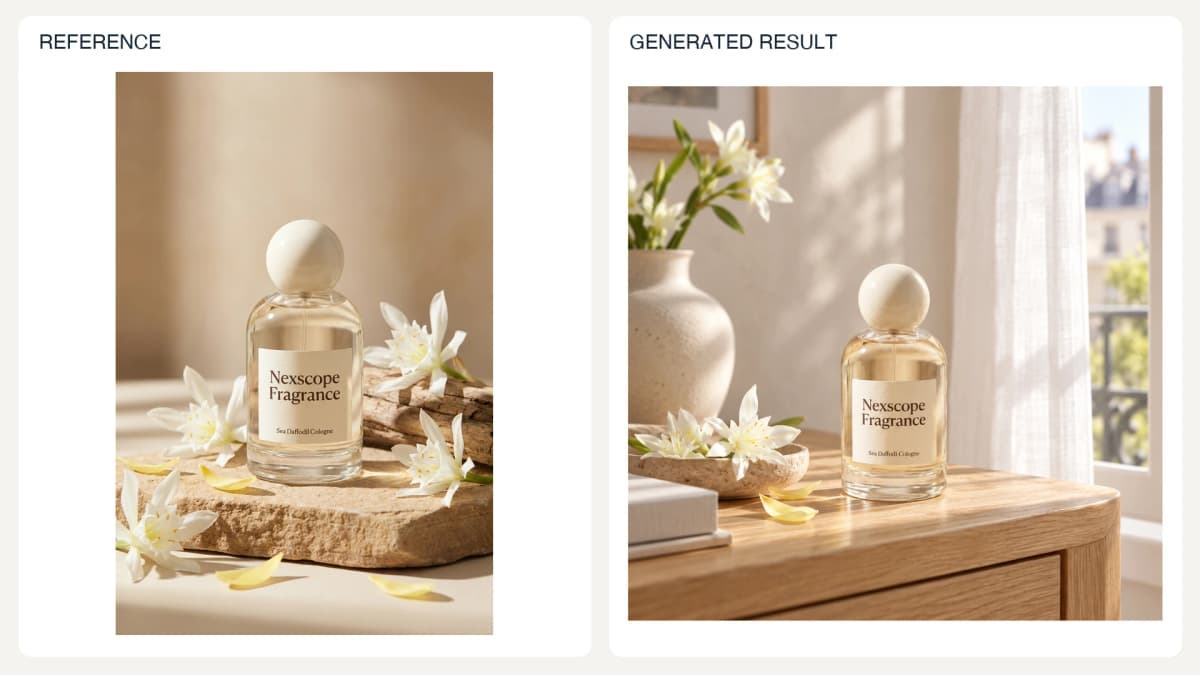
Prompt used for this image:
Create a square lifestyle adaptation for a compact urban apartment in France in spring. Place the exact reference perfume bottle on a small light-oak console near a tall window with white sheer curtains; softly blurred pale plaster wall and one simple ceramic vase in the background. Restrained real apartment styling, morning daylight. Preserve original bottle shape, ivory sphere cap, gold liquid and English packaging text Nexscope Fragrance / Sea Daffodil Cologne. No flags, landmarks, stereotypes, extra typography or claims. Product is prominent and fully visible.
Check: Confirm that the actual product, not just the picture, fits the intended market.
28. Placement and Aspect-Ratio Adaptation
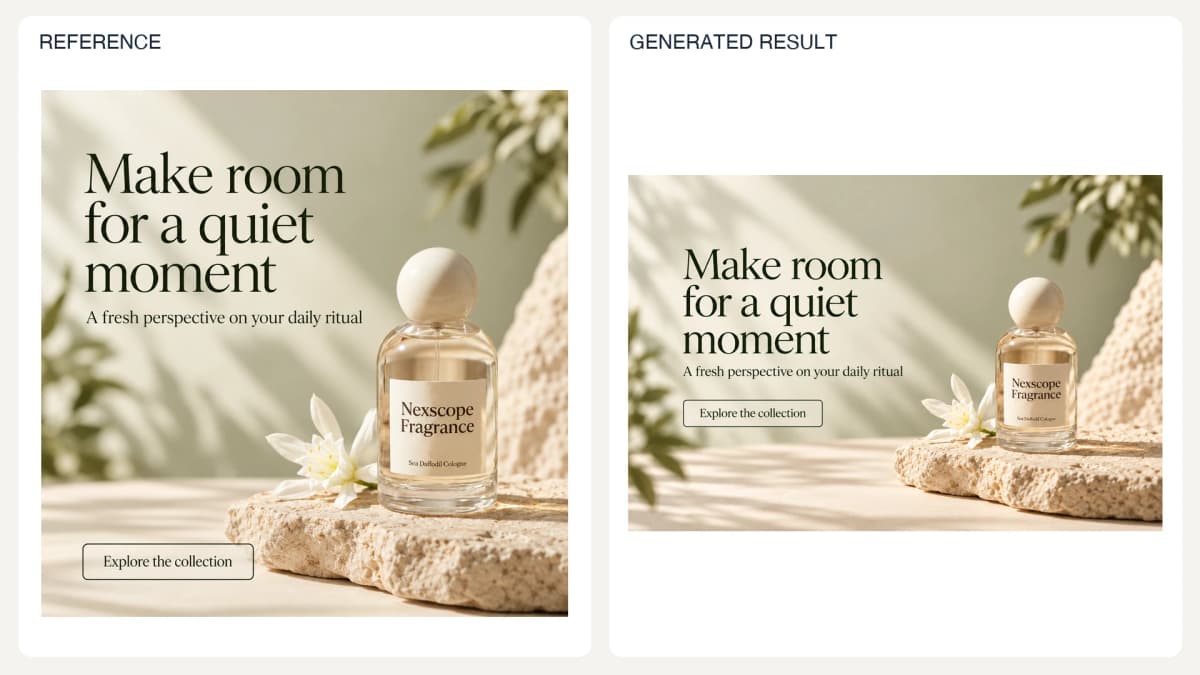
Prompt used for this image:
Recompose this square perfume advertisement as one wide landscape 3:2 website placement. Keep the same bottle, label, ivory stone, flower and exact three English text strings. Left half contains headline 'Make room for a quiet moment', subheading 'A fresh perspective on your daily ritual', button 'Explore the collection'. Right half contains complete bottle and stone. Preserve sage cream palette and lighting. Extend environment naturally, never stretch bottle. Leave generous 8% margins around all essential content. No new props or copy.
Check: Inspect the actual exported dimensions and a preview in the target placement.
Small-Batch Production
Start with one SKU, approve its reference pack, and run one task per request. For sets, use Prompt 18 to establish the direction, then request each panel as a separate full-resolution image. For multiple SKUs, replace the reference pack and verified facts explicitly; do not ask the model to substitute products from memory.
Track SKU, prompt ID, locale, placement, model, prompt version, output file, and review status. Give retries their own filenames. Keep generation success separate from review approval. If automating through an API, implement the selected provider's documented submission and retrieval behavior; polling, callbacks, and batch support are integration-specific.
Packaging and Brand Concepts
These three scenarios explore concepts. They need a separate review path from images representing an existing sale item.
29. Packaging Concept Exploration
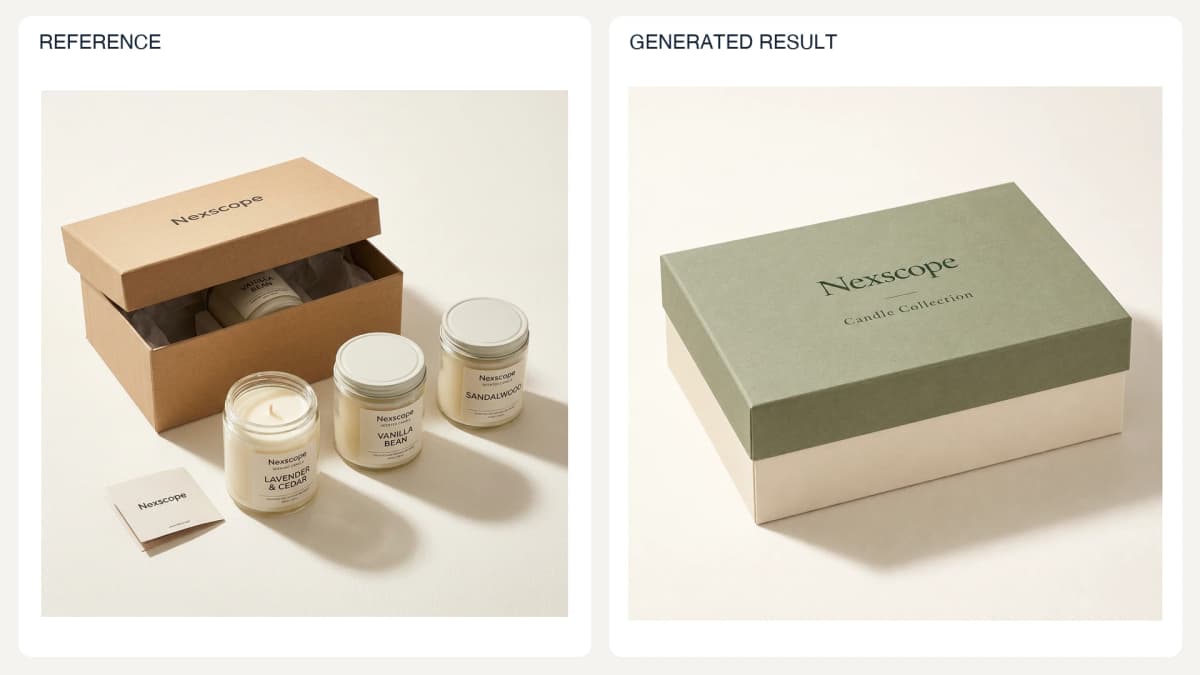
Packaging design concept, not a photograph of an existing SKU.
Prompt used for this image:
Develop a new packaging CONCEPT for a candle gift set inspired by the reference candle category, not an existing SKU photograph. One closed rectangular paperboard box, sage green lid, warm ivory base, refined dark green serif typography reading exactly 'Nexscope' and 'Candle Collection'. Three-quarter studio view on pale cream with soft shadows. No candles exposed, no ribbon, no window, barcodes, ingredient claims, certifications or extra wording. Clearly coherent lid and base geometry. Premium restrained design concept, square composition.
Check: Keep the result labeled as concept work until structure and artwork are validated.
30. Sketch-to-Product Visualization
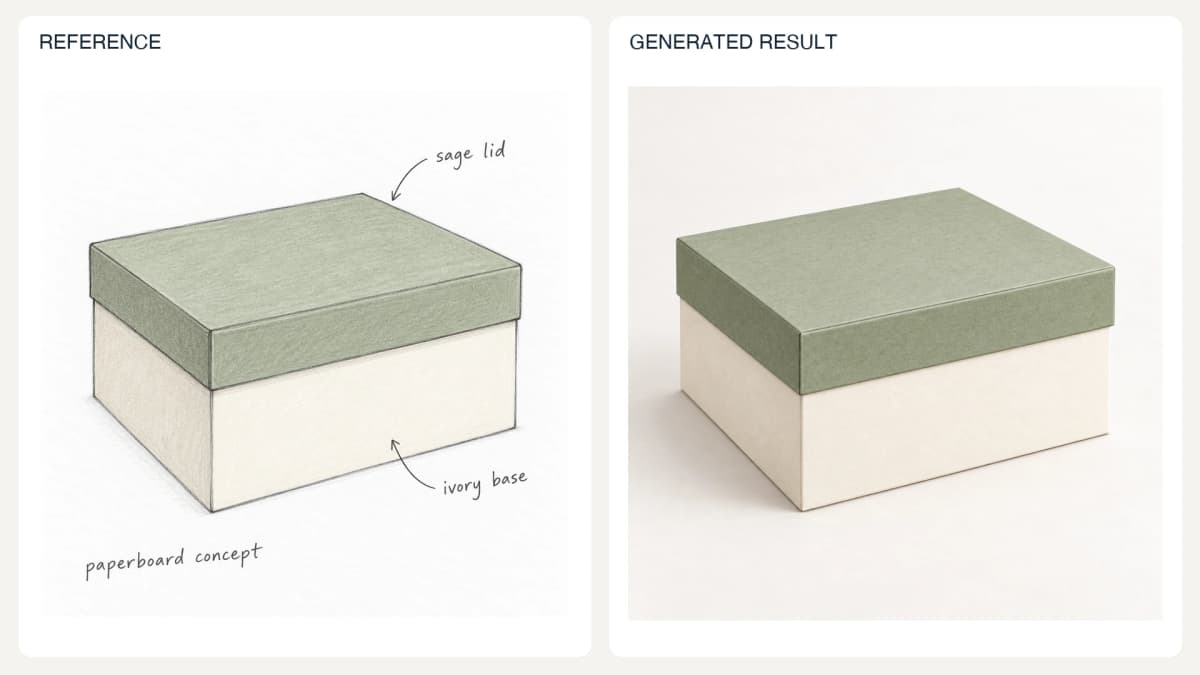
Generated sketch to generated concept render; no engineering validation is implied.
Prompt used for this image:
Render the attached paperboard box sketch as a photorealistic packaging concept in the same three-quarter perspective. Faithfully preserve its rectangular proportions, flat sage green lid and ivory base. Matte paperboard finish, subtle believable lid seam, soft neutral studio lighting on a warm white surface. Remove handwritten annotations and sketch marks from the final image. No branding, text, ribbon, window, hinges, compartments or extra objects. Square composition. This is an illustrative design visualization, not a manufacturing drawing.
Check: Compare the render with the drawing; it does not replace engineering or packaging production files.
31. Original Logo Direction
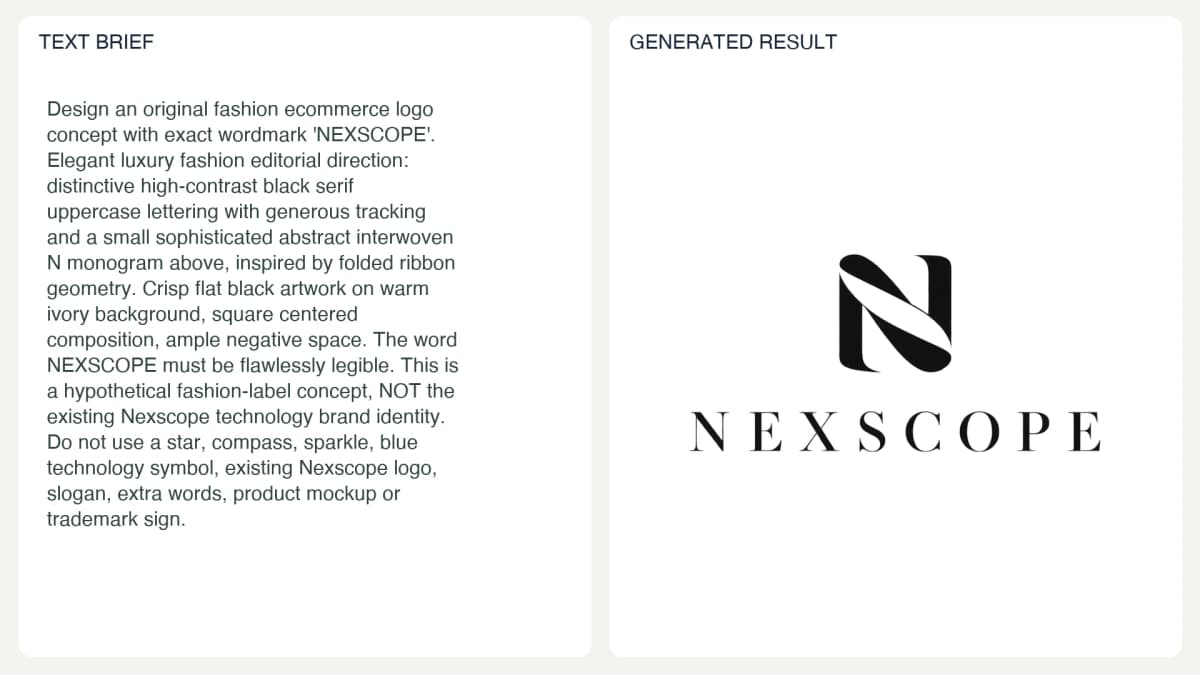
Hypothetical Nexscope fashion-label concept, distinct from the official Nexscope brand identity.
Prompt used for this image:
Design an original fashion ecommerce logo concept with exact wordmark 'NEXSCOPE'. Elegant luxury fashion editorial direction: distinctive high-contrast black serif uppercase lettering with generous tracking and a small sophisticated abstract interwoven N monogram above, inspired by folded ribbon geometry. Crisp flat black artwork on warm ivory background, square centered composition, ample negative space. The word NEXSCOPE must be flawlessly legible. This is a hypothetical fashion-label concept, NOT the existing Nexscope technology brand identity. Do not use a star, compass, sparkle, blue technology symbol, existing Nexscope logo, slogan, extra words, product mockup or trademark sign.
Check: Review originality and suitability separately; a raster concept is not final vector artwork or trademark clearance.
Quality Checks and Repair Prompts
Review Before Expansion
Approve the product first, then the presentation. Use the original product reference alongside the result; reviewing generated images only against one another can let the same error spread across a set.
| Review area | Inspect | Action if incorrect |
|---|---|---|
| Product identity | Shape, closures, parts, pattern, color | Re-anchor to source photography |
| Text | Logo, label, dimensions, claims | Compare character by character |
| Interaction | Fingers, grip, stance, contact | Simplify the pose or regenerate locally |
| Scene physics | Perspective, reflections, scale, shadows | Correct the affected region |
| Delivery | File type, alpha, dimensions, crop | Verify the actual exported file |
Avoid repeatedly editing an already distorted output. Return to the last approved version and change one issue at a time. If a key label cannot be made exact, use approved original artwork in a controlled production edit before release.
32. Restore Product Geometry
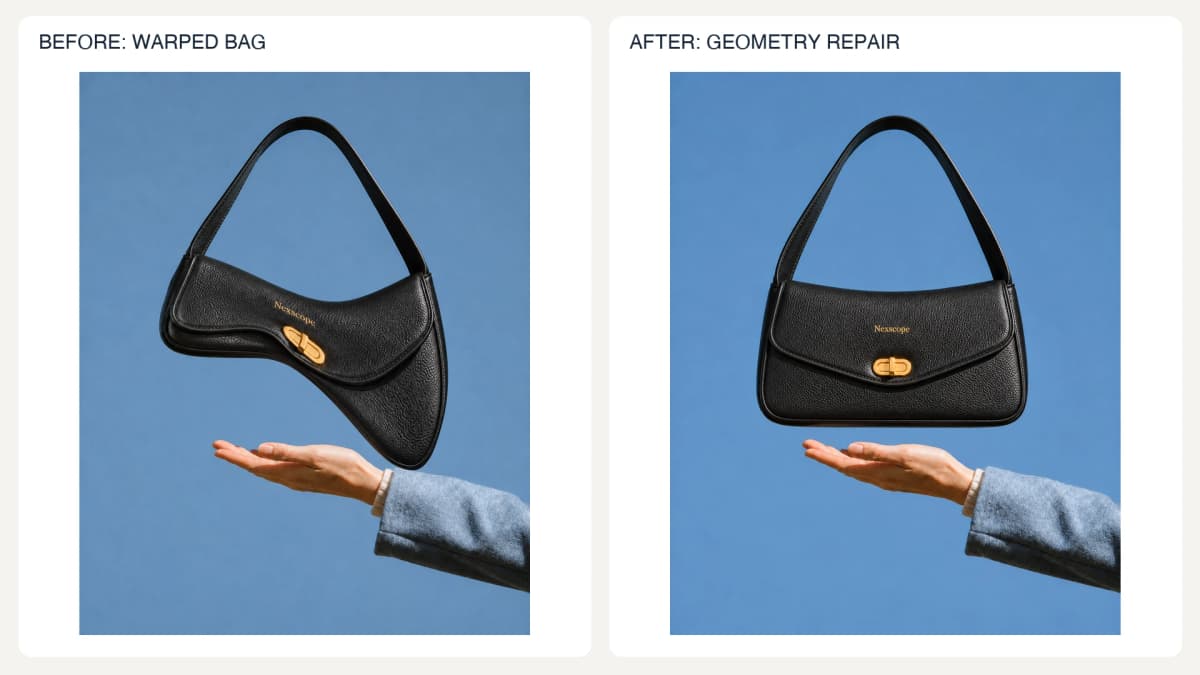
Staged repair exercise: severe bag deformation is removed. The flap shape still differs from the original reference and needs SKU review.
Prompt used for this image:
Repair the severely warped handbag in Input 1 using the intact original bag in Input 2 as the geometry reference. Restore the normal compact rectangular body, balanced left and right heights, gently curved flap edge, horizontal base, natural short strap and centered horizontal oval gold clasp. Eliminate the long drooping triangular right corner, pinched waist and slanted distorted hardware. Preserve Input 1's blue background, hand and sleeve placement, portrait framing and lighting. Keep black pebbled texture and gold Nexscope wordmark. Do not redesign the bag or change the person. Output the repaired photograph with no annotations.
Check: Compare the repaired region and surrounding edges with the original product.
33. Correct Labels and Copy
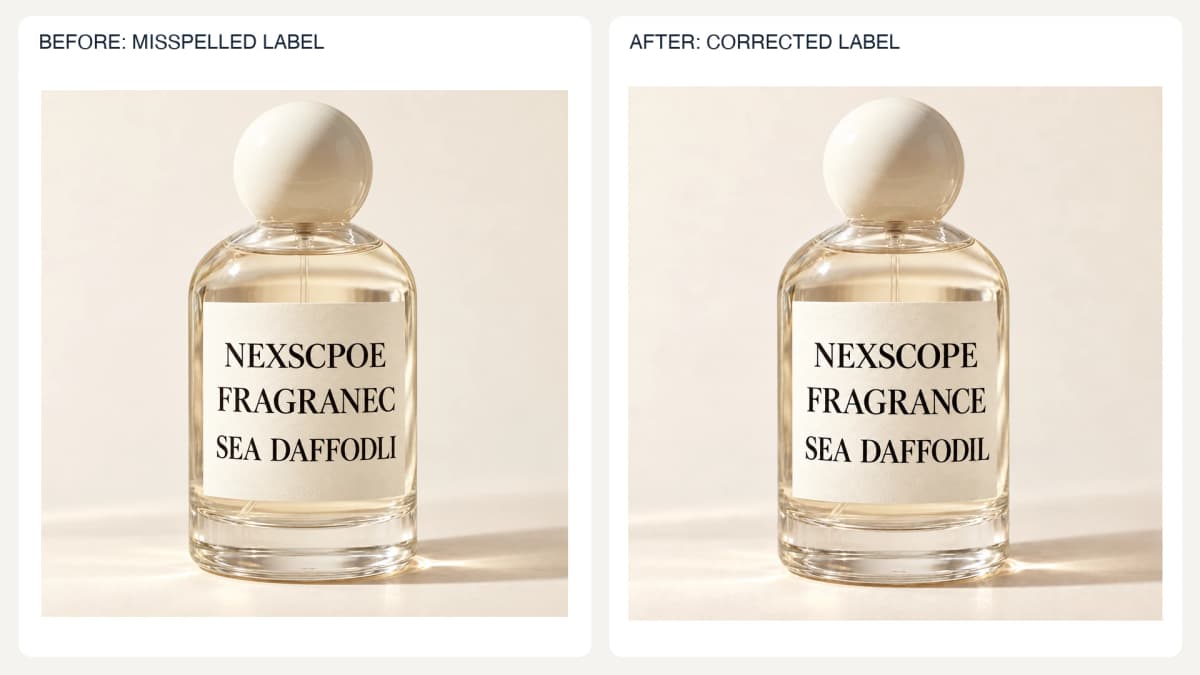
Staged repair exercise: NEXSCPOE, FRAGRANEC and SEA DAFFODLI are corrected to NEXSCOPE, FRAGRANCE and SEA DAFFODIL.
Prompt used for this image:
Correct only the three large misspelled lines on this perfume label. Exact replacements: 'NEXSCPOE' to 'NEXSCOPE'; 'FRAGRANEC' to 'FRAGRANCE'; 'SEA DAFFODLI' to 'SEA DAFFODIL'. Keep uppercase black serif typography, large readable size, three-line layout and cream label. Preserve bottle silhouette, cap, glass reflections, lighting, framing and background exactly. Do not add Cologne or any other words. This is a label-copy repair, not a packaging redesign.
Check: Read the actual pixels. A model's assurance that spelling is correct is insufficient.
34. Repair Hands and Contact
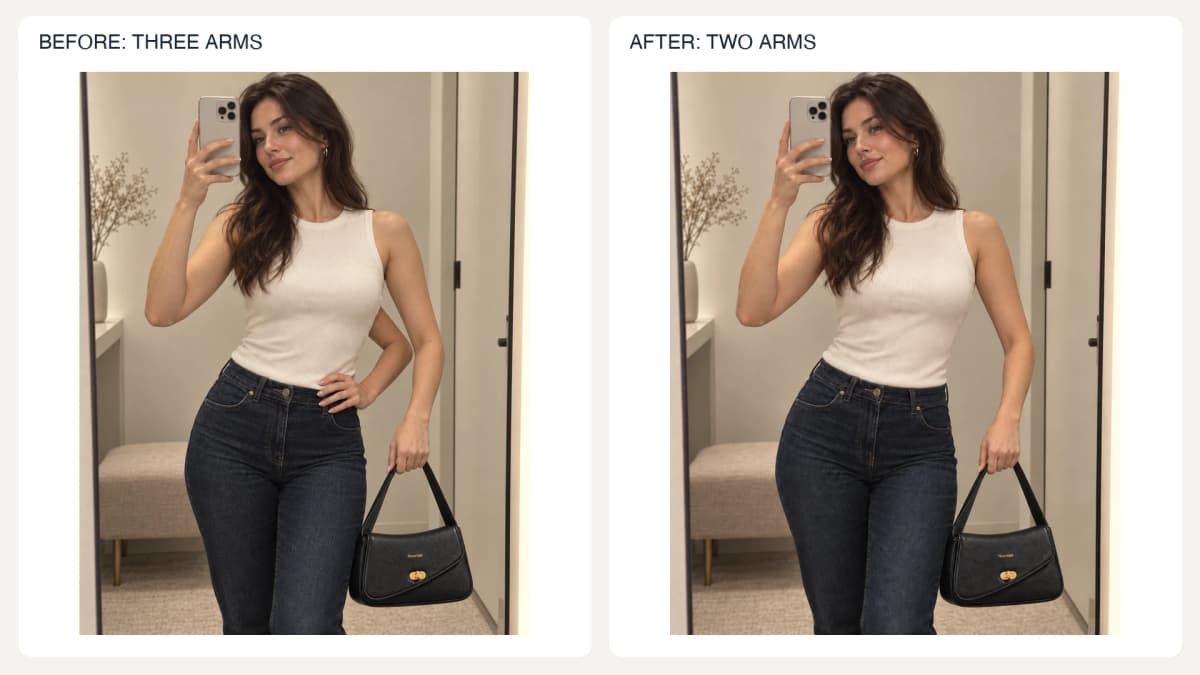
Staged repair exercise: remove the extra waist-level arm while preserving the phone-holding and bag-holding arms.
Prompt used for this image:
Repair the extra-arm anatomy error in this mirror selfie. The woman currently has THREE arms. Remove the extra bent arm emerging from her ribcage on the viewer's right and its hand resting on her waist. Keep exactly TWO normal arms: the arm holding the phone beside her face on the viewer's left, and the arm hanging down holding the black bag on the viewer's right. Reconstruct the small affected region of ivory top, jeans and background naturally where the extra arm was. Preserve her face, hair, expression, body, phone, outfit, bag design, bag position, room, mirror and portrait crop. Both remaining arms must connect naturally to their shoulders. No new objects or annotations.
Check: Follow each visible finger to the hand and inspect all product intersections.
35. Reconcile Light and Shadows
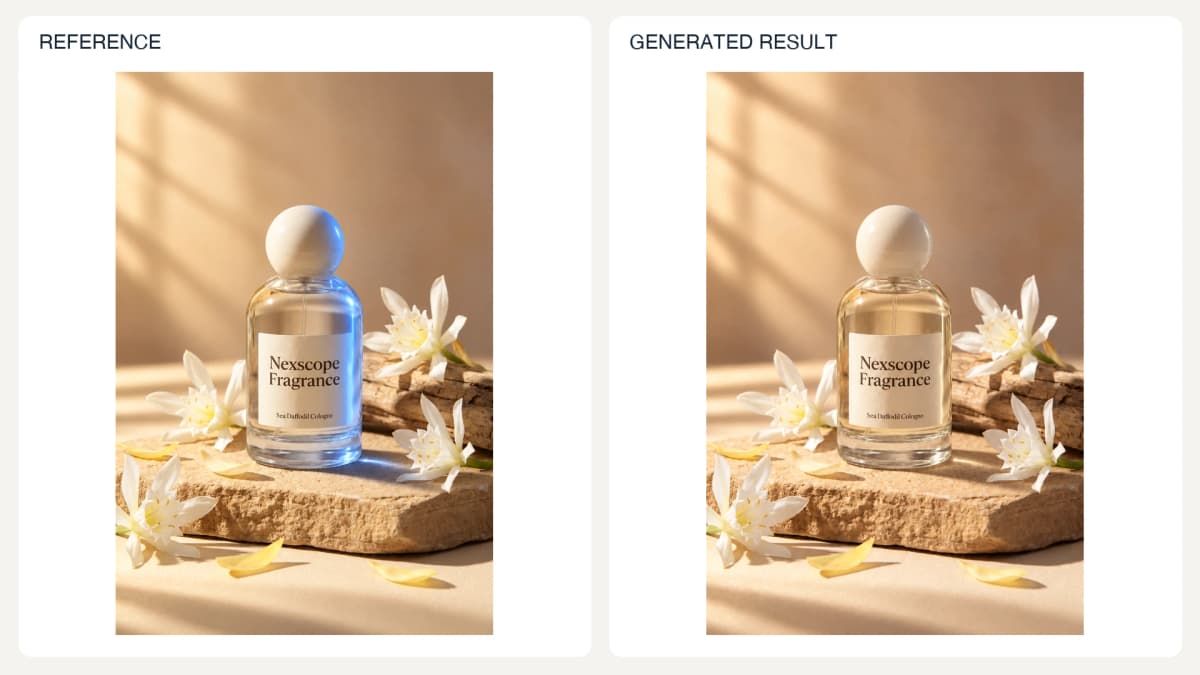
The before image contains deliberately staged inconsistent lighting.
Prompt used for this image:
Correct the inconsistent lighting on this perfume bottle. Remove the cold blue right-side illumination from the cap, glass and liquid. Match the bottle to the scene's warm daylight coming from the upper left. Rebuild only necessary reflections and bottle contact shadow so they agree with that direction. Keep bottle shape, exact Nexscope Fragrance / Sea Daffodil Cologne label, cap, flowers, stone, framing and background unchanged. Natural clear glass and pale golden liquid. No new objects or text.
Check: Confirm shadow direction, softness, reflections, and product color together.
Conclusion
Useful AI product photography starts with a documented item and a clear image task. Choose the relevant prompt, supply the missing facts, and compare the result with its references before expanding to a full set. The most valuable reusable asset is an approved combination of references, prompt, settings, and review criteria.
Create Ecommerce Images with GPT Image 2.5 APIs
Put these prompts into an ecommerce image workflow with Nexscope's GPT Image 2.5 Flare API or GPT Image 2.5 Sunburst API. Open the model's documentation to check its supported inputs, request schema, and response format before integrating your product-photo or campaign workflow.
Create Your Next Ecommerce Image
Use these prompts with Nexscope’s GPT Image 2.5 APIs for product photos and campaign visuals.
Nexscope also offers multiple model APIs for ecommerce photos and videos, alongside capabilities such as background replacement, virtual try-on, image translation, and hand repair. Browse the Creative API catalog to extend your workflow from product stills to video content.
Frequently Asked Questions
What should an AI product photography prompt include?
Include the image's purpose, product reference, permitted changes, preserved details, composition, lighting, exact approved text, and output requirements. Supply facts such as dimensions and included components separately from visual preferences. For multiple references, identify which image controls the product and which controls layout or style. Replace every placeholder before generating, then inspect the result against the source material.
Can one product photo generate a complete listing set?
One clear photograph can support several compositions and backgrounds, but it cannot verify surfaces or features that are not visible. A complete set may require side and back views, detail photos, measurements, and operating instructions. Collect those inputs before requesting dimensions, construction details, or unfamiliar angles. Keep any image that depends on invented product information out of the approved listing set.
Can AI preserve a logo and packaging exactly?
A prompt can request faithful preservation, but the result still needs inspection. Small lettering, fine patterns, and label proportions can change during generation or repeated edits. Supply a sharp package photograph and approved artwork where possible. Compare the output at full size. If exact reproduction repeatedly fails, use the original product or label artwork in a controlled production edit and verify the final composite.
How should transparent product images be checked?
Use an output format that supports transparency and the tool's actual transparent-background setting. After export, inspect the alpha channel and view the cutout against both light and dark backgrounds. Check fine edges, openings, translucent parts, and reflections. A checkerboard drawn into the image is not transparency, and a clean appearance on white alone can hide pale fringes or leftover background pixels.
Can these prompts create realistic model try-ons?
They can guide visualizations of garments and accessories on people, provided suitable reference images are supplied. Review identity, garment construction, print placement, anatomy, and contact points. An appealing generated fit does not establish real sizing, comfort, or fabric behavior. Use actual garment measurements and fitting evidence for those claims, and make sure any specific person's image is authorized for the intended use.
Should a team generate an entire catalog immediately?
Begin with a small representative group and approve the workflow first. Track reference versions, prompt IDs, settings, and review outcomes so failures can be traced. Test difficult products as well as straightforward ones, including reflective materials and detailed labels. Expand only after the team can consistently identify acceptable outputs and handle rejected ones. Generating a file successfully does not mean it is ready to publish.
Sources
- OpenAI. (2026). Image prompting. Retrieved from developers.openai.com
- OpenAI. (2026). Image generation. Retrieved from developers.openai.com
- Shopify. (n.d.). Taking product photographs. Retrieved from help.shopify.com