

Seedance 2.5 Ecommerce Video Workflows for Online Sellers
A Seedance 2.5 ecommerce video can do more than make a product look polished. Online sellers also need the product to remain recognizable, the selling points to appear in the right order, and the finished creative to work across product pages, marketplaces, social channels, and paid campaigns.
Those production requirements become harder when a team has several products, markets, and content formats to support. A strong opening shot has limited value if the product changes shape halfway through the clip or every small correction requires a complete rerender. Seedance 2.5 addresses these problems with longer single-pass generation, multimodal references, timestamp-level control, and targeted editing. Nexscope gives ecommerce teams practical routes for turning product images and reference videos into new creative assets. The workflows below connect those capabilities to a 30-second product story, reusable channel variations, and the review points that keep generated content commercially usable.
Seedance 2.5 at a Glance
Ecommerce video production combines creative direction with product accuracy. The following table connects common production problems with the Seedance 2.5 capabilities that may help address them.
| Ecommerce challenge | Seedance 2.5 capability | Practical use case |
|---|---|---|
| Short clips cannot present a complete product story | Up to 30-second single-pass generation and extensions | Product demonstrations, PDP videos, and short-form ads |
| Product, model, scene, and audio references are scattered | Up to 30 images, 10 video clips, and 10 audio clips in one reference set | Product launches and brand-consistent campaigns |
| Products or people change between shots | Improved multi-subject and motion consistency | Fashion, beauty, food, and lifestyle videos |
| Selling points appear in the wrong order | Timestamp-level instructions | Structured hooks, demonstrations, proof, and calls to action |
| One bad detail forces a complete rerender | Targeted video editing | Product color, background, action, and scene corrections |
| A reference clip transfers motion but loses its visual language | Video, motion, and creative references | Product commercials and creator-style remakes |
| Product and scene relationships are difficult to control | Clay-render, perspective, and green-screen controls | Electronics, appliances, and composited scenes |
| Each channel needs a different creative version | Reusable references and editable outputs | Marketplace, social, and paid-media variations |
ByteDance's official Seedance 2.5 release describes three central upgrades: video generation of up to 30 seconds in a single pass, multimodal reference input, and more precise editing. The reference limit is divided into up to 30 images, 10 video clips, and 10 audio clips. These are model-level capabilities. The exact options available in a specific interface or workflow should always be confirmed before production begins.
Why 30-Second Videos Matter
Earlier AI video workflows often relied on several short generations stitched together in an editor. That process adds work and creates more opportunities for the product, person, lighting, or environment to shift between clips.
Seedance 2.5 can organize multiple connected shots within a longer generation. For ecommerce teams, the practical benefit is enough time to establish a problem, introduce the product, demonstrate its use, and close with a buying reason. Longer output does not remove the need for planning. It makes a clear storyboard more important because more actions and transitions must be controlled in one prompt.
A 30-Second Product Story
| Time | Story function | Ecommerce content |
|---|---|---|
| 0-3 seconds | Hook | Show a problem, result, or strong visual change |
| 3-10 seconds | Product introduction | Place the product in a recognizable use environment |
| 10-22 seconds | Demonstration | Show features, materials, steps, and visible results |
| 22-27 seconds | Buying evidence | Add a comparison, reason to believe, or key decision point |
| 27-30 seconds | Next action | Give the viewer a clear and restrained call to action |
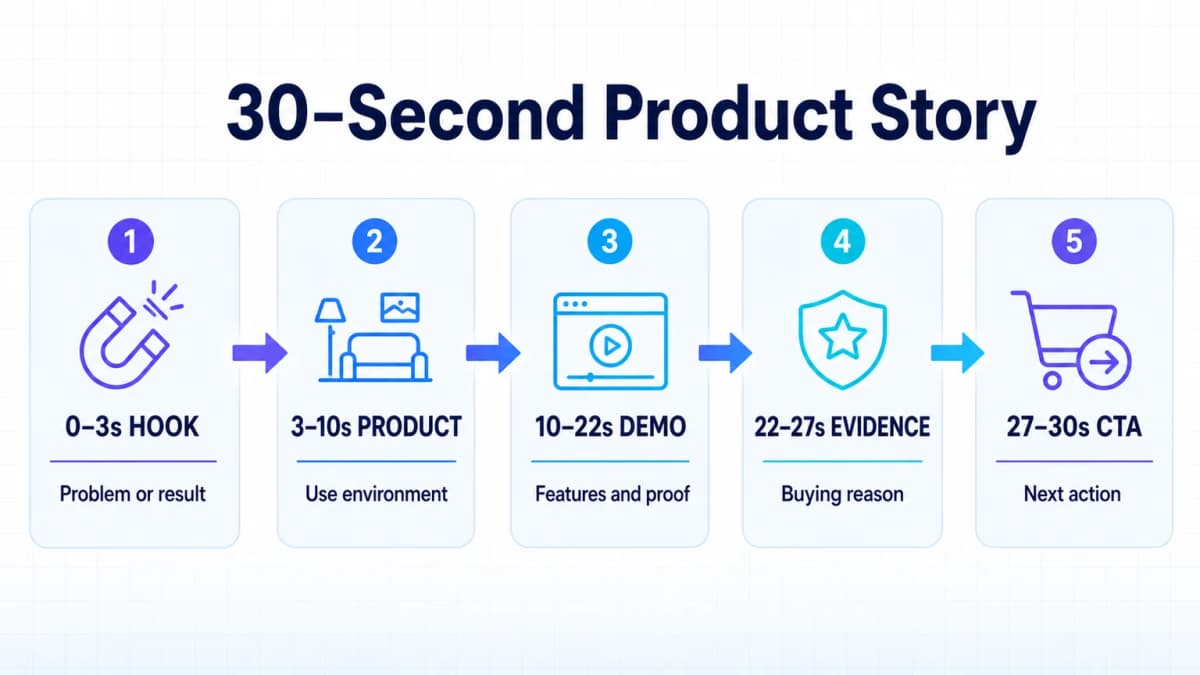
The structure should match the product. A fashion video can move from a full outfit view to walking motion and fabric detail. A beauty video can cover packaging, texture, application, and the finished look. A home appliance or consumer electronics video can show the setting, controls, operating steps, and result.
The goal is a complete product argument, not simply a longer clip. Every time segment should answer a buyer question or provide evidence that supports the next part of the story.
Multimodal Product References
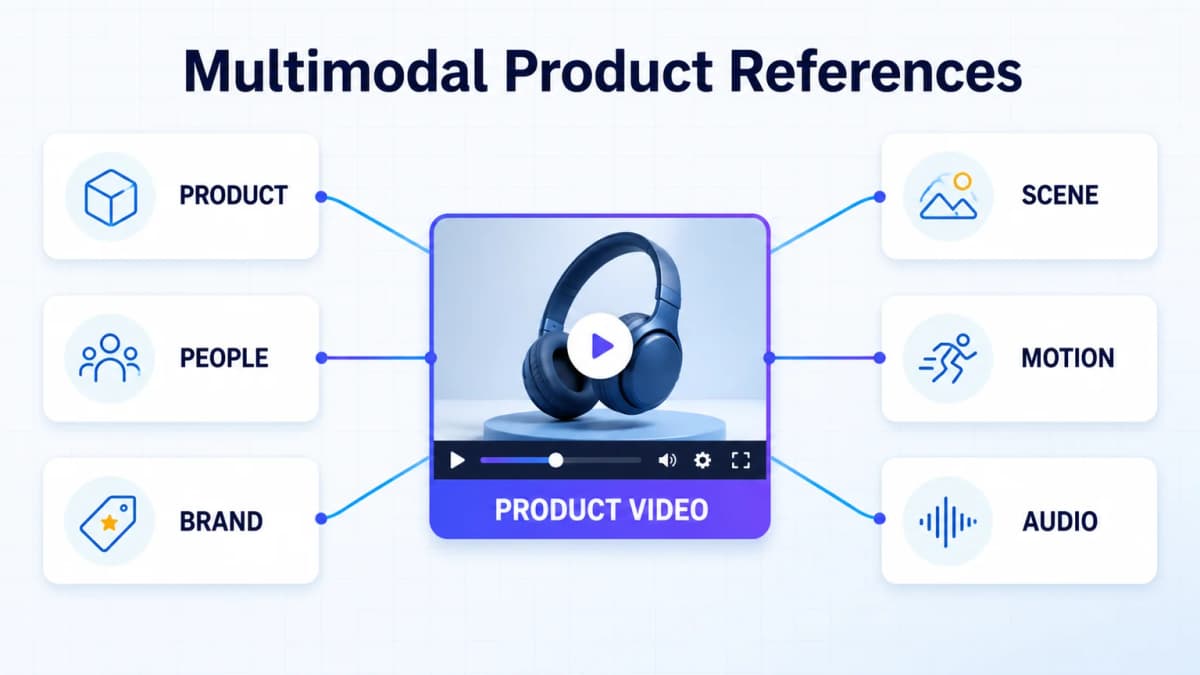
Product videos rarely start with a single image. A team may already have packshots, lifestyle photos, model images, brand guidelines, previous campaign videos, music, voice references, and examples of desired camera movement. Seedance 2.5 can use several media types together so the prompt does not carry the entire creative brief by itself.
Reference Asset Types
- Product views: Front, back, side, packaging, texture, controls, accessories, and important details.
- People: Models, creators, customer profiles, poses, expressions, and wardrobe references.
- Brand direction: Color, lighting, composition, visual style, and approved campaign examples.
- Environments: Studio backgrounds, homes, outdoor settings, retail spaces, and product-use contexts.
- Motion: Camera paths, gestures, product interactions, transitions, and pacing references.
- Audio: Voice, dialogue style, sound effects, music direction, and timing cues.
Larger reference sets need clear organization. Each file should have one defined role, and the prompt should state which reference controls the product, subject, scene, movement, or audio. Uploading many similar assets without assigning those roles can create conflicting instructions.
Category Asset Packs
- Fashion: Front, back, and side views; fabric; print; styling; fit; and model movement.
- Beauty: Packaging; logo; texture; shade; application; and the finished result.
- Food: Packaging; ingredients; preparation; texture close-ups; and serving context.
- Pet products: Packaging; ingredients; pet appearance; and the real use or feeding process.
- Home goods: Dimensions; materials; placement; assembly; and several room settings.
- Electronics: Product details; buttons; ports; interface; operating steps; and feature demonstrations.
The same image preparation work can support both static and moving assets. A consistent set of AI product photography references can become the starting material for image-to-video generation, product demonstrations, and channel-specific variations.
Consistency Limits
References improve control, but they do not guarantee exact product reproduction in every frame. ByteDance notes that complex motion and interactions between multiple subjects still leave room for improvement. Text on packaging, logos, small controls, product dimensions, and safety-critical actions require manual review.
Generated video should be treated as a draft until the product, claims, movement, audio, and channel requirements have been checked. Teams should keep the original references and prompt with every approved output so successful creative decisions can be repeated.
Targeted Video Editing
A traditional rerender can fix one problem and introduce another. The product color may become correct while a previously successful camera move changes. A model's action may improve while the packaging drifts. Targeted editing is valuable because it lets the team preserve more of an accepted clip.
Keep What Works
Seedance 2.5 supports timestamp-based instructions during generation and targeted changes after a clip is created. Practical ecommerce edits can include:
- Keeping a model's movement while changing the garment color.
- Preserving a product demonstration while replacing the environment.
- Keeping a food preparation sequence while changing the table setting.
- Retaining an appliance workflow while correcting a local visual detail.
- Preserving a creator's performance while changing the featured product.
- Adjusting camera movement while keeping the subject and action stable.
The editing request should isolate the intended change. It should also name the elements that must remain unchanged, such as the product, action, composition, lighting, or timing. A shorter instruction is not always clearer when several visual constraints matter.
Quality Control
Every edited clip needs a full review rather than a check of the changed frame alone. A local edit can affect continuity before and after the target segment. Review the transition into the edit, the edited action, and the transition out of it. For products with regulated claims or safety instructions, compare the final video against approved source material before distribution.
Global Video Localization
One approved product concept can become the basis for several markets. The product references, shot structure, and main demonstration may remain consistent while the script, spoken language, on-screen message, and call to action change.
Market Variations
Localization involves more than translating a prompt. Each version may need different:
- Buying reasons and customer objections.
- Currency, measurements, and date formats.
- Product claims, disclaimers, and regulated language.
- Voice, pronunciation, and cultural context.
- Aspect ratio, safe zones, captions, and channel-specific calls to action.
Multilingual output should be tested with native speakers before release. Product names, numbers, claims, and pronunciation deserve particular attention. A shared reference pack can preserve visual consistency, but the commercial message still needs local review.
Format Variations
A 16:9 product story may work for a website or YouTube placement, while TikTok Shop, Reels, and Shorts typically need a vertical composition. Square and vertical crops should be planned during production rather than treated as automatic exports. Keep important product details, faces, captions, and calls to action inside the safe area for each format.
Ecommerce Channel Workflows
The source assets can remain consistent while the content strategy changes by channel.
| Channel | Content strategy | Suitable videos |
|---|---|---|
| Amazon | Prioritize product use, features, and decision evidence | Listing videos, Store videos, product demonstrations, and video ads |
| Shopify | Combine brand presentation with product understanding | PDP videos, launch campaigns, lifestyle content, and homepage creative |
| TikTok Shop | Win attention quickly and continue with visible product information | UGC-style reviews, tutorials, comparisons, and problem-solution videos |
| Walmart | Present function, specifications, and realistic operation clearly | Appliance, electronics, and durable-goods demonstrations |
| Multi-channel campaigns | Reuse one product system with different hooks and formats | Reels, YouTube Shorts, paid social, and marketplace variations |
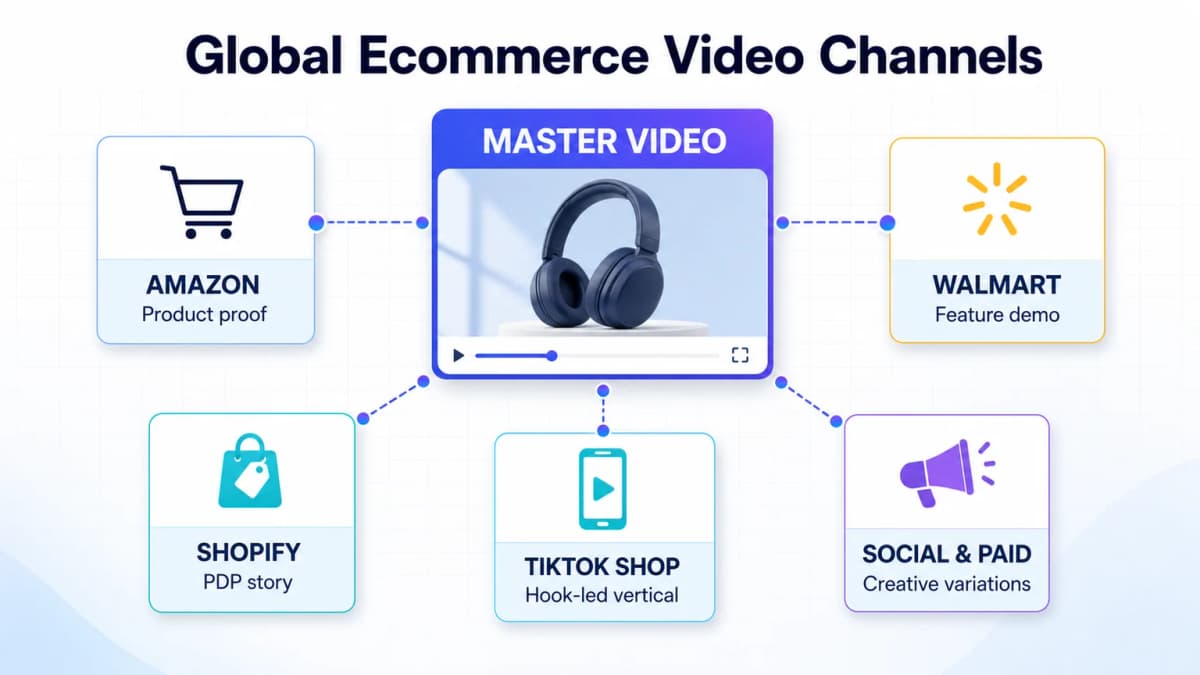
Amazon notes that some video ads autoplay without sound, which makes the visible product action and on-screen message especially important. Shopify supports video as product media, so a product demonstration can sit close to the product information and purchase decision. TikTok content benefits from a native short-form structure, and the broader set of AI tools for TikTok Shop can support research, creative planning, and iteration around the video itself.
The platform name should not determine the entire creative strategy. The buyer question comes first. A product that requires installation needs a different sequence from a beauty product that depends on texture and visible application.
A Complete Content Workflow
AI images, product talking videos, image-to-video generation, and video cloning can support different stages of the same production system. Choosing the correct starting point reduces unnecessary work.
Product Images
Create or collect approved product packshots, detail views, lifestyle scenes, model images, and brand assets. These files provide the visual source of truth for later generation. Teams that need new source assets can use the Nexscope Image Generator to create marketplace-ready product photos, lifestyle scenes, and ad creatives from a prompt or reference image.
Small packaging text, logos, dimensions, and product geometry should be checked before animation begins. Approved images can then move directly into Nexscope Image to Video, Nexscope UGC Video, or Nexscope Video Clone production.
Nexscope Image to Video
When a team has strong product images but no existing motion reference, Nexscope Image to Video can build a product video from reference images, first and last frames, templates, and custom motion direction. This path works well for product reveals, camera orbits, material close-ups, simple demonstrations, and lifestyle movement.
The prompt should describe what moves, what remains fixed, how the camera behaves, and which product features must stay visible. A controlled motion brief usually produces a more useful ecommerce clip than a broad request for something cinematic.
Nexscope Video Clone
When a seller already has a reference video with a useful structure, Nexscope Video Clone can use that video together with product images to recreate its pacing, scenes, and style for a different product. This path is appropriate when the reference demonstrates a proven hook, sequence, or camera rhythm that the new product should follow.
The reference should be selected for structure rather than copied branding or protected creative elements. Teams must have the right to use the source video and should replace third-party logos, claims, music, and recognizable proprietary assets. The new output still requires a product-accuracy and policy review.
Nexscope UGC Video
When the concept depends on a person explaining or presenting the product, Nexscope UGC Video can start with product images, generate a selling script, and produce a short talking video. This route fits product introductions, benefit explanations, creator-style demonstrations, and social variations.
The script should sound natural for the market and channel. It should make only approved claims and avoid presenting generated people as real customers or independent reviewers.
Channel Variations
After the core creative is approved, prepare versions for the main placements:
- Amazon product and Store video.
- Shopify PDP and launch-page video.
- TikTok Shop hook-led vertical video.
- Reels and YouTube Shorts versions.
- Paid-social variants with different openings, selling-point order, or audience framing.
Versioning should preserve the source product evidence. Changing the hook or format should not change the factual product claim.
Conclusion
Seedance 2.5 expands the amount of product storytelling, reference material, and editing control available within one video workflow. Its ecommerce value comes from how those capabilities are organized: a clear storyboard, approved product references, controlled edits, channel-specific versions, and a final human review.
Create With Seedance 2.5
Nexscope now supports Seedance 2.5 on the web and through API access. Ecommerce teams can create product videos online from $0.10 per second, or connect the Seedance 2.5 API to an existing application or production pipeline.
Projects can also move through Nexscope's Image to Video, UGC Video templates, or Video Clone workflows, depending on whether the starting point is a product image, a creator-style concept, or an authorized reference video.
Frequently Asked Questions
What is Seedance 2.5 used for in ecommerce?
Seedance 2.5 can support product demonstrations, launch videos, lifestyle scenes, creator-style content, marketplace videos, and paid-social variations. Its longer single-pass generation gives a team more room to organize a complete product story. Multimodal references can guide the product, person, environment, motion, and audio, while targeted editing can correct selected parts of a clip. The final output still needs human review for product accuracy, claims, logos, text, continuity, and channel compliance.
Can Seedance 2.5 generate a 30-second product video?
ByteDance states that Seedance 2.5 can generate up to 30 seconds in a single pass and supports extensions for longer storytelling. A 30-second product video can include a hook, product introduction, demonstration, buying evidence, and call to action. The exact duration and settings available through a particular workflow should be checked in that interface before production. Longer duration also requires more precise timing instructions and stronger reference assets.
How many references can Seedance 2.5 use?
The official Seedance 2.5 release states that one multimodal reference set can contain up to 30 images, 10 video clips, and 10 audio clips. The references can guide composition, subjects, scenes, props, camera language, motion, and sound. More files do not automatically produce a better result. Each reference should have a clear role, and the prompt should identify which asset controls each part of the output. A specific product interface may expose different limits.
Can part of a Seedance 2.5 video be edited?
Seedance 2.5 supports timestamp-level control and targeted changes to characters, actions, camera perspective, backgrounds, and other content. This can help preserve a successful product shot while correcting a limited problem. The whole clip still needs to be reviewed after an edit because continuity, lighting, movement, or product details around the edited segment may also change. Regulated claims and safety-related demonstrations should be compared against approved source material.
When should a seller use Image to Video?
Image to Video is the appropriate starting point when approved product images already exist and the seller needs to add motion, camera direction, transitions, or a simple demonstration. Nexscope's workflow supports reference images, first and last frames, templates, and custom motion direction. It is useful for product reveals, material close-ups, lifestyle movement, and short PDP or social clips. The product geometry, branding, and small text should be checked carefully after generation.
When should a seller use Video Clone?
Video Clone is useful when an authorized reference video already has the desired pacing, scene order, or visual style. The reference video and product images guide a new version for the seller's product. It should not be used to copy protected third-party branding, music, people, claims, or proprietary creative assets without permission. The output should be reviewed as a new commercial asset, including product accuracy, disclosure, usage rights, and platform policy requirements.
Sources
- ByteDance Seed Team. (2026). One-take Creation, Flexible Referencing: Introducing Seedance 2.5. Retrieved from seed.bytedance.com
- ByteDance Seed Team. (2026). Seedance 2.5. Retrieved from seed.bytedance.com
- Amazon Ads. (2026). Amazon Video Ads and Ecommerce Creative Specifications. Retrieved from advertising.amazon.com
- Shopify. (2026). Product Media. Retrieved from help.shopify.com